
Utangulizi
Asante kwa ununuziasing the SNAKEBYTE GAMEPAD RGB X SB922312 wired controller. This manual provides essential information for setting up, operating, and maintaining your new gaming controller. Please read this manual thoroughly before use to ensure optimal performance and longevity of your device.

Mbele view of the SNAKEBYTE GAMEPAD RGB X SB922312 wired controller, showcasing muundo wake wa ergonomic na mpangilio wa kifungo.
Yaliyomo kwenye Kifurushi
Thibitisha kuwa vipengee vyote vipo kwenye kifurushi:
- SNAKEBYTE GAMEPAD RGB X SB922312 Wired Controller
- USB-C Cable (3 meters)
- Mwongozo wa Mtumiaji (hati hii)
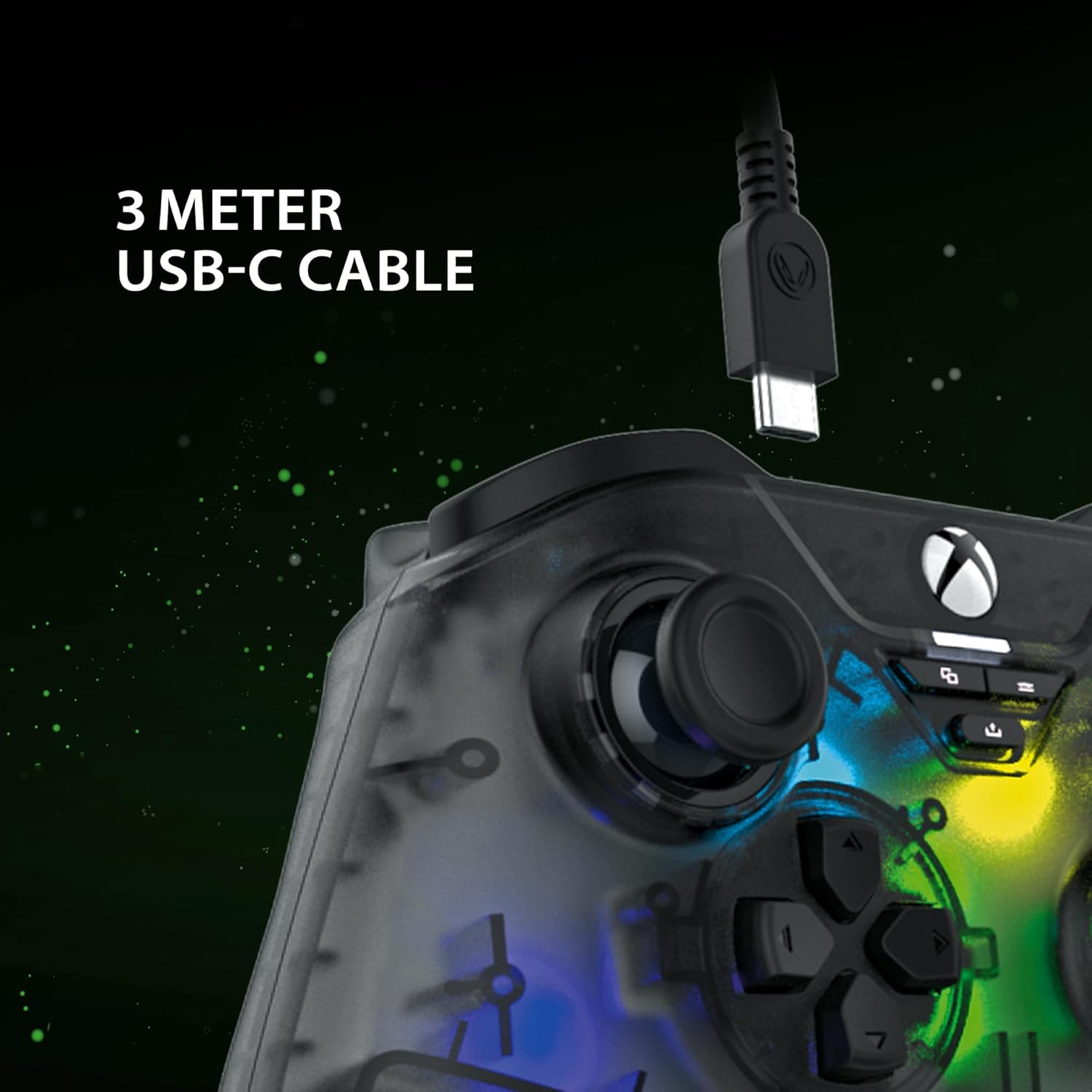
The included 3-meter USB-C cable for connecting the controller to your device.
Maagizo ya Kuweka
- Connect to Xbox Series X:
- Plug the USB-C end of the cable into the controller.
- Plug the USB-A end of the cable into an available USB port on your Xbox Series X console.
- The controller will automatically connect and be ready for use.
- Unganisha kwa Kompyuta:
- Plug the USB-C end of the cable into the controller.
- Plug the USB-A end of the cable into an available USB port on your PC.
- Your PC should automatically detect and install the necessary drivers. If not, please visit the SNAKEBYTE support webtovuti ya upakuaji wa madereva.
- The controller is compatible with Windows operating systems.
Maagizo ya Uendeshaji
Mpangilio wa Kitufe na Kazi
The controller features a standard Xbox-style button layout. Familiarize yourself with the following components:
- Vijiti vya Analogi: Vijiti viwili vya analogi vinavyoweza kubofywa kwa ajili ya mwendo sahihi na udhibiti wa kamera.
- D-Pad: Pedi ya maelekezo kwa ajili ya urambazaji wa menyu na ingizo mahususi za mchezo.
- Vifungo vya Kitendo (A, B, X, Y): Vifungo vya kawaida vya kitendo kwa amri za ndani ya mchezo.
- Vifungo vya Mabega (LB, RB): Located on the top edge for quick actions.
- Vichochezi (LT, RT): Analog triggers for variable input, such as acceleration or aiming.
- View Kitufe: Access in-game maps or menus.
- Kitufe cha Menyu: Access game menus or system options.
- Kitufe cha Xbox: Power on/off the console or access the Xbox Guide.
- Kitufe cha Kushiriki: Capture screenshots or record game clips.
- Jack ya Kifaa cha 3.5mm: Connect a compatible headset for audio and chat.

The 3.5mm headset jack located at the bottom of the controller for audio connectivity.
Udhibiti wa Taa za RGB
The controller features customizable RGB lighting. Specific buttons or combinations of buttons can be used to cycle through different static and dynamic color modes. Refer to the controller's dedicated RGB control button (if present) or the manufacturer's software for detailed customization options.

The controller displaying its customizable RGB lighting effects.
Sifa Muhimu
- Vihisi Athari vya Ukumbi: The analog sticks and triggers utilize Hall Effect sensors, which provide precise input and reduce wear, minimizing stick drift over time.
- Mwangaza wa RGB unaoweza kubinafsishwa: Personalize your gaming experience with multiple static and dynamic RGB color modes.
- Uunganisho wa waya: Ensures a stable, low-latency connection for competitive gaming.
- Jack ya Kifaa cha 3.5mm: Conveniently connect your gaming headset directly to the controller.
- High Polling Rate (PC): Offers a 1000 Hz polling rate on PC for ultra-responsive input.

An illustration of the Hall Effect sensor technology used in the analog sticks for enhanced precision and durability.

The Hall Effect triggers, designed for responsive and accurate input.
Matengenezo
Proper maintenance ensures the longevity of your controller:
- Kusafisha: Tumia kitambaa laini na kavu kuifuta kidhibiti. Kwa uchafu mkaidi, kidogo dampsw kitambaa na maji. Epuka kemikali kali au vifaa vya abrasive.
- Hifadhi: Hifadhi kidhibiti mahali pa baridi, pakavu mbali na jua moja kwa moja na joto kali.
- Huduma ya Cable: Avoid bending or twisting the USB-C cable excessively. Always grasp the plug, not the cable, when disconnecting.
Kutatua matatizo
| Tatizo | Suluhisho |
|---|---|
| Controller not recognized by Xbox/PC. |
|
| Vifungo au vijiti vya analogi havijibu. |
|
| Headset audio not working. |
|
Vipimo
| Kipengele | Maelezo |
|---|---|
| Nambari ya Mfano | SB922312 |
| Muunganisho | Wired USB (USB-C to USB-A cable) |
| Urefu wa Cable | mita 3 |
| Utangamano | Xbox Series X, PC (Windows) |
| Vipengele Maalum | RGB Lighting, Hall Effect Sensors (sticks & triggers), 3.5mm Headset Jack |
| Polling Rate (PC) | 1000 Hz |
| Idadi ya Vifungo | 17 |
| Vipimo | 10 x 5 x 1.27 cm |
| Uzito | 250 g |
| Aina ya Nyenzo | Acrylic |
Video Rasmi ya Bidhaa
Video hii inatoa digrii 360 view of the SNAKEBYTE GAMEPAD RGB X SB922312 controller, showcasing muundo wake kutoka pembe zote.
Udhamini na Msaada
For warranty information, technical support, or further assistance, please visit the official SNAKEBYTE webtovuti au wasiliana na huduma kwa wateja wao. Weka uthibitisho wako wa ununuzi kwa madai ya udhamini.
Mtengenezaji: SNAKEBYTE
Webtovuti: www.snakebyte.com (Kutampkiunga hiki, kiunga halisi kinaweza kutofautiana)