
1. Utangulizi
The eppfun AK8675B Pro is a versatile Bluetooth 5.2 audio adapter designed to function as both a transmitter (TX) and a receiver (RX). It features advanced Qualcomm QCC3040 chip technology, supporting various aptX codecs including aptX-Adaptive, aptX HD, and aptX Low Latency, ensuring high-quality audio with minimal delay. This device allows you to wirelessly stream audio from non-Bluetooth devices (like TVs or PCs) to Bluetooth headphones/speakers, or from Bluetooth-enabled devices (like smartphones) to wired audio systems.
2. Yaliyomo kwenye Kifurushi
Thibitisha kuwa bidhaa zote zilizoorodheshwa hapa chini zimejumuishwa kwenye kifurushi chako:
- eppfun AK8675B Pro Bluetooth Transmitter/Receiver
- Kebo ya Kuchaji ya USB-C
- Cable ya Sauti ya 3.5mm AUX
- Optical Fiber Audio Cable
- Mwongozo wa Mtumiaji (hati hii)

Image: Contents of the eppfun AK8675B Pro package, including the device, various cables, and the user manual.
3. Bidhaa Imeishaview na Vidhibiti
Jizoeshe na vipengele na vidhibiti vya kifaa:

Image: Diagram of the eppfun AK8675B Pro device with key interfaces and buttons labeled.
- Jibu: Kitufe cha Nguvu - Press and hold to turn the device on or off.
- B: RX/TX Mode Switching - Slide switch to select Transmitter (TX) or Receiver (RX) mode.
- C: Pairing Button - Press to initiate Bluetooth pairing mode.
- D: AUX 3.5mm Interface - For connecting audio devices via a 3.5mm audio cable.
- E: Volume Adjusting - Buttons to increase or decrease audio volume.
- F: One Click Mute, Double Click Audio Decoding Switch - Single press for mute/unmute; double press to cycle through audio decoding options.
- G: USB Charging - USB-C port for charging the device.
- H: Optical Interface - For connecting audio devices via an optical fiber cable.
4. Setup and Operation Modes
The AK8675B Pro operates in two primary modes: Transmitter (TX) and Receiver (RX). Select the appropriate mode using the RX/TX mode switching slider (B).

Image: Comparison of Transmitter and Receiver modes, showing usage time, compatible codecs, and simultaneous linking capabilities.
4.1. Hali ya Kisambazaji (TX)
In TX mode, the device transmits audio from a non-Bluetooth source (e.g., TV, PC) to Bluetooth-enabled headphones or speakers.
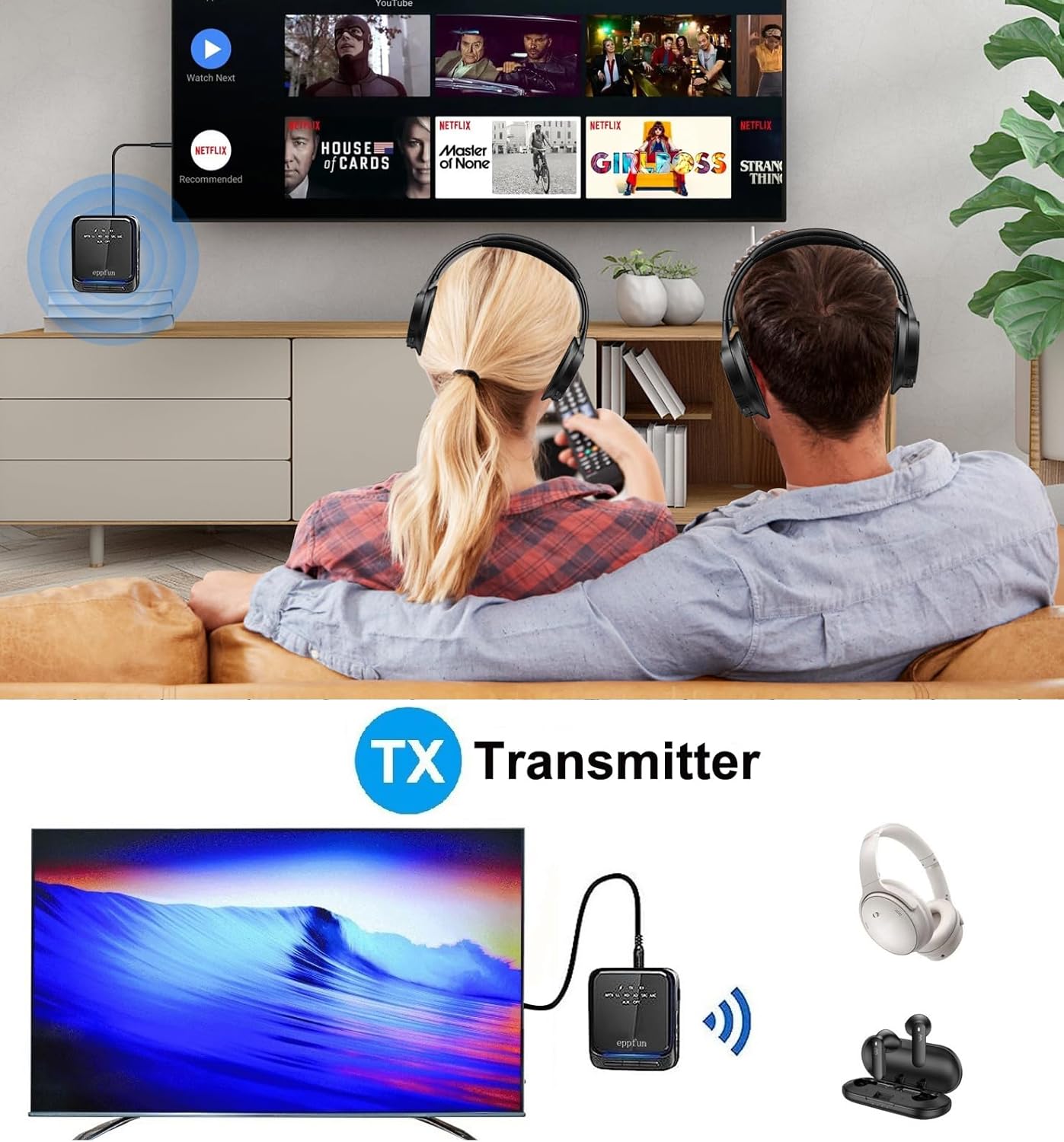
Image: An illustration of the eppfun AK8675B Pro connected to a TV, transmitting audio wirelessly to two pairs of Bluetooth headphones.
- Slide the mode switch (B) to TX.
- Connect the AK8675B Pro to your audio source (e.g., TV, PC) using either the 3.5mm AUX cable (D) or the Optical Fiber cable (H).
- Turn on the AK8675B Pro by pressing and holding the Power Button (A).
- Weka vipokea sauti vyako vya masikioni vya Bluetooth au spika katika hali ya kuoanisha.
- Press the Pairing Button (C) on the AK8675B Pro to initiate pairing. The LED indicator will show pairing status.
- Once connected, audio from your source will stream wirelessly to your Bluetooth device(s).
TX Mode Features:
- Codecs Sambamba: aptX, aptX-Adaptive, aptX LL (Low Latency), aptX HD, SBC.
- Saa za Kazi: Takriban saa 12 kwa malipo kamili.
- Muunganisho Mara Mbili: Supports connecting two Bluetooth headphones/earbuds simultaneously with aptX LL technology.
4.2. Hali ya Kipokeaji (RX)
In RX mode, the device receives audio wirelessly from a Bluetooth-enabled source (e.g., smartphone, tablet) and outputs it to a wired audio system (e.g., wired headphones, speakers).

Image: An illustration of the eppfun AK8675B Pro connected to wired speakers, receiving audio wirelessly from a smartphone.
- Slide the mode switch (B) to RX.
- Connect the AK8675B Pro to your wired audio output device (e.g., speakers, wired headphones) using the 3.5mm AUX cable (D).
- Turn on the AK8675B Pro by pressing and holding the Power Button (A).
- Enable Bluetooth on your smartphone or other Bluetooth audio source and search for available devices.
- Select "eppfun AK8675B Pro" from the list of available Bluetooth devices to pair. The LED indicator will confirm connection.
- Once connected, audio from your Bluetooth source will play through your wired audio system.
RX Mode Features:
- Codecs Sambamba: aptX, aptX-Adaptive, aptX HD, SBC, AAC.
- Saa za Kazi: Takriban saa 20 kwa malipo kamili.
5. Kuchaji Kifaa
To charge the eppfun AK8675B Pro:
- Connect the supplied USB-C cable to the USB Charging port (G) on the device.
- Connect the other end of the USB-C cable to a standard USB power adapter (not included) or a computer's USB port.
- The LED indicator will show the charging status. A full charge typically takes about 2 hours.
Note: The device cannot be used while it is charging.
6. Matengenezo
To ensure the longevity and optimal performance of your eppfun AK8675B Pro:
- Keep the device dry. Avoid exposure to moisture, rain, or liquids.
- Safisha kifaa kwa kitambaa laini na kavu. Usitumie kemikali kali au visafishaji vya abrasive.
- Hifadhi kifaa mahali pa baridi, kavu wakati haitumiki.
- Epuka halijoto kali.
- Usijaribu kutenganisha au kurekebisha kifaa, kwani hii itabatilisha udhamini na inaweza kusababisha uharibifu.
7. Utatuzi wa shida
If you encounter issues with your AK8675B Pro, refer to the following common solutions:
- Kifaa hakitawasha:
- Hakikisha kifaa kimechajiwa kikamilifu. Kiunganishe kwenye chanzo cha umeme kwa kutumia kebo ya USB-C.
- Press and hold the Power Button (A) for a few seconds.
- Haiwezi kuoanisha na kifaa cha Bluetooth:
- Ensure the AK8675B Pro is in the correct mode (TX for transmitting, RX for receiving).
- Make sure both devices are in pairing mode and within the 10-meter communication range.
- Clear previous pairing records on both the AK8675B Pro and your Bluetooth device, then attempt to pair again.
- Restart both the AK8675B Pro and your Bluetooth device.
- No audio output/input:
- Check all cable connections (3.5mm AUX or Optical Fiber) to ensure they are secure and in the correct ports.
- Verify that the volume on both the AK8675B Pro (E) and the connected audio device is not muted or set too low.
- Ensure the correct audio input/output is selected on your source device (e.g., TV audio settings).
- Confirm that the AK8675B Pro is successfully paired and connected to the desired Bluetooth device.
- Audio delay or poor quality:
- Ensure both the AK8675B Pro and your connected Bluetooth device support aptX Low Latency (aptX LL) for minimal delay, especially in TX mode.
- Reduce the distance between the AK8675B Pro and the connected Bluetooth device, and remove any obstacles.
- Angalia kama kuna usumbufu unaoweza kutokea kutoka kwa vifaa vingine visivyotumia waya.
8. Vipimo
| Kipengele | Vipimo |
|---|---|
| Jina la Mfano | AK8675B Pro |
| Toleo la Bluetooth | 5.2 |
| Chipset ya Bluetooth | Qualcomm QCC3040 |
| Supported Codecs (TX) | aptX, aptX-Adaptive, aptX LL, aptX HD, SBC |
| Supported Codecs (RX) | aptX, aptX-Adaptive, aptX HD, SBC, AAC |
| Mkanda wa Marudio | 2.402GHz - 2.480GHz |
| Umbali wa Mawasiliano | Hadi mita 10 (futi 33) |
| Wakati wa Kufanya kazi kwa Njia ya TX | Takriban. 12 masaa |
| Wakati wa Kufanya Kazi wa Njia ya RX | Takriban. 20 masaa |
| Muda wa Kuchaji | Takriban. 2 masaa |
| Kuchaji Bandari | USB-C |
| Ingizo/Pato la Sauti | 3.5mm AUX, Optical TOSLINK |
| Aina ya Betri | Lithium-Ion (imejumuishwa) |
| Vipimo vya Bidhaa | 75mm x 66mm x 18mm (takriban.) |
| Uzito wa Bidhaa | 60.5 g (takriban.) |
9. Udhamini na Msaada
Bidhaa za eppfun zimeundwa kwa ajili ya kutegemewa na utendaji. Kwa taarifa za udhamini na usaidizi wa kiufundi, tafadhali rejelea eppfun rasmi webtovuti au wasiliana na mchuuzi wako. Weka risiti yako ya ununuzi kama dhibitisho la ununuzi kwa madai ya udhamini.