
Utangulizi
Thank you for choosing the HOCO W40 Bluetooth Headphones. These wireless headphones are designed to provide a high-quality audio experience with deep bass, clear calls, and comfortable wear. This manual will guide you through the setup, operation, and maintenance of your new headphones.
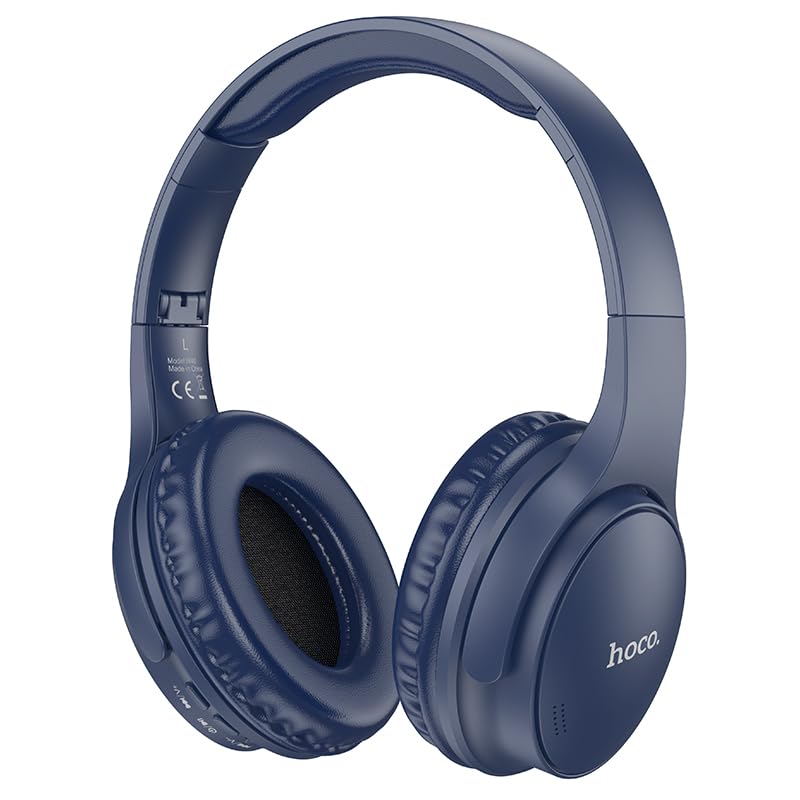
Image: HOCO W40 Bluetooth Headphones in a folded position, showcasing the earcups and headband. The headphones are blue.
Ni nini kwenye Sanduku
Tafadhali angalia yaliyomo kwenye kifurushi chako ili kuhakikisha kuwa bidhaa zote zipo:
- Vipokea sauti vya Bluetooth vya HOCO W40
- Mito ya Masikio
- Headband (integrated with headphones)
The package includes the HOCO W40 Bluetooth Headphones, along with ear cushions and the integrated headband for comfortable use.
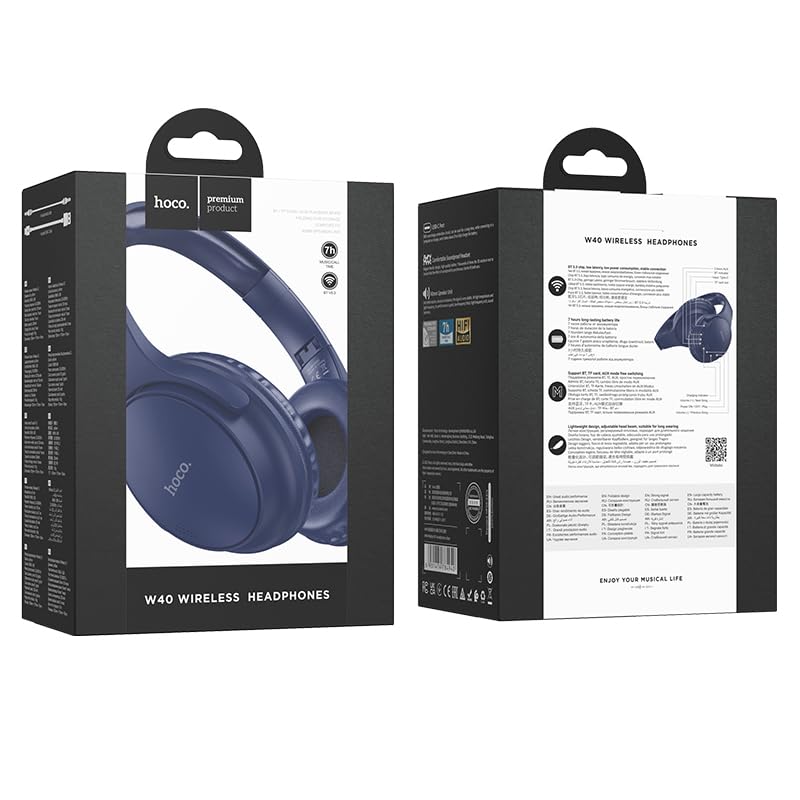
Image: Retail packaging for the HOCO W40 Wireless Headphones, showing the product image and some features on the box.
Bidhaa Imeishaview
Jizoeshe na sehemu na vidhibiti mbalimbali vya vipokea sauti vyako vya masikioni vya HOCO W40.
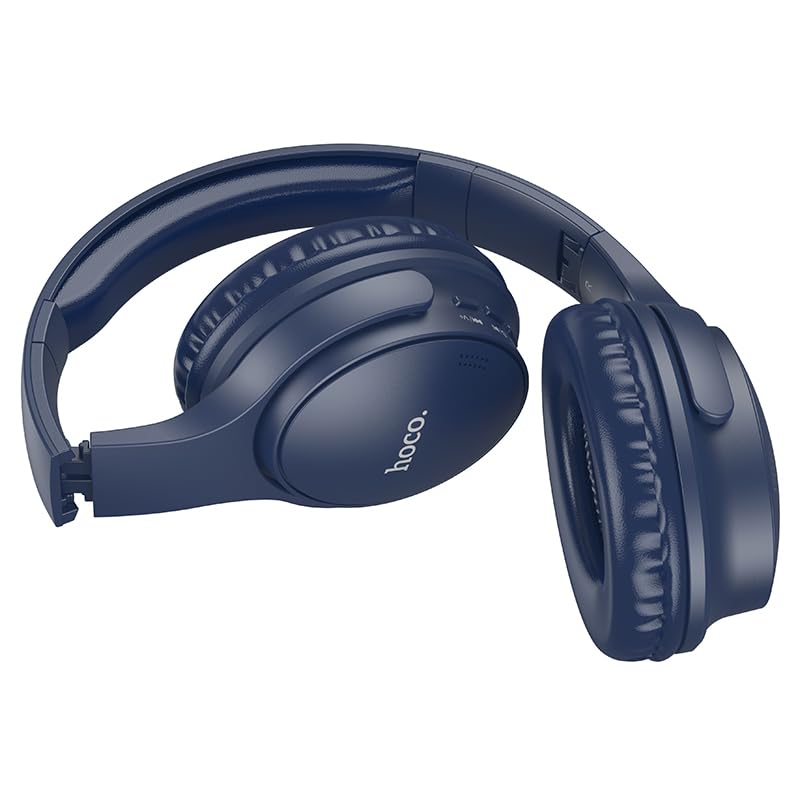
Picha: Upande view of the HOCO W40 Bluetooth Headphones, highlighting the earcup and headband design. The controls are visible on the right earcup.
Vidhibiti na Viashiria:
- Kitufe cha Nguvu: Used to power the headphones on/off and initiate pairing.
- Udhibiti wa Sauti: Adjusts the listening volume using touch controls.
- Kitufe cha kazi nyingi (MFB): For play/pause, answer/end calls.
- Maikrofoni: Imejengewa ndani kwa ajili ya simu zisizotumia mikono.
- Mlango wa Kuchaji: Kwa kuunganisha cable ya malipo.
- Kiashiria cha LED: Inaonyesha hali ya nguvu, hali ya kuoanisha, na hali ya kuchaji.
The headphones feature touch controls for volume adjustment and other functions, along with a built-in microphone for clear communication.
Sanidi
1. Kuchaji Headphones
Before first use, fully charge your headphones. A full charge takes approximately Saa 1.
- Connect the charging cable (not included in the JSON's 'whats_in_the_box' but typically provided) to the charging port on the headphones.
- Unganisha mwisho mwingine wa kebo kwenye chanzo cha nguvu cha USB (k.m., kompyuta, adapta ya ukutani).
- The LED indicator will show the charging status (e.g., red while charging, blue/off when fully charged).
Once fully charged, the headphones provide up to 12 masaa of continuous playtime.
2. Kuoanisha na Kifaa cha Bluetooth
The HOCO W40 headphones use Bluetooth 5.3 for stable and seamless connectivity. They are compatible with smartphones, tablets, laptops, and other Bluetooth-enabled devices (iOS, Android).
- Hakikisha vipokea sauti vya masikioni vimezimwa.
- Press and hold the Power Button until the LED indicator flashes rapidly (usually blue and red alternately), indicating pairing mode.
- Kwenye kifaa chako, washa Bluetooth na utafute vifaa vinavyopatikana.
- Chagua "HOCO W40" kutoka kwenye orodha ya vifaa vilivyopatikana.
- Once paired, the LED indicator will stop flashing and may turn solid blue or off, depending on the model.
- The headphones have a wireless range of up to mita 10.
If pairing is unsuccessful, turn off both devices, wait a few seconds, and repeat the steps.
Maagizo ya Uendeshaji
Washa/Zima
- Washa: Bonyeza na ushikilie Kitufe cha Kuwasha kwa takriban sekunde 3 hadi kiashiria cha LED kiwake.
- Zima umeme: Bonyeza na ushikilie Kitufe cha Kuwasha kwa takriban sekunde 5 hadi kiashiria cha LED kizime.
Udhibiti wa Muziki
- Cheza/Sitisha: Bonyeza kwa kifupi Kitufe cha Vitendo Vingi (MFB).
- Kiasi Juu: Tap the designated touch control area for volume up.
- Punguza sauti: Tap the designated touch control area for volume down.
- Wimbo Ufuatao: Double-tap the MFB or use the designated touch control.
- Wimbo Uliopita: Triple-tap the MFB or use the designated touch control.
Note: Specific touch control gestures may vary slightly. Refer to the quick start guide included with your product for precise details.
Udhibiti wa Simu
- Jibu/Maliza Simu: Bonyeza kwa kifupi Kitufe cha Vitendo Vingi (MFB).
- Kataa Simu: Bonyeza na ushikilie MFB kwa sekunde 2.
- Piga tena Nambari ya Mwisho: Double-press the MFB when not on a call.
Matengenezo
Proper care will extend the life of your HOCO W40 headphones.
- Kusafisha: Tumia kitambaa laini na kikavu kusafisha vichwa vya sauti. Usitumie visafishaji vya abrasive au vimumunyisho.
- Hifadhi: Hifadhi vipokea sauti vinavyobanwa kichwani mahali penye baridi, pakavu mbali na jua moja kwa moja na halijoto kali.
- Upinzani wa Maji: The headphones are water resistant, making them suitable for workouts and outdoor activities. However, they are not designed for submersion in water. Avoid prolonged exposure to heavy rain or direct water jets.
- Utunzaji wa Betri: Ili kuhifadhi muda wa matumizi ya betri, chaji vipokea sauti vya masikioni mara kwa mara, hata kama havitumiki mara kwa mara. Epuka kutoa betri nzima kwa muda mrefu.
Kutatua matatizo
| Tatizo | Suluhisho linalowezekana |
|---|---|
| Vipokea sauti vya masikioni haviwashi. | Ensure the headphones are charged. Connect them to a power source and try again after a few minutes. |
| Haiwezi kuoanisha na kifaa. |
|
| Hakuna sauti au sauti ya chini. |
|
| Ubora wa simu ni duni. |
|
Vipimo
| Mfano | W40 |
| Chapa | HOCO |
| Teknolojia ya Uunganisho | Isiyo na waya (Bluetooth 5.3) |
| Msururu wa Bluetooth | Mita 10 |
| Maisha ya Betri | Hadi Saa 12 |
| Muda wa Kuchaji | Takriban Saa 1 |
| Aina ya Kiendesha Sauti | Dereva Mwenye Nguvu |
| Udhibiti wa Kelele | Kutengwa kwa Sauti |
| Kiwango cha Upinzani wa Maji | Sugu ya Maji |
| Aina ya Kudhibiti | Volume Control (Touch) |
| Maikrofoni Iliyojengwa ndani | Yes, for Hands-Free Calls |
| Vifaa Sambamba | Smartphones, Tablets, Laptops (Universal Compatibility) |
| Nyenzo | Plastiki |
| Uzito wa Kipengee | 180 g |
Video Rasmi ya Bidhaa
Tazama video rasmi ya bidhaa kwa ajili ya taswira ya juuview of the HOCO W40 Bluetooth Headphones and their key features.
Video: Bidhaa rasmi imekwishaview of the HOCO W40 Bluetooth Headphones, demonstrating its features, battery life, design, and device compatibility.
Udhamini na Msaada
For warranty information and customer support, please refer to the documentation included with your purchase or visit the official HOCO webtovuti. Weka uthibitisho wako wa ununuzi kwa madai yoyote ya udhamini.
Kwa usaidizi zaidi, unaweza pia kuwasiliana na muuzaji ambapo bidhaa ilinunuliwa.