
1. Utangulizi
Thank you for choosing the VSDISPLAY 12.3-inch Portable IPS LCD Monitor. This manual provides essential information for the proper setup, operation, and maintenance of your monitor. Please read it thoroughly before use to ensure optimal performance and longevity of the product.
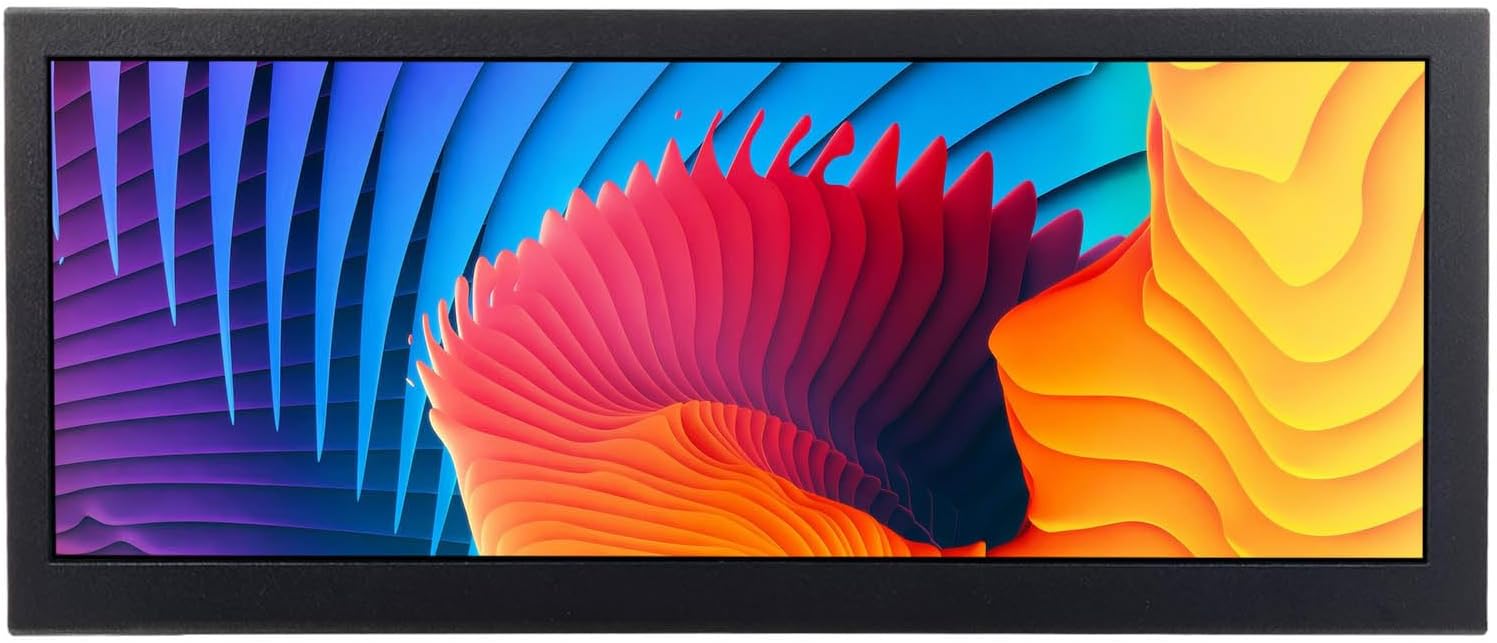
Image: The VSDISPLAY 12.3-inch Portable IPS LCD Monitor displaying a colorful image of parrots.
2. Sifa Muhimu
- Bar Display: 12.3-inch portable bar-style LCD monitor with a resolution of 1920x720.
- Mzunguko wa Picha: Supports 180-degree image rotation for flexible viewing orientations.
- Mwangaza na Utofautishaji wa Juu: Screen brightness of 700cd/m2 and a contrast ratio of 1000:1.
- IPS LCD Panel: Features a 178° full viewing angle IPS LCD screen for clear and vivid image display.
- USB Video Input: Supports USB video input with autoplay functionality (videos with Dolby sound effects are not supported).
- Uwekaji Mbadala: Includes brackets for installation and features 75x75mm and 100x100mm VESA mounting holes for desk stands.
- Programu pana: Suitable for DIY projects, secondary displays, game cabinet topper screens, and advertising displays.
3. Yaliyomo kwenye Kifurushi
Tafadhali angalia yaliyomo kwenye kifurushi baada ya kupokea ili kuhakikisha kuwa bidhaa zote zipo:
- 1 x VSDISPLAY 12.3-inch Portable IPS LCD Monitor
- Adapta ya Nguvu 1 x
- 2 x Mabano ya Kuweka

Image: Contents of the VSDISPLAY 12.3-inch monitor package, including the monitor, power adapter, and mounting brackets.
4. Bidhaa Imeishaview
4.1. Vifungo vya Kudhibiti
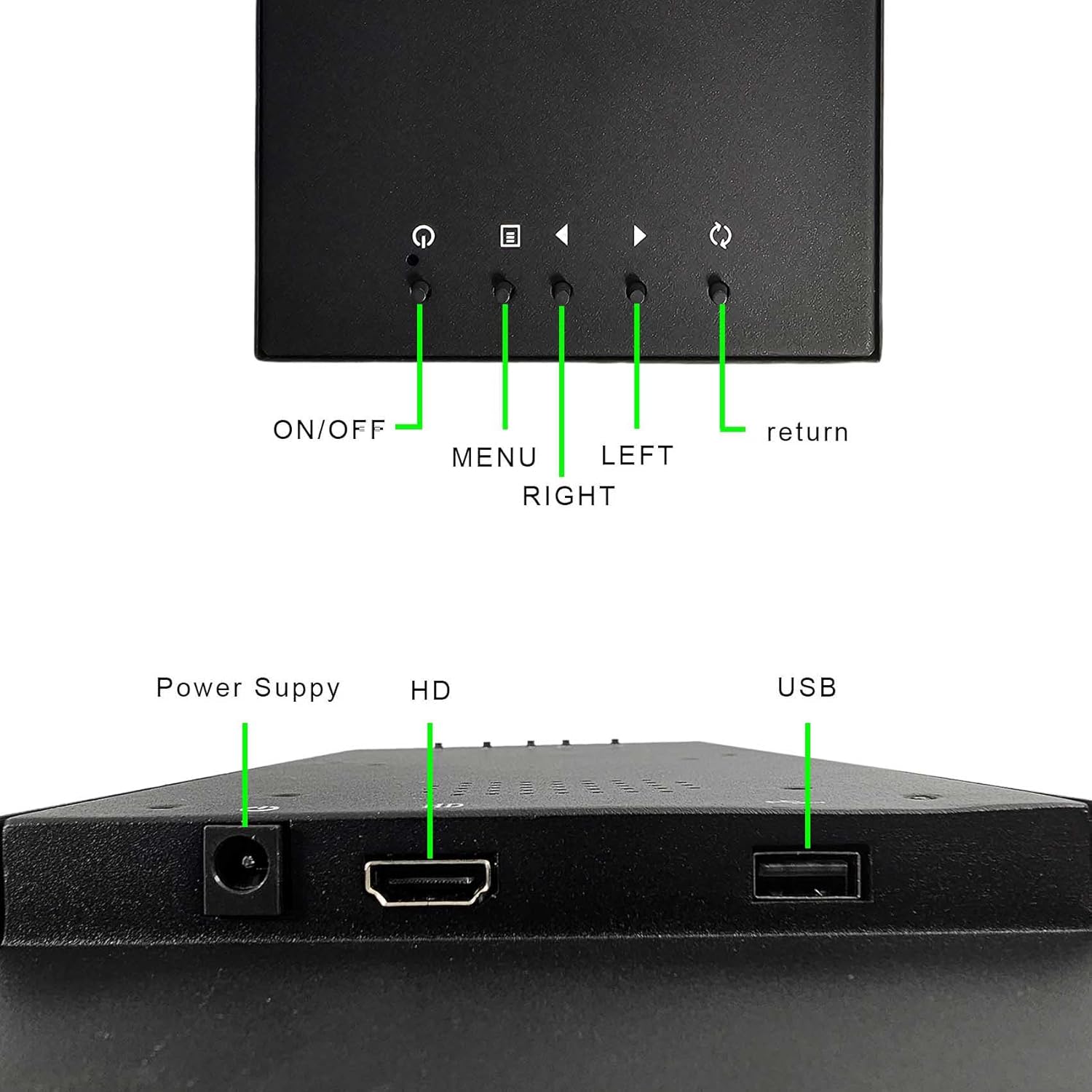
Picha: Kina view of the monitor's control buttons.
- WASHA/ZIMWA: Huwasha au kuzima kifuatiliaji.
- MENU: Hufikia menyu ya Onyesho la Skrini (OSD).
- KUSHOTO KULIA: Hupitia chaguo za menyu au hurekebisha mipangilio.
- RUDISHA: Exits the current menu or confirms a selection.
4.2. Bandari
Picha: Kina view of the monitor's input ports.
- Ugavi wa Nguvu: Inaunganisha kwa adapta ya nguvu iliyojumuishwa.
- HD (HDMI): Connects to devices via HDMI cable for video and audio input.
- USB: Connects to USB storage devices for media playback.
5. Kuweka na Kuweka
5.1. Kuunganisha Monitor
- Connect the power adapter to the monitor's Ugavi wa Nguvu port and then plug it into a power outlet.
- For video input, connect an HDMI cable from your source device (PC, laptop, game console) to the monitor's HD (HDMI) bandari.
- If using USB media playback, insert your USB storage device into the USB bandari.
5.2. Chaguzi za Kuweka
The monitor offers two primary mounting methods:
- Using Included Brackets: Attach the provided mounting brackets to the sides of the monitor using screws. These brackets allow for custom integration into various setups.
- Mlima wa VESA: The monitor features 75x75mm and 100x100mm VESA mounting holes on the back, compatible with standard desk mounts or wall mounts (sold separately).

Image: Instructions for attaching the included mounting brackets to the monitor.

Picha: Example of the monitor installed in a custom setup.
6. Maagizo ya Uendeshaji
6.1. Washa/Zima
Bonyeza kwa WASHA/ZIMWA button to power the monitor on or off. The power indicator light will illuminate when the monitor is on.
6.2. Urambazaji wa Menyu ya OSD
Bonyeza kwa MENU button to open the On-Screen Display (OSD) menu. Use the KUSHOTO/KULIA buttons to navigate through options and adjust settings. Press KURUDI to confirm selections or exit the menu.
6.3. Image Rotation (180 Degrees)
The monitor supports 180-degree image rotation, which can be useful for specific mounting orientations. This setting is accessible via the OSD menu.
Video: Demonstration of the 180-degree image rotation feature on the VSDISPLAY monitor, showing how to adjust the display orientation through the OSD menu.
6.4. Uchezaji wa Midia ya USB
When a USB storage device containing compatible media files is inserted, the monitor can automatically play videos. Ensure your video files are in a supported format (Dolby sound effects are not supported).
Video: Example of USB video playback on the VSDISPLAY monitor, demonstrating its ability to display media directly from a USB drive.
7. Vipimo
| Kipengele | Maelezo |
|---|---|
| Nambari ya Mfano | K003265 |
| Ukubwa wa skrini | inchi 12.3 |
| Azimio | 1920x720 |
| Aina ya Paneli | IPS LCD |
| ViewAngle | 178° (Full ViewAngle) |
| Mwangaza | 700 cd/m2 |
| Uwiano wa Tofauti | 1000:1 |
| Bandari za Kuingiza | HDMI, USB |
| Ingizo la Nguvu | 12 Volts |
| Vipimo vya Bidhaa | Inchi 1.57 x 12.6 x 5.28 |
| Uzito wa Kipengee | Pauni 3 |
| Chaguzi za Kuweka | Brackets, 75x75mm & 100x100mm VESA |

Image: Dimensional drawing of the VSDISPLAY 12.3-inch monitor.
8. Utatuzi wa shida
If you encounter issues with your VSDISPLAY monitor, please refer to the following common solutions:
- Hakuna Skrini/Skrini Nyeusi:
- Hakikisha adapta ya umeme imeunganishwa salama kwenye kifuatiliaji na soketi ya umeme inayofanya kazi.
- Verify that the HDMI cable is properly connected to both the monitor and the source device.
- Check the input source setting in the OSD menu to ensure it matches your connection (e.g., HDMI).
- Test with a different HDMI cable or source device if possible.
- Image is Upside Down or Rotated Incorrectly:
- Access the OSD menu and navigate to the 'Rotate 180°' setting. Adjust it to 'Off' or 'On' as needed to correct the orientation.
- Hakuna Sauti (ikiwa inatumika):
- Angalia mipangilio ya sauti kwenye skrini (kupitia menyu ya OSD) na kifaa chako chanzo.
- Ensure the HDMI cable supports audio transmission.
- USB Video Playback Issues:
- Confirm that the video file format is supported by the monitor. Videos with Dolby sound effects are not supported.
- Ensure the USB drive is properly inserted and functioning.
If these steps do not resolve the issue, please contact VSDISPLAY customer support for further assistance.
9. Udhamini na Msaada
VSDISPLAY products are designed for reliability and performance. For information regarding warranty coverage, technical support, or service inquiries, please refer to the warranty card included with your product or visit the official VSDISPLAY webtovuti. Weka risiti yako ya ununuzi kama dhibitisho la ununuzi kwa madai ya udhamini.