
Tayogo S2-0530
Tayogo Bone Conduction Headphones S2-0530 User Manual
Mfano: S2-0530
1. Utangulizi
Thank you for choosing Tayogo Bone Conduction Headphones, Model S2-0530. These innovative open-ear wireless earphones are designed to provide high-fidelity sound through bone conduction technology, allowing you to enjoy audio while remaining aware of your surroundings. They are ideal for activities such as running, sports, fitness, and general daily use.
This manual provides detailed instructions on how to set up, operate, and maintain your headphones to ensure optimal performance and longevity.
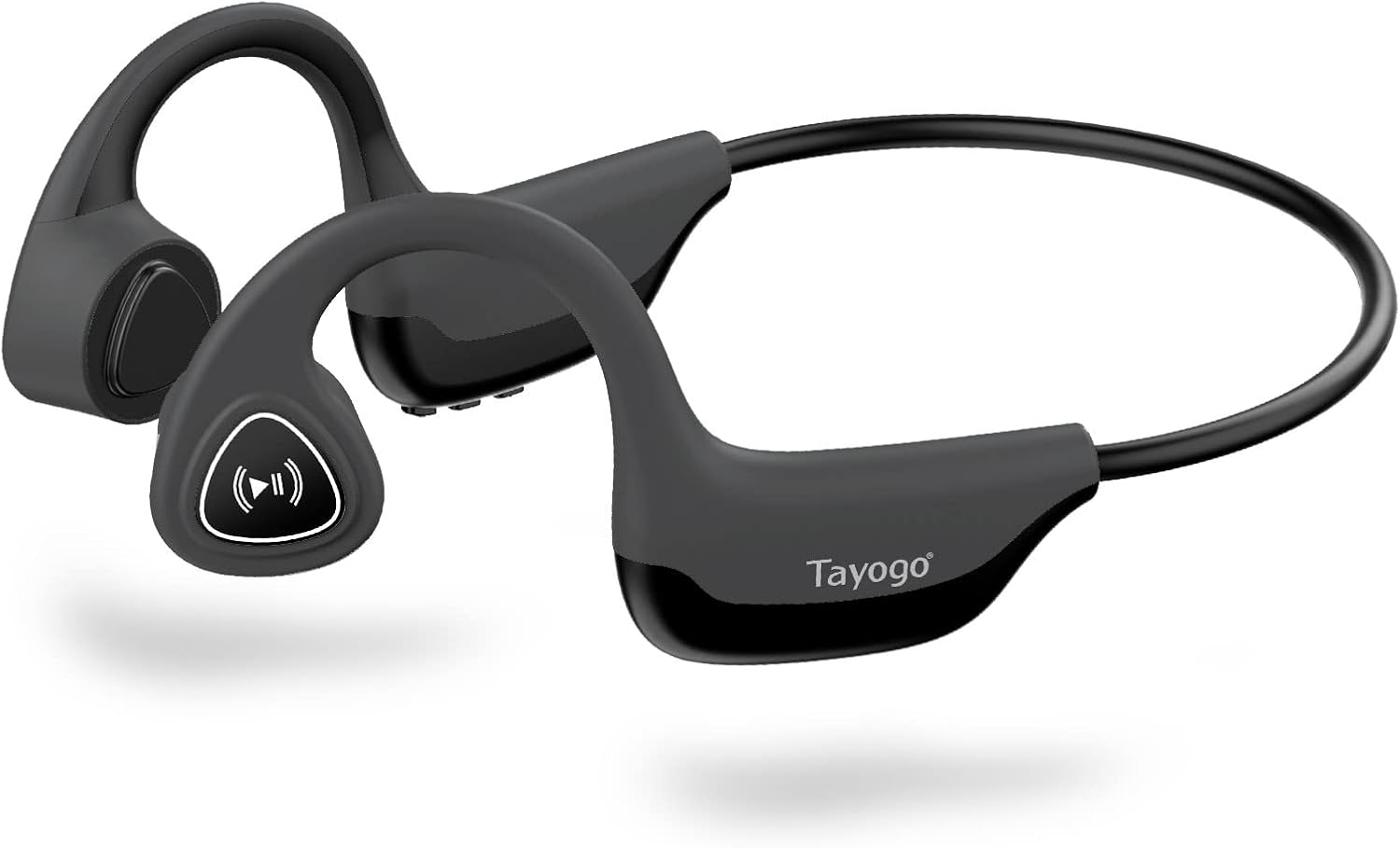
Figure 1: Tayogo Bone Conduction Headphones S2-0530
2. Bidhaa za Bidhaa
- Teknolojia ya Ubunifu wa Uendeshaji wa Mifupa: Delivers sound through vibrations to your cheekbones, bypassing the eardrum. This allows for open-ear listening, enhancing situational awareness and comfort.
- Muunganisho wa Kina wa Bluetooth 5.0: Ensures stable and efficient wireless connection with various Bluetooth-compatible devices, including smartphones, tablets, and smartwatches.
- Comfortable, Lightweight Design: Features a full wrap-around design that fits securely behind the ears, providing a stable and comfortable experience during extended wear and physical activities.
- High-Fidelity Sound and Built-in Microphone: Offers dynamic range and deep bass for a rich audio experience, along with an integrated microphone for clear, hands-free calls.
- Maisha ya Betri ya Muda Mrefu: Equipped with a rechargeable battery providing up to six hours of continuous use on a single charge.
- Ubunifu wa Kuzuia Jasho: Built to withstand sweat and light splashes, making them suitable for workouts and outdoor activities.

Figure 2: Bone Conduction Design Principle

Figure 3: Sweatproof Feature and HIFI Sound Quality
3. Kuanza: Weka
3.1 Kuchaji Vipaza sauti
Before first use, fully charge your Tayogo headphones. A charging cable is included in the box.
- Locate the USB charging port on the control module of the headphones.
- Connect the charging cable to the headphones' USB port.
- Connect the other end of the charging cable to a USB power source (e.g., computer USB port, wall adapter).
- The LED indicator light will illuminate during charging and change color or turn off when fully charged. Refer to the "Physical Buttons and Indicators" section for LED behavior.
3.2 Kuwasha / Kuzima
- Kuwasha: Press and hold the ON/OFF button (Power button) for approximately 3 seconds until the LED indicator flashes and you hear an audible prompt.
- Kuzima: Press and hold the ON/OFF button (Power button) for approximately 3 seconds until the LED indicator turns off and you hear an audible prompt.
3.3 Kuoanisha Bluetooth
Pair your headphones with your Bluetooth-enabled device for wireless audio streaming.
- Hakikisha vipokea sauti vya masikioni vimezimwa.
- Press and hold the ON/OFF button for approximately 5-7 seconds until the LED indicator flashes red and blue alternately, indicating pairing mode.
- Kwenye kifaa chako (simu mahiri, kompyuta kibao, n.k.), washa Bluetooth na utafute vifaa vipya.
- Select "Tayogo S2-0530" or a similar name from the list of available devices.
- Once paired, the LED indicator will typically flash blue slowly, and you will hear a confirmation sound.
- Ukiulizwa nenosiri, ingiza "0000".
Vipokea sauti vya masikioni vitajaribu kuunganisha tena kiotomatiki kwenye kifaa cha mwisho kilichounganishwa vikiwa vimewashwa.
4. Maagizo ya Uendeshaji
4.1 Kuvaa Vipaza sauti
Place the headphones with the transducers resting on your cheekbones, just in front of your ears. The band should wrap around the back of your head.

Figure 4: Correct Wearing Position
4.2 Physical Buttons and Functions
The control module on the right side of the headphones houses the physical buttons for various functions.

Figure 5: Control Module Layout

Figure 6: Button Functions Overview
| Kitufe / Kiashiria | Kitendo | Kazi |
|---|---|---|
| ON/OFF Button (Power) | Bonyeza na ushikilie kwa sekunde 3 | Washa/Zima |
| Press and hold for 5-7 seconds (from off) | Ingiza Modi ya Kuoanisha ya Bluetooth | |
| Volume + / Ifuatayo | Bonyeza kwa ufupi | Ongeza Kiasi |
| Bonyeza kwa Muda Mrefu | Wimbo Unaofuata | |
| Volume - / Previous | Bonyeza kwa ufupi | Punguza Sauti |
| Bonyeza kwa Muda Mrefu | Wimbo Uliopita | |
| Multi-functional Button (Play/Pause/Assistant/Answer/Hang-up) | Single Press (during music) | Cheza/Sitisha Muziki |
| Single Press (incoming call) | Jibu Wito | |
| Single Press (during call) | Piga simu | |
| Long Press (incoming call) | Kataa Simu | |
| Bonyeza mara mbili | Amilisha Msaidizi wa Sauti (Siri, Mratibu wa Google) | |
| Kiashiria cha LED | Nyekundu Imara | Inachaji |
| Bluu (mweko wa polepole) | Connected/Operating Normally | |
| Red & Blue (alternating flash) | Njia ya Kuoanisha | |
| Imezimwa | Fully Charged / Powered Off |
5. Matengenezo
Matengenezo sahihi huhakikisha uimara na utendaji bora wa vipokea sauti vyako vya masikioni.
- Kusafisha: Futa vichwa vya sauti kwa laini, damp cloth. Do not use harsh chemicals or abrasive cleaners. Ensure the charging port is dry before charging.
- Hifadhi: Hifadhi vipokea sauti vinavyobanwa kichwani mahali penye baridi, pakavu mbali na jua moja kwa moja na halijoto kali.
- Utunzaji wa Betri: To preserve battery life, avoid fully discharging the headphones frequently. If storing for an extended period, charge them to about 50% every few months.
- Upinzani wa Maji: While sweatproof, these headphones are not designed for submersion in water. Avoid exposing them to heavy rain or swimming.
6. Utatuzi wa shida
If you encounter issues with your Tayogo headphones, refer to the following common problems and solutions:
| Tatizo | Sababu inayowezekana | Suluhisho |
|---|---|---|
| Vipokea sauti vya masikioni havitawashwa. | Betri ya chini. | Chaji vipokea sauti vya masikioni kikamilifu. |
| Kitufe cha kuwasha/kuzima hakijabonyezwa kwa muda wa kutosha. | Bonyeza na ushikilie kitufe cha KUWASHA/ZIMA kwa sekunde 3. | |
| Haiwezi kuoanisha na kifaa. | Vipokea sauti vya masikioni haviko katika hali ya kuoanisha. | Ensure headphones are off, then press and hold ON/OFF button for 5-7 seconds until LED flashes red/blue. |
| Bluetooth imezimwa kwenye kifaa chako. | Washa Bluetooth kwenye kifaa chako. | |
| Device is too far from headphones. | Keep devices within 10 meters (33 feet) range. | |
| Hakuna sauti au sauti ya chini. | Sauti ya chini sana kwenye vipokea sauti vya masikioni au kifaa. | Rekebisha sauti kwenye vipokea sauti vya masikioni na kifaa kilichounganishwa. |
| Vipokea sauti vya masikioni havijaunganishwa ipasavyo. | Re-pair the headphones with your device. | |
| Ubora wa sauti ni duni. | Kuingilia kati au ishara dhaifu. | Move closer to your device or away from sources of interference. |
| Improper wearing position. | Ensure transducers are firmly on cheekbones. |
7. Vipimo
| Kipengele | Maelezo |
|---|---|
| Jina la Mfano | S2-0530 |
| Chapa | Tayogo |
| Teknolojia ya Uunganisho | Bluetooth 5.0 |
| Teknolojia ya Mawasiliano ya Wireless | Bluetooth |
| Uwekaji wa Masikio | Fungua Sikio |
| Kipengele cha Fomu | Juu ya Sikio |
| Impedans | 8 ohm |
| Vipengele Maalum | Microphone Included, Wireless, Sweatproof |
| Vipengee vilivyojumuishwa | Kebo ya Kuchaji |
| Rangi | Kijivu |
| Maisha ya Betri (Takriban.) | Hadi saa 6 za matumizi ya kuendelea |
8. Udhamini na Msaada
For detailed warranty information, please refer to the warranty card included with your purchase or visit the official Tayogo webtovuti. Weka uthibitisho wako wa ununuzi kwa madai ya udhamini.
If you require further assistance or have questions not covered in this manual, please contact Tayogo customer support through their official channels.
You can often find support information on the manufacturer's webtovuti: Tayogo Store on Amazon