
Taurus 3997
Taurus Lento Cuina Digital Slow Cooker User Manual
Model: 3997 | Brand: Taurus
1. Utangulizi
Thank you for choosing the Taurus Lento Cuina Digital Slow Cooker. This appliance is designed to simplify your cooking process, allowing you to prepare delicious, slow-cooked meals with minimal effort. Featuring a generous 6.5L capacity, digital controls, and a durable stainless steel body, it is perfect for family-sized meals. Please read this manual thoroughly before first use to ensure safe and optimal operation.

Image: The Taurus Lento Cuina Digital Slow Cooker alongside a cooked chicken, illustrating its capacity for large meals.
2. Maagizo Muhimu ya Usalama
Daima fuata tahadhari za kimsingi za usalama unapotumia vifaa vya umeme ili kupunguza hatari ya moto, mshtuko wa umeme, na/au majeraha kwa watu, ikijumuisha yafuatayo:
- Read all instructions before using the slow cooker.
- Usiguse nyuso za moto. Tumia vipini au visu.
- Ili kulinda dhidi ya mshtuko wa umeme, usizamishe kitengo cha msingi, waya, au kuziba maji au kioevu kingine.
- Uangalizi wa karibu ni muhimu wakati kifaa chochote kinatumiwa na watoto au karibu nao.
- Chomoa kwenye sehemu ya kutolea umeme wakati haitumiki na kabla ya kusafisha. Ruhusu ipoe kabla ya kuvaa au kuondoa sehemu.
- Usitumie kifaa chochote kilicho na waya au plagi iliyoharibika, au baada ya kifaa hitilafu au kuharibiwa kwa namna yoyote.
- Matumizi ya viambatisho vya nyongeza ambavyo havijapendekezwa na mtengenezaji wa kifaa vinaweza kusababisha majeraha.
- Usitumie nje.
- Usiruhusu kamba kuning'inia ukingo wa meza au kaunta, au kugusa sehemu zenye moto.
- Usiweke au karibu na gesi moto au kichomea umeme, au kwenye oveni yenye joto.
- Tahadhari kubwa lazima itumike wakati wa kuhamisha kifaa kilicho na mafuta ya moto au vinywaji vingine vya moto.
- Ambatisha plagi kwenye kifaa kwanza, kisha chomeka kebo kwenye plagi ya ukutani. Ili kukata muunganisho, zima kidhibiti chochote ili "kuzima", kisha uondoe plagi kwenye plagi ya ukutani.
- Usitumie kifaa kwa matumizi mengine isipokuwa yaliyokusudiwa.
- Epuka mabadiliko ya ghafla ya joto, kama vile kuongeza vyakula vilivyohifadhiwa kwenye sufuria yenye moto.
- The ceramic pot is designed for use with this appliance only. It must not be used on a gas or electric stovetop or in a heated oven.
3. Vipengele vya Bidhaa
Familiarize yourself with the parts of your Taurus Lento Cuina Digital Slow Cooker:
- Toughened Glass Lid: Inakuruhusu kufuatilia maendeleo ya kupikia bila kuahirishaasing joto.
- Chungu cha Kauri Kinachoweza Kuondolewa: The main cooking vessel, easy to clean and serve from.
- Makazi ya Chuma cha pua: The outer body of the slow cooker, containing the heating element and control panel.
- Paneli ya Kudhibiti Dijiti: Features a 4-digit LED display, Mode, Timer, Up, Down, and On/Off buttons.
- Hushughulikia: Kwa usafirishaji salama wa kitengo.
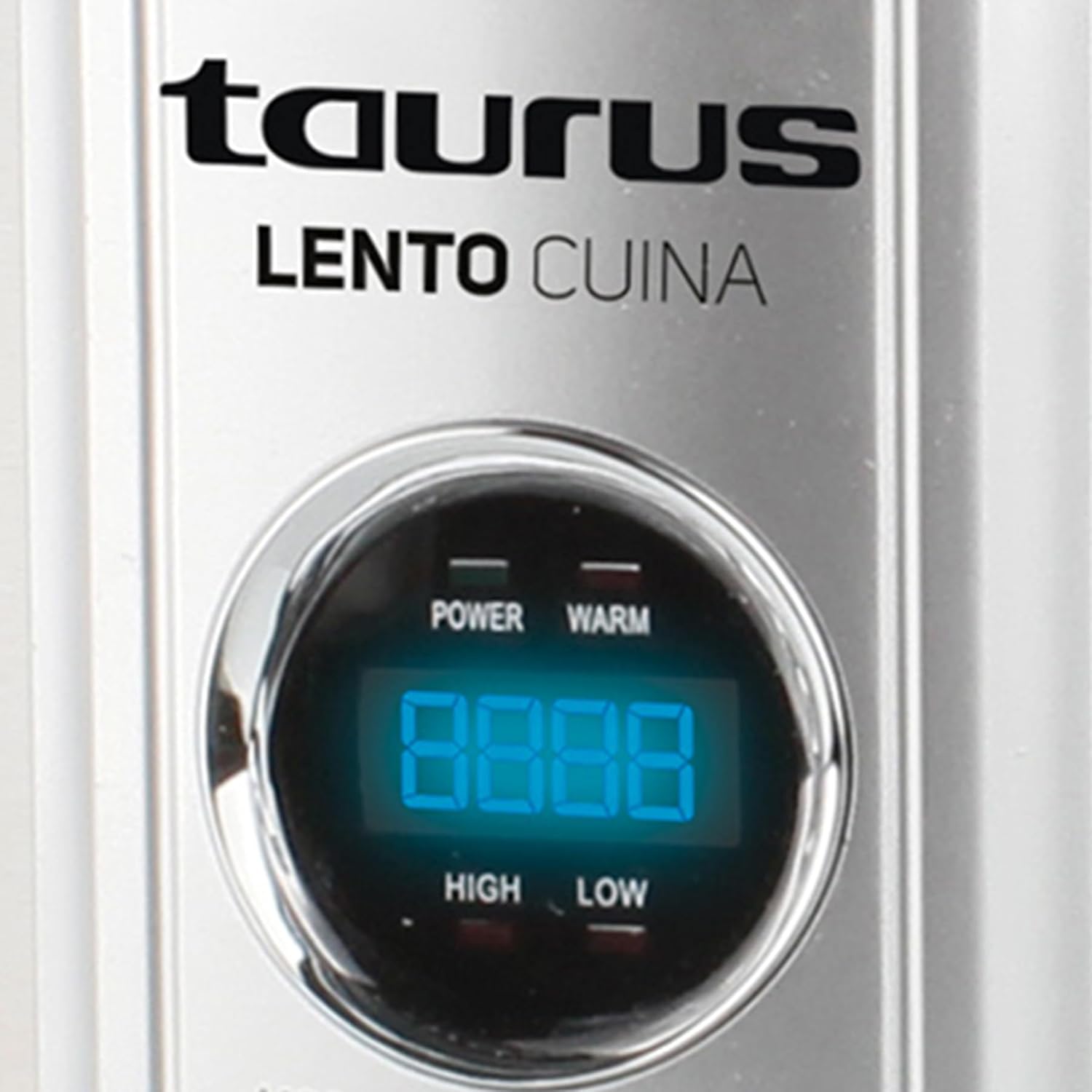
Picha: Mbele ya kina view of the Taurus Lento Cuina Digital Slow Cooker, highlighting the digital control panel and stainless steel finish.

Image: The Taurus Lento Cuina Digital Slow Cooker with its removable ceramic pot placed next to it, demonstrating ease of cleaning and serving.
4. Kuanzisha na Matumizi ya Kwanza
Before using your slow cooker for the first time:
- Fungua jiko la polepole na uondoe vifaa vyote vya ufungaji.
- Wash the ceramic pot and glass lid in warm, soapy water. Rinse thoroughly and dry completely.
- Wipe the exterior of the stainless steel housing with a damp kitambaa. Usizamishe kitengo cha msingi ndani ya maji.
- Place the ceramic pot into the stainless steel housing.
- Weka jiko la polepole juu ya uso tambarare, thabiti, unaostahimili joto, mbali na kuta au makabati ili kuruhusu uingizaji hewa mzuri.
- Ensure the power cord is not tangled and is placed where it will not be tripped over.
5. Maagizo ya Uendeshaji
The Taurus Lento Cuina Digital Slow Cooker offers simple digital controls for precise cooking.
5.1 Jopo la Kudhibiti Imeishaview

Picha: Karibu view of the digital control panel, showing the LED display and buttons for Mode, Timer, Up, Down, and On/Off.
- Onyesho la LED: Shows cooking time and temperature settings.
- Kitufe cha MODE: Cycles through cooking modes (High, Low, Keep Warm).
- Kitufe cha TIMER: Activates the timer setting function.
- Vifungo vya JUU / CHINI: Rekebisha wakati wa kupikia.
- Kitufe cha KUWASHA/KUZIMA: Huwasha au kuzima kitengo.
5.2 Mchakato wa Kupika
- Prepare your ingredients and place them into the ceramic pot.
- Place the ceramic pot into the stainless steel housing and cover with the glass lid.
- Plug the slow cooker into a grounded electrical outlet. The LED display will illuminate.
- Bonyeza kwa WASHA/ZIMWA kitufe ili kuwasha kitengo.
- Bonyeza kwa MODE button to select your desired cooking setting:
- JUU: Kwa kupikia haraka, kawaida masaa 2-4.
- CHINI: For slower cooking, typically 6-8 hours.
- WEKA MOTO: Automatically activates after cooking is complete, or can be selected manually to keep food at serving temperature.
- Bonyeza kwa TIMER button. The display will flash. Use the UP na CHINI buttons to set the desired cooking time in hours. The timer can be set for up to 20 hours.
- Once the time is set, the display will stop flashing, and the cooking process will begin. The timer will count down.
- When the cooking time expires, the slow cooker will automatically switch to the "KEEP WARM" setting.
- To turn off the slow cooker at any time, press the WASHA/ZIMWA button. Unplug the unit from the wall outlet after use.

Image: A hand pressing the ON/OFF button on the slow cooker's control panel, demonstrating the ease of operation.

Image: The Taurus Lento Cuina Digital Slow Cooker with a meal cooking inside, visible through the clear glass lid.
6. Matengenezo na Usafishaji
Proper cleaning and maintenance will extend the life of your slow cooker.
- Always unplug the slow cooker from the power outlet and allow it to cool completely before cleaning.
- Ceramic Pot and Glass Lid: These parts are dishwasher safe or can be washed by hand with warm, soapy water. Avoid abrasive cleaners or scouring pads that may scratch the surface. Rinse thoroughly and dry.
- Makazi ya Chuma cha pua: Futa sehemu ya nje kwa laini, damp cloth. Do not use abrasive cleaners or immerse the base unit in water or any other liquid.
- For stubborn food residue on the ceramic pot, fill it with warm, soapy water and let it soak for a few hours before cleaning.
- Hakikisha sehemu zote ni kavu kabisa kabla ya kuhifadhi.
7. Utatuzi wa shida
If you encounter issues with your slow cooker, refer to the following common problems and solutions:
| Tatizo | Sababu inayowezekana | Suluhisho |
|---|---|---|
| Pikaji polepole haiwashi. | Not plugged in; power outlet not working; unit not switched on. | Ensure plug is securely in a working outlet. Press the ON/OFF button. Check household circuit breaker. |
| Chakula hakipikwi ipasavyo. | Incorrect heat setting; lid not sealed properly; insufficient cooking time. | Verify correct heat setting (HIGH/LOW). Ensure lid is seated firmly. Adjust cooking time as needed for recipe. Avoid lifting lid frequently. |
| Chakula kinawaka chini. | Kioevu kidogo sana; kupika kwa HIGH kwa muda mrefu sana. | Add more liquid to the recipe. Consider using the LOW setting for longer cooking times. |
| Lid does not fit tightly. | Food obstruction; lid not aligned correctly. | Ensure no food is preventing the lid from seating properly. Realign the lid. |
8. Vipimo
Technical details for the Taurus Lento Cuina Digital Slow Cooker:
- Nambari ya Mfano: 3997
- Uwezo: 6.5 lita
- Nguvu / Wattage: 320 watts
- Nyenzo: Stainless Steel (housing), Ceramic (pot)
- Rangi: Fedha
- Mbinu ya Kudhibiti: Gusa (Dijitali)
- Vipengele Maalum: Timer, Digital Controls, High/Low/Keep Warm Functions
- Uzito wa Kipengee: 6.5 kg
- Vipimo vya Bidhaa: 39.8D x 37.3W x sentimita 26H
9. Udhamini na Msaada
Your Taurus Lento Cuina Digital Slow Cooker comes with a standard 1-year retail warranty, with an additional 1-year extended warranty. For warranty claims, technical support, or spare parts information, please contact Taurus customer service. Refer to the contact information provided with your purchase documentation or visit the official Taurus webtovuti.
Note: Spare part information is not available or provided directly in this manual.
Ask a question about this manual
Ask about setup, troubleshooting, compatibility, parts, safety, or missing instructions. Manuals+ will review the question and use this page’s manual context to help answer it.