
1. Utangulizi
This document provides instructions for the AMROOLOO G12 GPS Head-Up Display. This intuitive car head-up display shows your vehicle's data and driving information on the screen, updated in real-time with accurate data. It can be installed anywhere for easy viewing, enhancing safety by reducing the need to look down at your dashboard. The AMROOLOO G12 GPS Head-Up Display supports your journey by providing essential driving information directly in your line of sight.
2. Bidhaa Imeishaview
2.1 Sifa Muhimu
- Onyesho la Data la Wakati Halisi: Shows speed, driving distance, direction, and number of satellites.
- Vikumbusho vya Usalama: Includes speed alerts and fatigue driving reminders.
- Utangamano wa Universal: GPS system ensures compatibility with all vehicle types.
- Marekebisho ya Mwangaza Kiotomatiki: Photosensitive aperture adjusts screen brightness for clear visibility day and night.
- Onyesho Unayoweza Kubinafsisha: Adjust the screen to show one or multiple functions.
- Kazi ya Kumbukumbu: Records satellite position for quick data display after parking for up to two hours.
2.2 Yaliyomo kwenye Kifurushi
- AMROOLOO G12 Head-Up Display Device
- Kebo ya USB
- Double-sided Adhesive Tape
- Mlima wa Kombe la Kunyonya
- Mwongozo wa Maagizo

Image: The AMROOLOO G12 GPS Head-Up Display shown with its included accessories: USB cable, double-sided adhesive, suction cup mount, and user manual.
3. Kuweka
3.1 Ufungaji
- Chagua Nafasi: Select a location on your dashboard where the display is easily visible without obstructing your view ya barabara.
- Linda Kifaa: Use either the provided suction cup mount for adjustable placement or the double-sided adhesive tape for a more permanent fixture. Ensure the surface is clean and dry before applying adhesive.
- Unganisha Nguvu: Connect the device to your car's USB port using the supplied USB cable.

Image: The AMROOLOO G12 GPS Head-Up Display positioned on a car dashboard, displaying speed and other driving data.
3.2 Kuwasha Awali na Upatikanaji wa Setilaiti
- Once connected, the device will power on and begin searching for satellite signals.
- The satellite icon on the display will flash during the search.
- When the satellite icon stops flashing, the device has acquired a signal and will start displaying data.
- If satellite acquisition is slow, move your vehicle to an open area for better signal reception.

Image: An illustration depicting satellites in orbit around Earth, symbolizing the GPS system used by the device for data acquisition.
4. Maagizo ya Uendeshaji
4.1 Kazi za Maonyesho
The AMROOLOO G12 can display various driving data. Use the toggle button on the top of the device to cycle through display modes and configure settings.
- Kasi: Current driving speed (KM/H or MPH).
- Driving Distance: Distance traveled during the current trip.
- Mwelekeo: Compass display indicating driving direction.
- Idadi ya Satelaiti: Indicates the strength and number of connected GPS satellites.
- Saa: Wakati wa sasa.
- Mwinuko: Current altitude.
- Muda wa Kuongeza Kasi: Time taken to accelerate over a certain distance.
- Muda wa Kusafiri: Muda wa safari ya sasa.
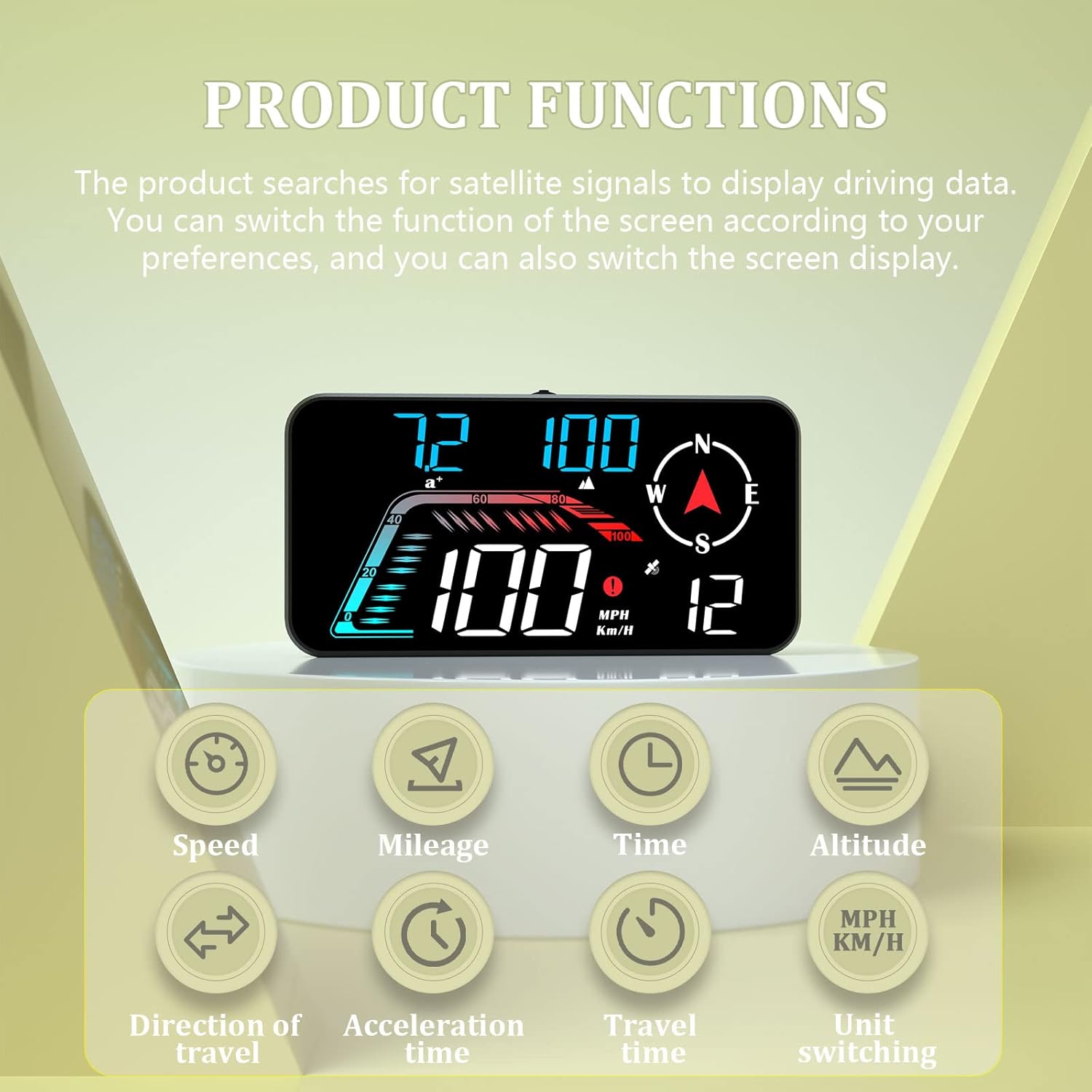
Image: The AMROOLOO G12 display illustrating its various functions, including speed, mileage, time, altitude, direction of travel, acceleration time, travel time, and unit switching.
4.2 Safety Reminders
The device includes features to enhance driving safety:
- Arifa ya Kasi: Configurable alerts for exceeding set speed limits.
- Kikumbusho cha Uchovu wa Kuendesha Gari: Prompts the driver to take a break after extended driving periods.

Image: The AMROOLOO G12 display indicating prompt functions such as one, two, or three sections overspeed warnings, and a fatigue driving reminder.
4.3 Mwangaza wa Kiotomatiki
The integrated photosensitive aperture automatically adjusts the display brightness according to ambient light conditions, ensuring optimal visibility during both day and night driving.
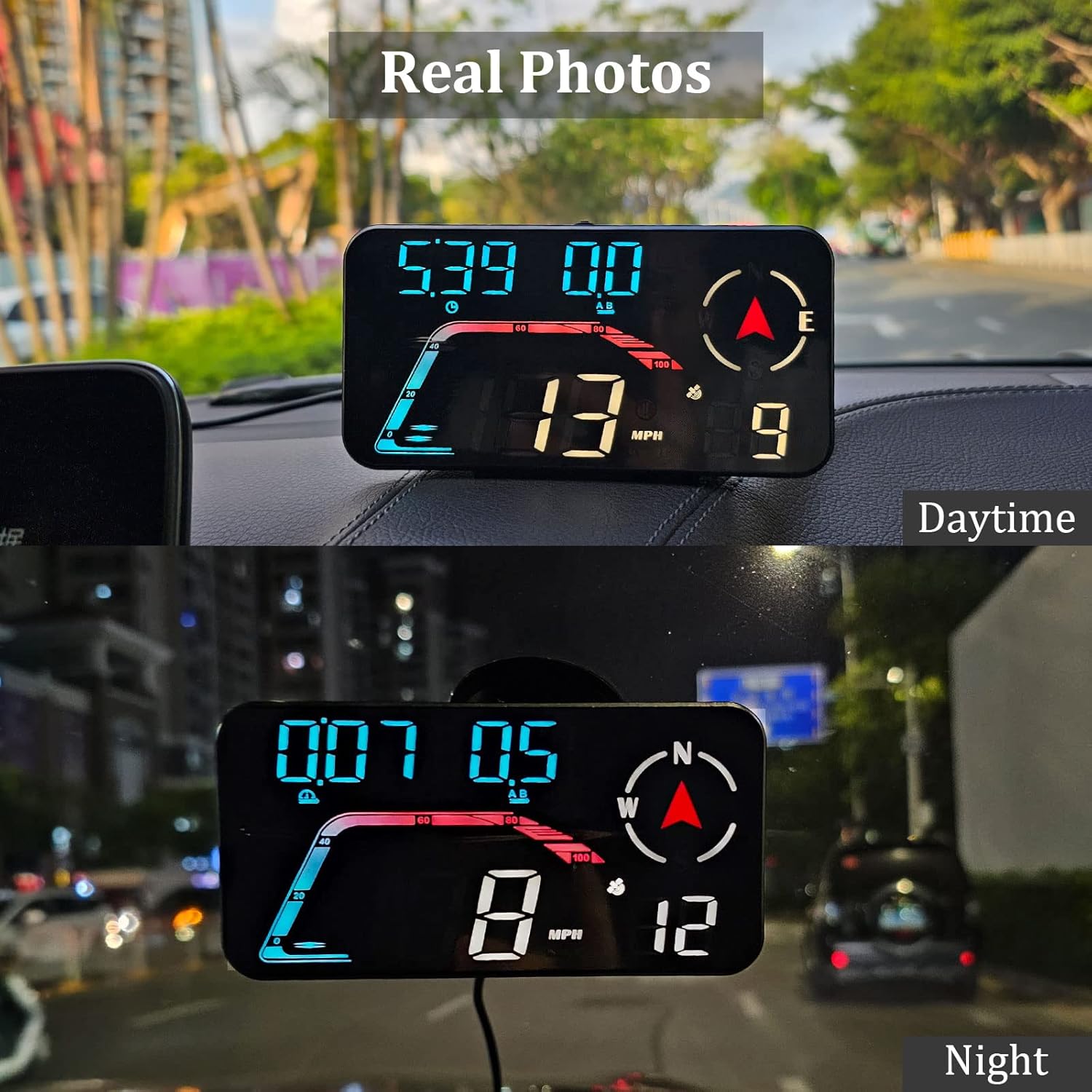
Image: Real photos of the AMROOLOO G12 display showing its clear visibility during daytime and nighttime driving due to automatic brightness adjustment.
5. Matengenezo
- Kusafisha: Use a soft, dry cloth to clean the display screen and device body. Avoid abrasive cleaners or solvents.
- Hifadhi: Ikiwa haitumiki kwa muda mrefu, hifadhi kifaa hicho mahali pakavu na penye baridi mbali na jua moja kwa moja.
- Huduma ya Cable: Ensure the USB cable is not bent sharply or pinched, which could damage the internal wires.
6. Utatuzi wa shida
| Tatizo | Sababu inayowezekana | Suluhisho |
|---|---|---|
| Kifaa hakiwashi. | Hakuna umeme au kebo ya USB yenye hitilafu. | Check USB connection. Ensure the car's USB port is active. Try a different USB cable or power source. |
| Slow satellite signal acquisition. | Imezuiwa view of the sky (e.g., in a garage, underpass). | Sogeza gari hadi eneo wazi lenye uwazi view of the sky. Wait a few minutes for the device to connect to satellites. |
| Usomaji wa kasi usio sahihi. | Weak GPS signal or initial calibration. | Ensure a strong GPS signal (satellite icon is solid). Drive for a short period to allow the device to calibrate. Refer to the manual for speed calibration settings if available. |
| Onyesho ni hafifu sana au linang'aa sana. | Automatic brightness sensor issue or manual override. | Ensure the photosensitive aperture is not obstructed. If manual brightness adjustment is available, check settings using the toggle button. |
7. Vipimo
- Mfano: G12
- Chapa: AMROOLOO
- Vipimo (L x W x H): Sentimita 9.7 x 3.19 x 5.5 (inchi 3.82 x 1.26 x 2.17)
- Uzito: Gramu 87 (pauni 0.19)
- Nyenzo: Plastiki
- Chanzo cha Nguvu: USB (No internal battery required)
- Vipengele Maalum: Car speedometer, GPS system, speed alert, fatigue driving reminder, automatic brightness.
- Utangamano: Universal (GPS-based, suitable for all vehicles).
- ASIN: B0C4LSNWWL
- UPC: 723497757003

Picha: Maelezo ya kina view of the AMROOLOO G12 GPS Head-Up Display, highlighting its toggle key, photosensitive aperture, USB jack, and suction cup holder hole.
8. Msaada kwa Wateja
For any questions, concerns, or if you are not satisfied with your product, please contact AMROOLOO customer service. We are committed to resolving any issues you may encounter.
Thank you for choosing AMROOLOO products.