
1. Ulinzi Muhimu
Please read all instructions carefully before using the OSIM uVision Air Eye Massager. Failure to follow these instructions may result in injury or damage to the device.
- This product is not intended for self-diagnosis or self-treatment of conditions that should be managed by a qualified healthcare provider.
- Consult your healthcare provider before use if you are under any medication or fall into any of the following categories:
- Heart diseases
- High or low blood pressure, deep vein thrombosis (DVT)
- Mjamzito
- Kisukari
- Individuals fitted with medical implants (e.g., pacemaker, automatic cardiac defibrillator (AICD))
- Recently underwent surgical operations
- Those with any bone conditions like fractures, osteoporosis
- Usitumie kifaa unapoendesha gari au kutumia mashine nzito.
- Weka mbali na watoto.
- Usitenganishe au kujaribu kutengeneza kifaa mwenyewe. Wasiliana na usaidizi kwa wateja kwa usaidizi.
2. Bidhaa Imeishaview
The OSIM uVision Air Eye Massager is designed to provide targeted airbag massage and soothing warmth to help alleviate eye fatigue, dark circles, fine lines, and dry eyes. Its foldable and lightweight design ensures portability.

Image: The OSIM uVision Air Eye Massager being worn by a woman relaxing, illustrating its intended use for daily eye care.
Sifa Muhimu:
- Massage ya Airbag: Strategically positioned airbags target vital acupressure points around the eyes.
- Joto la Kutuliza: Provides an optimum temperature of 40°C - 49°C to enhance massage benefits.
- Muundo Unaobebeka: Foldable and lightweight for easy transport.
- Programu Nyingi: Three specialized massage programs to suit different needs.
- Kuchaji USB: Convenient charging for on-the-go use.
3. Kuweka na Kuchaji
Kuchaji Kifaa:
- Locate the USB input port on the massager.
- Connect the provided USB cable to the massager and a compatible 5V-1A USB power source (e.g., wall adapter, computer USB port).
- The charging indicator light will illuminate. A full charge provides up to 4 hours of use.
- Baada ya kushtakiwa kikamilifu, ondoa kebo ya USB.

Picha: Maelezo ya kina view of the USB charging port on the OSIM uVision Air Eye Massager, highlighting its charging capability.
Kurekebisha kamba:
The uVision Air features an adjustable strap to ensure a comfortable and secure fit for maximum effectiveness.
- Place the massager over your eyes.
- Adjust the strap until the device fits perfectly and snugly without being too tight.
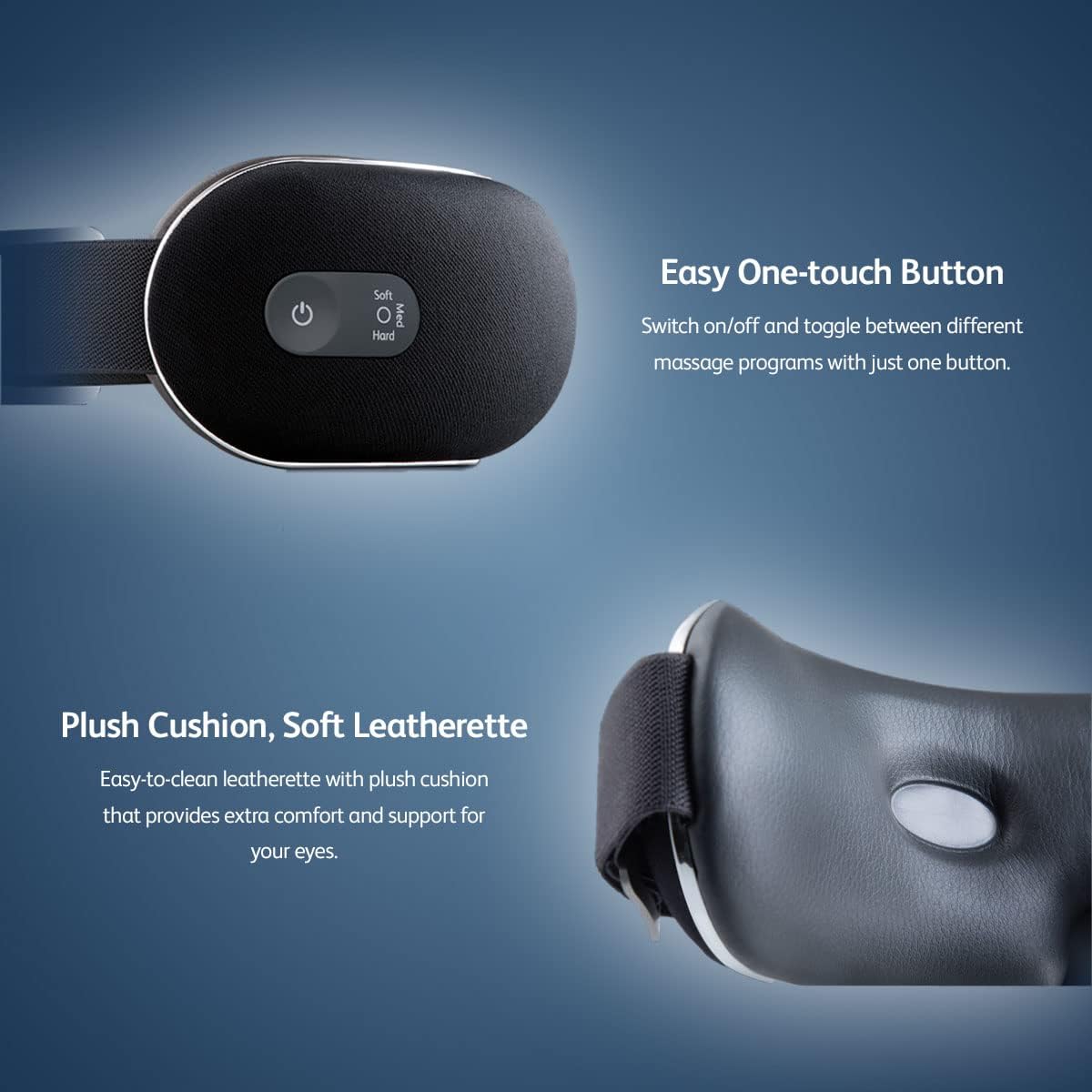
Image: A close-up showing the adjustable strap and the one-touch control button of the OSIM uVision Air Eye Massager.
4. Maagizo ya Uendeshaji
Power On/Off and Program Selection:
The device is operated using a single one-touch button.
- Kuwasha: Press and hold the power button for a few seconds until the device activates.
- To Select Program: Briefly press the power button to cycle through the available massage programs.
- Kuzima: Bonyeza na ushikilie kitufe cha kuwasha tena hadi kifaa kizime.
Mipango ya Massage:
The uVision Air offers three specialized massage programs, each designed for different needs:
- Soft (Sleep) Mode: Ideal for improving sleep quality and reducing the appearance of dark circles with soothing warmth.
- Medium (Energize) Mode: Refreshes tired and dry eyes, especially after long screen exposure, using low airbag massage and soothing warmth.
- Hard (Beauty) Mode: Provides a firming effect to address fine lines and wrinkles with high airbag massage.

Image: A woman sleeping while wearing the OSIM uVision Air, demonstrating the 'For The Nocturnal' program mode for sleep and dark circles.

Image: A woman wearing the OSIM uVision Air while working at a desk, illustrating the 'For The Busy Executive' program mode for dry and tired eyes.
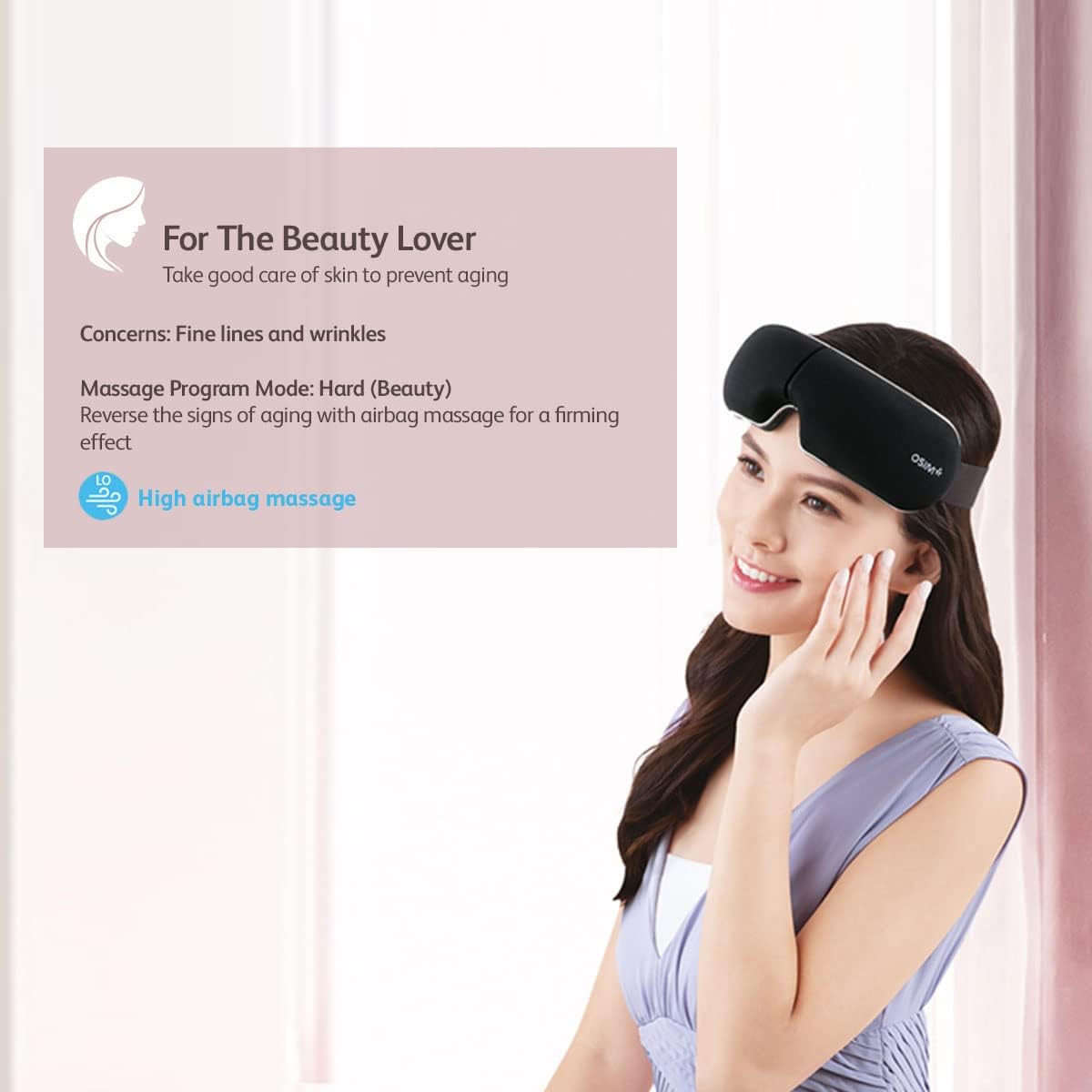
Image: A woman smiling while wearing the OSIM uVision Air, demonstrating the 'For The Beauty Lover' program mode for fine lines and wrinkles.
Targeted Acupressure Points:
The airbag massage targets specific acupressure points for maximum benefit:
- Zān Zhú massage (攒竹穴): Helps with eye fatigue.
- Shī Zhú Kōng massage (丝竹空穴): Relieves migraine and helps firm droopy eyelids.
- Tài Yáng massage (太阳穴): Alleviates headache and stress.
- Sì Bái massage (四白穴): Relieves dry and itchy eyes.
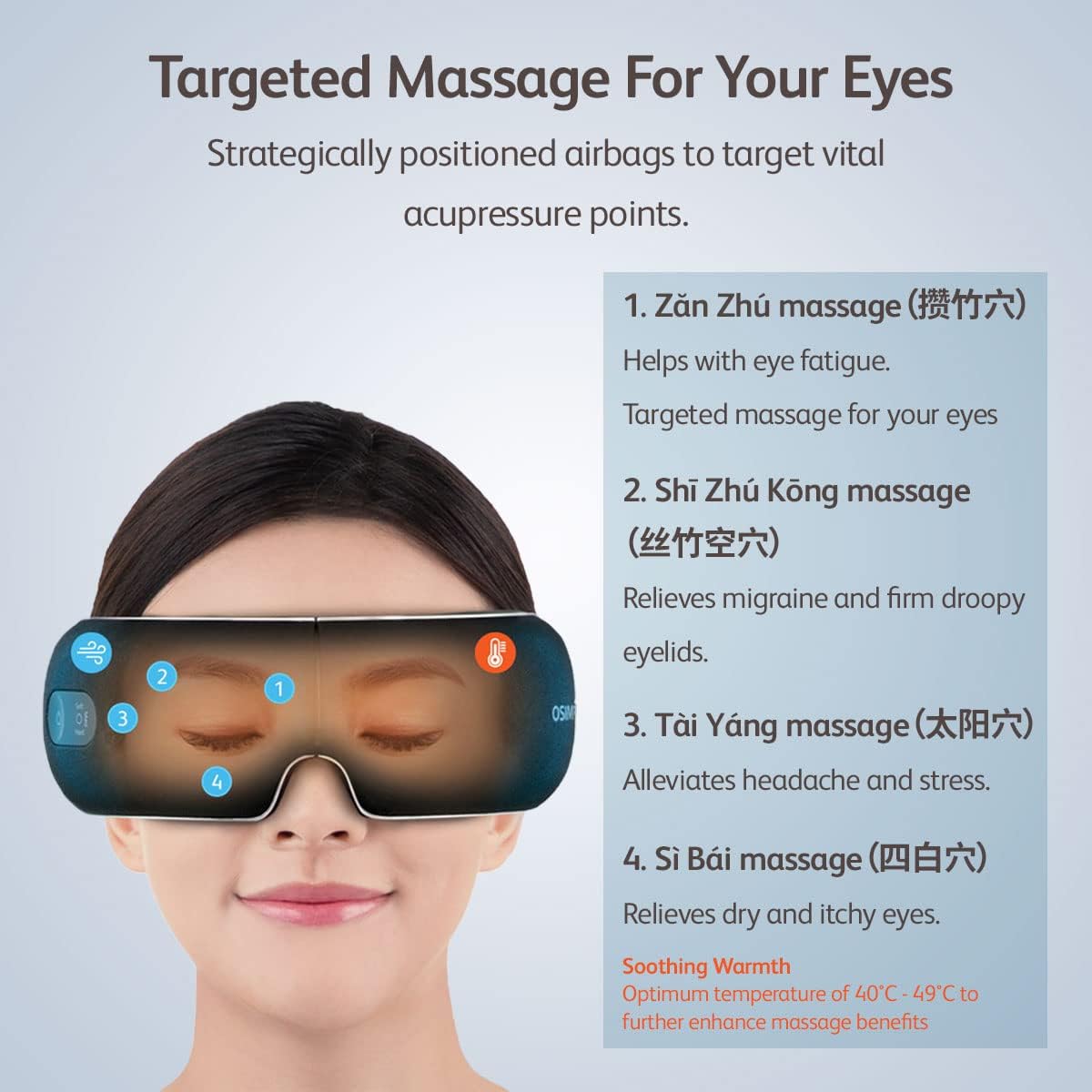
Image: A diagram illustrating the specific acupressure points around the eye that the OSIM uVision Air targets for various benefits.
5. Matengenezo na Uhifadhi
Kusafisha:
The uVision Air features easy-to-clean leatherette and plush cushioning.
- Futa uso wa kifaa cha kusagia kwa kutumia laini, damp kitambaa.
- Usitumie visafishaji vya abrasive au uzamishe kifaa kwenye maji.
- Ensure the device is completely dry before storing or using again.
Hifadhi:
After use, store the massager in a clean, dry place. Its foldable design makes it compact for storage.

Image: The OSIM uVision Air Eye Massager displayed in its folded position, emphasizing its lightweight and portable design for easy storage.
6. Utatuzi wa shida
If you encounter any issues with your OSIM uVision Air Eye Massager, please refer to the following common solutions:
- Kifaa hakiwashi: Hakikisha kifaa kimechajiwa kikamilifu. Kiunganishe kwenye chanzo cha umeme na ukiruhusu kuchaji kwa angalau dakika 30 kabla ya kujaribu kuwasha tena.
- No massage or warmth: Check that the device is powered on and a program is selected. If the battery is low, the functions may be limited. Recharge the device.
- Usumbufu wakati wa matumizi: Adjust the strap for a more comfortable fit. If discomfort persists, discontinue use and consult a healthcare professional.
- Masuala ya malipo: Ensure the USB cable is securely connected to both the device and the power source. Try a different USB cable or power adapter if available.
If the problem persists after trying these steps, please contact OSIM customer support.
7. Vipimo
| Vipimo | Maelezo |
|---|---|
| Nambari ya Mfano | OS-1202 |
| Ingizo la USB | 5V --- 1A |
| Uzito Net | Takriban. 300 g |
| Uzito wa Jumla | Takriban. 770 g |
| Nyenzo | Plastiki, Silicone |
| Rangi | Nyeusi |
| Chanzo cha Nguvu | Corded Electric (for charging), Cordless (for use) |
| Vipengele Maalum | Fatigue relief, Foldable |
| Optimum Warmth Temperature | 40°C - 49°C |
| Maisha ya Betri | Up to 4 hours of use per full charge |
8. Taarifa za Udhamini
OSIM products are manufactured to the highest quality standards. For specific warranty terms and conditions, please refer to the warranty card included with your purchase or visit the official OSIM webtovuti. Weka uthibitisho wako wa ununuzi kwa madai ya udhamini.
9. Msaada kwa Wateja
For further assistance, product inquiries, or technical support, please contact OSIM customer service through their official webtovuti au maelezo ya mawasiliano yaliyotolewa kwenye kifungashio cha bidhaa yako.
Unaweza kutembelea Osim Store on Amazon kwa taarifa zaidi.