
Cecotec EnergySilence 800 FoldAir Portable Control (Model 08225)
Cecotec EnergySilence 800 FoldAir Portable Control Mwongozo wa Mtumiaji wa Mashabiki wa Telescopic
Mfano: 08225 | Chapa: Cecotec
1. Maagizo Muhimu ya Usalama
Tafadhali soma maagizo haya kwa makini kabla ya kutumia kifaa hicho na uyaweke kwa ajili ya marejeleo ya baadaye. Kushindwa kufuata maagizo haya kunaweza kusababisha mshtuko wa umeme, moto, au jeraha kubwa.
- Hakikisha ujazotage iliyoonyeshwa kwenye kifaa inalingana na mtandao mkuu wa eneo lako juzuu yatage kabla ya kuunganishwa.
- Do not immerse the fan, power cord, or plug in water or any other liquid.
- Keep the fan away from children and pets. This appliance is not intended for use by persons with reduced physical, sensory, or mental capabilities unless supervised.
- Usiingize vidole au vitu vyovyote kwenye grille ya feni wakati inafanya kazi.
- Unplug the fan from the power outlet before cleaning, moving, or when not in use for extended periods.
- Do not operate the fan with a damaged cord or plug, or if the fan malfunctions or has been dropped or damaged in any manner.
- Weka feni kwenye sehemu iliyotulia na tambarare ili isidondoke.
- Do not use the fan near water, such as in bathrooms or laundries.
- Tumia viambatisho/vifaa vilivyobainishwa na mtengenezaji pekee.
- The fan contains a built-in rechargeable battery. Do not expose the battery to excessive heat, direct sunlight, or fire.
- Tupa betri ipasavyo kulingana na kanuni za ndani.
2. Bidhaa Imeishaview
The Cecotec EnergySilence 800 FoldAir Portable Control is a versatile telescopic fan designed for portability and convenience. It features a foldable and extendable design, a powerful built-in battery, and remote control operation.
2.1 Vipengele
- Kitengo cha Feni (chenye vilele na grille)
- Fimbo ya Telescopic
- Msingi unaoweza kukunjwa
- Control Panel on Base
- Udhibiti wa Kijijini
- Kebo ya Kuchaji ya USB-C
2.2 Sifa Muhimu
- Foldable and Telescopic Design: Easily adjusts from a compact tabletop fan to a full-height floor fan, and folds for convenient storage and transport.
- 7200 mAh Betri Inayoweza Kuchajiwa tena: Provides extended cordless operation, ideal for various environments.
- 8-inch Diameter: Ensures effective airflow for personal cooling.
- 4 Mipangilio ya Kasi: Allows for customization of airflow intensity to suit your comfort needs.
- Oscillation otomatiki: Distributes air across a wider area for improved circulation.
- Udhibiti wa Mbali: Rekebisha mipangilio kwa urahisi kutoka umbali.

Figure 2.2.1: The Cecotec EnergySilence 800 FoldAir fan shown in both its fully extended and compact tabletop configurations, alongside its remote control.

Kielelezo cha 2.2.2: Maelezo ya kina view of the fan's base, highlighting the integrated control panel and its compact, folded design.
3. Kuweka
3.1 Kufungua
Ondoa kwa uangalifu vifaa vyote kutoka kwa kifurushi. Thibitisha kuwa vipengee vyote vilivyoorodheshwa katika sehemu ya "Nini kwenye Kisanduku" vipo na havijaharibiwa.
3.2 Kuchaji Awali
Before first use, fully charge the fan. Connect the provided USB-C charging cable to the charging port on the fan's base and plug the other end into a compatible USB power adapter (not included) or a USB port. The charging indicator lights on the base will show the charging status. A full charge is recommended for optimal battery performance.
3.3 Extending and Folding the Fan
To extend the fan, gently pull the telescopic rod upwards from the base until it reaches the desired height. To fold, push the rod back down into the base. The fan head can also be adjusted vertically to direct airflow.

Figure 3.3.1: The fan demonstrating its telescopic extension from a compact tabletop unit to a taller floor fan.

Figure 3.3.2: Illustrates the process of folding the fan for compact storage or transport.
3.4 Ufungaji wa Betri ya Kidhibiti cha Mbali
The remote control requires a CR2025 battery (included). Open the battery compartment on the back of the remote control, insert the battery with the correct polarity (+/-), and close the compartment.
4. Maagizo ya Uendeshaji
4.1 Washa/Zima
Press the power button on the fan's base or the remote control to turn the fan on or off.
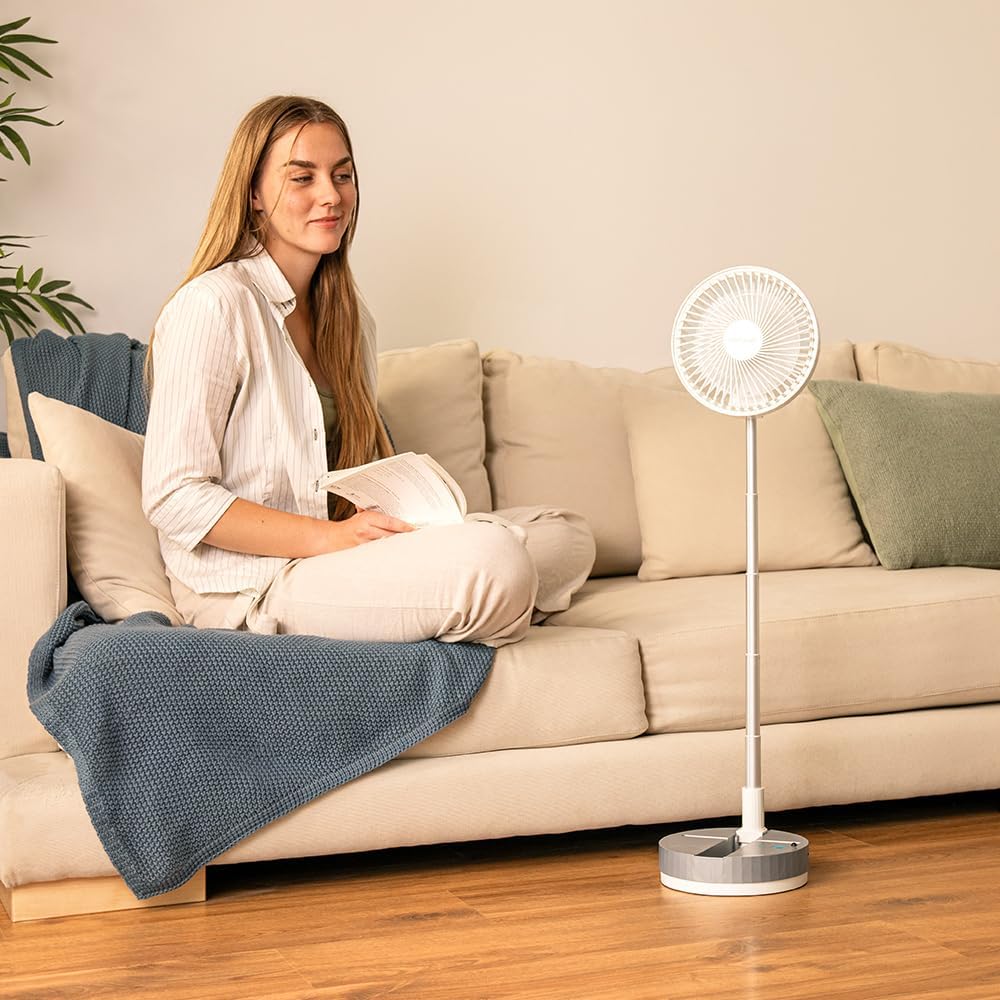
Figure 4.1.1: Activating the fan by pressing the power button located on its base.
4.2 Kurekebisha Kasi ya Mashabiki
The fan has 4 speed settings. Press the speed button on the fan's base or the remote control repeatedly to cycle through the different speed levels (1-4).

Figure 4.2.1: Visual representation of the fan's four adjustable speed settings.
4.3 Kuamsha Mtetemo
Press the oscillation button on the fan's base or the remote control to activate or deactivate the automatic oscillation feature. This allows the fan head to move from side to side, distributing air more widely.

Figure 4.3.1: The fan demonstrating its automatic oscillation feature, indicated by arrows showing side-to-side movement.
4.4 Kutumia Kidhibiti cha Mbali
Point the remote control directly at the fan's base to ensure proper signal reception. The remote allows you to power on/off, adjust speed, and control oscillation from a distance.

Figure 4.4.1: A user operating the fan using the included remote control.
5. Matengenezo na Usafishaji
Kusafisha mara kwa mara husaidia kudumisha utendakazi wa feni na kurefusha maisha yake.
- Daima chomoa feni kabla ya kusafisha.
- Tumia laini, damp kitambaa kuifuta nyuso za nje za shabiki. Usitumie visafishaji vya abrasive au vimumunyisho.
- To clean the fan blades, carefully remove the front grille (if detachable, refer to specific product design for removal instructions). Use a soft cloth or brush to remove dust and debris from the blades. Ensure the grille is securely reattached before use.
- Do not allow water to drip into the motor housing or electrical components.
- Store the fan in a cool, dry place when not in use, preferably in its original packaging or a protective cover.
6. Utatuzi wa shida
| Tatizo | Sababu inayowezekana | Suluhisho |
|---|---|---|
| Shabiki haiwashi. | Betri imeisha. Kitufe cha nguvu hakijabonyezwa kwa usahihi. Betri ya udhibiti wa mbali imekufa au imeingizwa vibaya. | Chaji feni kikamilifu. Bonyeza kitufe cha nguvu kwa nguvu. Replace the remote control battery (CR2025) and ensure correct polarity. |
| Mtiririko wa hewa dhaifu au hakuna. | Kasi ya feni ni ya chini sana. Vile vya feni ni vichafu. Kizuizi mbele au nyuma ya feni. | Ongeza kasi ya shabiki. Clean the fan blades and grille. Ondoa vikwazo vyovyote. |
| Shabiki hufanya kelele isiyo ya kawaida. | Feni haiko kwenye uso thabiti. Debris caught in blades. Utendaji mbaya wa ndani. | Weka shabiki kwenye uso wa gorofa, imara. Unplug and check for debris, then clean. Ikiwa kelele itaendelea, wasiliana na huduma kwa wateja. |
| Udhibiti wa mbali haufanyi kazi. | Betri imekufa au imeingizwa vibaya. Kizuizi kati ya remote na feni. Kidhibiti cha mbali kiko mbali sana au hakijaelekezwa kwa usahihi. | Replace battery (CR2025) and check polarity. Ensure clear line of sight to the fan's base. Move closer and point directly at the fan. |
7. Vipimo
| Kipengele | Maelezo |
|---|---|
| Chapa | Cecotec |
| Nambari ya Mfano | 08225 |
| Rangi | Nyeupe |
| Vipimo vya Bidhaa (Iliyokunjwa) | 23 x 12 x 23.5 cm (takriban.) |
| Uzito wa Kipengee | Kilo 1.04 |
| Nguvu | 2 Watts |
| Voltage | Volti 2.3E+2 (AC) |
| Uwezo wa Betri | 7200 mAh |
| Kipenyo cha shabiki | inchi 8 |
| Mipangilio ya Kasi | 4 |
| Vipengele Maalum | Foldable, Telescopic, Automatic Oscillation, Remote Control |
| Chanzo cha Nguvu | Inaendeshwa na Betri |
8. Udhamini na Msaada
This product comes with a standard manufacturer's warranty. For detailed warranty information, please refer to the warranty card included with your purchase or visit the official Cecotec webtovuti.
If you encounter any issues or have questions regarding your Cecotec EnergySilence 800 FoldAir Portable Control fan, please contact Cecotec customer support or the retailer from whom you purchased the product. Please have your model number (08225) and purchase details ready when contacting support.
You can find more information and support resources on the official Cecotec webtovuti: www.cecotec.com
Ask a question about this manual
Ask about setup, troubleshooting, compatibility, parts, safety, or missing instructions. Manuals+ will review the question and use this page’s manual context to help answer it.