
1. Utangulizi
The MAUL Commercial Calculator MXL16 is designed for commercial use, offering a stable and resilient build with an extra-large case (20.5 x 15.5 cm) for comfortable operation. It features a large, angled 16-digit display for improved readability and large, distinctively colored buttons for quick and accurate input. This calculator combines precision and reliability for both desk and mobile use.
Vipengele muhimu ni pamoja na:
- 16-digit LCD display with 1 line.
- Angled display for optimal viewing.
- Solar and battery powered (LR44 battery included).
- Automatic shut-off to conserve energy.
- Comprehensive functions including tax calculation, 3-button memory, root calculation, and percentage.
- Durable plastic buttons for easy cleaning.
2. Kuweka
2.1 Chanzo cha Umeme
The MAUL MXL16 calculator operates using both solar power and a single LR44 battery. The solar panel provides power in well-lit environments, while the battery ensures operation when light is insufficient. An LR44 battery is included with the calculator.

Kielelezo cha 2.1: Chini view of the calculator, indicating the battery compartment.
2.2 Matumizi ya Awali
Upon first use, ensure the calculator is exposed to adequate light for solar power or that the included LR44 battery is correctly installed. The calculator features an automatic shut-off function to conserve power when not in use.

Kielelezo cha 2.2: Upande view showing the angled display for better reading.
3. Maagizo ya Uendeshaji
The MAUL MXL16 calculator provides a range of functions for commercial calculations. The buttons are color-coded for easier identification and faster operation.
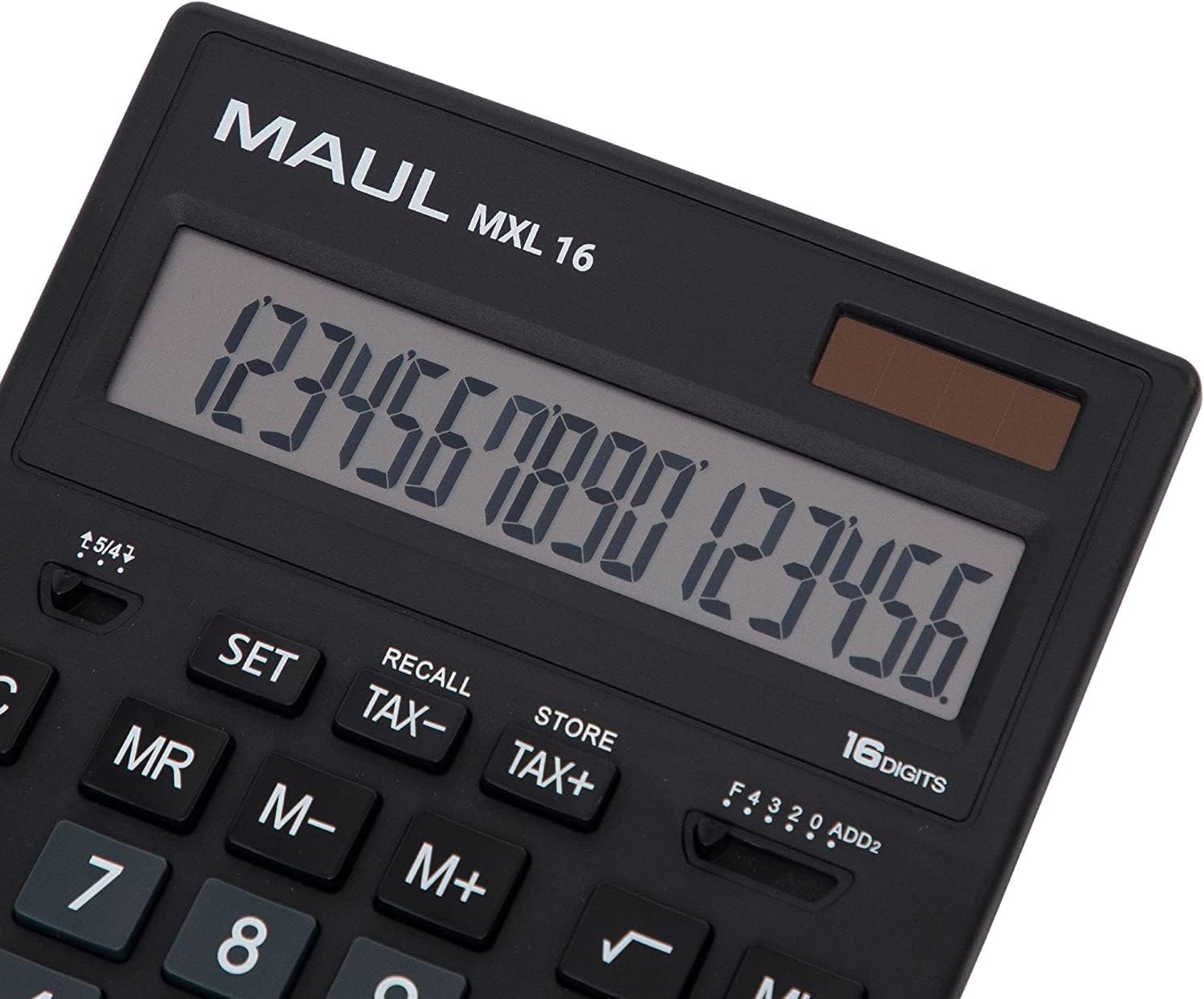
Kielelezo cha 3.1: Display and key layout of the MAUL MXL16.
3.1 Shughuli za Msingi
- WASHA/AC: Turns the calculator on or clears all entries and memory.
- CE/C: Clears the last entered number or the current calculation without affecting memory. Pressing twice may clear all.
- Vifunguo vya Nambari (0-9): Input numerical values.
- Pointi ya desimali (.): Inaingiza nukta ya desimali.
- Waendeshaji wa Hesabu (+, -, ×, ÷): Fanya kujumlisha, kutoa, kuzidisha, na kugawanya.
- Sawa (=): Displays the result of a calculation.
3.2 Kazi Maalum
- Hesabu ya Kodi (KODI+, KODI-): Allows for easy calculation of prices with or without tax. Use the SET button to configure the tax rate.
- Memory Functions (MR, M-, M+):
- M+: Huongeza thamani inayoonyeshwa kwenye kumbukumbu.
- M-: Huondoa thamani inayoonyeshwa kutoka kwenye kumbukumbu.
- MR: Recalls the value stored in memory.
- MC: Clears the memory (often by pressing MR twice or a dedicated MC button).
- Root Calculation (√): Huhesabu mzizi wa mraba wa nambari iliyoonyeshwa.
- Asilimiatage (%): Hufanya asilimiatage mahesabu.
- Badilisha Ishara (+/-): Hubadilisha ishara ya nambari inayoonyeshwa (chanya hadi hasi, au kinyume chake).
- Double Zero (00) / Triple Zero (000): For quick entry of multiple zeros.
- Comma Selector Switch: Adjusts the decimal point display.
- Automatic Rounding: Allows selection of how numbers are rounded (e.g., up, down, or standard).
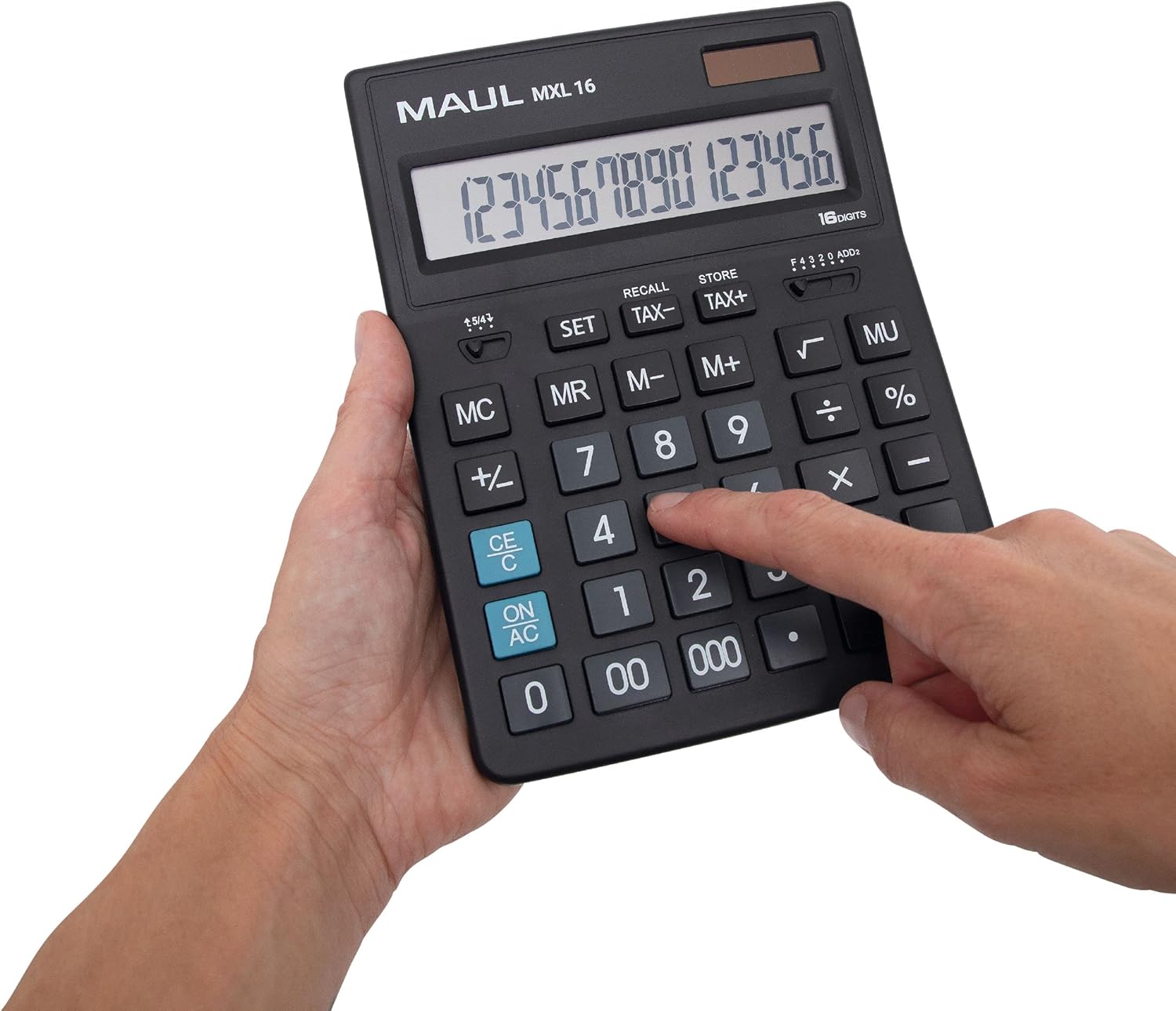
Kielelezo cha 3.2: User interacting with the calculator keys.
4. Matengenezo
The MAUL MXL16 calculator is designed for durability with sturdy plastic buttons that are easy to clean.
- Kusafisha: Use a soft, dry cloth to wipe the calculator's surface and keys. For stubborn dirt, a slightly damp kitambaa chenye sabuni laini kinaweza kutumika, kuhakikisha hakuna kioevu kinachoingia kwenye kifaa.
- Hifadhi: Hifadhi kikokotoo mahali pakavu na penye baridi mbali na jua moja kwa moja na halijoto kali.
- Ubadilishaji wa Betri: If the display becomes dim or the calculator functions intermittently in low light, the LR44 battery may need replacement. Refer to the battery compartment on the underside of the calculator for access.
5. Utatuzi wa shida
- Kikokotoo hakiwashi:
- Hakikisha kikokotoo kimeangaziwa kwa mwanga wa kutosha kwa ajili ya nishati ya jua.
- Check if the LR44 battery is correctly installed and has sufficient charge. Replace if necessary.
- Mahesabu yasiyo sahihi:
- Press the ON/AC button to clear all previous entries and memory, then re-enter the calculation.
- Verify the correct input of numbers and operations.
- Onyesho ni hafifu au kumeta:
- Ensure adequate lighting for the solar panel.
- Badilisha betri ya LR44.
6. Vipimo
| Jina la Mfano | MXL16 |
| Nambari ya Mfano | 7267890 |
| Onyesho | 16 Digits, 1 Line LCD, Angled |
| Vipimo (L x W) | 20.5 x 15.5 cm |
| Chanzo cha Nguvu | Solar and 1 x LR44 Battery (included) |
| Nyenzo | Plastic (housing and buttons) |
| Kazi | Tax calculation, 3-button memory, Root, Percent, Sign change, Automatic rounding, Double/Triple zero buttons, Comma selector switch |
| Kuzima kiotomatiki | Ndiyo |
7. Udhamini
The MAUL Commercial Calculator MXL16 comes with a dhamana ya mwaka 5. Tafadhali hifadhi uthibitisho wako wa ununuzi kwa madai ya udhamini. Udhamini unashughulikia kasoro za utengenezaji chini ya hali ya kawaida ya utumiaji.
8. Msaada
For further assistance, technical support, or warranty inquiries, please contact your retailer or the MAUL customer service department. Refer to the product packaging or the MAUL official webtovuti kwa maelezo ya mawasiliano.