
1. Utangulizi
This manual provides detailed instructions for the ORICO 2.5 inch Hard Drive Enclosure USB C to SATA III Cable, Model S1-3CB-05. This device allows you to connect a 2.5-inch SATA I/II/III SSD or HDD to your computer via a USB Type-C port, facilitating data transfer, backups, and storage expansion. It supports UASP for enhanced transfer speeds and includes a protective silicone case.

Image: The ORICO 2.5 inch Hard Drive Enclosure with its integrated USB-C cable.
2. Yaliyomo kwenye Kifurushi
Thibitisha kuwa vipengee vyote vipo kwenye kifurushi:
- ORICO 2.5 inch Hard Drive Enclosure (SATA to USB-C adapter)
- 2.5-inch Silicone Protective Case
- Mwongozo wa Mtumiaji

Image: The product packaging showing the SATA adapter, silicone case, and user manual.
3. Bidhaa za Bidhaa
- Protective Silicone Case: Designed to safeguard your 2.5-inch hard drive from shocks and friction, extending its lifespan.
- Uhamisho wa Data wa Kasi ya Juu: Supports up to 5Gbps via USB 3.0, with UASP support for up to 70% faster transfer speeds compared to conventional USB 3.0 when connected to a compatible computer.
- Chomeka na Ucheze: No additional drivers required for Windows, Mac, or Chrome OS.
- Kiashiria cha LED: A blue LED light indicates power and activity status.
- Compact na Portable: Small form factor for easy transport.
- Chaguzi za Urefu wa Kebo: Available in 30cm, 50cm, or 100cm lengths (depending on specific model variant).
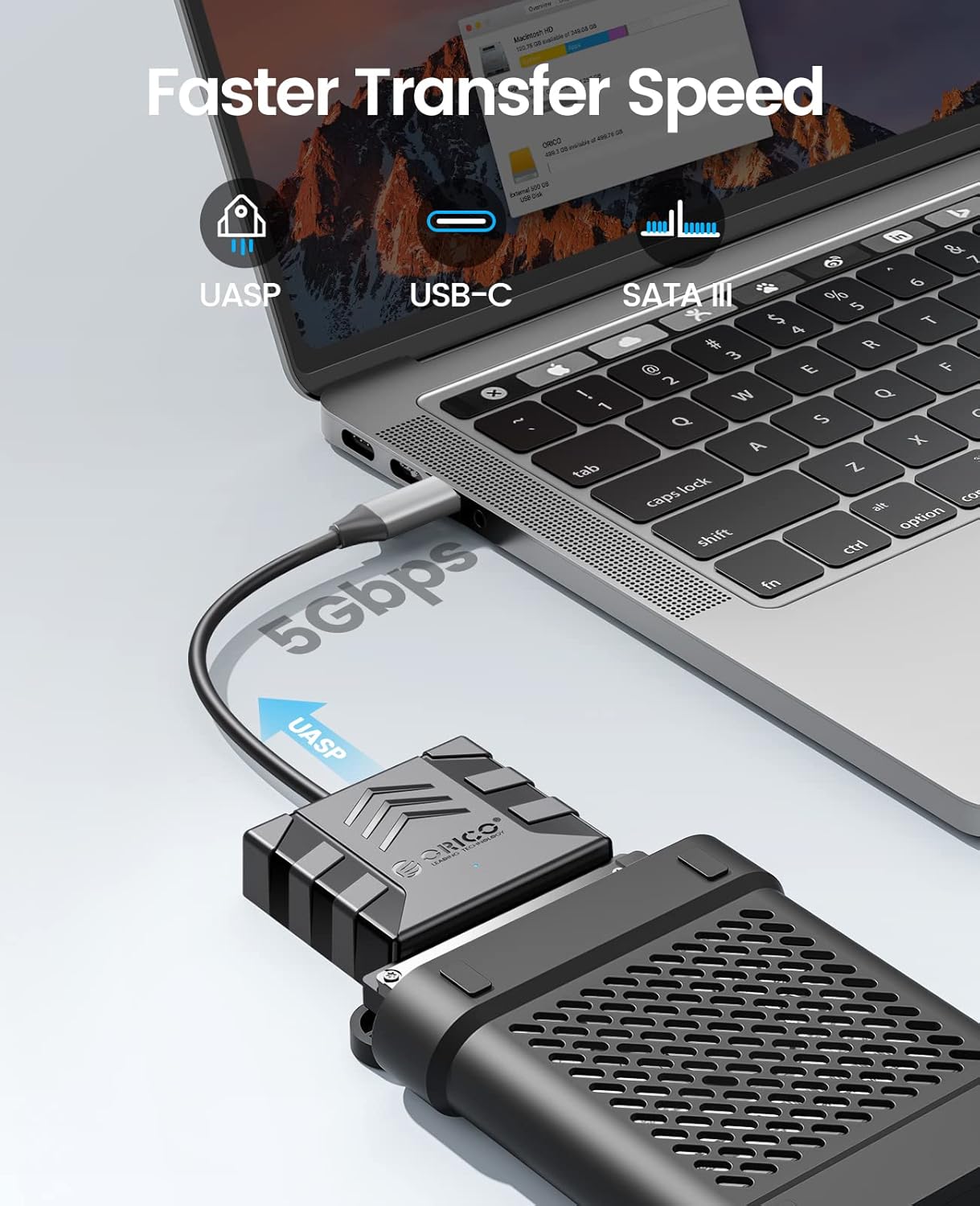
Image: Visual representation of the faster data transfer speeds supported by the enclosure.
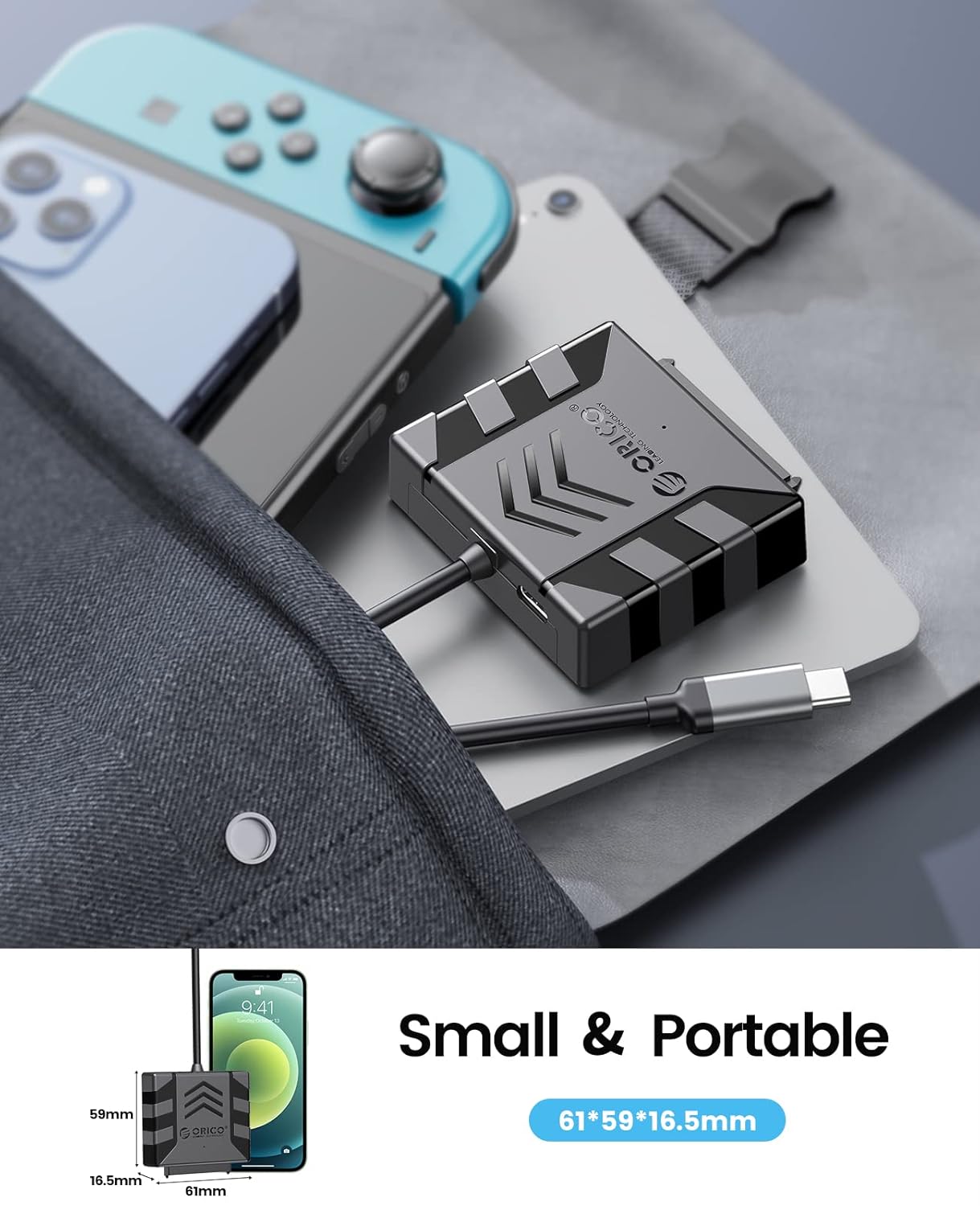
Image: The compact size of the enclosure, highlighting its portability.
4. Utangamano
The ORICO S1-3CB-05 is compatible with the following:
- Aina ya Hifadhi ngumu: 2.5-inch SATA I/II/III SSDs and HDDs.
- Mifumo ya Uendeshaji: Windows, Mac OS, Chrome OS, Linux.
- Vifaa: Laptops, PCs, Routers, Televisions, Xbox, PlayStation (PS5/PS4/PS3), Nintendo Switch.
Important Note: This product is NOT compatible with 3.5-inch hard drives, ATA (IDE), mSATA, or M.2 interfaces. Please confirm your hard drive type before use.
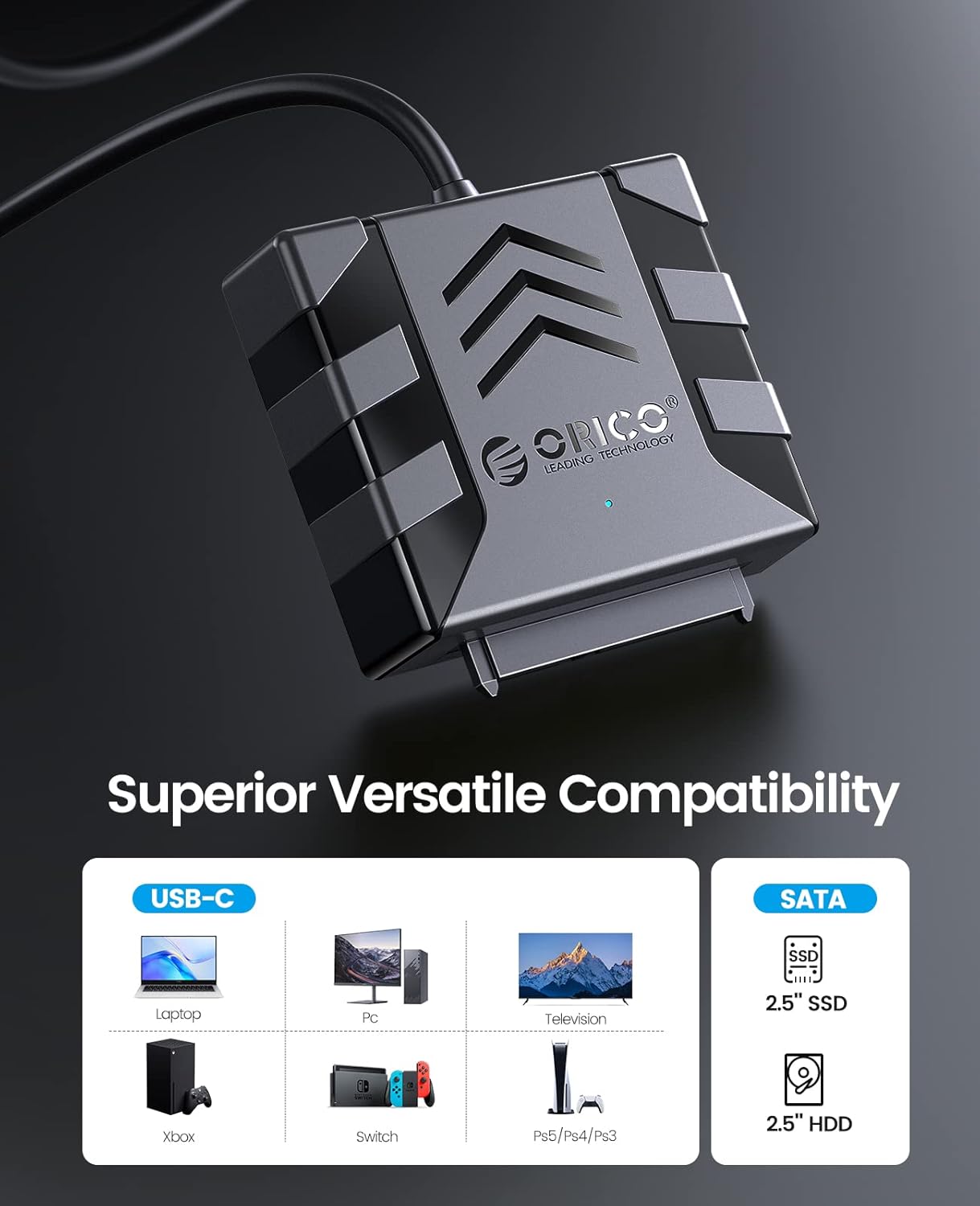
Image: Visual guide to compatible devices and 2.5-inch SATA SSD/HDD types.

Image: The enclosure connected to a computer, demonstrating compatibility with multiple operating systems.
5. Maagizo ya Kuweka
- Unganisha Hifadhi Kuu:
Align your 2.5-inch SATA SSD or HDD with the SATA connector on the ORICO adapter. Gently push the drive into the adapter until it is securely seated. Ensure the connection is firm.

Image: A 2.5-inch SATA hard drive connected to the adapter. No external power is required for 2.5-inch drives.
- (Optional) Apply Silicone Case:
For added protection, slide the connected hard drive and adapter into the provided 2.5-inch silicone protective case.
- Unganisha kwenye Kifaa cha Kupangisha:
Plug the USB Type-C connector of the ORICO adapter into an available USB-C port on your computer, laptop, or other compatible device. The device is plug-and-play, so no drivers are typically needed.
- Thibitisha Muunganisho:
Observe the blue LED indicator light on the adapter. A steady light indicates power, and a blinking light indicates data activity. Your operating system should detect the new storage device automatically.
Video: Demonstrates the connection process for 2.5-inch and 3.5-inch hard drives. Note: This product is designed for 2.5-inch drives only, as specified in the product features.
6. Maagizo ya Uendeshaji
- Kufikia Data: Once connected, your operating system will recognize the drive. You can access it like any other external storage device through File Explorer (Windows) au Finder (Mac).
- Uhamisho wa Data: Buruta na uangushe files to and from the connected drive. For optimal performance, ensure your computer's USB-C port supports USB 3.0 or higher and UASP.
- Uondoaji Salama: Always safely eject the drive from your operating system before physically disconnecting the adapter to prevent data corruption.
7. Matengenezo
- Keep the adapter and silicone case clean and free from dust. Use a soft, dry cloth for cleaning.
- Epuka kuhatarisha kifaa kwenye joto kali, unyevunyevu au jua moja kwa moja.
- Store the adapter and any connected drives in a safe place to prevent physical damage.
8. Utatuzi wa shida
- Hifadhi Haijagunduliwa:
- Ensure the 2.5-inch SATA drive is securely connected to the adapter.
- Try connecting the adapter to a different USB-C port on your computer.
- Verify that the drive is a 2.5-inch SATA HDD/SSD and not a 3.5-inch, IDE, mSATA, or M.2 drive.
- Check Disk Management (Windows) or Disk Utility (Mac) to see if the drive is recognized but unformatted or uninitialized.
- Kasi ya Uhamisho Polepole:
- Ensure your computer's USB-C port supports USB 3.0 (or higher) and UASP.
- Funga programu zingine ambazo zinaweza kuwa zinatumia rasilimali muhimu za mfumo.
- Test with a different USB-C cable if possible (though this product has an integrated cable).
- Kiashiria cha LED kutowaka:
- Ensure the adapter is firmly plugged into the USB-C port of your host device.
- Try a different USB-C port.
9. Vipimo
| Kipengele | Maelezo |
|---|---|
| Mfano | S1-3CB-05 |
| Chapa | ORICO |
| Kiunzi cha vifaa | USB 2.0, Aina ya USB C |
| Vifaa Sambamba | Laptop, PC, Router, Television, Xbox, PlayStation, Nintendo Switch |
| Kipengele cha Fomu ya Diski Ngumu | 2.5 Inches (SATA I/II/III SSD/HDD) |
| Kiasi cha Vifaa Vinavyoungwa Mkono | 1 |
| Kiwango cha Uhamisho wa Data | 5 Gigabits Per Second (with UASP support) |
| Nyenzo | Acrylonitrile Butadiene Styrene (ABS) |
| Nyenzo ya Uzio | Acrylonitrile Butadiene Styrene (ABS) |
| Vyombo vya Habari Vilivyojengwa | Hard drive adapter |
10. Udhamini na Msaada
Bidhaa za ORICO kwa kawaida huja na udhamini wa kawaida wa mtengenezaji. Tafadhali rejelea kadi ya udhamini iliyojumuishwa kwenye kifurushi chako au tembelea ORICO rasmi. webtovuti kwa sheria na masharti maalum ya udhamini.
Kwa usaidizi wa kiufundi, maswali ya bidhaa, au madai ya udhamini, tafadhali wasiliana na huduma kwa wateja ya ORICO kupitia rasmi yao. webtovuti:
Unaweza pia kupata rasilimali za ziada na Maswali Yanayoulizwa Mara kwa Mara kwenye kurasa zao za usaidizi.