
1. Utangulizi
Thank you for choosing the Roseland Boombox 20W TWS Bluetooth Speaker. This manual provides essential information for the safe and efficient operation of your device. Please read it thoroughly before use and retain it for future reference.
The Roseland Boombox 20W TWS Bluetooth Speaker delivers rich, powerful sound. Connect wirelessly via Bluetooth, or use AUX and USB inputs for versatile playback. Enjoy up to 5.5 hours of playtime on a single charge. The integrated color-changing light enhances your listening experience. This lightweight speaker features a convenient handle for portability and supports True Wireless Stereo (TWS) pairing for an expanded soundstage.
2. Yaliyomo kwenye Kifurushi
Hakikisha bidhaa zote zipo kwenye kifurushi:
- Roseland Boombox 20W TWS Bluetooth Speaker
- Kebo ya Kuchaji ya USB-C
- Msaidizi (AUX) Cable
- Mwongozo wa Maagizo (hati hii)
3. Bidhaa za Bidhaa
- Pato la Sauti: 20W for powerful sound.
- Stereo ya Kweli isiyo na waya (TWS): Connect two speakers wirelessly for stereo sound.
- Muunganisho: Bluetooth, AUX Input, USB Port.
- Maisha ya Betri: Hadi saa 5.5 za wakati wa kucheza.
- Muda wa Kuchaji: Takriban masaa 2.5.
- Taa: Integrated color-changing light.
- Mbinu ya Kudhibiti: Dhibiti za kugusa.
- Uwezo wa kubebeka: Lightweight design with a convenient handle.
- Uimara: Ujenzi wa kuzuia maji.
4. Udhibiti na Viashiria
The control panel is located on the rear of the speaker. Specific button functions are detailed below. (Refer to the image for visual reference).
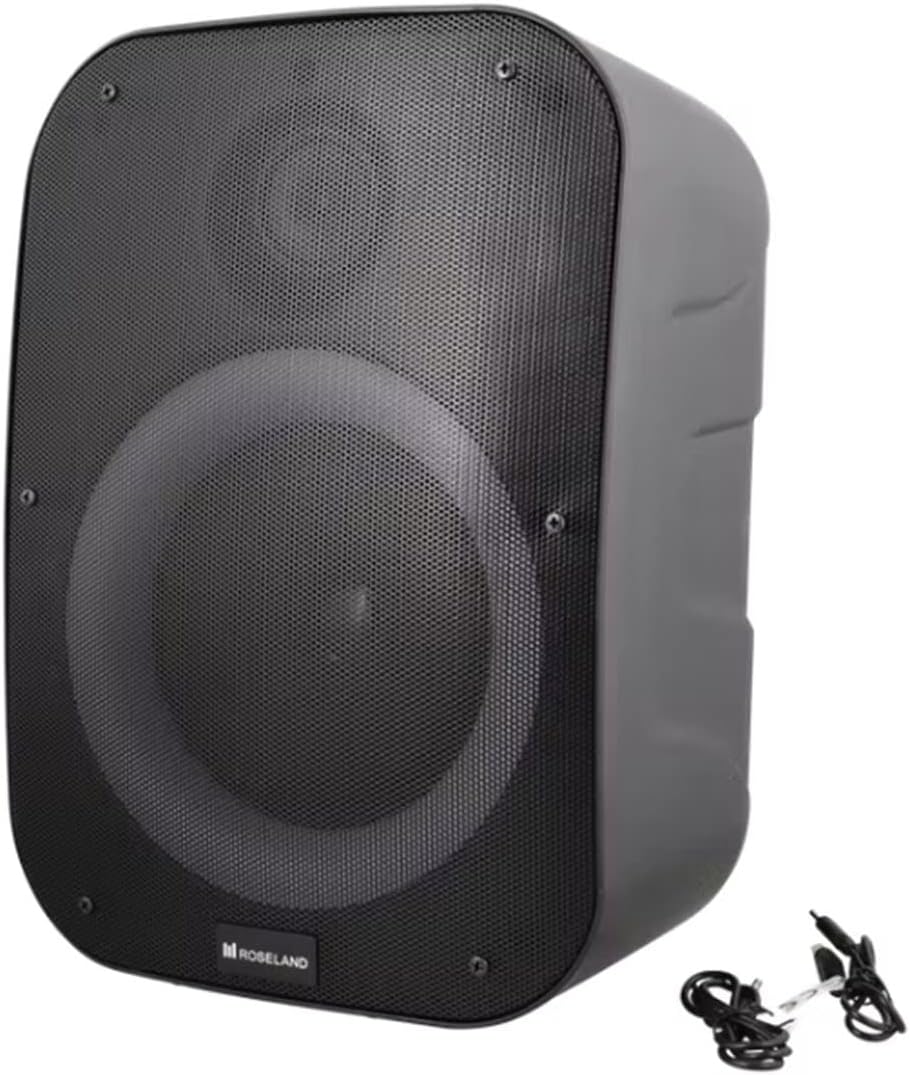
Picha: Nyuma view of the Roseland Boombox, highlighting the control panel and integrated handle for portability.
- Kitufe cha Nguvu: Bonyeza na ushikilie ili kuwasha au kuzima spika.
- Kitufe cha Hali (M): Press to switch between Bluetooth, AUX, and USB playback modes.
- Play/Pause Button (▶❚❚): Bonyeza ili kucheza au kusitisha sauti.
- Kitufe cha Kupunguza Sauti / Wimbo Uliotangulia (-): Bonyeza ili kupunguza sauti. Bonyeza na ushikilie ili kwenda kwenye wimbo uliopita.
- Kitufe cha Kuongeza Sauti / Wimbo Unaofuata (+): Bonyeza ili kuongeza sauti. Bonyeza na ushikilie ili kwenda kwenye wimbo unaofuata.
- Kitufe cha Njia Nyepesi: Press to cycle through different color-changing light modes or turn the lights off.
- Kitufe cha Kuoanisha TWS: Press to initiate True Wireless Stereo pairing (see Section 5.4).
- Mlango wa Kuchaji (USB-C): Unganisha kebo ya USB-C ili kuchaji.
- Mlango wa Kuingiza wa AUX: Connect an external audio device using the auxiliary cable.
- Mlango wa USB: Ingiza kiendeshi cha USB flash kwa ajili ya uchezaji wa sauti.
5. Kuweka
5.1 Kutoza malipo kwa Spika
- Connect the supplied USB-C charging cable to the speaker's USB-C charging port.
- Unganisha ncha nyingine ya kebo ya USB-C kwenye adapta ya umeme ya USB inayooana (haijajumuishwa) au mlango wa USB wa kompyuta.
- Taa ya kiashiria cha kuchaji itawaka, kwa kawaida nyekundu, wakati wa kuchaji. Itazima au kubadilisha rangi (km, bluu) itakapochajiwa kikamilifu.
- Chaji kamili huchukua takriban saa 2.5.
5.2 Kuwasha / Kuzima
- Kuwasha: Bonyeza na ushikilie Kitufe cha Kuwasha kwa sekunde chache hadi usikie kidokezo kinachosikika au uone mwangaza wa kiashiria.
- Kuzima: Bonyeza na ushikilie Kitufe cha Kuwasha tena kwa sekunde chache hadi spika itakapozima.
5.3 Kuoanisha Bluetooth
- Ensure the speaker is powered on and in Bluetooth mode. If not, press the Mode Button (M) until you hear a "Bluetooth mode" prompt or see a flashing blue indicator light.
- Washa Bluetooth kwenye simu yako mahiri, kompyuta kibao, au kifaa kingine kilichowezeshwa na Bluetooth.
- Tafuta "Roseland Boombox" in the list of available Bluetooth devices.
- Select "Roseland Boombox" to connect. Once connected, you will hear a confirmation sound, and the indicator light will become solid blue.
- Spika itajaribu kuunganisha kiotomatiki kwenye kifaa kilichooanishwa mwisho ikiwa imewashwa.
5.4 Uoanishaji wa Kweli wa Wireless Stereo (TWS).
TWS allows you to connect two Roseland Boombox speakers wirelessly for a stereo sound experience.
- Ensure both Roseland Boombox speakers are powered on and in Bluetooth mode, but not yet connected to any device.
- On one of the speakers (this will be the primary speaker), press the TWS Pairing Button. You will hear a prompt indicating it's searching for another speaker.
- Spika hizo mbili zitaunganishwa kiotomatiki. Utasikia sauti ya uthibitisho mara tu uunganishaji wa TWS utakapofanikiwa.
- Now, connect your Bluetooth device to the primary speaker (the one you pressed the TWS button on) as described in Section 5.3. The audio will now play in stereo through both speakers.
5.5 Uunganisho wa AUX
- Connect one end of the supplied AUX cable to the AUX Input Port on the speaker.
- Unganisha ncha nyingine ya kebo ya AUX kwenye jeki ya vipokea sauti vya masikioni au kifaa chako cha sauti cha nje.
- Press the Mode Button (M) on the speaker until you hear an "AUX mode" prompt.
- Dhibiti uchezaji na sauti moja kwa moja kutoka kwa kifaa chako cha sauti kilichounganishwa.
5.6 Uchezaji wa USB
- Ingiza kiendeshi cha USB flash kilicho na sauti ya MP3 files into the USB Port on the speaker.
- Press the Mode Button (M) on the speaker until you hear a "USB mode" prompt.
- Spika itaanza kucheza sauti kiotomatiki files kutoka kwa kiendeshi cha USB.
- Use the Play/Pause, Volume Up/Down, and Next/Previous Track buttons on the speaker to control playback.
6. Maagizo ya Uendeshaji
6.1 Uchezaji wa Muziki
- Cheza/Sitisha: Bonyeza kitufe cha Cheza/Sitisha.
- Wimbo Ufuatao: Bonyeza na ushikilie kitufe cha Kuongeza Sauti (+).
- Wimbo Uliopita: Bonyeza na ushikilie kitufe cha Kupunguza Sauti (-).
- Marekebisho ya Sauti: Press the Volume Up (+) or Volume Down (-) buttons to adjust the volume.
Njia 6.2 nyepesi
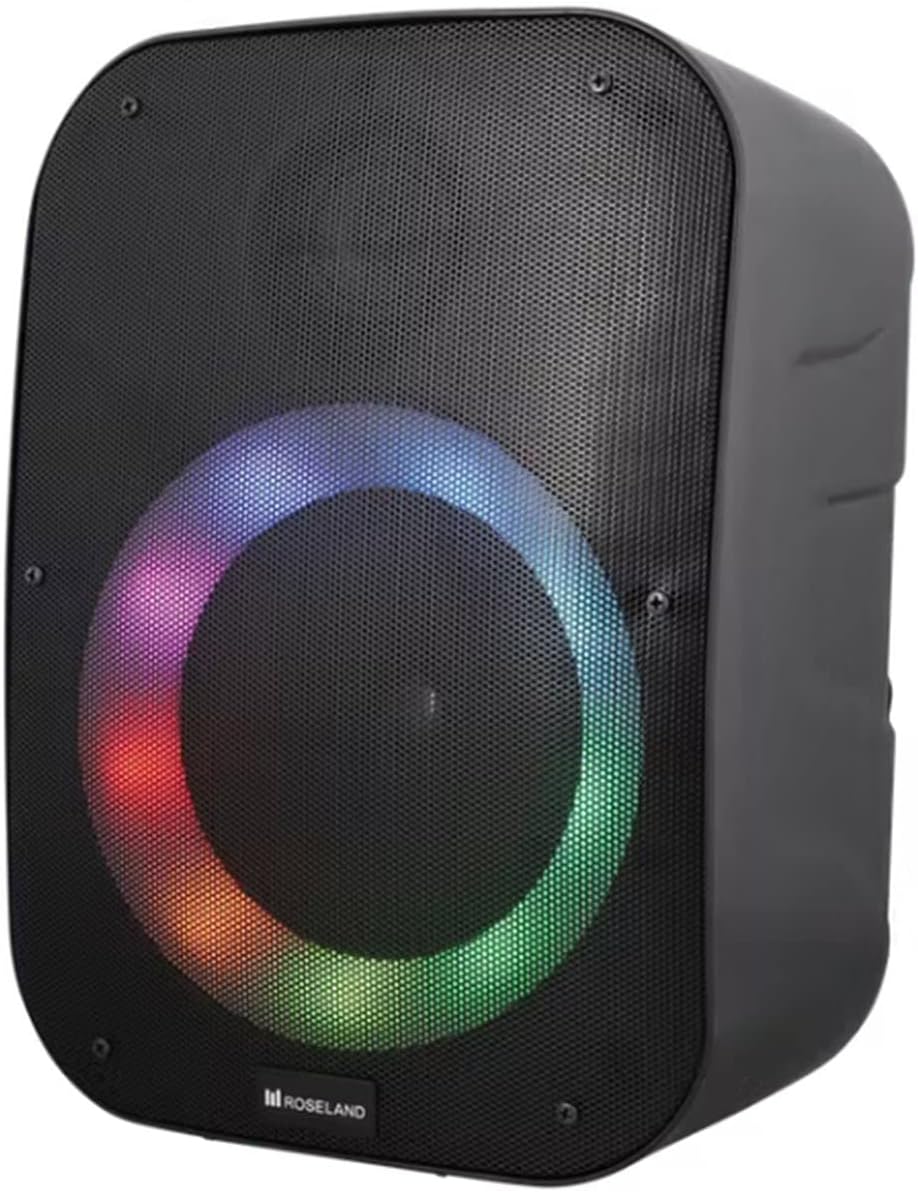
Picha: Mbele view of the Roseland Boombox showcasing its dynamic color-changing light feature.
Press the Light Mode Button on the control panel to cycle through various color-changing light patterns. Continue pressing to find your preferred mode or to turn the lights off.
7. Matengenezo
- Kusafisha: Tumia kitambaa laini na kikavu kusafisha uso wa mzungumzaji. Usitumie visafishaji vya abrasive au vimumunyisho.
- Hifadhi: Hifadhi kipaza sauti mahali penye ubaridi, pakavu mbali na jua moja kwa moja na halijoto kali wakati haitumiki kwa muda mrefu.
- Utunzaji wa Betri: Ili kuongeza muda wa matumizi ya betri, chaji spika kikamilifu kabla ya matumizi ya kwanza na uichaji angalau mara moja kila baada ya miezi mitatu ikiwa haitumiki mara kwa mara.
8. Utatuzi wa shida
| Tatizo | Sababu inayowezekana | Suluhisho |
|---|---|---|
| Spika hana nguvu. | Betri ya chini. | Charge the speaker using the supplied USB-C cable. |
| Hakuna sauti. | Sauti iko chini sana; hali si sahihi; kifaa hakijaunganishwa. | Increase volume; ensure correct mode (Bluetooth/AUX/USB); re-pair Bluetooth device or check AUX/USB connection. |
| Kuoanisha Bluetooth hakufaulu. | Spika haiko katika hali ya kuoanisha; kifaa mbali sana; kuingiliwa. | Ensure speaker is in Bluetooth pairing mode; move device closer; turn off other Bluetooth devices. |
| Uoanishaji wa TWS umeshindwa. | Spika ziko mbali sana; spika moja tayari imeunganishwa na kifaa. | Ensure both speakers are in TWS pairing mode and close to each other; disconnect any Bluetooth devices from both speakers before TWS pairing. |
9. Vipimo
| Kipengele | Maelezo |
|---|---|
| Jina la Mfano | Roseland Boombox 20W TWS Bluetooth Speaker |
| Chapa | Roseland |
| Nguvu ya Pato la Spika | 20 Watts |
| Teknolojia ya Uunganisho | Bluetooth, Auxiliary (AUX), USB |
| Mawasiliano ya Wireless | Bluetooth |
| Njia ya Pato la Sauti | Stereo |
| Usanidi wa Idhaa ya Sauti inayozunguka | 2.0 |
| Njia ya Kudhibiti | Gusa |
| Chanzo cha Nguvu | Wireless (Rechargeable Battery) |
| Maisha ya Betri | Hadi saa 5.5 |
| Muda wa Kuchaji | Takriban masaa 2.5 |
| Vipengele Maalum | Bluetooth, USB Port, Color-changing Light, Waterproof |
| Matumizi Iliyopendekezwa | Kwa simu mahiri au kompyuta kibao |
| Vifaa Sambamba | Personal Computer, Television, Tablet, Smartphone, Laptop |
| Aina ya Kuweka | Mlima wa Sakafu |
| ASIN | B0B58VP4RH |
10. Taarifa za Udhamini
This Roseland Boombox 20W TWS Bluetooth Speaker comes with a Udhamini mdogo wa mtengenezaji wa mwaka 1 kuanzia tarehe ya ununuzi. Udhamini huu unashughulikia kasoro katika nyenzo na utengenezaji chini ya matumizi ya kawaida. Haijumuishi uharibifu unaosababishwa na matumizi mabaya, ajali, urekebishaji usioidhinishwa, au sababu za nje.
For warranty claims or support, please contact your retailer or the manufacturer's customer service with your proof of purchase.
11. Taarifa za Usalama
- Usiweke spika kwenye halijoto kali, jua moja kwa moja, au miali ya moto iliyo wazi.
- Do not disassemble, repair, or modify the speaker yourself. This may void the warranty and pose safety risks.
- Weka mzungumzaji mbali na watoto na kipenzi.
- Use only the supplied charging cable. Using incompatible chargers may damage the device or cause fire.
- Epuka kusikiliza kwa sauti ya juu kwa muda mrefu ili kuzuia uharibifu wa kusikia.
- Although waterproof, avoid submerging the speaker in water for prolonged periods or exposing it to high-pressure water jets.