
Wimbo SPKA24
Singsation Karaoke Machine User Manual
Model: SPKA24
Utangulizi
Asante kwa ununuziasing the Singsation Karaoke Machine. This portable speaker system is designed to provide dynamic sound and an engaging karaoke experience with its built-in light show, Bluetooth connectivity, and multiple audio input options. This manual will guide you through the setup, operation, and maintenance of your device to ensure optimal performance and enjoyment.
Taarifa za Usalama
Tafadhali soma maagizo yote ya usalama kwa uangalifu kabla ya kutumia kifaa. Weka mwongozo huu kwa marejeleo ya baadaye.
- Usiweke kifaa kwenye mvua au unyevu ili kuzuia moto au mshtuko wa umeme.
- Usizuie nafasi zozote za uingizaji hewa. Hakikisha mtiririko mzuri wa hewa kuzunguka kifaa.
- Tumia viambatisho/vifaa vilivyobainishwa na mtengenezaji pekee.
- Chomoa kifaa wakati wa dhoruba za umeme au wakati haijatumika kwa muda mrefu.
- Usijaribu kutengeneza kitengo mwenyewe. Waelekeze wahudumu wote kwa wafanyakazi wa huduma waliohitimu.
- Weka kifaa mbali na vyanzo vya joto kama vile radiators, rejista za joto, jiko, au vifaa vingine vinavyozalisha joto.
Yaliyomo kwenye Kifurushi
Carefully unpack your Singsation Karaoke Machine and ensure all items are present:
- Singsation Karaoke Speaker
- Maikrofoni yenye waya
- Udhibiti wa Kijijini
- Kebo ya Kuchaji ya USB
- Kamba ya Kubeba

Image: Included accessories: wired microphone, remote control, and USB charging cable.
Bidhaa Imeishaview
The Singsation Karaoke Machine features an intuitive control panel and various ports for versatile use.

Picha: Mbele view of the Singsation Karaoke Machine.
Vipengele vya Jopo la Kudhibiti:
- Onyesho la LED: Inaonyesha hali ya sasa, nambari ya wimbo, au masafa ya FM.
- Udhibiti wa Sauti ya Maikrofoni: Hurekebisha kiwango cha kuingiza maikrofoni.
- Udhibiti wa Mwangwi: Huongeza athari ya mwangwi kwenye sauti ya maikrofoni.
- Udhibiti wa Ujazo Mkuu: Hurekebisha sauti ya jumla inayotoka.
- Kitufe cha Hali: Switches between Bluetooth, AUX, USB, Micro SD, and FM Radio modes.
- Kitufe cha Cheza/Sitisha: Udhibiti uchezaji wa media.
- Vifungo vya Wimbo Uliotangulia/Ufuatao: Hupitia nyimbo au vituo vya FM.
- Mlango wa USB: Kwa ajili ya kucheza muziki kutoka kwa viendeshi vya USB.
- TF Card Slot (Micro SD): For playing music from Micro SD cards.
- Uingizaji wa AUX: Kwa kuunganisha vifaa vya sauti vya nje kupitia kebo ya 3.5mm.
- Ingizo la maikrofoni: Kwa ajili ya kuunganisha maikrofoni yenye waya.
- Kubadilisha Nguvu: Inazima kitengo cha ON / OFF.

Image: The built-in handle allows for easy portability.
Sanidi
Kuchaji kitengo:
Before first use, fully charge the karaoke machine. Connect the provided USB charging cable to the unit's charging port and the other end to a USB power adapter (not included) or a computer USB port. The charging indicator light will show the charging status.

Image: The unit provides up to 4 hours of playtime on a single charge.
Kuwasha/Kuzima:
Locate the Power switch on the unit and slide it to the 'ON' position to power on the device. Slide it to 'OFF' to power off.
Kuunganisha Maikrofoni:
Insert the plug of the wired microphone into the Microphone Input jack on the control panel.
Maagizo ya Uendeshaji
Ufungaji wa Bluetooth:
- Turn on the Singsation Karaoke Machine. It will automatically enter Bluetooth pairing mode, indicated by a flashing Bluetooth icon on the LED display.
- Washa Bluetooth kwenye simu yako mahiri, kompyuta kibao, au kifaa kingine kilichowezeshwa na Bluetooth.
- Tafuta "Singsation" or the specific model name (e.g., "SPKA24") in your device's Bluetooth list.
- Select the device to pair. Once connected, the Bluetooth icon on the display will stop flashing.
- You can now stream audio wirelessly from your device to the karaoke machine.
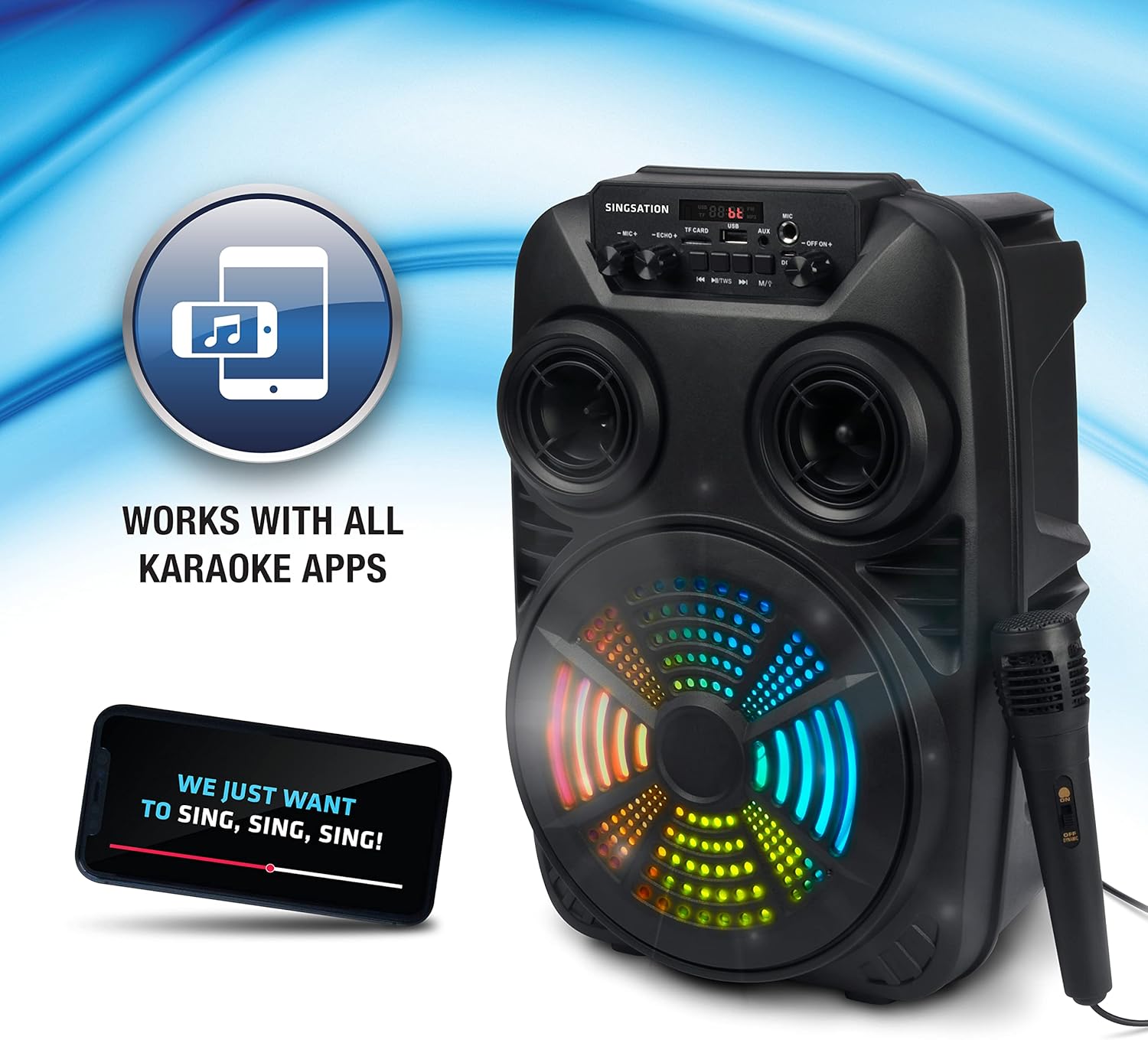
Image: The Singsation Karaoke Machine works seamlessly with all karaoke applications.
Using Other Audio Inputs (AUX, USB, Micro SD, FM Radio):
Press the 'Mode' button repeatedly to cycle through the available input modes: Bluetooth, AUX, USB, Micro SD, and FM Radio.
- Njia ya AUX: Connect an external audio device (e.g., MP3 player, computer) to the AUX input using a 3.5mm audio cable.
- Hali ya USB/Micro SD: Insert a USB drive or Micro SD card (TF card) containing MP3 audio files into the respective port/slot. The unit will automatically begin playing music.
- Njia ya Redio ya FM: In FM mode, press the Play/Pause button to auto-scan and save available radio stations. Use the Previous/Next Track buttons to navigate between saved stations.

Image: Multiple connectivity options for enjoying your music.
Matumizi ya Maikrofoni:
Once the microphone is connected, adjust the 'MIC VOL' knob to control the microphone's volume. Use the 'ECHO' knob to add an echo effect for a more professional vocal sound.
Light Show Features:
The Singsation Karaoke Machine features multi-color LED lights that synchronize with the music, creating a dynamic light show. These lights automatically activate when the unit is powered on.

Image: Features include vibrant color-changing lights and an adjustable echo effect.
Kazi za Kidhibiti cha Mbali:
The included remote control allows you to manage playback, volume, and other settings from a distance.
- Kitufe cha Nguvu: Huwasha / kuzima kitengo.
- Kitufe cha Hali: Huzunguka kupitia hali za kuingiza data.
- Kiasi +/-: Hurekebisha sauti kuu.
- Kitufe cha EQ: Hupitia mipangilio ya awali ya kusawazisha.
- Cheza/Sitisha, Iliyotangulia/Inayofuata: Udhibiti uchezaji wa media.
- Vifungo vya nambari: For direct track selection in USB/Micro SD mode or FM station selection.
Kuongeza Bass:
The unit is designed with an 8-inch dynamic driver and a rear heavy bass guide tube to deliver impressive bass tones and strong stereo sound. No specific button for bass boost, it's an inherent feature of the speaker design.

Image: Enjoy singing along with your favorite tunes.
Matengenezo
- Kusafisha: Tumia kitambaa laini na kavu kusafisha sehemu ya nje ya kifaa. Usitumie visafishaji vya abrasive au vimumunyisho.
- Hifadhi: Ikiwa haitumiki, hifadhi kifaa hicho mahali pakavu na penye baridi mbali na jua moja kwa moja na halijoto kali.
- Utunzaji wa Betri: Ili kuongeza muda wa matumizi ya betri, epuka kutoa betri nzima mara kwa mara. Chaji kifaa mara kwa mara, hata kama hakitumiki kwa muda mrefu.
Kutatua matatizo
If you encounter issues with your Singsation Karaoke Machine, refer to the table below for common problems and solutions.
| Tatizo | Sababu inayowezekana | Suluhisho |
|---|---|---|
| Hakuna nguvu | Battery is depleted; Power switch is OFF. | Charge the unit; Ensure the power switch is in the 'ON' position. |
| Hakuna sauti | Sauti ni ndogo sana; Hali ya kuingiza data si sahihi imechaguliwa; Kifaa hakijaoanishwa (Bluetooth). | Increase master volume; Press 'Mode' button to select correct input; Re-pair Bluetooth device. |
| Maikrofoni haifanyi kazi | Microphone not properly connected; Microphone volume too low. | Ensure microphone is fully plugged into the input jack; Increase 'MIC VOL' knob. |
| Muunganisho wa Bluetooth si thabiti | Device is too far from the unit; Interference from other devices. | Move the Bluetooth device closer to the karaoke machine; Turn off other Bluetooth devices nearby. |
| Charging port feels loose/damaged | Physical damage to the port. | Handle charging cable with care. If damaged, contact customer support for repair options. |
Vipimo
| Kipengele | Maelezo |
|---|---|
| Nambari ya Mfano | SPKA24 |
| Ukubwa wa Spika | 8-inch Dynamic Driver |
| Muunganisho | Bluetooth 5.0, AUX, USB, Micro SD, FM Radio |
| Chanzo cha Nguvu | Betri Inayoweza Kuchajiwa tena |
| Wakati wa kucheza | Hadi saa 4 (kwa malipo moja) |
| Vipimo (takriban.) | Inchi 16.6 x 10.2 x 8.1 |
| Uzito (takriban.) | Pauni 4.14 |
| Vipengee vilivyojumuishwa | Karaoke Machine, Microphone, Remote Control, USB Charging Cable, Carrying Strap |
Udhamini na Msaada
Singsation products are manufactured with high-quality standards. For warranty information, technical support, or service inquiries, please refer to the warranty card included with your product or visit the official Singsation webtovuti. Weka risiti yako ya ununuzi kama uthibitisho wa ununuzi.