
1. Utangulizi
Thank you for choosing the Parsonver FF2 Smartwatch. This device is designed to be a comprehensive companion for your daily life, offering advanced fitness tracking, health monitoring, and smart notifications. With its 5ATM water resistance, over 100 sports modes, and a vibrant 1.8-inch HD touchscreen, the FF2 Smartwatch helps you stay connected and active. Please read this manual carefully to understand how to operate your new smartwatch and ensure its optimal performance.
2. Ni nini kwenye Sanduku
Upon opening your Parsonver FF2 Smartwatch package, you should find the following items:
- 1x FF2 Smartwatch
- 1x Kebo ya Kuchaji
- 1x Mwongozo wa Mtumiaji
3. Mwongozo wa Kuweka
3.1 Kuchaji Smartwatch
Before initial use, fully charge your smartwatch. Connect the magnetic charging cable to the charging contacts on the back of the watch and plug the USB end into a standard USB power adapter (not included) or a computer's USB port. A full charge typically takes approximately 2 hours.

Image: The Parsonver FF2 Smartwatch, its magnetic charging cable, and the user manual included in the box.
3.2 Kupakua Programu ya Companion
To unlock all features and synchronize data, download the official Parsonver companion app on your smartphone. Tafuta "Parsonver Fit" (or similar name as specified in the manual) in the Apple App Store for iOS devices or Google Play Store for Android devices.
3.3 Kuoanisha na Simu mahiri Yako
- Hakikisha saa yako mahiri imechajiwa na imewashwa.
- Washa Bluetooth kwenye smartphone yako.
- Open the Parsonver Fit app and follow the on-screen instructions to create an account or log in.
- In the app, navigate to the device pairing section and select your FF2 Smartwatch from the list of available devices.
- Thibitisha ombi la kuoanisha kwenye simu yako mahiri na saa mahiri.

Image: A smartphone displaying the Parsonver companion application interface.
4. Maagizo ya Uendeshaji
4.1 Onyesho na Kubinafsisha
The FF2 Smartwatch features a vibrant 1.8-inch HD touchscreen with a resolution of 320x390 pixels. You can adjust the brightness to one of 5 levels for optimal visibility in various lighting conditions. Personalize your watch with over 200 captivating watch faces available through the app, or upload your own photos to create a unique look.
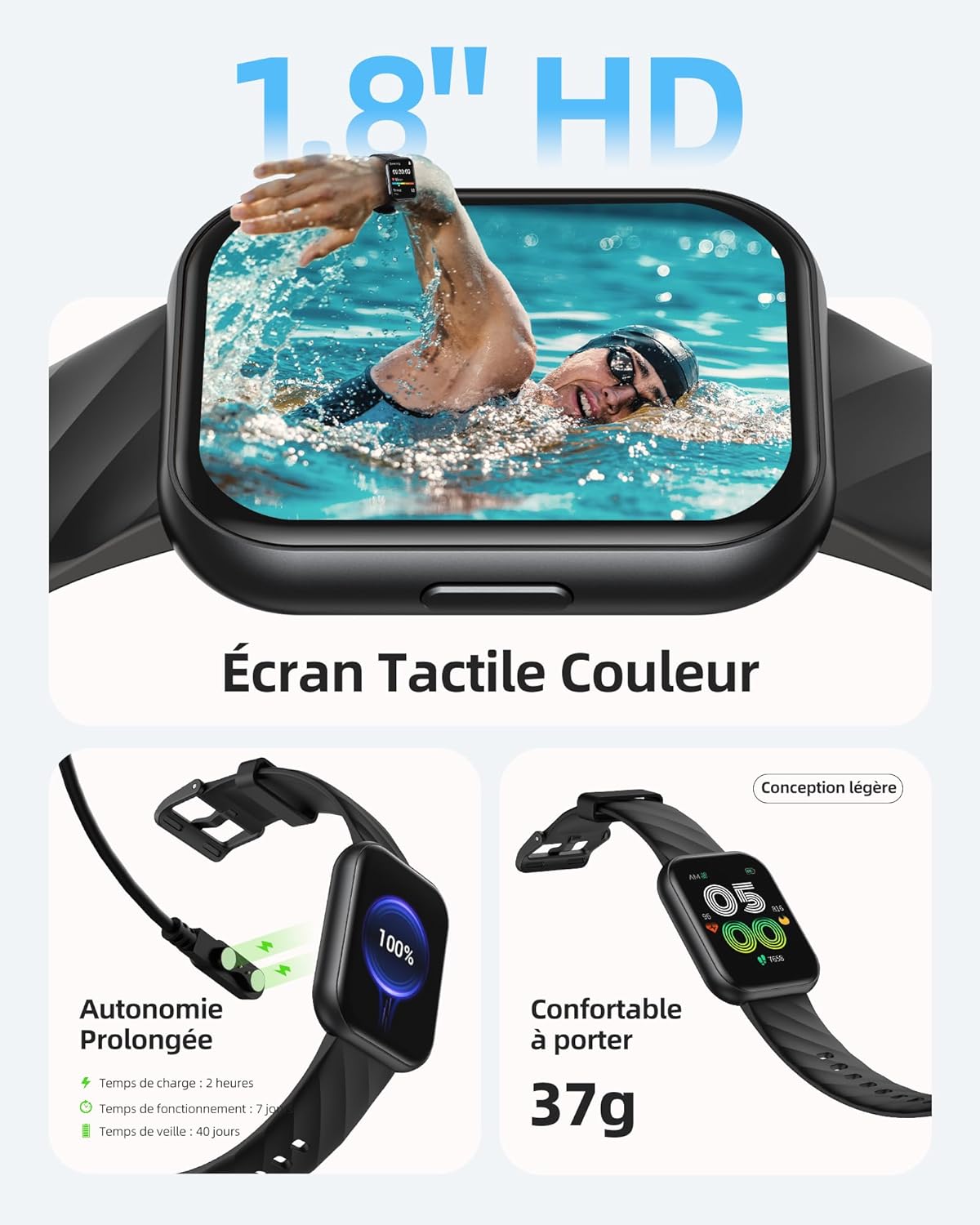
Image: The Parsonver FF2 Smartwatch showcasing a selection of its customizable watch faces.
4.2 Njia za Michezo na Ufuatiliaji wa Shughuli
The smartwatch supports over 100 sports modes, including running, cycling, swimming, yoga, and more. It accurately records your activity data such as heart rate, steps, pace, calories burned, and distance. This data is synchronized with the app for detailed analysis and progress tracking.
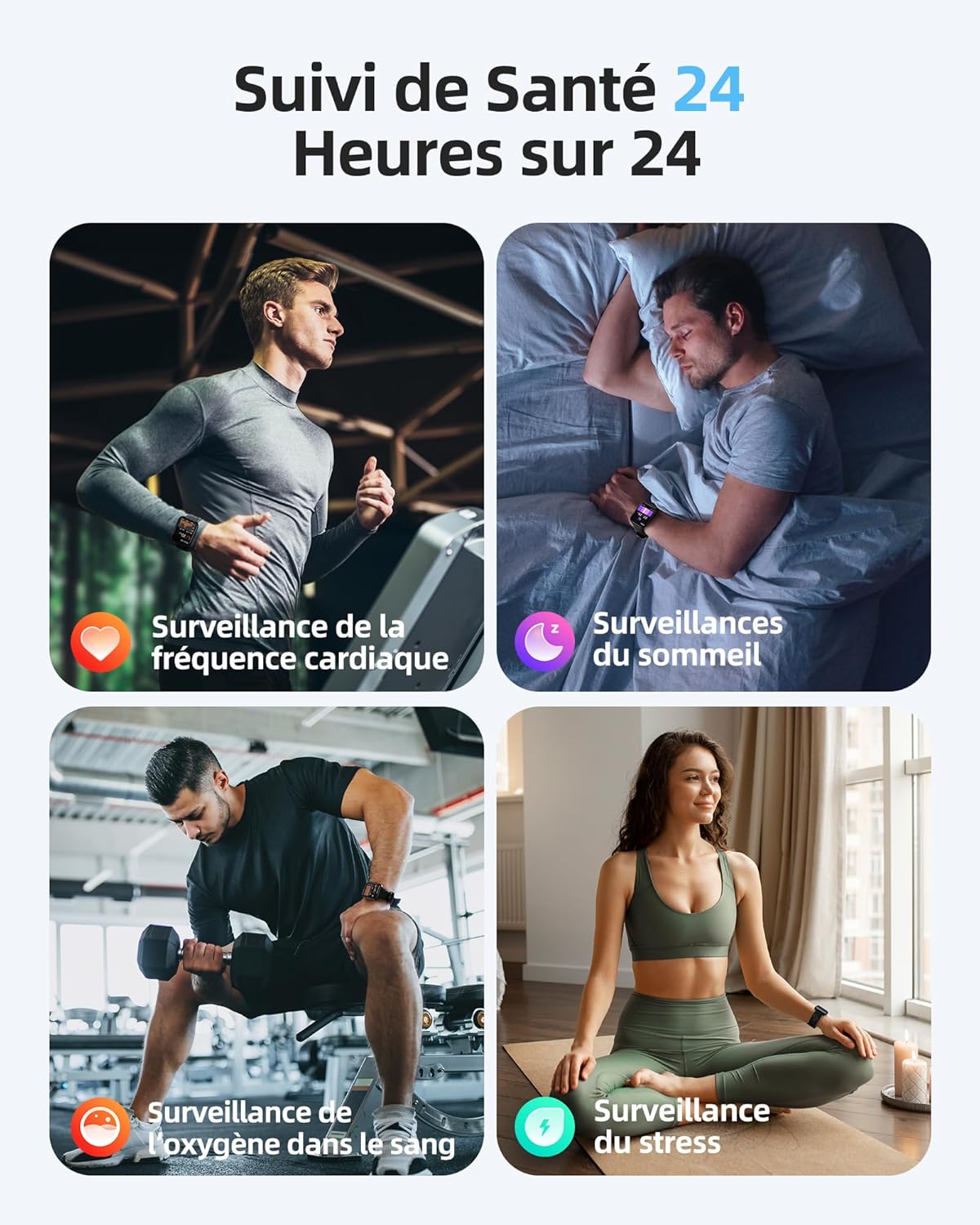
Image: A person engaged in physical activity, with the Parsonver FF2 Smartwatch on their wrist displaying activity metrics.
4.3 Water Resistance and Swimming Tracking
With a 5ATM water resistance rating, the FF2 Smartwatch can withstand water pressure up to 50 meters, making it suitable for swimming. It tracks swimming duration, laps, heart rate, and SWOLF efficiency, providing comprehensive data to help improve your swimming performance.

Image: A swimmer wearing the Parsonver FF2 Smartwatch, with an overlay of swimming activity data.
4.4 Ufuatiliaji wa Afya
The smartwatch offers continuous health monitoring features:
- Ufuatiliaji wa Mapigo ya Moyo 24/7: Tracks your heart rate continuously and provides alerts for abnormal readings.
- Ufuatiliaji wa Usingizi: Monitors your sleep stages (deep, light, REM, awake) to help you understand and improve your sleep quality.
- Ufuatiliaji wa Oksijeni ya Damu (SpO2): Hupima viwango vya kueneza oksijeni kwenye damu yako.
- Ufuatiliaji wa Stress: Helps you understand and manage your emotional stress levels.
- Ufuatiliaji wa Afya ya Kike: Assists women in predicting and tracking menstrual periods and ovulation.
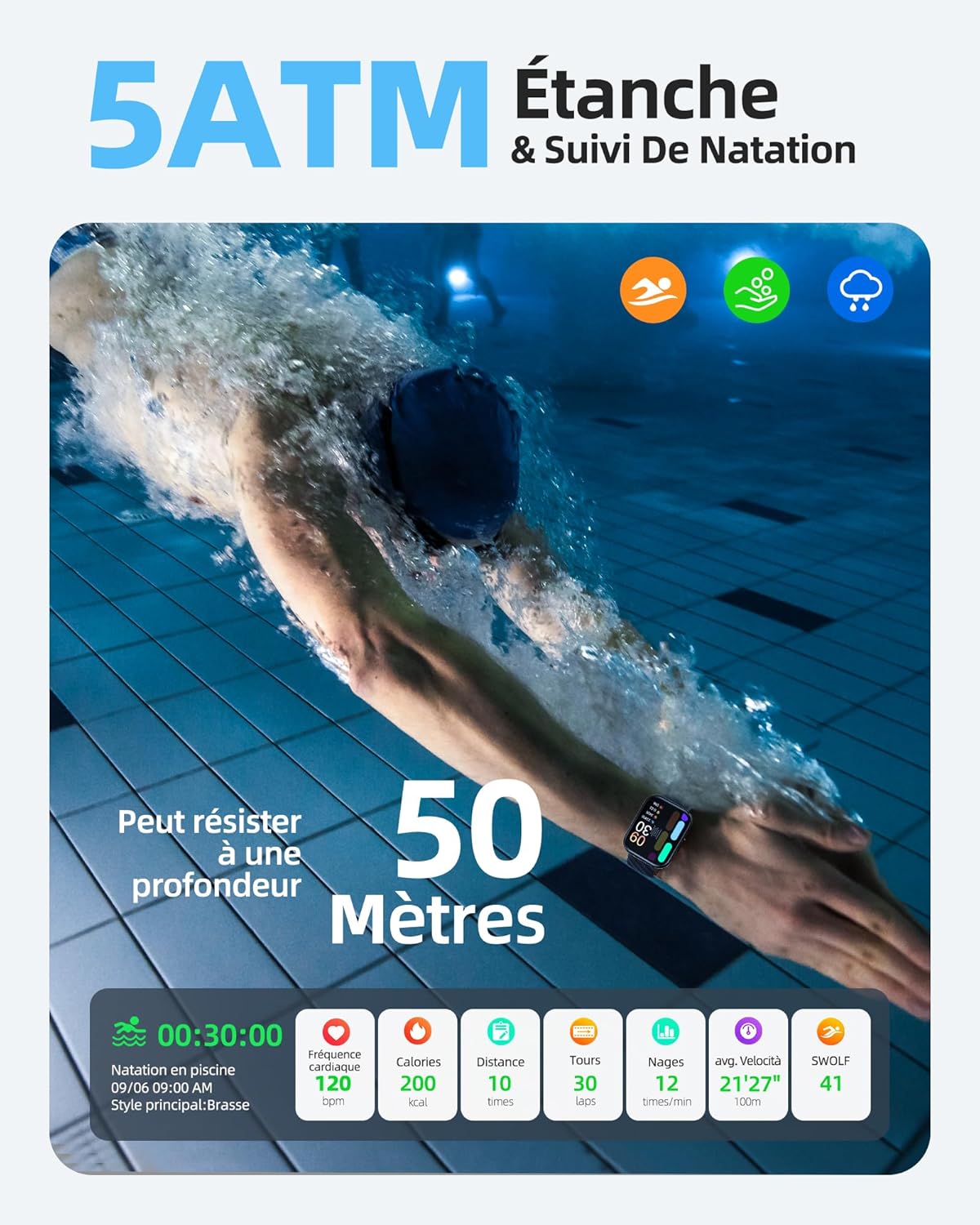
Image: The Parsonver FF2 Smartwatch on a wrist, showing real-time heart rate data.
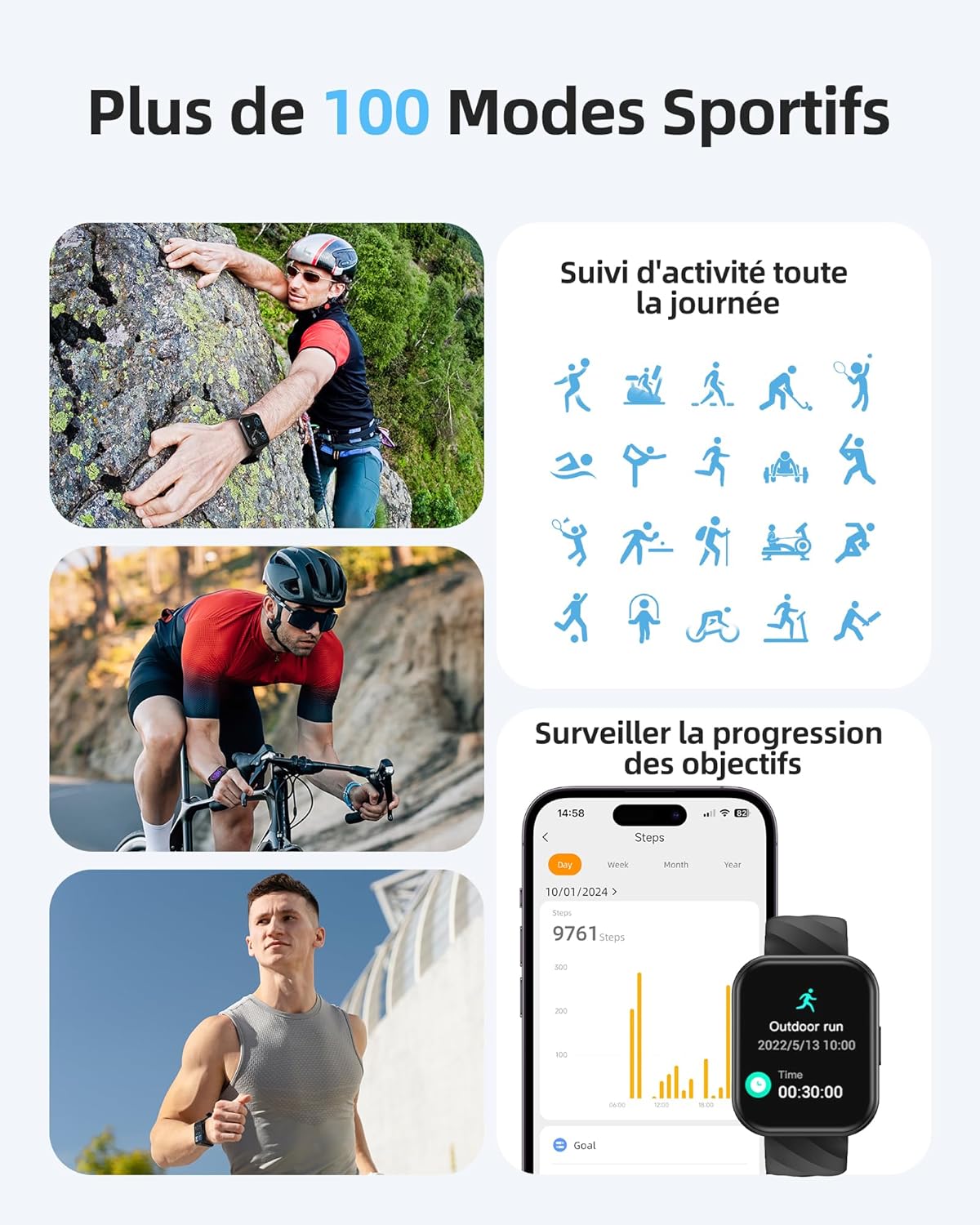
Image: A person sleeping, with the Parsonver FF2 Smartwatch on their wrist displaying sleep tracking information.
4.5 Arifa Mahiri
Stay informed with real-time notifications for incoming calls, SMS messages, emails, and social media alerts (e.g., WhatsApp, Facebook) directly on your wrist. You can decline calls from the watch, but direct answering is not supported.

Image: A person looking at their Parsonver FF2 Smartwatch, which displays various app notification icons.
4.6 Vipengele vingine
The FF2 Smartwatch includes several other convenient functions:
- Udhibiti wa Kamera ya Mbali
- Utabiri wa hali ya hewa
- Udhibiti wa Muziki
- Stopwatch and Alarm Clock
- Vikumbusho vya Kukaa
- Mazoezi ya kupumua
- Find My Phone function
5. Matengenezo
5.1 Kusafisha Saa Yako Mahiri
Regularly clean your smartwatch and strap to prevent skin irritation and maintain device hygiene. Use a soft, damp cloth to wipe the watch face and strap. Avoid using harsh chemicals or abrasive materials.
5.2 Utunzaji wa Betri
The FF2 Smartwatch offers up to 7 days of typical usage and 40 days of standby time on a single charge. To prolong battery life, avoid extreme temperatures and fully discharging the battery frequently. Charge the watch using the provided magnetic cable.
5.3 Tahadhari za Kupinga Maji
While the FF2 Smartwatch is 5ATM water resistant, it is important to avoid wearing it in hot baths, saunas, or steam rooms. High temperatures and steam can compromise the watch's water resistance and cause damage.
6. Utatuzi wa shida
If you encounter any issues with your Parsonver FF2 Smartwatch, please refer to the following common solutions:
- Tazama bila kuwasha: Hakikisha kuwa saa imejaa chaji. Iunganishe kwenye chaja kwa angalau dakika 30.
- Haiwezi kuoanisha na simu: Hakikisha Bluetooth imewashwa kwenye simu yako na saa iko ndani ya uwezo wake. Anzisha upya saa na simu yako, kisha jaribu kuoanisha tena kupitia programu.
- Data isiyo sahihi: Ensure the watch is worn snugly on your wrist. For sports tracking, select the correct activity mode.
- Arifa hazijapokelewa: Check app permissions on your phone to ensure the Parsonver Fit app has access to notifications. Verify that notifications are enabled within the app settings.
- Skrini imegoma kujibu: Jaribu kuanzisha upya saa. Ikiwa tatizo litaendelea, wasiliana na huduma kwa wateja.
For further assistance, please refer to the support section of the Parsonver Fit app or visit the official Parsonver webtovuti.
7. Vipimo
Here are the technical specifications for the Parsonver FF2 Smartwatch:
| Kipengele | Vipimo |
|---|---|
| Nambari ya Mfano | FF2 |
| Mfumo wa Uendeshaji | Android (inayotangamana) |
| Uzito wa Kipengee | 37 g |
| Vipimo vya Bidhaa (L x W x H) | 24.69 x 3.81 x 1.19 cm |
| Betri | 1 CR5 (pamoja na) |
| Teknolojia ya Uunganisho | Bluetooth |
| GPS | Hakuna GPS |
| Vipengele Maalum | Notification, Alarm Clock, Activity Tracker, Multisport Tracker, Touchscreen |
| Azimio la Onyesho | pikseli 320x390 |
| Ingizo la Kiolesura cha Binadamu | Skrini ya kugusa |
| Rangi | Nyeusi |
| Uwezo wa Betri | 320 mAh |
| Kiwango cha Mawasiliano isiyo na waya | Bluetooth |
| Muundo wa Betri | Lithium-ion |
| Ukubwa wa skrini | Inchi 1.8 |

Image: Technical diagram illustrating the dimensions of the Parsonver FF2 Smartwatch.
8. Udhamini na Msaada
Your Parsonver FF2 Smartwatch comes with a standard manufacturer's warranty. For details regarding warranty coverage, returns, or technical support, please refer to the warranty information provided in the packaging or contact Parsonver customer service directly. You can usually find contact information on the official Parsonver webtovuti au ndani ya programu saidizi.
Video: Kumalizikaview of the Parsonver FF2 Smartwatch features, including its display, sports modes, and health tracking capabilities.