
1. Utangulizi
The MODSTER Discus Sport MD11391 is an Almost Ready-to-Fly (ARTF) glider model designed for thermal flight enthusiasts. This manual provides essential information for safe assembly, setup, operation, and maintenance of your glider. Its lightweight construction and aerodynamic design ensure excellent gliding performance, making it suitable for pilots of various skill levels.

Figure 1: The MODSTER Discus Sport MD11391 glider.
2. Taarifa za Usalama
Please read and understand all safety warnings before operating the MODSTER Discus Sport MD11391 glider. Failure to follow these instructions may result in injury or property damage.
- Mapendekezo ya Umri: This product is recommended for users aged 14 to 99 years. It is not a toy and requires adult supervision for younger users.
- Mazingira ya Uendeshaji: Never operate the model on public roads, near traffic, or in crowded areas. Choose a spacious, open, and flat meadow or designated flying field away from people, animals, and obstacles.
- Masharti ya hali ya hewa: Usiruke kwenye upepo mkali, mvua, au hali nyingine mbaya ya hewa.
- Angalia Kabla ya Ndege: Always perform a thorough pre-flight inspection to ensure all components are securely attached and functioning correctly.
- Usalama wa Betri: Handle receiver batteries with care. Ensure correct polarity and avoid short circuits. Use only recommended battery types.
3. Yaliyomo kwenye Kifurushi
Your MODSTER Discus Sport MD11391 package includes the following components:
- MODSTER Discus Sport DLG Glider (pre-assembled)
- 3 Integrated Servos with Metal Gears (pre-installed and pre-tensioned)
- Mwongozo wa Maagizo
Items Required for Operation (Not Included):
- Kidhibiti cha Mbali (Transmitter)
- Small Receiver (single-cell compatible)
- Receiver Battery (approx. 500 mAh capacity recommended)
4. Bunge
The MODSTER Discus Sport MD11391 is an Almost Ready-to-Fly (ARTF) model, meaning most of the assembly is completed at the factory. You will primarily need to install your receiver and receiver battery.
- Accessing the Fuselage: Locate the quick-release canopy on the fuselage. Gently open it to access the internal RC components compartment.
- Ufungaji wa Mpokeaji: Carefully connect your receiver to the pre-installed servos. Ensure correct channel assignments for elevator (H) and rudder (S) controls. Refer to your receiver's manual for specific connection details.
- Receiver Battery Installation: Place your receiver battery (e.g., 500 mAh single-cell) into the designated compartment within the fuselage. Secure it to prevent movement during flight.
- Close Canopy: Once the receiver and battery are installed and secured, close the quick-release canopy firmly.

Figure 2: Fuselage with quick-release canopy for component access.
No glue is required for the final assembly steps. The model should be ready for its first flight after approximately 30 minutes of setup.
5. Setup and Pre-Flight Checks
Before your first flight, perform the following setup and checks:
- Kufunga kwa Kisambazaji: Bind your remote control (transmitter) to the installed receiver according to your transmitter's instructions.
- Ukaguzi wa Uso wa Udhibiti: Turn on your transmitter and then the glider's receiver. Verify that the elevator and rudder servos respond correctly to your transmitter inputs. Ensure control surfaces move freely and in the correct direction.
- Kituo cha Mvuto (CG): For optimal flight performance, ensure the glider's center of gravity is within the recommended range. Typically, this is around 25-33% of the wing chord from the leading edge. Adjust battery placement if necessary to achieve the correct CG.
- Ukaguzi wa Visual: Check all connections, linkages, and structural integrity. Ensure wings and tail are securely attached.
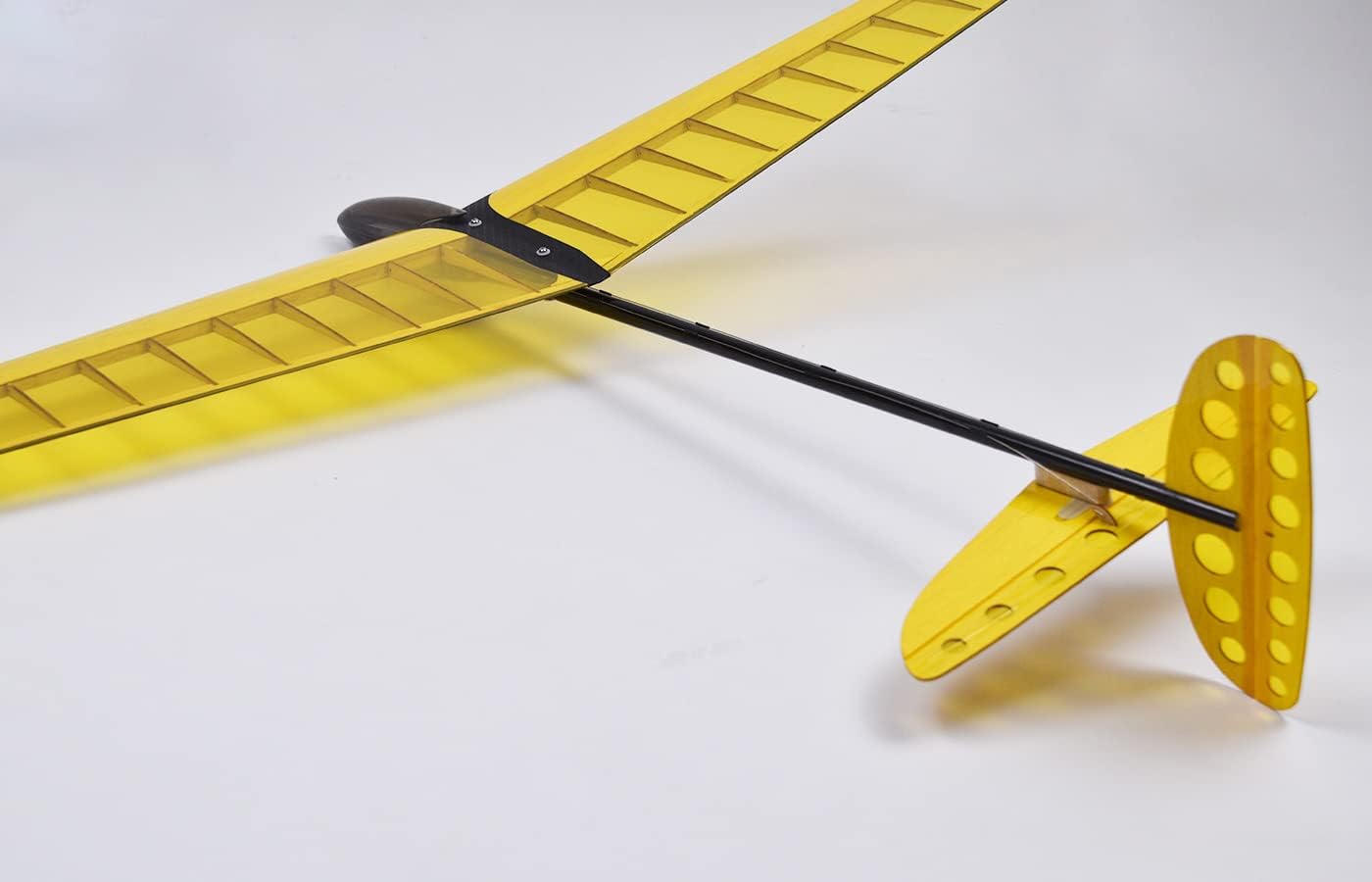
Figure 3: Tail section with rudder and elevator for control checks.
6. Maagizo ya Uendeshaji
The MODSTER Discus Sport MD11391 is designed for discus launch gliding (DLG) and thermal soaring.
- Launch Technique: The glider is launched using the discus throw technique, relying on pure muscle power rather than a motor. Hold the wingtip, spin, and release the glider upwards with force to gain initial altitude.
- Thermal Soaring: Once airborne, use the glider's excellent aerodynamic properties to find and ride thermals (rising columns of warm air) for extended flight times.
- Udhibiti: Use the elevator for pitch control (climb/dive) and the rudder for yaw control (turning). Smooth and gentle inputs are key for efficient gliding.
- Kutua: Plan your landing approach carefully. Reduce altitude gradually and aim for a soft landing in an open area.
- Flying Area: A small, flat, and open meadow is ideal for operating the Discus Sport, ensuring safety and ample space for flight.
7. Matengenezo
Regular maintenance will ensure the longevity and performance of your glider.
- Ukaguzi wa Baada ya Ndege: After each flight, inspect the glider for any damage, loose connections, or wear and tear.
- Kusafisha: Clean the glider's surfaces with a soft, damp cloth. Avoid harsh chemicals that could damage the material.
- Control Linkages: Periodically check all control linkages and servo arms for tightness and free movement. Adjust if necessary.
- Hifadhi: Store the glider in a cool, dry place, away from direct sunlight and extreme temperatures, to prevent material degradation.
8. Utatuzi wa shida
If you encounter issues with your MODSTER Discus Sport MD11391, refer to the following common problems and solutions:
- Glider does not respond to controls:
- Check if the transmitter and receiver are powered on and properly bound.
- Verify receiver battery charge level.
- Inspect all servo connections to the receiver.
- Poor flight performance/unstable flight:
- Re-check the Center of Gravity (CG) and adjust if necessary.
- Ensure all control surfaces are neutral and move freely.
- Check for any damage to wings or tail that might affect aerodynamics.
- Consider wind conditions; avoid flying in turbulent air.
- Servos not moving:
- Confirm power to the receiver and proper servo connections.
- Check for any physical obstruction preventing servo movement.
9. Vipimo
| Kipengele | Vipimo |
|---|---|
| Nambari ya Mfano | MD11391 |
| Wingspan | 950 mm |
| Urefu | 750 mm |
| Uzito | 140 g |
| Nyenzo ya Fuselage | Plastiki |
| Wing Material | Wood/Ribs |
| RC Functions | Rudder (S), Elevator (H) |
| Huduma | 3 x 4.3g with metal gears (pre-installed) |
| Toleo la Kit | ARTF (Almost Ready-to-Fly) |
| Eneo la Mrengo | dm² 11.15 |
| Umri uliopendekezwa | Miaka 14 - 99 |
10. Udhamini na Msaada
For warranty information, technical support, or spare parts availability, please contact your retailer or the MODSTER manufacturer directly. Keep your proof of purchase for any warranty claims.