
1. Utangulizi
Thank you for choosing the GLUROO Floor Lamp, Model 01. This lamp features 3-color lighting, stepless dimming, a magnetic remote control, memory function, and a timer. This manual provides detailed instructions for assembly, operation, and care to ensure optimal performance and safety.
2. Yaliyomo kwenye Kifurushi
Tafadhali thibitisha kuwa vipengele vyote vipo kabla ya mkusanyiko:
- Lamp
- Lampkivuli
- Udhibiti wa Kijijini
- Kubadilisha mguu
- Cable ya Nguvu
3. Maagizo ya Mkutano
The GLUROO Floor Lamp is designed for easy self-assembly. Follow these steps:
- Fungua kwa uangalifu vipengele vyote kutoka kwa kifurushi.
- Kusanya lamp Sehemu za nguzo kwa kuzifunga pamoja kwa msuguano wa saa hadi zikiwa salama.
- Ambatanisha lampkivuli hadi juu ya lamp pole according to the included diagrams.
- Unganisha kebo ya umeme kwa lamp and plug it into a suitable power outlet.
- Ensure the foot switch is accessible for easy operation.
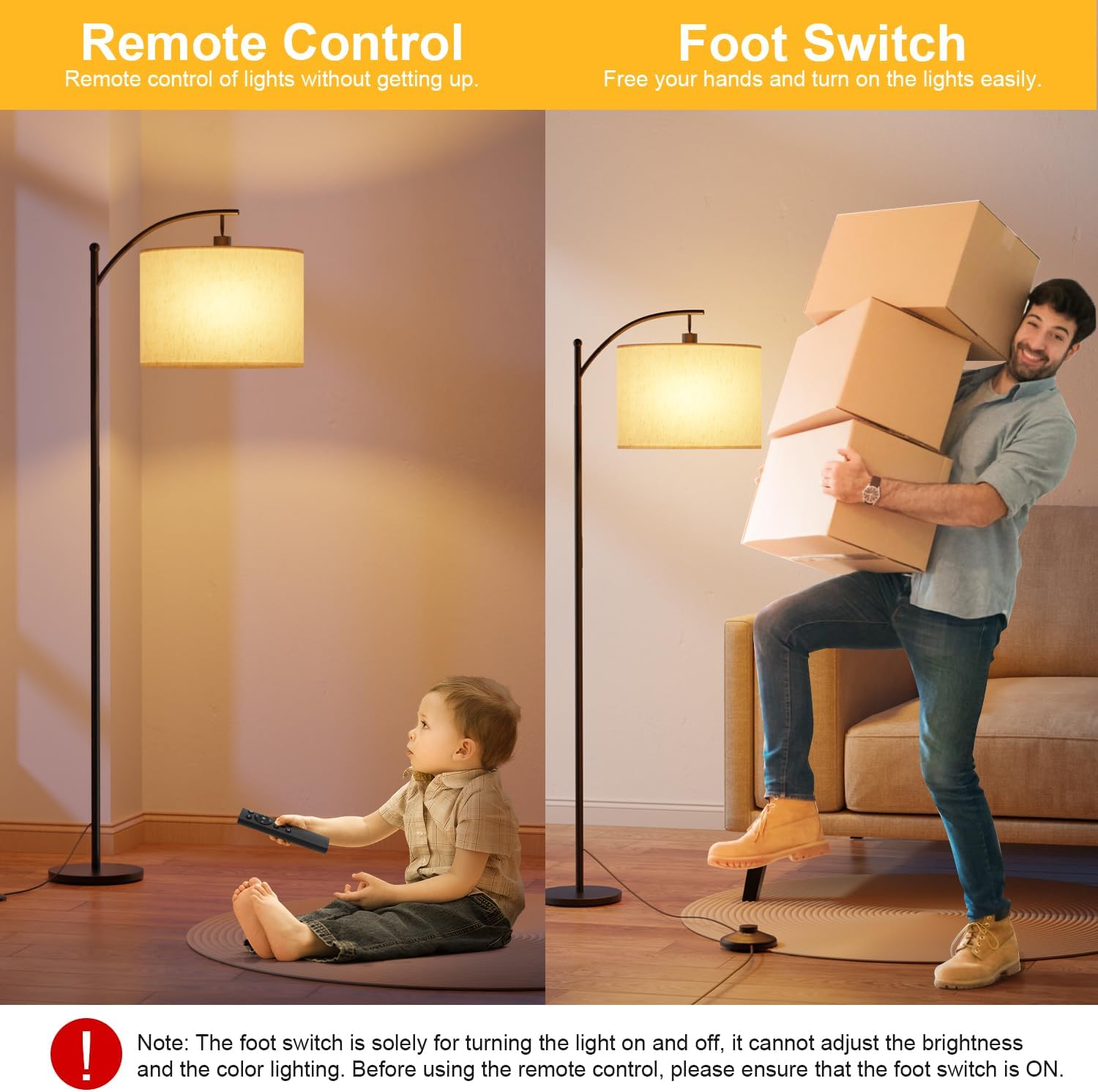
Image: Assembled GLUROO Floor Lamp.
4. Maagizo ya Uendeshaji
4.1 Power On/Off (Foot Switch)
The foot switch provides a convenient way to turn the lamp on and off. Press the foot switch to toggle the power. Note that the foot switch only controls on/off functionality and does not adjust brightness or color temperature.

Image: Foot switch for basic power control and remote control for advanced settings.
4.2 Kazi za Udhibiti wa Mbali
The remote control offers full control over the lamp's features. Ensure the foot switch is in the ON position for the remote to function.
- Kitufe cha Nguvu: Inageuka lamp kuwasha au kuzima.
- Marekebisho ya Mwangaza: Use the '+' and '-' buttons to adjust brightness from 1% to 100%.
- Marekebisho ya Joto la Rangi: Cycle through Warm White (3000K), Natural White (4000K), and Cool White (6000K) using the 'K' button.
- Njia zilizowekwa mapema:
- Njia ya Mwanga wa Usiku: Provides a soft, low light for nighttime.
- Hali ya Kulisha: Optimized light for baby feeding.
- Hali ya Kazi: Bright, cool light suitable for tasks.
- Hali ya Kusoma: Comfortable light for reading.
- Kipima Muda cha Saa 1: Press the '1H' button to set the lamp to turn off automatically after one hour.
- Kazi ya Kumbukumbu: Lamp remembers your last brightness and color temperature settings when turned off and on again.

Image: Detailed layout of the remote control buttons and their functions.

Picha: Examples of Warm White, Natural White, and Cool White lighting.

Image: Visual representation of stepless dimming capability.

Picha: lamp retaining its last setting after being turned off and on.

Image: The 1-hour timer function, useful for bedtime.
4.3 Magnetic Remote Control
The remote control features a magnetic back, allowing it to be conveniently attached to the metal pole of the floor lamp for easy storage and access.
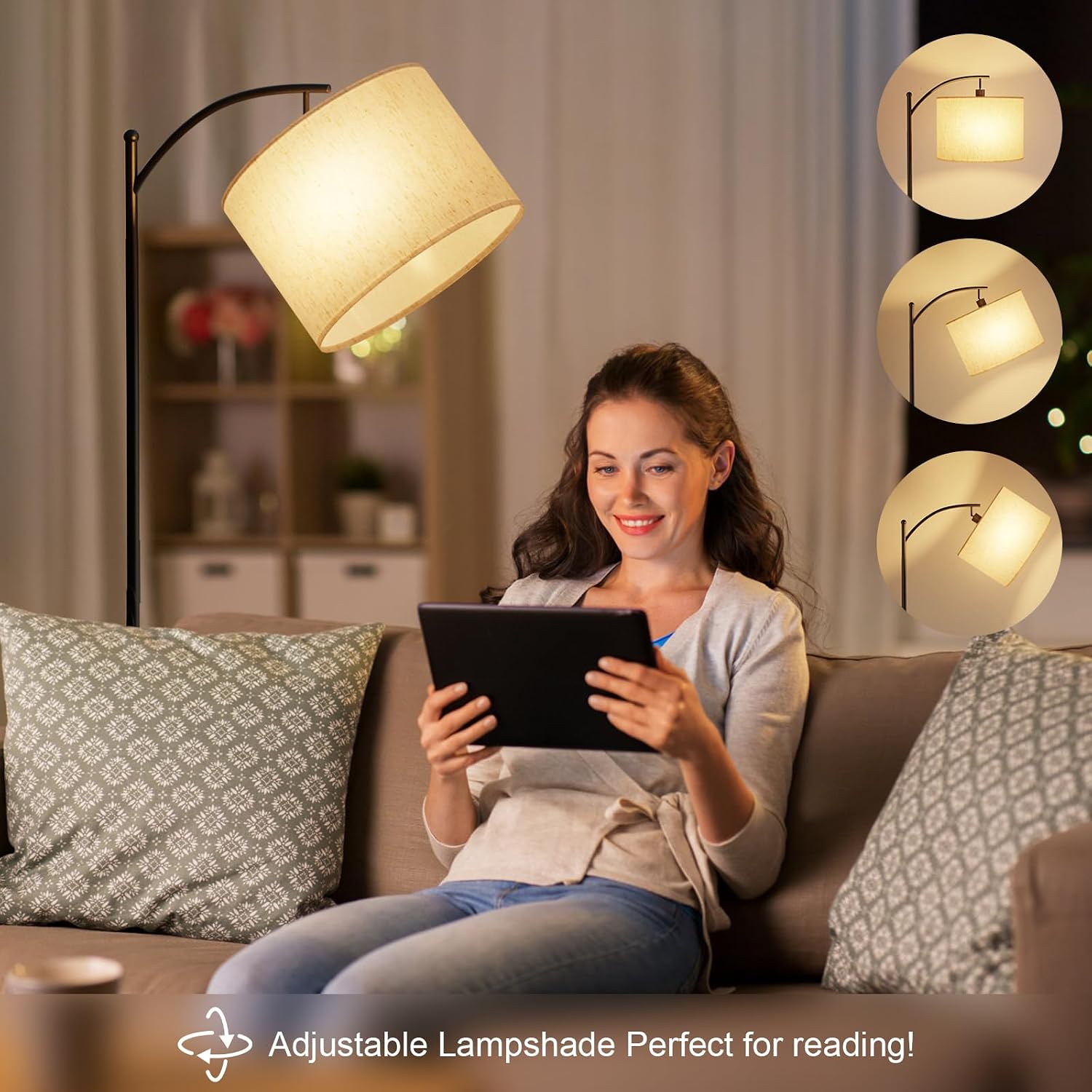
Image: Remote control magnetically attached to the lamp nguzo.
4.4 L inayoweza kubadilishwaampkivuli
Lampshade can be adjusted to direct light where needed, making it ideal for reading or task lighting.

Picha: Lampshade adjusted for reading.

Image: Diagram showing the adjustable lampkivuli.
5. Remote Control Pairing and Unpairing
5.1 Kuoanisha Kidhibiti cha Mbali
If your remote control is not responding, it may need to be paired with the lamp:
- Tenganisha lamp kutoka kwa usambazaji wa umeme kwa angalau sekunde 10.
- Reconnect the power supply. Turn on the lamp using the foot switch.
- Within 5 seconds of turning on the lamp, press and hold the power button on the remote control until the lamp blinks twice. Release the button.
- The remote control is now paired.
Video: Demonstrates how to pair the remote control with the GLUROO Floor Lamp.
5.2 Unpairing the Remote Control
To unpair the remote control from the lamp:
- Hakikisha lamp is currently turned on.
- Press the foot switch to turn off the lamp.
- Wait for approximately 10 seconds or more.
- Press and hold the power button on the remote control. Do not release the button after the first blink cycle. Continue holding until the lamp blinks a second time, indicating that the unpairing is complete.
Note: The same video above also illustrates the unpairing process.
6. Taarifa za Usalama
- Daima chomoa lamp kabla ya kusafisha au kufanya matengenezo yoyote.
- Usitumie lamp kwenye mvua au damp mazingira.
- Weka lamp mbali na vyanzo vya joto na jua moja kwa moja.
- Hakikisha lamp base is stable to prevent tipping, especially around children and pets.
- Use only the specified LED bulb (E27 base).
7. Matengenezo
To maintain your GLUROO Floor Lamp:
- Futa lamp na kitambaa laini, kavu.
- Usitumie visafishaji vya abrasive au vimumunyisho.
- Mara kwa mara angalia kamba ya nguvu kwa uharibifu wowote.
8. Utatuzi wa shida
| Tatizo | Sababu inayowezekana | Suluhisho |
|---|---|---|
| Lamp haina kuwasha. | No power, loose connection, foot switch off. | Check power outlet, ensure all connections are secure, turn on foot switch. |
| Udhibiti wa mbali haufanyi kazi. | Remote not paired, battery low, foot switch off. | Ensure foot switch is ON. Replace remote battery. Re-pair the remote control (refer to Section 5.1). |
| Lamp kufifia au kufifia bila kutarajia. | Balbu iliyolegea, usambazaji wa umeme usio imara. | Tighten the bulb. Try plugging into a different outlet. |
9. Vipimo
| Kipengele | Maelezo |
|---|---|
| Chapa | GLUROO |
| Nambari ya Mfano | 01 |
| Vipimo (L x W x H) | 25 x 25 x 160 cm |
| Uzito | 4.66 kg |
| Nyenzo | Iron (Base), Fabric (Lampkivuli) |
| Rangi | Nyeusi |
| Idadi ya Balbu | 1 |
| Voltage | 230 Volts |
| Vipengele Maalum | Adjustable Color Temperature, Memory Function, Dimmable, Timer |
| Aina ya Balbu | LED (E27 Base) |
| Mtindo wa Kubadili | Remote, Foot Switch |
10. Udhamini na Msaada
GLUROO products come with a standard manufacturer's warranty. For warranty claims, technical support, or any inquiries regarding your product, please contact GLUROO customer service through your purchase platform. Please have your order ID ready when contacting support.
You can typically find contact information by logging into your account, checking your order ID, and clicking "Contact Seller".