

1. Utangulizi
This manual provides comprehensive instructions for the CALYPSO K5818/4 X-trem digital watch. This sporty and functional timepiece is designed for daily wear and various activities, featuring a durable plastic case, a comfortable black plastic strap, and 10 ATM water resistance. Please read this manual carefully to ensure proper use and maintenance of your watch.
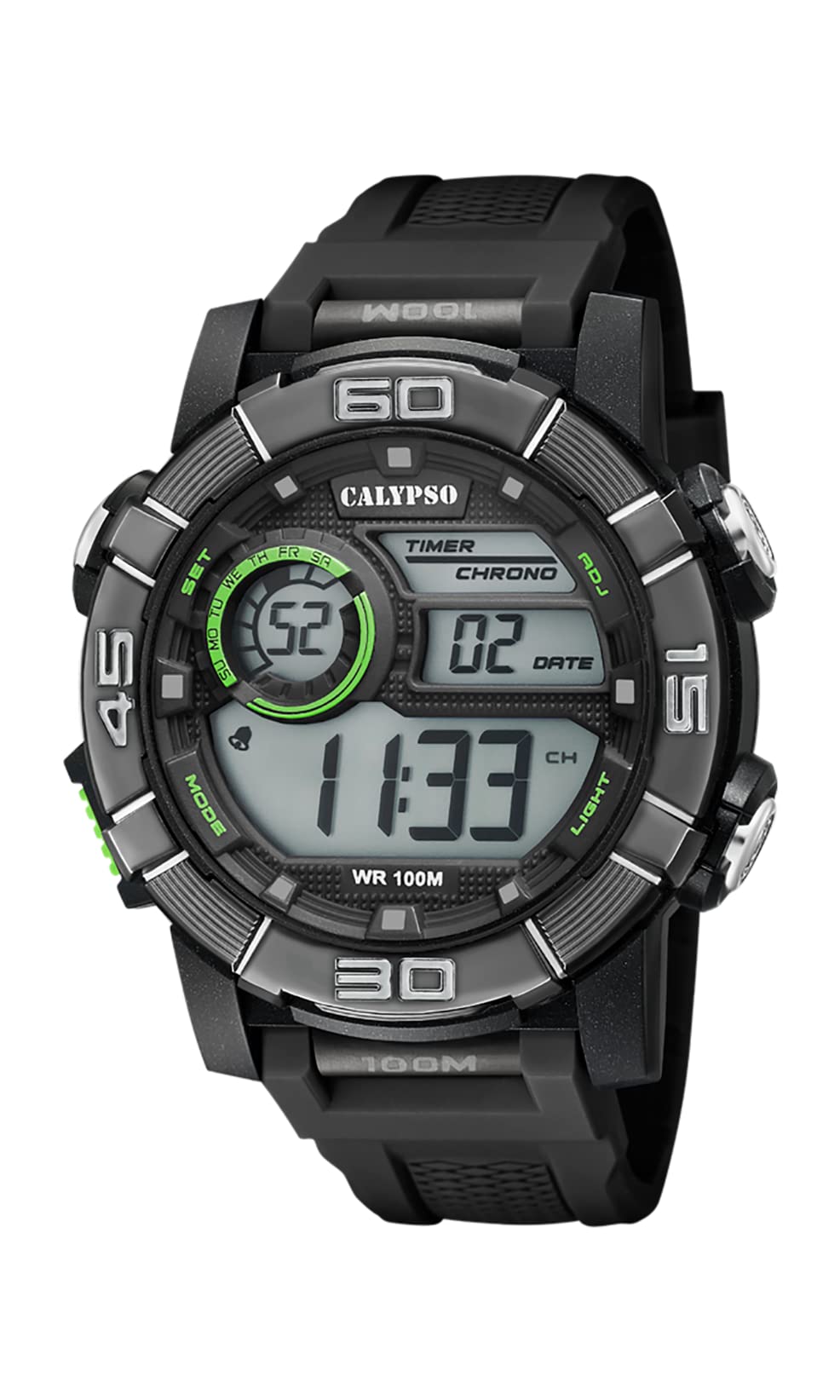
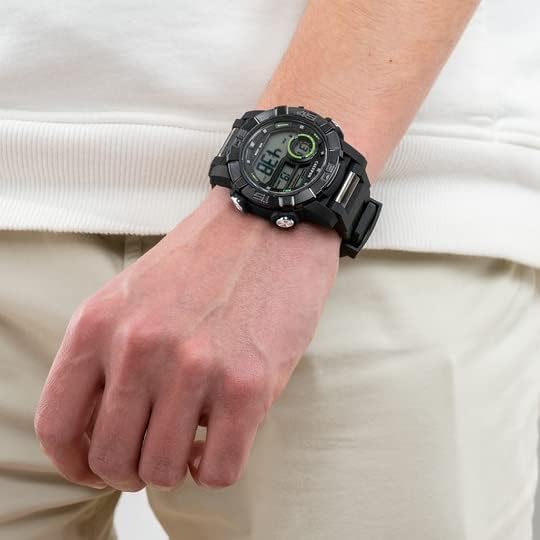
Image 1.1: CALYPSO K5818/4 X-trem Digital Watch on a wrist, showcasing muundo wake.
Yaliyomo kwenye Kifurushi:
- CALYPSO K5818/4 X-trem Digital Watch
- Mwongozo wa Mtumiaji (hati hii)

Image 1.2: The watch is typically supplied in a clear cylindrical packaging.
2. Watch Overview na Kazi za Kitufe
Familiarize yourself with the buttons and their functions before operating your watch.
Picha 2.1: Mbele view of the watch, highlighting button locations.
- MODE Button (Left-Bottom): Cycles through different modes (Time, Chronograph, Alarm).
- SET Button (Left-Top): Inatumika kuingiza na kuthibitisha mipangilio katika hali mbalimbali.
- ADJ Button (Right-Top): Adjusts values during setting, starts/stops chronograph.
- LIGHT Button (Right-Bottom): Huwasha taa ya nyuma kwa ajili ya mwangaza.
3. Usanidi na Uendeshaji wa Msingi
3.1. Kuweka Muda na Tarehe
- In Time Mode (normal time display), press and hold the WEKA kitufe hadi sekunde zianze kuwaka. Hii inaonyesha kuwa uko katika hali ya kuweka mipangilio.
- Bonyeza kwa MWANGA button to cycle through the settings: Seconds → Hour → Minute → Year → Month → Day → 12/24-hour format.
- Tumia ADJ kitufe cha kuongeza thamani ya kuwaka.
- Mara tu mipangilio yote ikiwa imerekebishwa, bonyeza kitufe cha WEKA kifungo ili kuondoka kwenye hali ya kuweka.
3.2. Kutumia Chronograph (Kipima muda)
- Kutoka Hali ya Muda, bonyeza MODE button once to enter Chronograph Mode. The display will show '00:00:00'.
- Bonyeza kwa ADJ kitufe cha kuanza saa ya kupimia.
- Bonyeza kwa ADJ kitufe tena ili kusimamisha saa ya kupimia.
- While the stopwatch is stopped, press the WEKA button to reset it to '00:00:00'.
- Bonyeza kwa MODE button to return to Time Mode.
3.3. Kuweka Kengele
- Kutoka Hali ya Muda, bonyeza MODE button twice to enter Alarm Mode. The display will show the alarm time.
- Bonyeza na ushikilie WEKA kitufe hadi nambari za saa zianze kuwaka.
- Tumia ADJ kitufe cha kuweka saa ya kengele inayotaka.
- Bonyeza kwa MWANGA button to move to the minute digits, then use the ADJ kuweka kitufe cha kengele unayotaka.
- Bonyeza kwa WEKA button to confirm the alarm time and exit setting mode.
- Katika Hali ya Kengele, bonyeza kitufe cha ADJ button to toggle the alarm ON or OFF. An alarm icon will appear/disappear on the display.
3.4. Kutumia Taa ya Nyuma
Bonyeza kwa MWANGA button at any time to illuminate the display for a few seconds, making it visible in low-light conditions.
4. Upinzani wa Maji
Your CALYPSO K5818/4 X-trem watch has a water resistance rating of 10 ATM (100 meters).
- This means the watch is suitable for swimming, snorkeling, and water sports.
- Ni sivyo suitable for high-impact water sports or diving.
- Muhimu: Do not operate any buttons while the watch is submerged in water or wet, as this can compromise the water seal and cause damage.
- Baada ya kufichuliwa na maji ya chumvi, suuza saa na maji safi na uikate vizuri.
5. Matengenezo
5.1. Kusafisha
Ili kuweka saa yako katika hali nzuri:
- Futa kipochi cha saa na uzifunge mara kwa mara kwa laini, damp kitambaa.
- Avoid using harsh chemicals, solvents, or abrasive cleaners, as these can damage the watch materials.
5.2. Kubadilisha Betri
The watch is powered by a quartz movement with a battery. When the display becomes dim or stops functioning, the battery may need replacement. It is recommended to have the battery replaced by a qualified watch technician to ensure the water resistance seal is properly maintained.
5.3. Hifadhi
Ikiwa haitumiki, hifadhi saa yako mahali pakavu na penye baridi mbali na jua moja kwa moja na halijoto kali.
6. Utatuzi wa shida
- Display is blank or faint: Betri inaweza kuwa imepungua au imeisha. Badilisha betri.
- Muda si sahihi: Reset the time and date according to the instructions in Section 3.1.
- Vifungo havijibu: Ensure the watch is dry. If the issue persists, there may be internal damage, and professional inspection is recommended.
- Mfiduo ndani ya saa: This indicates a breach in the water resistance. Stop using the watch immediately and seek professional service to prevent further damage.
7. Vipimo
| Kipengele | Vipimo |
|---|---|
| Nambari ya Mfano | K5818/4 |
| Aina ya Kuonyesha | Dijitali |
| Aina ya Mwendo | Quartz |
| Upinzani wa Maji | ATM 10 (Mita 100) |
| Nyenzo ya Kesi | Polycarbonate (Plastiki) |
| Nyenzo za Bendi | Polycarbonate (Plastiki) |
| Piga Nyenzo ya Dirisha | Plastiki |
| Kipenyo cha Kesi | Milimita 35 |
| Upana wa bendi | Milimita 23 |
| Unene wa Kesi | Milimita 16.3 |
| Uzito | Gramu 40 |
| Vipengele Maalum | 24-hour Display, Chronograph |
8. Udhamini na Msaada
8.1. Udhamini wa Mtengenezaji
Your CALYPSO K5818/4 X-trem watch is covered by a manufacturer's warranty. Please refer to the warranty card included with your purchase or visit the official CALYPSO webtovuti kwa sheria na masharti ya kina.
8.2. Spare Parts Availability
Vipuri vya mtindo huu vinapatikana hadi miaka 5 tangu tarehe ya ununuzi.
8.3. Msaada kwa Wateja
For any questions, service requests, or technical support, please contact CALYPSO customer service through their official webtovuti au vituo vya huduma vilivyoidhinishwa. Weka risiti yako ya ununuzi kama uthibitisho wa ununuzi kwa madai ya udhamini.