
1. Utangulizi
Asante kwa ununuziasing the Comix S360A Cross Cut Paper Shredder. This manual provides essential information for the safe and efficient operation, maintenance, and troubleshooting of your shredder. Please read these instructions carefully before use and retain them for future reference.
The Comix S360A is designed for secure disposal of sensitive documents, credit cards, and CDs. It features a cross-cut mechanism for enhanced security and includes a jam-proof system with reverse and forward functions to clear paper jams. An energy-saving mode ensures optimal efficiency during operation.
2. Maagizo Muhimu ya Usalama
ONYO: Kushindwa kufuata maagizo haya ya usalama kunaweza kusababisha moto, mshtuko wa umeme, au jeraha.
- Weka watoto na wanyama wa kipenzi mbali na shredder.
- Keep loose clothing, jewelry, hair, and ties away from the paper entry slot.
- Usiingize vidole au sehemu nyingine za mwili kwenye nafasi ya kuingilia karatasi.
- Usinyunyizie bidhaa zozote zinazoweza kuwaka au mafuta kwenye mashine ya kusaga.
- Do not shred metal objects, wet paper, or adhesive labels.
- Daima ondoa kifaa cha kusaga wakati hakitumiki au kabla ya kusafisha.
- Do not operate the shredder if the power cord is damaged. Contact customer support for assistance.
- Hakikisha kifaa cha kusaga kimewekwa kwenye uso thabiti na tambarare.
- Do not overload the shredder beyond its specified sheet capacity.
3. Yaliyomo kwenye Kifurushi
Tafadhali angalia kifurushi kwa vitu vifuatavyo:
- Comix S360A Shredder Head
- Waste Bin (13 Liter capacity)
- Mwongozo wa Maagizo (hati hii)
4. Kuweka
- Fungua Shredder: Ondoa kwa uangalifu vifaa vyote kutoka kwa kifurushi.
- Place the Waste Bin: Position the waste bin on a flat, stable surface.
- Mount the Shredder Head: Carefully place the shredder head onto the top of the waste bin, ensuring it is securely seated. The shredder will not operate if the head is not correctly positioned.
- Unganisha Nguvu: Chomeka kebo ya umeme kwenye sehemu ya kawaida ya umeme.
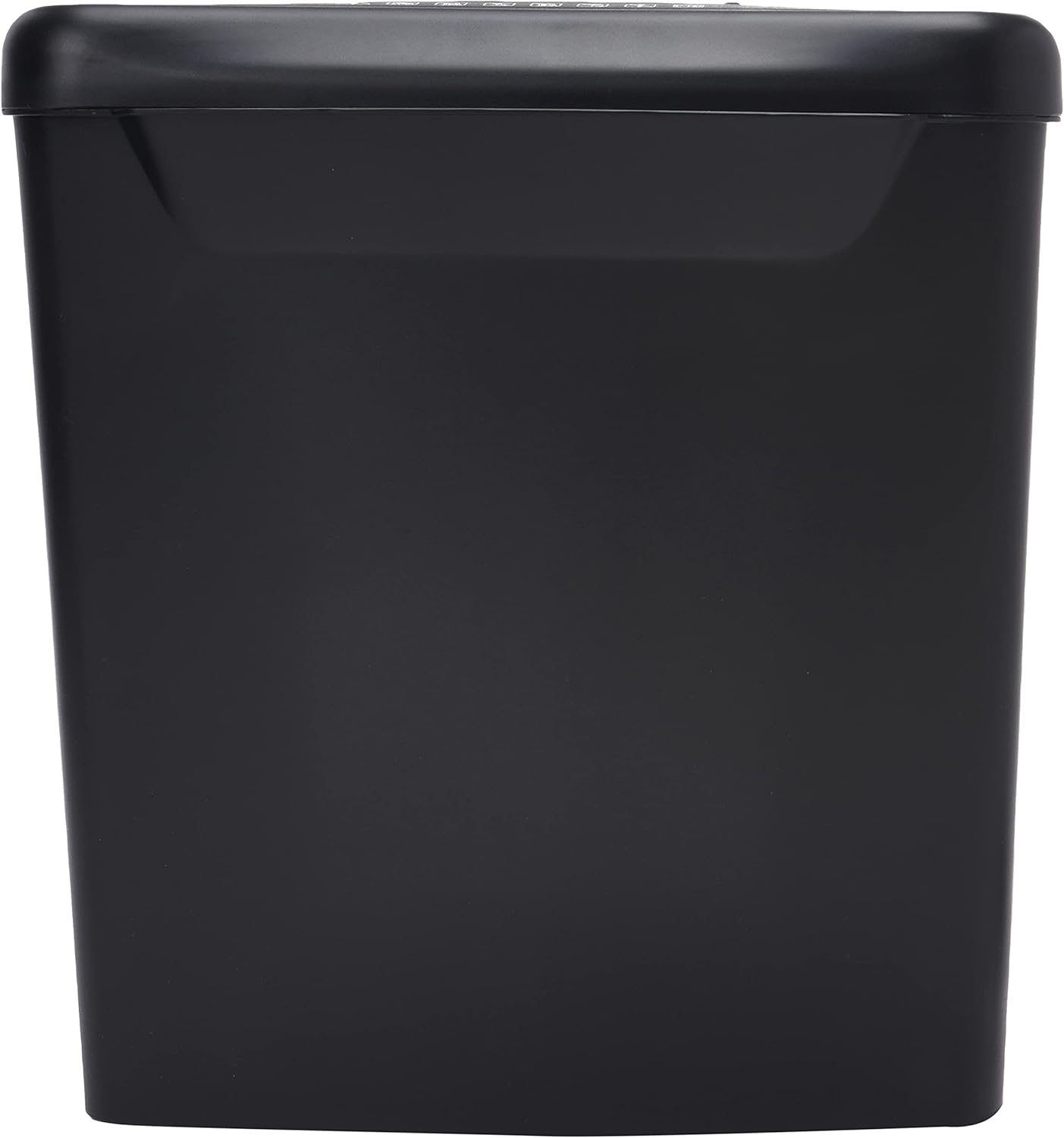
Picha: Upande view of the Comix S360A shredder bin, showing its black exterior and compact design. The shredder head is not visible in this image.
5. Maagizo ya Uendeshaji
5.1 Kubadilisha Kudhibiti
The shredder features a slide switch with three positions:
- Otomatiki: The shredder will automatically start when paper is inserted and stop when shredding is complete. This is the normal operating mode.
- BONYEZA: The shredder is powered off. Always set the switch to OFF when emptying the bin or when the shredder is not in use.
- REV (Kinyume): This position reverses the shredder blades to help clear paper jams.

Picha: Juu view of the shredder head, highlighting the paper entry slot, the three-position control switch (Rev, OFF, Auto), and various safety warning icons.
5.2 Nyaraka za Kukata Kata
- Ensure the shredder head is securely placed on the waste bin.
- Chomeka kebo ya umeme kwenye sehemu ya umeme.
- Weka swichi ya kudhibiti kuwa AUTO.
- Insert up to 8 sheets of 70gsm A4 paper into the paper entry slot. The shredder will start automatically.
- For credit cards or CDs, use the dedicated slot if available (refer to product specifications for capability).
- The shredder will stop automatically once the shredding process is complete.
5.3 Mzunguko wa Wajibu
The Comix S360A has a continuous run time of dakika 2, followed by a rest time of dakika 40. Exceeding the run time may cause the shredder to overheat and automatically shut off. Allow the shredder to cool down for the specified rest time before resuming operation.
6. Matengenezo
6.1 Kumwaga Taka kwenye Bin
- Weka swichi ya kudhibiti kuwa IMEZIMWA.
- Ondoa kifaa cha kusaga kutoka kwenye soketi ya umeme.
- Inua kichwa cha mashine ya kusaga taka kutoka kwenye pipa la taka.
- Dispose of the shredded paper.
- Badilisha kichwa cha mashine ya kusaga kwa usalama kwenye pipa la taka.
- Chomeka kifaa cha kusaga tena kwenye soketi ya umeme.
6.2 Oiling the Shredder Blades
Regular oiling of the shredder blades is recommended to maintain optimal performance and extend the life of your shredder. Use shredder oil specifically designed for paper shredders.
- Paka mstari mwembamba wa mafuta ya kusaga kwenye nafasi ya kuingilia karatasi.
- Weka swichi ya kudhibiti kuwa AUTO.
- Insert a sheet of paper to distribute the oil evenly across the blades.
- Repeat this process periodically, especially after emptying a full waste bin or if the shredder's performance decreases.
6.3 Kusafisha
Wipe the exterior of the shredder with a soft, dry cloth. Do not use abrasive cleaners or solvents. Ensure the shredder is unplugged before cleaning.
7. Utatuzi wa shida
| Tatizo | Sababu inayowezekana | Suluhisho |
|---|---|---|
| Shredder haianzi. |
|
|
| Jam ya karatasi. |
|
|
| Kifaa cha kusaga kitaacha kufanya kazi. |
|
|
8. Vipimo
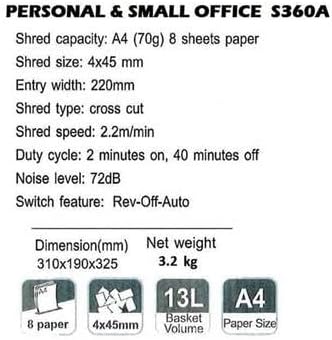
Image: Technical specifications sheet for the Comix S360A, detailing performance metrics and physical attributes.
- Mfano: S360A
- Aina ya Kupasua: Msalaba Kata
- Saizi iliyokatwa: 4 x 45 mm
- Shred Capacity (A4, 70g): Karatasi 8
- Upana wa Kuingia: 220 mm
- Kasi ya Kupasua: 2.2 m/dak
- Uwezo wa Bin Taka: 13 lita
- Mzunguko wa Wajibu: Dakika 2 Washa / Dakika 40 Imezimwa
- Kiwango cha Kelele: 72 dB
- Switch Feature: Rev-Off-Auto
- Vipimo vya Bidhaa: 310 x 190 x 325 mm (L x W x H)
- Uzito Halisi: 3.2 kg
- Vipengele Maalum: Energy Saving Mode, Jam Pro, Quiet Operation
9. Udhamini na Msaada
For warranty information or technical support, please refer to the warranty card included with your product or contact Comix customer service through their official website or the retailer where the product was purchased. Please have your model number (S360A) and purchase date available when contacting support.