
1. Bidhaa Imeishaview
The UNICOO L Shaped Desk is designed to provide a versatile and efficient workspace for home offices, gaming setups, and professional environments. Its L-shape maximizes corner space, offering ample surface area for multiple monitors, computers, and other essentials. This desk features a sturdy metal frame and a durable rustic brown finish, complemented by integrated storage options.
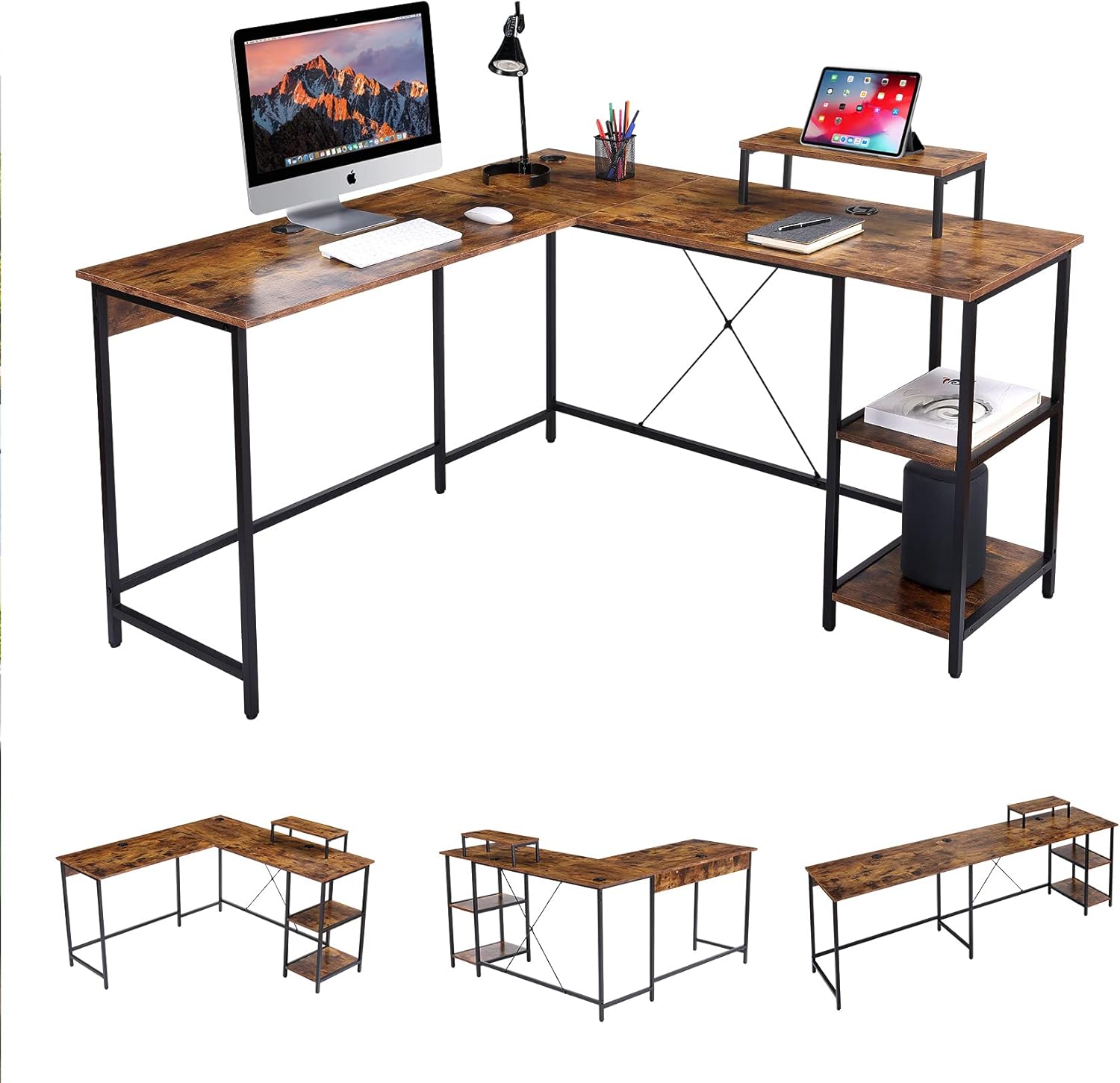
Picha 1: Juuview of the UNICOO L Shaped Desk in Rustic Brown.
2. Yaliyomo kwenye Kifurushi
Before beginning assembly, please verify that all components listed below are present and undamaged. If any parts are missing or damaged, please contact UNICOO customer support.
- Desk Panels (L-shaped sections, monitor stand, shelf panels)
- Metal Frame Components (legs, support bars)
- Vifaa vya Kuunganisha (skrubu, boliti, karanga, mashine za kuosha)
- Vidokezo vya Miguu vinavyoweza kubadilishwa
- Mwongozo wa Maagizo (hati hii)
Kumbuka: Assembly tools are not included and must be provided by the user.
3. Kuweka na Kukusanya
Follow these instructions carefully to assemble your UNICOO L Shaped Desk. It is recommended to have two people for assembly.
- Tayarisha Nafasi ya Kazi: Clear a spacious, stable, and level area for assembly. Lay out all components and hardware within easy reach.
- Kukusanya Fremu: Attach the metal legs to the main support bars using the provided hardware. Ensure all connections are secure but do not fully tighten screws until the entire frame is assembled.
- Ambatisha Paneli za Dawati: Carefully place the desk panels onto the assembled frame. Secure them using the designated screws. The L-shape design is reversible, allowing you to configure the longer side to your left or right as needed.
- Sakinisha Rafu na Kitengo cha Kufuatilia: Attach the two-tier adjustable shelves and the monitor stand to their respective positions on the desk.
- Uimarishaji wa Mwisho: Mara tu vipengele vyote vikiwa mahali pake na vikiwa vimepangwa, kaza kabisa skrubu na boliti zote.
- Rekebisha Miguu ya Kusawazisha: Rekebisha pedi za miguu chini ya miguu ya dawati ili kuhakikisha dawati liko imara na sawasawa kwenye sakafu yako.

Image 2: Desk dimensions and L-shape configuration (55.1" x 19.7" & 55.1" x 29.9"H).

Image 3: Desk dimensions in straight configuration (90.6" x 19.7" x 29.9"H).

Image 4: The reversible design allows for left or right L-shape configuration.
4. Maagizo ya Uendeshaji
The UNICOO L Shaped Desk is designed for optimal functionality and space utilization.
- Matumizi ya Nafasi ya Kazi: Arrange your computer, monitors, and other office equipment on the spacious desk surface. The L-shape provides distinct areas for different tasks, enhancing productivity.
- Kufuatilia Stendi: Use the elevated monitor stand to position your screen at an ergonomic height, reducing neck and eye strain.
- Rafu za Hifadhi: Utilize the two-tier adjustable shelves for storing books, documents, a CPU tower, or other office supplies, keeping your workspace organized.
- Usimamizi wa Cable: The desk includes integrated cable grommets to help route and organize power cords and data cables, maintaining a tidy appearance.
Picha 5: Maelezo view of the cable grommet for organization and adjustable foot pad for stability.
5. Matengenezo
Proper maintenance ensures the longevity and appearance of your desk.
- Kusafisha: Futa nyuso za dawati kwa kutumia kifaa laini, damp kitambaa. Epuka visafishaji abrasive au kemikali kali ambazo zinaweza kuharibu umaliziaji.
- Ukaguzi wa maunzi: Kagua skrubu na boli mara kwa mara ili kuhakikisha zinasalia kuwa ngumu. Funga tena ikiwa ni lazima ili kudumisha utulivu.
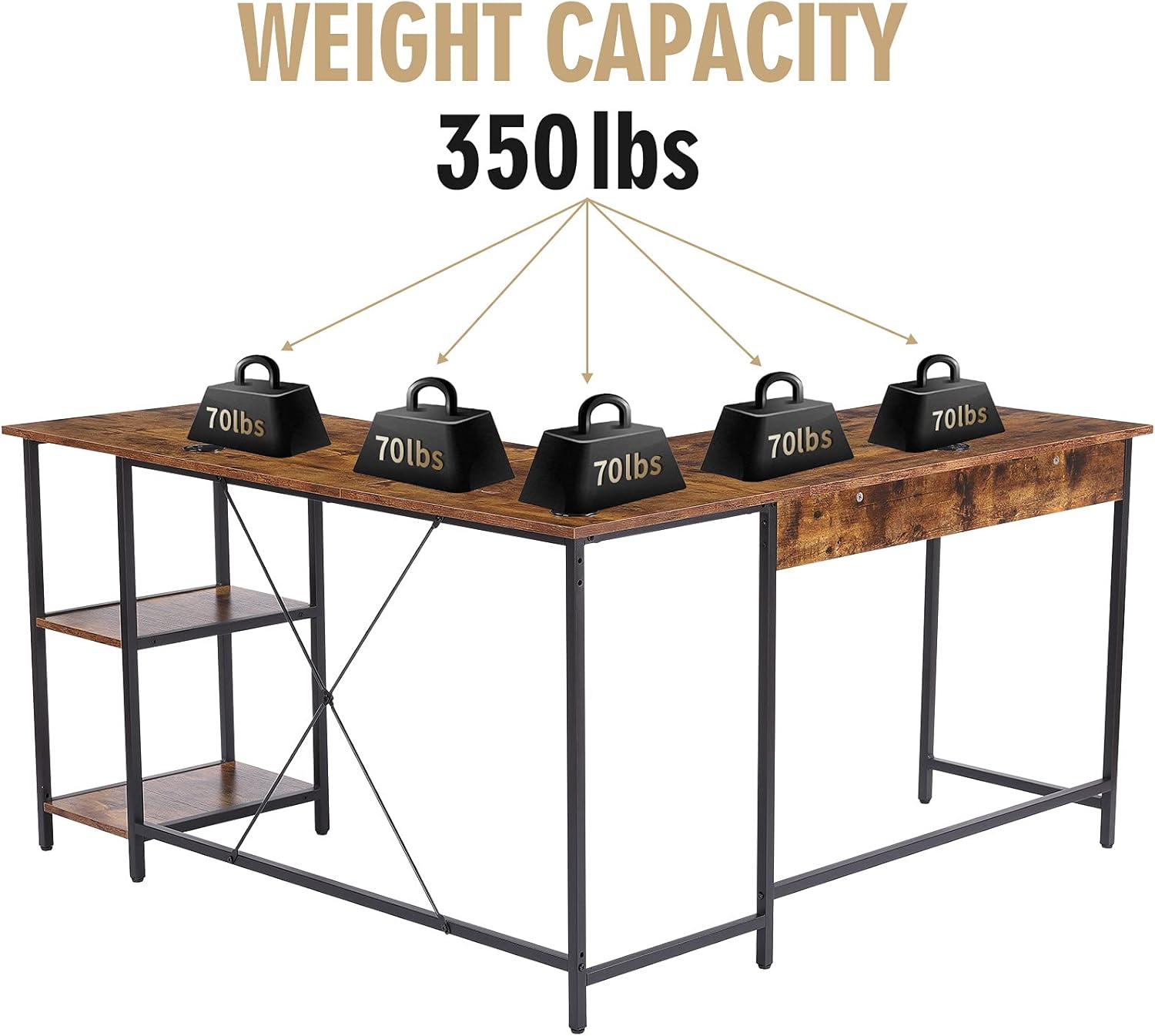
- Usambazaji wa Uzito: Distribute weight evenly across the desk surface. Avoid placing excessively heavy items on one section.
6. Utatuzi wa shida
If you encounter any issues with your UNICOO L Shaped Desk, refer to the following common problems and solutions:
- Dawati ni Wobbly:
- Hakikisha vifaa vyote vya kuunganisha vimeimarishwa kikamilifu.
- Adjust the leveling foot pads on each leg to compensate for uneven floor surfaces.
- Verify that the desk is not overloaded beyond its maximum weight capacity.
- Sehemu Hazilingani Wakati wa Kuunganisha:
- Loosen all screws slightly, realign the components, and then retighten.
- Double-check the instruction manual to ensure each part is oriented correctly.
If problems persist, please contact UNICOO customer support for assistance.
7. Vipimo
| Kipengele | Maelezo |
|---|---|
| Chapa | UNICOO |
| Nambari ya Mfano | B099DP5KC2 |
| Product Dimensions (L-shape) | 55.1"W x 19.7"D x 29.9"H (each side of L) |
| Product Dimensions (Straight) | 90.6"W x 19.7"D x 29.9"H |
| Rangi | Rustic Brown |
| Mtindo | Kisasa |
| Nyenzo za Msingi | Aloi ya chuma |
| Aina ya Nyenzo ya Juu | Metal (with wood-look finish) |
| Maliza Aina | Powder Coated (frame), Walnut (furniture finish) |
| Vipengele Maalum | L Shaped Design, Reversible Configuration, 2-tier Adjustable Shelves, CPU Stand, Monitor Stand |
| Upeo wa Uzito Uwezo | Pauni 350 |
| Mkutano Unaohitajika | Ndiyo |
| Idadi ya Rafu | 2 |

Image 6: The desk has a maximum weight capacity of 350 lbs.
8. Taarifa za Udhamini
The UNICOO L Shaped Desk comes with a Udhamini mdogo. For specific details regarding coverage, duration, and terms, please refer to the warranty documentation included with your purchase or visit the official UNICOO webtovuti. Weka uthibitisho wako wa ununuzi kwa madai ya udhamini.
9. Msaada kwa Wateja
For any questions, assistance with assembly, troubleshooting, or warranty inquiries, please contact UNICOO customer support through the following channels:
- Mtandaoni: Visit the official UNICOO webtovuti kwa rasilimali za usaidizi na fomu za mawasiliano.
- Barua pepe: Rejelea hati yako ya ununuzi kwa anwani ya barua pepe ya huduma kwa wateja.
- Duka la Amazon: Unaweza pia kutembelea UNICOO Store on Amazon for additional product information and support options.