
Utangulizi
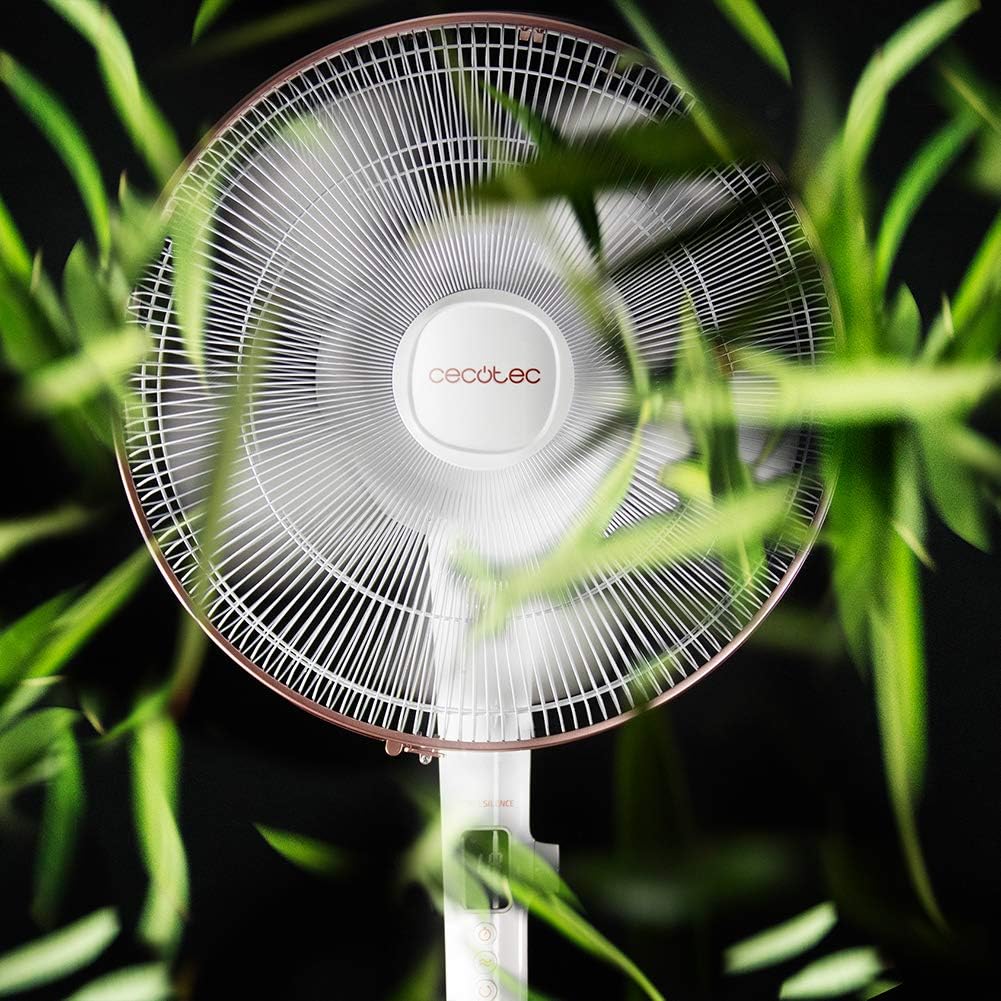
Thank you for choosing the Cecotec EnergySilence 1030 SmartExtreme Pedestal Fan. This fan is designed to provide powerful yet quiet air circulation with advanced features for enhanced comfort. It incorporates a highly efficient DC motor, offering 24 speed settings and 3 operational modes to suit various needs. Please read this manual carefully before use to ensure proper operation, maintenance, and safety.
Ni nini kwenye Sanduku
- Mwili wa shabiki
- Udhibiti wa Kijijini
- Mwongozo wa Mtumiaji
Maagizo ya Usalama
- Daima ondoa feni kutoka kwenye soketi ya umeme kabla ya kusafisha au kufanya matengenezo yoyote.
- Usiingize vidole au vitu vyovyote kwenye grille ya feni wakati inafanya kazi.
- Keep the fan away from water or other liquids. Do not use in damp mazingira.
- Hakikisha waya wa umeme haujaharibika au kubanwa. Usitumie feni kwa waya au plagi iliyoharibika.
- Kifaa hiki hakikusudiwa kutumiwa na watu (pamoja na watoto) walio na uwezo mdogo wa kimwili, hisi au kiakili, au wasio na uzoefu na ujuzi, isipokuwa wamepewa usimamizi au maagizo kuhusu matumizi ya kifaa na mtu anayehusika na usalama wao.
- Weka feni kwenye sehemu iliyotulia na tambarare ili isidondoke.
- Usifunike feni wakati wa operesheni.
Mkutano na Usanidi
The Cecotec EnergySilence 1030 SmartExtreme fan requires minimal assembly. Carefully unpack all components. The main fan body, including the motor and blades, will need to be securely attached to the pedestal and base. Ensure all parts click into place or are tightened as per the visual instructions provided in the included manual. The fan features an adjustable telescopic pole, allowing you to set the height between 115 cm and 135 cm for optimal air distribution.

Maagizo ya Uendeshaji
Jopo la Kudhibiti
The fan features an intuitive control panel with an LED screen displaying the current settings.

- Kitufe cha Kuwasha/Kuzima (Washa/Zima): Bonyeza ili kuwasha au kuzima feni.
- Marekebisho ya Kasi: Use the dedicated buttons or dial to cycle through 24 speed settings. The current speed will be shown on the LED display.
- Kitufe cha Hali: Press to switch between the three available modes: Eco, Sleep, and Turbo.
- Kitufe cha Kipima Muda: Press to activate and set the timer for up to 18 hours.
- Kitufe cha Kutuliza: Press to enable or disable the automatic oscillation function.
Udhibiti wa Kijijini
The fan can also be conveniently operated using the included remote control.

- Vitendaji vyote vinavyopatikana kwenye paneli ya udhibiti pia vinaweza kupatikana kupitia kidhibiti cha mbali.
- Ensure the remote control is pointed towards the fan's receiver for optimal response.
- Inahitaji betri za AAA (hazijajumuishwa).
Modes and Speeds
The fan offers 24 speed settings and 3 distinct modes:
- Hali ya Eco: Operates at a lower power consumption, ideal for energy saving.
- Njia ya Kulala: Designed for quiet operation, gradually decreasing fan speed to provide a comfortable sleeping environment.
- Hali ya Turbo: Hutoa mtiririko wa hewa wa juu zaidi kwa ajili ya kupoeza haraka.
Kazi ya Kipima saa
The programmable timer allows you to set the fan to operate for a specific duration, up to a maximum of 18 hours. Once the set time expires, the fan will automatically turn off.
Kufutwa
Activate the automatic oscillation function to distribute fresh air more widely across the room. This feature ensures a broader coverage area, enhancing overall comfort.
Matengenezo
Kusafisha mara kwa mara huhakikisha utendaji bora na huongeza muda wa maisha wa feni yako.
- Before cleaning, always unplug the fan from the power supply.
- Tumia laini, damp kitambaa cha kuifuta nyuso za nje. Usitumie visafishaji au viyeyusho vya kukwaruza.
- Periodically clean the fan blades and protective grilles to remove dust and debris. This can be done using a soft brush or a vacuum cleaner with a brush attachment.
- Hakikisha feni ni kavu kabisa kabla ya kuichomeka tena.
Kutatua matatizo
| Tatizo | Sababu inayowezekana | Suluhisho |
|---|---|---|
| Shabiki haiwashi | No power supply; Power cord not properly connected; Fan is off. | Check power outlet; Ensure power cord is securely plugged in; Press the power button. |
| Mtiririko dhaifu wa hewa | Low speed setting; Dust accumulation on blades/grille. | Increase speed setting; Clean fan blades and grilles. |
| Kelele isiyo ya kawaida | Loose parts; Obstruction in fan blades. | Check for loose components and tighten if necessary; Remove any obstructions. If noise persists, contact support. |
| Udhibiti wa mbali haufanyi kazi | Dead batteries; Obstruction between remote and fan. | Replace batteries; Ensure clear line of sight to fan's receiver. |
Vipimo
| Kipengele | Maelezo |
|---|---|
| Chapa | Cecotec |
| Nambari ya Mfano | 05915 |
| Nguvu | 28 Watts |
| Voltage | 230V (AC) |
| Vipimo vya Bidhaa | 45D x 45W x 135H cm (adjustable height) |
| Uzito wa Kipengee | Kilo 5.4 |
| Muundo wa Mashabiki | Shabiki wa Utengenezaji |
| Mipangilio ya Kasi | 24 |
| Mbinu | Eco, Sleep, Turbo |
| Kipima muda | Hadi saa 18 |
| Kufutwa | Otomatiki |
| Kipengele Maalum | Inabebeka |
Udhamini na Msaada
Kwa taarifa za udhamini na huduma kwa wateja, tafadhali rejelea kadi ya udhamini iliyojumuishwa na bidhaa yako au tembelea Cecotec rasmi. website. If you encounter any issues not covered in this manual, please contact Cecotec customer service for assistance.