
1. Utangulizi
The RTNLIT 20 Keys 5V Music Infrared Remote Controller is an advanced micro control unit designed for RGB LED strip lights. It offers convenient control over brightness, static colors, and various color-changing effects. A key feature is its sound-control mode, allowing LED colors to synchronize with music rhythms, enhancing your lighting experience. This controller is suitable for a wide range of LED lighting applications, including LED light bars, modules, light boxes, and luminous characters.
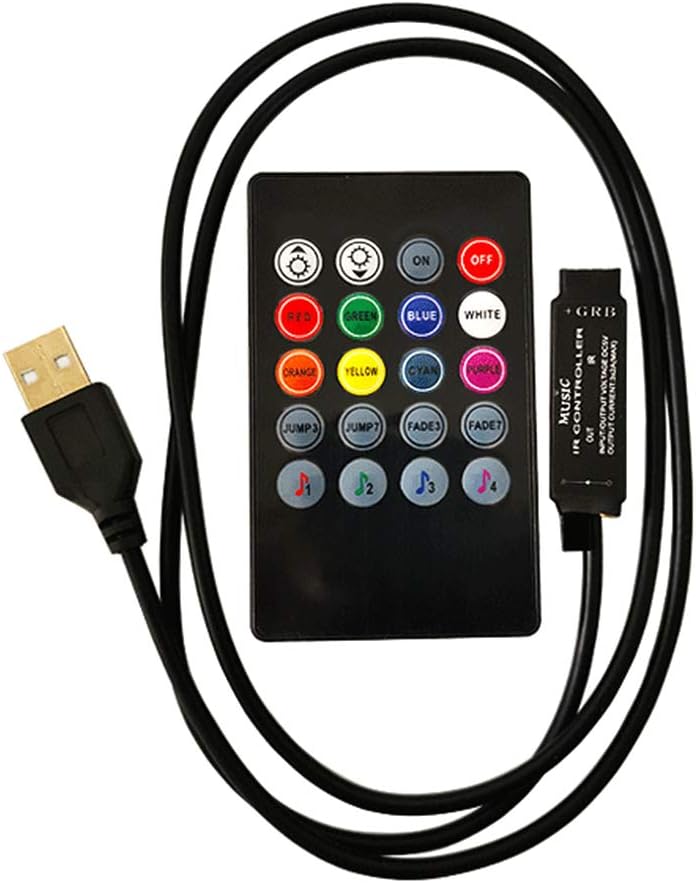
Image: The RTNLIT 20 Keys 5V Music Infrared Remote Controller with its USB power cable.
2. Taarifa za Usalama na Vidokezo Muhimu
- This product should be debugged and installed by qualified personnel to ensure proper function and safety.
- Bidhaa hii ni isiyozuia maji. Avoid exposure to direct sun and rain. If outdoor installation is necessary, use a waterproof enclosure to protect the controller.
- Ensure good heat dissipation conditions to prolong the life of the LED controller. Install the product in a well-ventilated environment.
- Thibitisha kuwa sauti ya patotage of your LED power supply meets the product's voltage range requirements (5V).
- The wire diameter used for connections must be sufficient to handle the load of the connected LED lamps. Ensure all wiring is firm and secure to prevent overheating or poor contact, which could lead to accidents.
- Before powering on the device for debugging or operation, double-check all wiring connections to prevent damage to the LED lamps or the controller due to incorrect wiring.
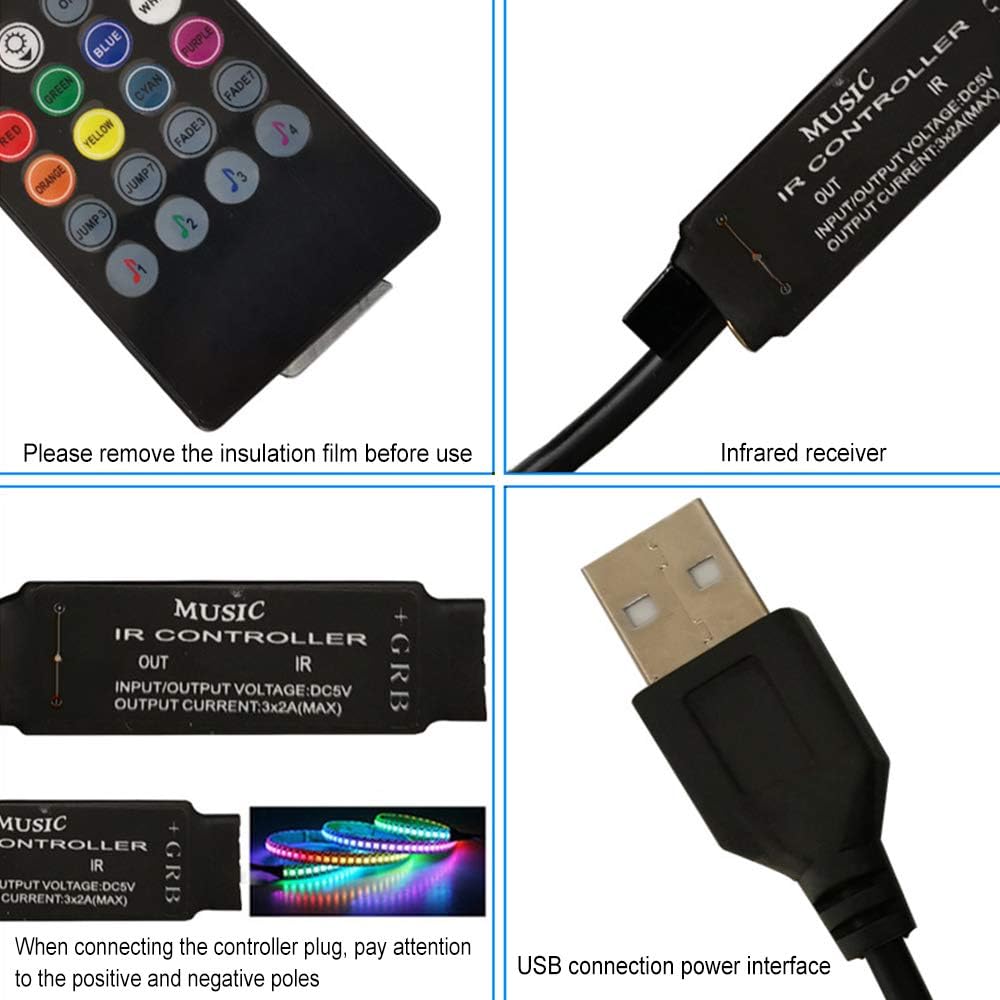
Picha: Kina view of the controller's components, including the infrared receiver and USB connection. Remember to remove the insulation film from the remote's battery compartment before use.
3. Ni nini kwenye Sanduku
Kifurushi chako kinapaswa kuwa na vitu vifuatavyo:
- 1 x 20 Key IR Music LED Controller
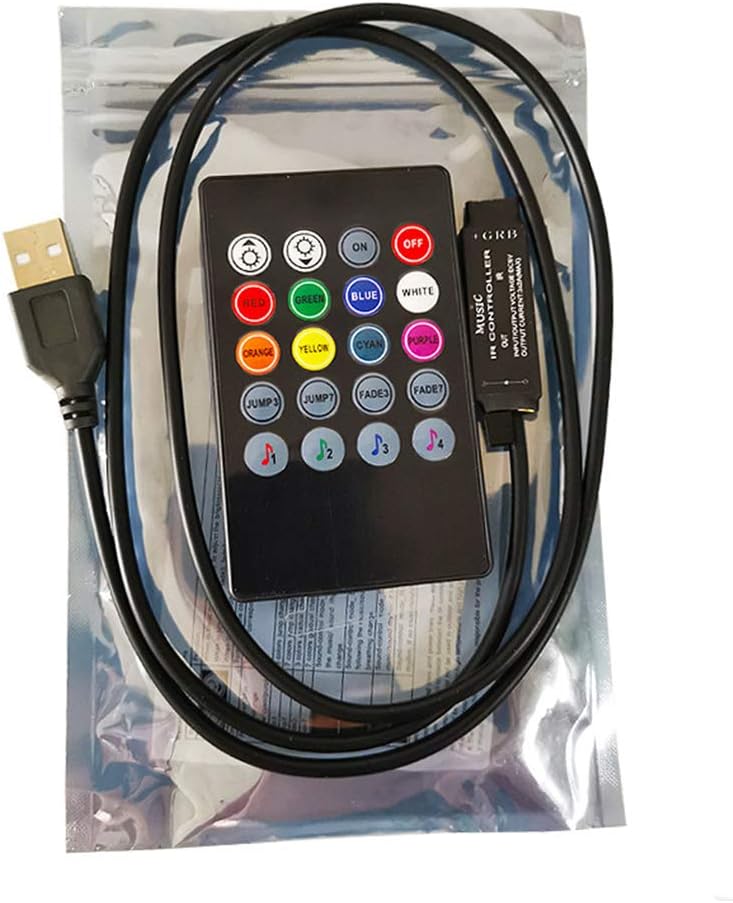
Image: The RTNLIT controller as it appears in its retail packaging.
4. Bidhaa Imeishaview na Vipengele
4.1 Mpangilio wa Kidhibiti cha Mbali
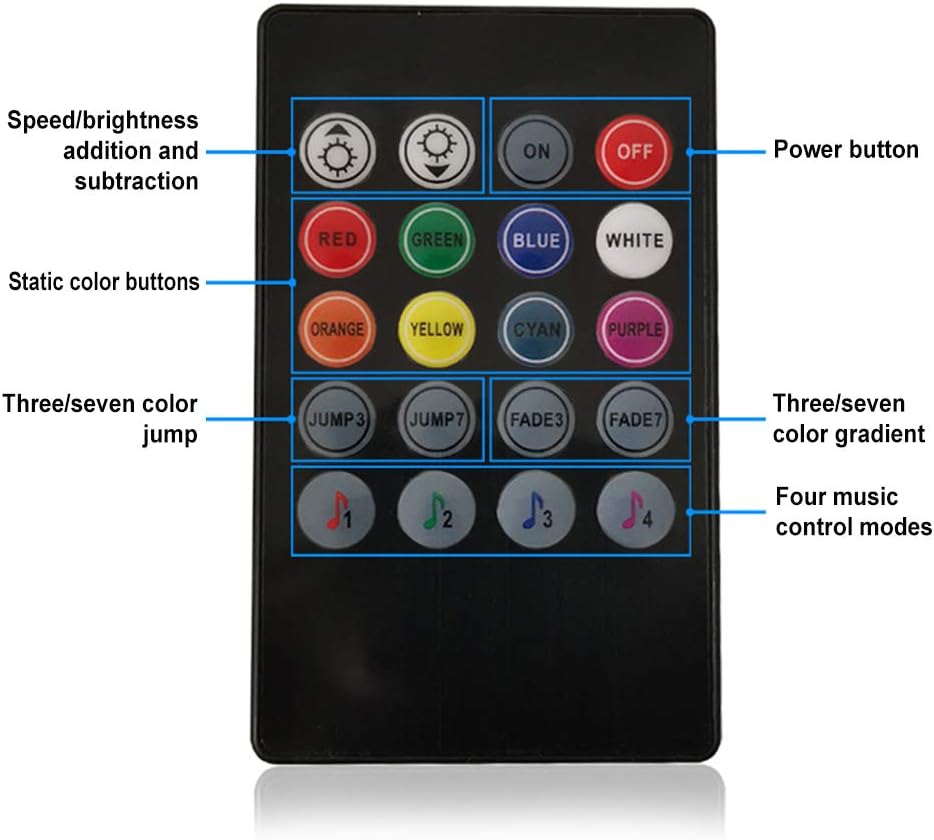
Image: The 20-key infrared remote control with labels indicating button functions.
- Kitufe cha Nguvu: IMEWASHA / ZIMWA
- Marekebisho ya Mwangaza/Kasi: Increase or decrease brightness in static modes, or speed in dynamic modes.
- Static Color Buttons: RED, GREEN, BLUE, WHITE, ORANGE, YELLOW, CYAN, PURPLE for direct color selection.
- Njia Inayobadilika:
- RUKA3: 3-color jump effect.
- RUKA7: 7-color jump effect.
- FADE3: 3-color gradient effect.
- FADE7: 7-color gradient effect.
- Music Control Modes (♫1, ♫2, ♫3, ♫4): Four distinct modes where LED colors change in response to music rhythm.
4.2 Controller Module
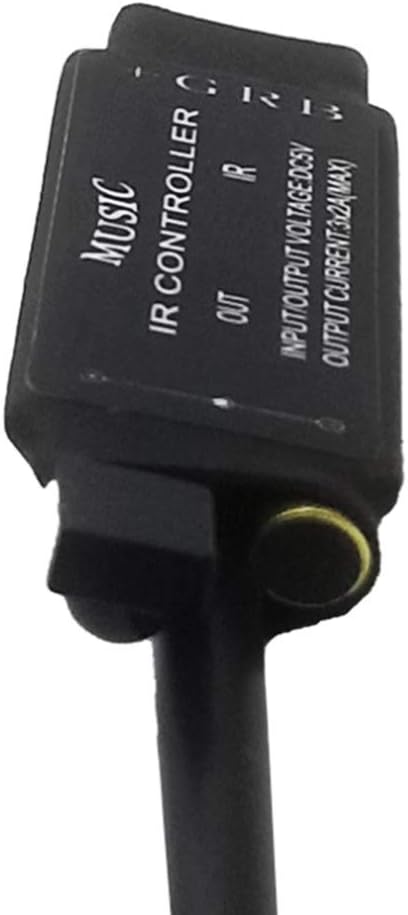
Picha: Kina view of the controller module, highlighting its input and output connections.
- Muunganisho wa USB: Provides 5V power input to the controller.
- Infrared (IR) Receiver: Receives signals from the remote control. Ensure this is not obstructed.
- RGB Output: Connects to the RGB LED strip light. Pay attention to the common anode connection (G, R, B, +).
5. Kuweka na Kuweka
5.1 Kuunganisha Kidhibiti
- Prepare LED Strip: Ensure your RGB LED strip light is compatible with a 5V common anode controller.
- Unganisha Ukanda wa LED kwenye Kidhibiti: Carefully connect the RGB LED strip to the controller's output terminals. Match the G (Green), R (Red), B (Blue), and + (Common Anode) pins correctly. Incorrect polarity can damage the LED strip or controller.
- Unganisha Nguvu: Ingiza plagi ya USB ya kidhibiti kwenye chanzo cha umeme cha 5V USB (km, adapta ya ukutani ya USB, benki ya umeme, au mlango wa USB wa kompyuta).
- Position IR Receiver: Ensure the infrared receiver on the controller is visible and not obstructed, as it needs a clear line of sight to the remote control.
- Remove Remote Insulation: If applicable, remove the clear plastic insulation film from the battery compartment of the remote control before first use.
Image: Visual guide for connecting the controller to your LED strip and USB power source. Always ensure correct positive and negative pole connections.
6. Maagizo ya Uendeshaji
Once the controller is properly connected and powered, use the 20-key infrared remote control to operate your LED strip lights.
6.1 Operesheni ya Msingi
- Washa/ZIMWA: Bonyeza kwa IMEZIMWA button to turn off the lights, and the ON button to turn them on.
- Marekebisho ya Mwangaza: Tumia Mwangaza Juu na Mwangaza chini buttons (sun icons) to adjust the intensity of the light in static color modes.
Uteuzi wa Rangi
- Rangi Tuli: Press any of the dedicated color buttons (RED, GREEN, BLUE, WHITE, ORANGE, YELLOW, CYAN, PURPLE) to instantly switch the LED strip to that specific color.
Njia 6.3 za Nguvu
- Njia za Kuruka:
- Bonyeza RUKA3 for a rapid transition between 3 primary colors.
- Bonyeza RUKA7 for a rapid transition through 7 different colors.
- Hali za Kufifia:
- Bonyeza FADE3 for a smooth, gradual transition between 3 primary colors.
- Bonyeza FADE7 for a smooth, gradual transition through 7 different colors.
- Marekebisho ya Kasi: In dynamic modes, the brightness adjustment buttons may function as speed controls, allowing you to increase or decrease the transition speed.
6.4 Music Control Modes
The controller features four distinct music modes, allowing the LED lights to react to ambient sound. Select the mode that best suits your music or environment:
- Press ♫1, ♫2, ♫3, or ♫4 to activate different music synchronization effects. The specific behavior of each mode may vary, offering different visual interpretations of the sound.
7. Matengenezo
- Kusafisha: Gently wipe the controller and remote with a dry, soft cloth. Do not use harsh chemicals or abrasive cleaners.
- Unyevu: Keep the controller and remote dry. Avoid exposure to water or high humidity, as this product is not waterproof.
- Joto: Ensure the controller is installed in a well-ventilated area to prevent overheating, which can shorten its lifespan.
- Ubadilishaji wa Betri: If the remote control's range decreases or it stops responding, replace the LR44 battery (1 required).
8. Utatuzi wa shida
| Suala | Sababu inayowezekana | Suluhisho |
|---|---|---|
| Taa haziwashi. | No power, incorrect wiring, remote battery dead. | Check USB power connection. Verify LED strip wiring polarity. Replace remote battery. Ensure IR receiver is unobstructed. |
| Kidhibiti cha mbali hakijibu. | Remote battery dead, IR receiver obstructed, remote too far. | Replace remote battery. Ensure clear line of sight between remote and IR receiver. Operate remote within effective range. |
| Colors are incorrect or flickering. | Incorrect wiring, faulty LED strip. | Double-check the G, R, B, and + connections on the LED strip. Test with a different LED strip if possible. |
| Controller feels hot. | Poor ventilation, overloaded LED strip. | Ensure the controller is in a well-ventilated area. Verify the total wattage of your LED strip does not exceed the controller's maximum output (3x2A max). |
| Music mode not working. | No sound detected, sound too low. | Ensure there is audible music or sound near the controller. Increase the volume of the sound source. |
9. Vipimo
| Kipengele | Vipimo |
|---|---|
| Uingizaji Voltage | 5V |
| Njia za Pato | chaneli 3 (RGB) |
| Njia ya Kuunganisha | Anode ya kawaida |
| Matumizi ya Nguvu tuli | <1W |
| Joto la Kufanya kazi | -20℃ ~ +60℃ |
| Njia ya Kudhibiti | Udhibiti wa Mbali wa Infrared (IR). |
| Funguo za mbali | 20 Funguo |
| Chanzo cha Nguvu | Umeme Uliounganishwa kwa Waya (USB 5V) |
| Nyenzo | Chuma |
| Uzito wa Kipengee | 1.44 wakia |
| Vipimo vya Kifurushi | Inchi 6.34 x 4.13 x 0.51 |
| Betri Inahitajika | Betri 1 ya LR44 (imejumuishwa) |
10. Udhamini na Msaada
Information regarding product warranty and customer support was not available in the provided data. Please refer to the product packaging or the seller's webtovuti kwa maelezo zaidi kuhusu udhamini na jinsi ya kupata usaidizi.
11. Video Rasmi za Bidhaa
No official product videos were found in the provided data for this item.