
1. Utangulizi na Zaidiview
The MTM Walkie Talkies are designed for reliable two-way communication, ideal for adults and kids in various outdoor and indoor settings. This 4-pack of radios operates across 22 channels with 121 privacy codes, ensuring clear and secure conversations. Featuring hands-free VOX operation, automatic squelch, and a long communication range, these walkie talkies are perfect for family adventures, camping, hiking, or simply staying connected around the house.

Image: Four MTM XF-638 walkie talkies, highlighting their compact design and vibrant red color.
2. Ni nini kwenye Sanduku
Your MTM Walkie Talkies package includes the following items:
- 4 x MTM Walkie Talkies (Model: XF-638)
- 4 x Sehemu za Ukanda
- 1 x Mwongozo wa Mtumiaji

Image: A family enjoying outdoor activities with MTM Walkie Talkies.
3. Sifa Muhimu
- Vituo 22 na Misimbo 121 ya Faragha: Operates in the 462 to 467 MHz frequency range, offering ample communication options and reducing interference. FCC Certified (FCC ID: 2AN6WXF-638).
- Mawasiliano ya masafa marefu: Supports up to 3 miles communication range in open fields, ideal for outdoor adventures.
- VOX - Hands-Free Operation: Automatically activates transmission when the user starts talking, eliminating the need to press the PTT button.
- Auto Squelch System: Filters out nuisance calls and background noise for clearer sound.
- Kitufe cha Keypad: Prevents accidental channel changes or setting adjustments.
- Nguvu Inayoweza Kurekebishwa: Allows adjustment of power output to optimize range and battery life.
- Large LCD Screen with Backlight: Provides clear visibility of settings and status, day or night.
- Drop-Protection (ABS): Durable construction designed to withstand accidental drops.
- Tahadhari ya Chaji ya Betri: Inakuarifu betri zinapoanza kuisha.
- Compatible with Most Brands: Can communicate with other walkie talkies operating on the same frequencies and codes.
- Headset Option: For private listening and hands-free convenience.
- USB Cable Compatibility: Designed for use with rechargeable batteries (batteries not included).
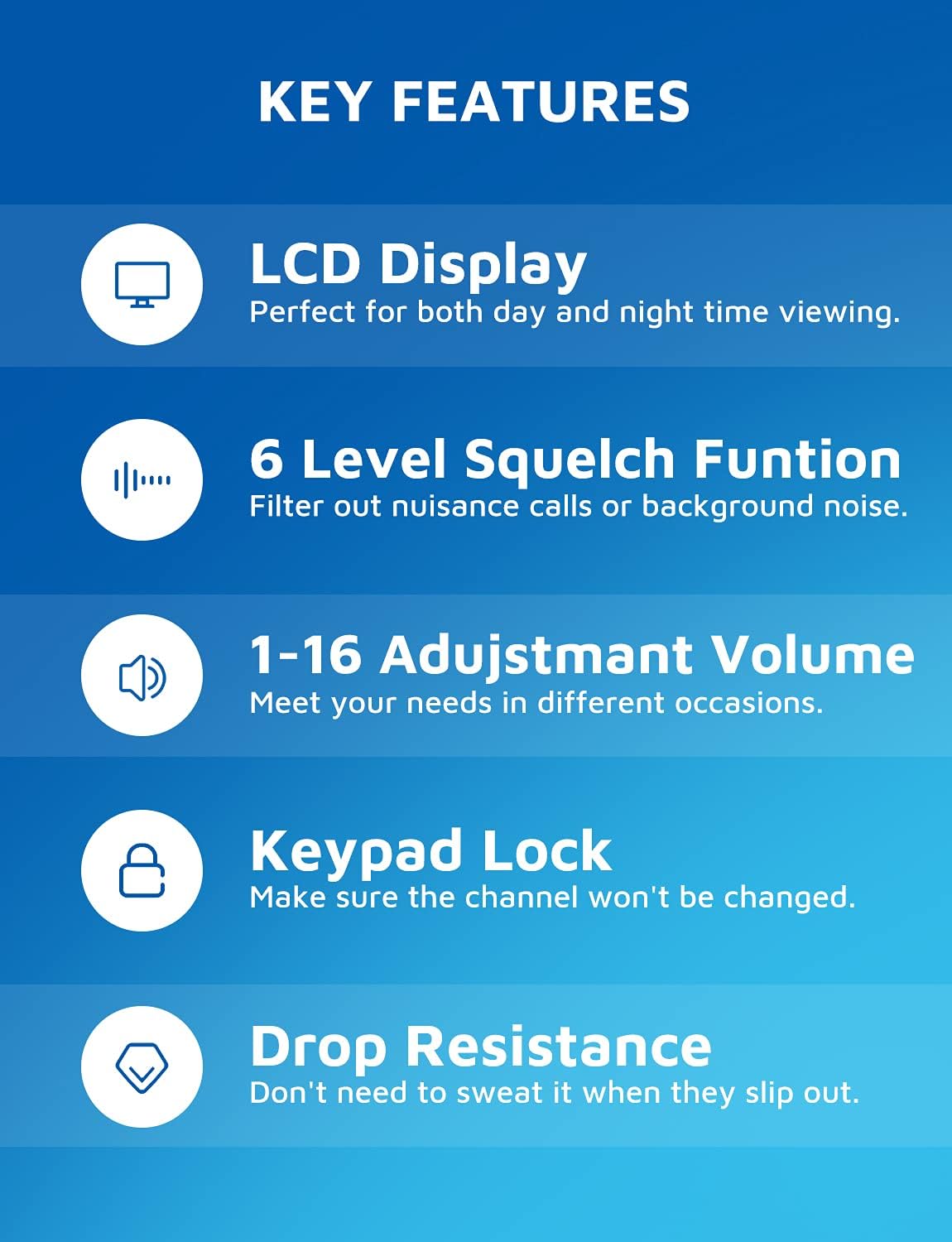
Image: Visual representation of the walkie talkie's key features, including display, squelch, volume, keypad lock, and durability.
4. Mwongozo wa Kuweka
4.1 Ufungaji wa Betri
Each MTM Walkie Talkie requires three (3) AAA batteries (not included). To install:
- Tafuta sehemu ya betri nyuma ya kitengo.
- Remove the belt clip by sliding it upwards if it obstructs the battery cover.
- Fungua kwa uangalifu kifuniko cha sehemu ya betri.
- Ingiza betri tatu za AAA, kuhakikisha polarity sahihi (+/-) kama inavyoonyeshwa ndani ya sehemu.
- Funga kifuniko cha sehemu ya betri kwa usalama.
- Reattach the belt clip if removed.

Image: Battery compartment with space for three AAA batteries.
4.2 Kuambatanisha Klipu ya Ukanda
To attach the belt clip, align the clip with the grooves on the back of the walkie talkie and slide it downwards until it clicks into place. To remove, slide it upwards.
5. Maagizo ya Uendeshaji
5.1 Washa/Zima
Bonyeza na ushikilie WASHA/ZIMWA button (usually located on the left side or front panel) for a few seconds until the LCD screen illuminates.
Ili kuzima, bonyeza na ushikilie WASHA/ZIMWA kitufe tena hadi skrini izime.
5.2 Uchaguzi wa Chaneli
Your walkie talkie has 22 available channels. To change the channel:
- Bonyeza kwa MENU button once. The channel number on the LCD will flash.
- Tumia UP (▲) au CHINI (▼) ili kuchagua chaneli unayotaka (1-22).
- Bonyeza kwa MENU kifungo tena au PTT kitufe ili kuthibitisha chaguo lako.
Misimbo ya Faragha 5.3 (CTCSS/DCS)
To ensure private communication and reduce interference, you can set privacy codes (121 available). All radios in your group must be on the same channel and privacy code.
- Bonyeza kwa MENU kitufe mara mbili. Nambari ya msimbo wa faragha itawaka.
- Tumia UP (▲) au CHINI (▼) buttons to select your desired privacy code.
- Bonyeza kwa MENU kifungo tena au PTT kitufe cha kuthibitisha.
5.4 Kutuma na Kupokea
Kusambaza, bonyeza na kushikilia PTT (Bonyeza-Kuzungumza) kitufe kilicho kando ya redio. Ongea kwa uwazi kwenye maikrofoni. Achilia PTT kitufe cha kusikiliza kwa jibu.

Image: Demonstrating long-range communication between a woman indoors and a child outdoors.
5.5 VOX (Voice-Activated Transmission)
VOX allows for hands-free communication. When activated, the radio will transmit automatically when it detects your voice.
- Ili kuwezesha VOX, bonyeza kitufe MENU button multiple times until the VOX icon appears on the display.
- Tumia UP (▲) au CHINI (▼) buttons to select the VOX sensitivity level (e.g., 1-3, with 1 being most sensitive).
- Bonyeza kwa MENU kifungo au PTT kitufe cha kuthibitisha.

Image: A hiker using the walkie talkie with a belt clip, highlighting the hands-free VOX feature.
5.6 Kufuli ya vitufe
Ili kuzuia mabadiliko ya bahati mbaya kwenye mipangilio, unaweza kufunga kibodi.
- Bonyeza na ushikilie MENU kitufe hadi ikoni ya kufuli itaonekana kwenye onyesho.
- Kufungua, bonyeza na kushikilia MENU kifungo tena hadi ikoni ya kufuli itatoweka.
5.7 Marekebisho ya Kiasi
Tumia UP (▲) au CHINI (▼) buttons (when not in menu mode) to adjust the speaker volume (1-16 levels).

Image: Speaker area showing adjustable volume levels.
5.8 Automatic Scan Function
The auto scan function allows the radio to automatically scan through channels to find active conversations.
- Bonyeza kwa MON button (Monitor) to initiate scanning.
- The radio will stop on an active channel.
- Bonyeza kwa MON kitufe tena ili kukomesha kuchanganua.

Image: Labeled diagram of the walkie talkie's components and buttons.
6. Matengenezo
- Kusafisha: Tumia laini, damp kitambaa cha kusafisha sehemu ya nje ya kifaa cha kuongea cha walkie. Usitumie kemikali kali au visafishaji vya kukwaruza.
- Utunzaji wa Betri: Ondoa betri ikiwa kifaa hakitatumika kwa muda mrefu ili kuzuia kuvuja na uharibifu.
- Hifadhi: Hifadhi vijiti vya kuogea katika sehemu yenye ubaridi na kavu mbali na jua moja kwa moja na halijoto kali.
7. Utatuzi wa shida
| Tatizo | Sababu inayowezekana | Suluhisho |
|---|---|---|
| Hakuna nguvu | Betri zimekufa au kusakinishwa vibaya. | Badilisha betri na betri mpya za AAA, uhakikishe polarity sahihi. |
| Haiwezi kuwasiliana na redio zingine | Redio ziko kwenye chaneli tofauti au misimbo ya faragha. Nje ya anuwai. | Hakikisha redio zote ziko kwenye chaneli moja na msimbo wa faragha. Sogea karibu na redio nyingine. |
| Ubora duni wa sauti / Tuli | Mawimbi hafifu, mwingiliano, au kiwango cha kubana ni cha chini sana. | Move to an open area. Adjust squelch level. Check battery level. |
| Kibodi haifanyi kazi | Kufunga kibodi kumewashwa. | Press and hold the MENU button to unlock the keypad. |
| Settings are confusing / Need to reset | User settings are not as desired. | To restore factory settings, long press the MENU button and then install the battery. |
8. Vipimo
- Chapa: MTM
- Nambari ya Mfano: XF-638
- Rangi: Nyekundu
- Idadi ya Vituo: 22
- Masafa ya Marudio: 462-467 MHz
- Upeo wa Masafa ya Kuzungumza: 5 Kilometers (approx. 3 miles in open fields)
- Kipengele Maalum: Maambukizi ya Sauti (VOX)
- Teknolojia ya Tuner: UHF
- Kiwango cha Upinzani wa Maji: Kuzuia maji
- Uzito wa Kipengee: 14 wakia
- Vipimo vya Kifurushi: Inchi 6.69 x 4.69 x 3.27
- Chanzo cha Nguvu: Betri 3 x AAA (hazijajumuishwa)
- Mtengenezaji: MTM
- Kitambulisho cha FCC: 2AN6WXF-638
9. Udhamini na Msaada
MTM provides a Udhamini wa ubora wa mwaka 1 for your walkie talkies. In addition, lifetime email support is available for any questions or issues you may encounter.
If you are not 100% satisfied with your MTM product or require technical assistance, please contact MTM customer support. You can typically find contact information through your purchase platform (e.g., "Your Orders" section on Amazon) or the official MTM webtovuti.
Please note: No official seller videos were available for embedding in this manual.