
1. Bidhaa Imeishaview
The Bush Business Furniture Move 60 Series L Shaped Standing Desk is designed to provide an ergonomic and adaptable workspace. This electric sit-stand desk allows for easy transitions between sitting and standing positions, promoting a healthier work environment. It features a durable construction suitable for a busy professional setting.
Sifa Muhimu:
- Faraja ya Ergonomic: Promotes a healthy and productive workspace by allowing easy transitions between sitting and standing.
- Instant Adjustability: Electric height adjustment from 27 to 46.7 inches with a simplified control panel.
- Mipangilio ya Kumbukumbu: Two customizable presets to save preferred seated and standing heights.
- Anti-Collision Sensor: Automatically stops movement when an object is detected, enhancing safety.
- Spacious and Durable: 60W x 78D assembled dimensions with a 200-pound weight capacity, supported by 16-gauge steel legs.
- Thermally Fused Laminate Surface: Protects against scratches, stains, and other damage.
- Usimamizi wa Waya: Integrated grommets for organized cable routing.
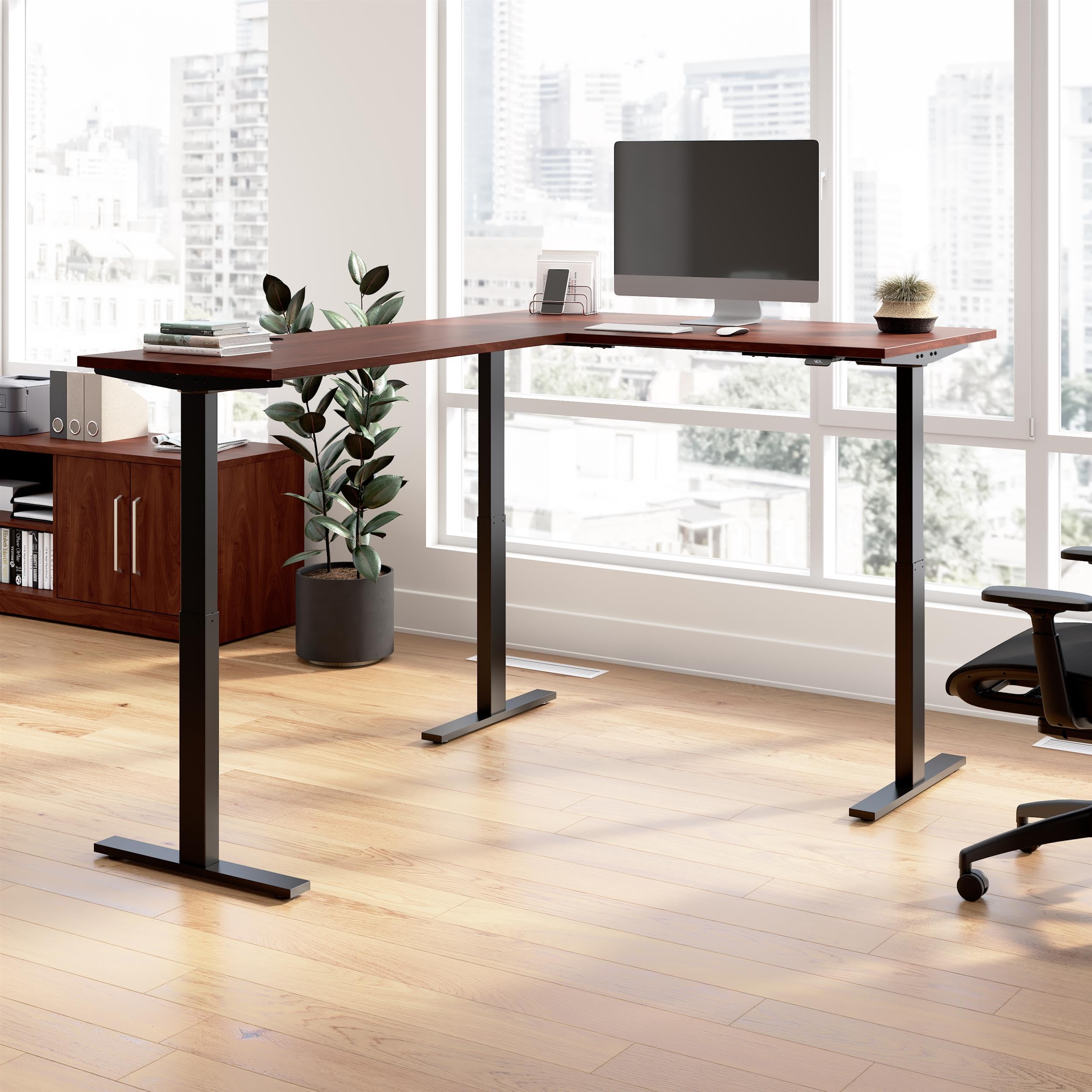
Figure 1.1: Bush Business Furniture Move 60 Series L Shaped Standing Desk (Hansen Cherry with Black Base).

Figure 1.2: Key features and dimensions of the Move 60 Series L Shaped Standing Desk.
Video ya Bidhaa:
Video 1.1: Imekamilika rasmiview of the Bush Business Furniture Move 60 Collection, showcasing sifa na faida zake.
2. Maagizo ya Kuweka
Careful assembly is required for proper function and safety. It is recommended that two people assemble this desk.
2.1 Kufungua
- Fungua kwa uangalifu ufungaji na uondoe vipengele vyote.
- Verify that all parts listed in the assembly manual (not included in this document) are present and undamaged.
- Keep packaging materials until assembly is complete to prevent loss of small parts.
2.2 Mkutano
- Refer to the detailed assembly manual provided with your product for step-by-step instructions.
- Attach the desk legs to the tabletop using the provided hardware. Ensure all connections are secure.
- Connect the motor control unit and cables as indicated in the assembly manual.
- Position the desk in its desired location, ensuring adequate space for height adjustment.

Figure 2.1: Product dimensions for planning your workspace.
Uunganisho wa Nguvu 2.3
- Chomeka waya wa umeme wa futi 10 kwenye soketi ya kawaida ya umeme.
- Ensure the power cord is routed safely to avoid tripping hazards and is not pinched by moving parts of the desk.
3. Maagizo ya Uendeshaji
The Move 60 Series desk features an intuitive control panel for height adjustment and memory functions.
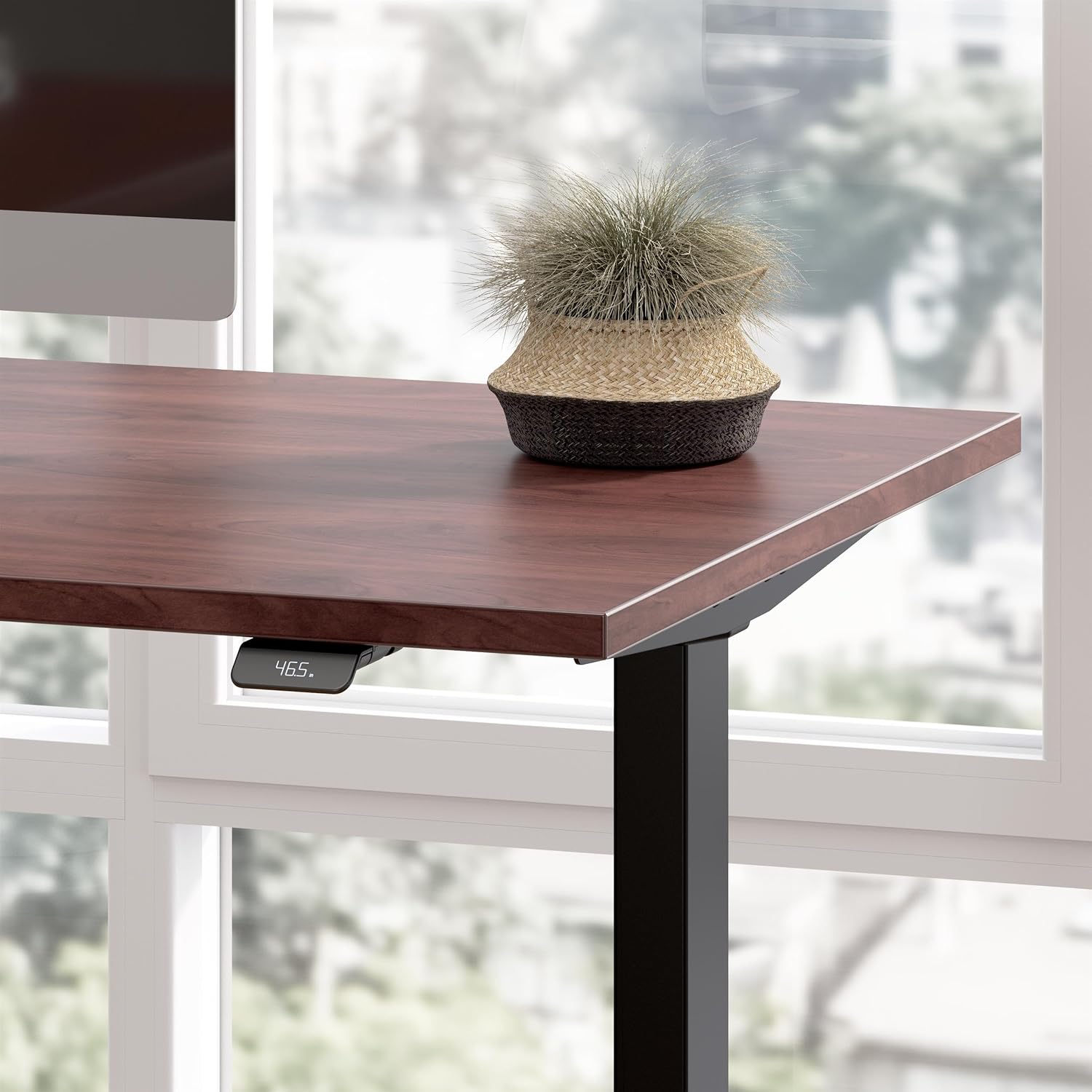
Figure 3.1: Desk control panel for height adjustment.
3.1 Kurekebisha Urefu
- To raise the desk, press and hold the 'Up' arrow button on the control panel.
- To lower the desk, press and hold the 'Down' arrow button on the control panel.
- Release the button when the desired height is reached. The digital display will show the current height.
3.2 Kutumia Vipangilio vya Kumbukumbu Vilivyoanzia Awali
The desk allows you to save two preferred height settings for quick recall.
- Adjust the desk to your desired seated height using the 'Up'/'Down' buttons.
- Press and hold one of the memory preset buttons (e.g., '1' or '2') until the display confirms the setting is saved.
- Repeat for your desired standing height with the other preset button.
- To recall a saved height, press and shika the corresponding preset button. The desk will move to the saved height and stop when the button is released or the position is reached. Note that the button must be held down during movement.
3.3 Anti-Collision Sensor
The desk is equipped with an anti-collision sensor that detects obstacles in its path during height adjustment. If an object is detected, the desk will automatically stop movement to prevent damage or injury.
- Ensure the area above and below the desk is clear before adjusting the height.
- If the sensor activates, remove the obstruction and resume adjustment.
4. Matengenezo
Ili kuhakikisha muda mrefu na mwonekano wa dawati lako, fuata miongozo hii rahisi ya matengenezo:
- Kusafisha: Futa uso wa dawati na tangazoamp cloth. Avoid harsh chemicals or abrasive cleaners that may damage the thermally fused laminate finish.
- Ukaguzi: Mara kwa mara angalia skrubu na viunganishi vyote ili kuhakikisha vinasalia kuwa vikali.
- Usimamizi wa Cable: Regularly organize cables using the integrated grommets to prevent tangling and interference with desk movement.
5. Utatuzi wa shida
If you encounter any issues with your desk, refer to the following troubleshooting guide:
| Suala | Sababu inayowezekana | Suluhisho |
|---|---|---|
| Dawati haisogei. | Power cord disconnected, motor error, or anti-collision sensor activated. | Check power connection. Ensure no obstructions are present. Unplug and replug the desk to reset the motor control unit. |
| Preset buttons require holding to reach height. | This is a design feature of the Move 60 Series for safety. | Continue to hold the preset button until the desired height is reached or the desk stops. |
| Anti-collision sensor activates unexpectedly. | Minor vibrations or slight contact with an object. | Ensure the desk area is completely clear. If the issue persists without visible obstruction, contact customer support. |
| Electronic devices on desk experience interference during movement. | Electromagnetic interference (EMI) from the motor control unit. | Relocate sensitive electronics away from the center underside of the desk, or apply EMI shielding (e.g., aluminum foil) between the control unit and the device. |
6. Vipimo
| Kipengele | Maelezo |
|---|---|
| Chapa | Samani za Bush |
| Nambari ya Mfano | M6SL6078HCBK |
| Umbo | Umbo la L |
| Ubunifu wa Dawati | Dawati ya Kudumu |
| Vipimo vya Bidhaa (D x W x H) | 76.97"D x 59.45"W x 27.44"H |
| Rangi | Hansen Cherry (Top), Black (Base) |
| Nyenzo za Msingi | Chuma |
| Aina ya Nyenzo ya Juu | Mbao iliyotengenezwa |
| Maliza Aina | Hansen Cherry (Thermally Fused Laminate) |
| Kipengele Maalum | Adjustable, Electric |
| Uzito wa Kipengee | Pauni 155 |
| Unene wa Ubao | Inchi 0.75 |
| Urefu wa chini | Inchi 27 |
| Urefu wa Juu | Inchi 46.7 |
| Mapendekezo ya Uzito wa Juu | Pauni 200 |
| Bunge linalohitajika | Ndiyo |
| Idadi Iliyopendekezwa ya Watu kwa Mkutano | 2 |
| UL Imeorodheshwa | Ndiyo |
7. Taarifa za Udhamini
This Bush Business Furniture Move 60 Series L Shaped Standing Desk is backed by a Dhamana ya Mtengenezaji ya Mwaka 5.
For specific details regarding warranty coverage, terms, and conditions, please refer to the product description on the store page or contact Bush Furniture customer support directly.
8. Msaada kwa Wateja
If you have any questions, require assistance with assembly, or need to report a missing or damaged part, please contact Bush Furniture customer support.
Maelezo ya mawasiliano yanaweza kupatikana kwa kawaida kwenye mtengenezaji webtovuti au ndani ya kifungashio cha bidhaa asili.