
Nulaxy NX09
Nulaxy NX09 Bluetooth FM Transmitter User Manual
Model: NX09 | Brand: Nulaxy
Utangulizi
Thank you for choosing the Nulaxy NX09 Bluetooth FM Transmitter. This device allows you to stream music and make hands-free calls through your car's FM radio. It features Bluetooth 5.0 for stable connections, QC3.0 fast charging, and multiple music playback options. Please read this manual carefully to ensure proper use and optimal performance.
Bidhaa Imeishaview
Sifa Muhimu:
- Bluetooth V5.0: Provides a fast and stable wireless connection for audio streaming and calls.
- QC3.0 Quick Charge: One USB port offers up to 4 times faster charging for compatible devices, reaching 80% in approximately 35 minutes.
- Additional USB Charging Port: A 5V/1A USB port for standard charging, also functions as a USB flash drive input for music playback.
- Kupiga Simu Bila Mikono: Built-in microphone with CVC noise-cancellation technology for clear calls.
- Usaidizi wa Mratibu wa Sauti: Compatible with Siri and Google Assistant for voice commands and navigation.
- Njia Nyingi za Kucheza Muziki: Play music via Bluetooth, USB flash drive (up to 32GB), or microSD card (up to 32GB).
- 7-Color LED Backlight: Customizable LED lighting to enhance your car's interior ambiance.
- Voltage Ugunduzi: Monitors your car battery's voltage katika wakati halisi.
- Ulinzi wa Usalama: Equipped with overcurrent, overvoltage, overcharge, overload, overheat, and short circuit protection.
Yaliyomo kwenye Kifurushi:
- Nulaxy NX09 Bluetooth FM Transmitter
- Mwongozo wa Mtumiaji
Maagizo ya Kuweka
- Ingiza kwenye Kiyoyozi cha Sigara cha Gari: Plug the Nulaxy NX09 into your vehicle's 12V-24V cigarette lighter socket. The device will power on automatically and display the current car battery voltage.

Image: The Nulaxy NX09 Bluetooth FM Transmitter inserted into a car's power outlet, displaying its LED screen.
- Tune Car FM Radio: Adjust your car's FM radio to an unused, blank frequency (a channel without any broadcast) between 88.1 MHz and 107.9 MHz.
- Weka Masafa ya Kisambazaji:
- Long press the "Previous" or "Next" button on the transmitter until the FM frequency display starts flashing.
- Rotate the multi-function knob or press the "Previous" / "Next" buttons to match the transmitter's frequency to the blank FM frequency you selected on your car radio.
- Oanisha kupitia Bluetooth:
- Washa Bluetooth kwenye kifaa chako cha mkononi.
- Tafuta available Bluetooth devices and select "NX09" to connect.
- Once connected, you will hear a confirmation tone, and the device is ready for audio streaming and hands-free calls.
Maagizo ya Uendeshaji
Uchezaji wa Muziki:
The Nulaxy NX09 supports three modes for music playback: Bluetooth, USB Flash Drive, and microSD Card.
- Hali ya Bluetooth: After successful Bluetooth pairing, play music directly from your connected mobile device.
- Hali ya Hifadhi ya USB Flash: Insert a USB flash drive (up to 32GB, formatted with supported audio files like WMA, MP3, WAV, APE, FLAC) into the 5V/1A USB port. The device will automatically detect and play music from the drive.
- microSD Card Mode: Insert a microSD card (up to 32GB, formatted with supported audio files) into the designated slot. The device will automatically detect and play music from the card.

Image: The Nulaxy NX09 displaying its capability to play music from Bluetooth, a USB flash drive, or a microSD card.
Use the "Previous" and "Next" buttons to skip tracks. Rotate the multi-function knob to adjust the volume.
Kupiga Simu Bila Mikono:
When a call comes in, the device will announce the incoming phone number. Use the multi-function knob for call management:
- Jibu Simu: Bonyeza kitufe cha kazi nyingi mara moja.
- Maliza Simu: Bonyeza kitufe cha kazi nyingi mara moja wakati wa simu.
- Kataa Simu: Long press the multi-function knob.
- Piga tena Nambari ya Mwisho: Bonyeza mara mbili kitufe cha kazi nyingi.

Image: A user interacting with the Nulaxy NX09's multi-function knob to manage a phone call, highlighting the ease of hands-free operation.
Msaidizi wa Sauti:
The NX09 supports voice assistants like Siri and Google Assistant for navigation, sending texts, and other commands.
- Washa Msaidizi wa Sauti: Press and hold the dedicated voice assistant button (often marked with a microphone icon) or the multi-function knob (refer to specific device markings) to activate your phone's voice assistant.

Image: The Nulaxy NX09 facilitating voice navigation with Siri and Google Assistant on connected smartphones.
Taa ya nyuma ya LED:
The device features 7 LED backlight colors. Press the LED light button (often marked with a light bulb icon) to cycle through the available colors (Red, Green, Blue, Yellowish Green, Purple, Cyan, Silver White) or to turn the lights off.
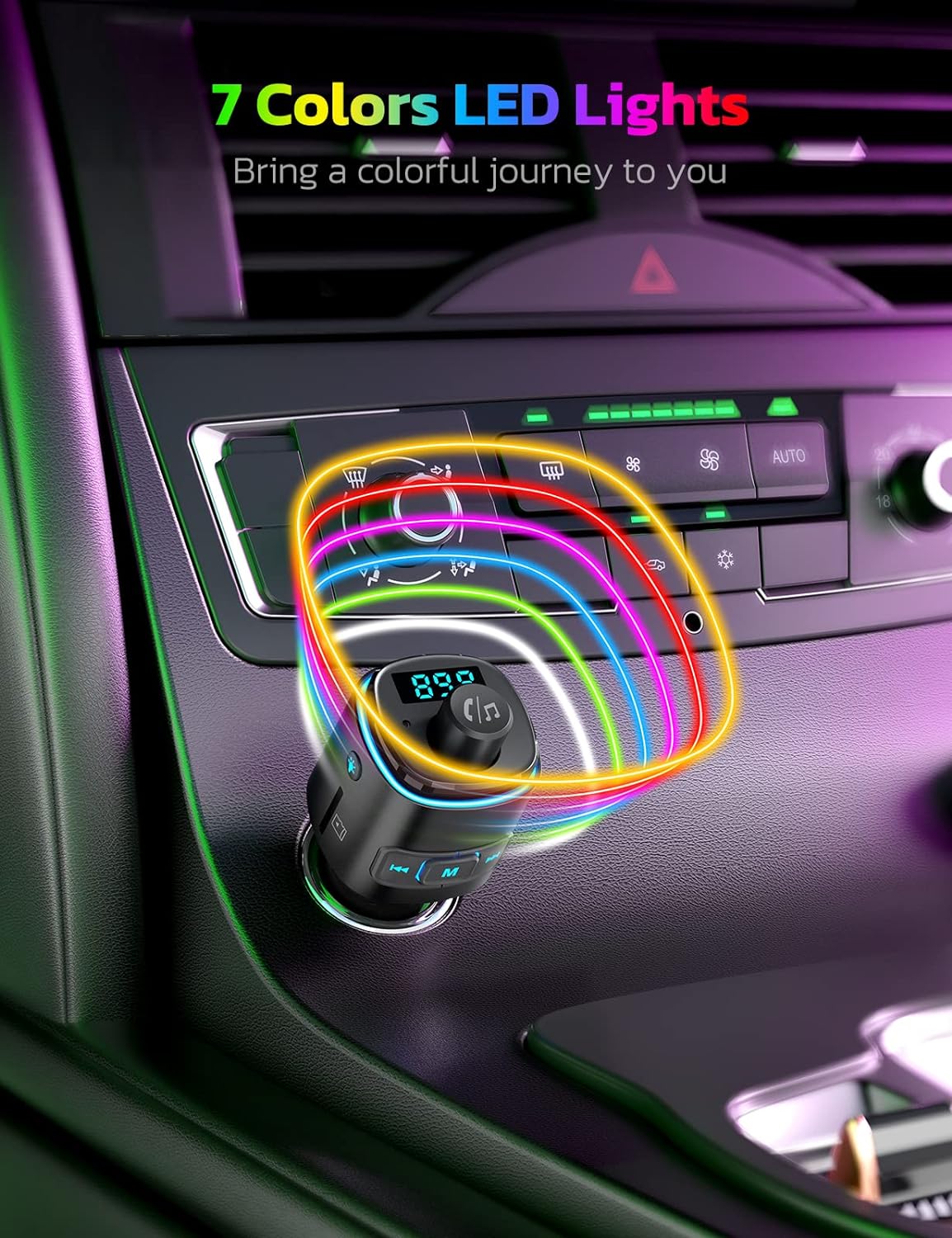
Picha: Onyesho la Nulaxy NX09asing its 7-color LED backlight feature, creating a vibrant car environment.
Vifaa vya malipo:
The NX09 includes two USB charging ports:
- Lango la QC3.0: Kwa vifaa vinavyoweza kuchaji haraka.
- 5V/1A Port: For standard charging and USB flash drive music playback.
Unaweza kuchaji vifaa viwili kwa wakati mmoja.

Image: The Nulaxy NX09 demonstrating its dual charging capability, with one phone connected to the QC3.0 port and another to the 5V/1A port.
Voltage Ufuatiliaji:
The device displays your car battery's voltage on its LED screen. This allows you to monitor the battery condition. If the voltage drops below 12V, it is recommended to check or replace your car battery.

Image: The Nulaxy NX09 showing its real-time car voltage monitor feature, indicating safe and critical battery voltagviwango vya e.
Matengenezo
- Keep the device dry and clean. Avoid exposure to liquids and moisture.
- Do not expose the device to extreme temperatures (above 60°C / 140°F or below -20°C / -4°F).
- Safisha kifaa kwa kitambaa laini na kavu. Usitumie kemikali kali au visafishaji vya abrasive.
- Hifadhi kifaa mahali pa baridi, kavu wakati haitumiki.
Kutatua matatizo
| Tatizo | Sababu inayowezekana | Suluhisho |
|---|---|---|
| Hakuna nishati/Kifaa ambacho hakiwashi. | Loose connection; Car cigarette lighter not supplying power; Blown fuse in car. | Ensure the device is firmly plugged in. Check if the car's cigarette lighter socket is functional. Consult a mechanic if the car's fuse is suspected. |
| Ubora wa sauti tuli au duni. | FM frequency interference; Volume levels too low/high; Weak Bluetooth signal. | Change to a different, clearer FM frequency on both the car radio and the transmitter. Adjust volume on both the device and your phone. Ensure your phone is close to the transmitter. |
| Haiwezi kuoanisha kupitia Bluetooth. | Bluetooth not enabled on phone; Device already paired to another phone; Incorrect pairing procedure. | Ensure Bluetooth is enabled on your phone. Disconnect from other Bluetooth devices. Restart both the phone and the transmitter, then try pairing again (search for "NX09"). |
| Ubora wa simu bila kutumia mikono ni duni. | Microphone obstruction; High background noise; Low volume. | Ensure the microphone is not obstructed. Reduce car fan speed or window noise. Adjust call volume on your phone and the transmitter. |
| USB/microSD card not playing music. | Haitumiki file umbizo; Kadi/kiendeshi hakijaingizwa ipasavyo; Imeharibika files. | Hakikisha muziki files are in supported formats (WMA, MP3, WAV, APE, FLAC). Reinsert the USB drive or microSD card. Try a different drive/card. |
Vipimo
| Nambari ya Mfano | NX09 |
| Toleo la Bluetooth | V5.0 |
| Masafa ya Masafa ya FM | 88.1 - 107.9 MHz |
| Uingizaji Voltage | DC 12V-24V |
| USB Output 1 (QC3.0) | 5V/3A, 9V/2A, 12V/1.5A (Upeo wa 18W) |
| USB Output 2 (Music/Charging) | 5V/1A |
| Miundo ya Muziki Inayotumika | WMA, MP3, WAV, SOKWE, FLAC |
| USB/microSD Card Capacity | Hadi 32GB |
| Nyenzo | Plastiki |
| Uzito wa Kipengee | Kilo 0.05 |
| Vipimo | 11.3 x 5.1 x 4.4 cm (Vipimo vya Sehemu) |
Udhamini na Msaada
The Nulaxy NX09 Bluetooth FM Transmitter comes with a Udhamini wa mtengenezaji wa mwaka 1. Udhamini huu unashughulikia kasoro katika nyenzo na utengenezaji chini ya matumizi ya kawaida.
For technical support, warranty claims, or any questions regarding your product, please contact Nulaxy customer service. Refer to the contact information provided with your purchase or visit the official Nulaxy webtovuti.
Taarifa za Usalama: Do not expose the device to temperatures above 60°C (140°F) or below -20°C (-4°F). Avoid contact with liquids and moisture. This device may cause interference with other wireless devices.
Ask a question about this manual
Ask about setup, troubleshooting, compatibility, parts, safety, or missing instructions. Manuals+ will review the question and use this page’s manual context to help answer it.