
1. Utangulizi
This manual provides detailed instructions for the safe and effective use of the Sperry Instruments DM6410 8 Function Digital Multimeter. This device is designed for measuring AC/DC voltage, AC/DC current, resistance, continuity, diode, and battery testing (1.5V, 9V). It features a large LCD display, data hold function, and is built to industry standards for durability and safety.
2. Taarifa za Usalama
WARNING: To avoid electric shock or personal injury, read and understand all instructions before using this multimeter. Always adhere to local and national safety codes.
- Usitumie zaidi ya juzuu iliyokadiriwatage, kama ilivyo alama kwenye mita, kati ya vituo au kati ya terminal yoyote na ardhi ya ardhi.
- Tumia tahadhari wakati wa kufanya kazi na voltagiko juu ya 30V AC RMS, kilele cha 42V, au 60V DC. Juztaginaleta hatari ya mshtuko.
- Daima tenganisha vidhibiti vya majaribio kutoka kwa saketi kabla ya kubadilisha vitendakazi au masafa.
- Hakikisha kuwa vizuizi vya majaribio viko katika hali nzuri, havina nyufa au insulation iliyoharibika.
- Usitumie mita ikiwa inaonekana imeharibika au ikiwa kasha limefunguliwa.
- This meter is rated CAT III 600V. Adhere to these safety categories for appropriate measurement environments.
- Badilisha betri mara tu kiashiria cha betri iliyo chini kinapoonekana ili kuhakikisha usomaji sahihi.
3. Bidhaa Imeishaview
The Sperry Instruments DM6410 Digital Multimeter is a compact and robust tool for electrical measurements. Below are the key components and their functions.

Kielelezo cha 3.1: Mbele view of the DM6410 Multimeter with key features labeled, including the 2000-count LCD screen, SELECT and HOLD buttons, rotary switch, and input jacks. It highlights compliance with ETL listed to UL and CSA standards and CAT III 600V design.
- Onyesho la LCD: Large 2000-count digital display for clear readings.
- Kubadilisha kwa Mzunguko: Used to select the desired measurement function and range.
- CHAGUO LA KUCHAGUA: Toggles between AC/DC functions or other sub-functions within a range.
- Kitufe cha HILI: Hugandisha usomaji wa sasa kwenye onyesho.
- Ingizo Jacks: Terminals for connecting test leads (A, COM, mA µA VΩ).

Kielelezo cha 3.2: The DM6410 Digital Multimeter shown alongside its red and black test leads, which are essential for making electrical measurements.
4. Kuweka
4.1 Ufungaji wa Betri
The DM6410 multimeter requires two AAA batteries for operation. The unit includes an auto-off function to conserve battery life.
- Hakikisha multimeter IMEZIMWA.
- Tafuta sehemu ya betri nyuma ya mita.
- Tumia bisibisi kuondoa skrubu inayoshikilia kifuniko cha betri.
- Ingiza betri mbili za AAA, ukizingatia polarity sahihi (+ na -).
- Badilisha kifuniko cha betri na uimarishe kwa screw.
Kielelezo cha 4.1: The rear of the DM6410 Multimeter, displaying the battery compartment cover and safety warnings. The compartment requires two 1.5V AAA batteries.
4.2 Muunganisho wa Kiongozi wa Jaribio
Muunganisho sahihi wa vielelezo vya majaribio ni muhimu kwa vipimo sahihi na salama.
- Ingiza risasi nyeusi ya majaribio kwenye jeki ya kuingiza ya 'COM' (kawaida).
- Kwa juzuu nyingitage, resistance, continuity, and diode measurements, insert the red test lead into the 'VΩ' input jack.
- For current measurements (Amps), insert the red test lead into the 'A' or 'mA µA' input jack, depending on the expected current range.

Kielelezo cha 4.2: The DM6410 Multimeter with the black test lead connected to the 'COM' jack and the red test lead connected to the 'VΩ' jack, ready for voltage au vipimo vya upinzani.
5. Maagizo ya Uendeshaji
Follow these steps for various measurement functions.
5.1 Kupima AC/DC Voltage
- Connect the red test lead to the 'VΩ' jack and the black test lead to the 'COM' jack.
- Turn the rotary switch to the desired 'V~' (AC Voltage) or 'V--' (DC Voltage) range. If the voltage is unknown, start with the highest range and decrease as needed.
- Press the 'SELECT' button if you need to switch between AC and DC voltage within a combined range.
- Unganisha probe za majaribio sambamba kwenye saketi au sehemu itakayopimwa.
- Soma juzuu yatage thamani kwenye onyesho la LCD.

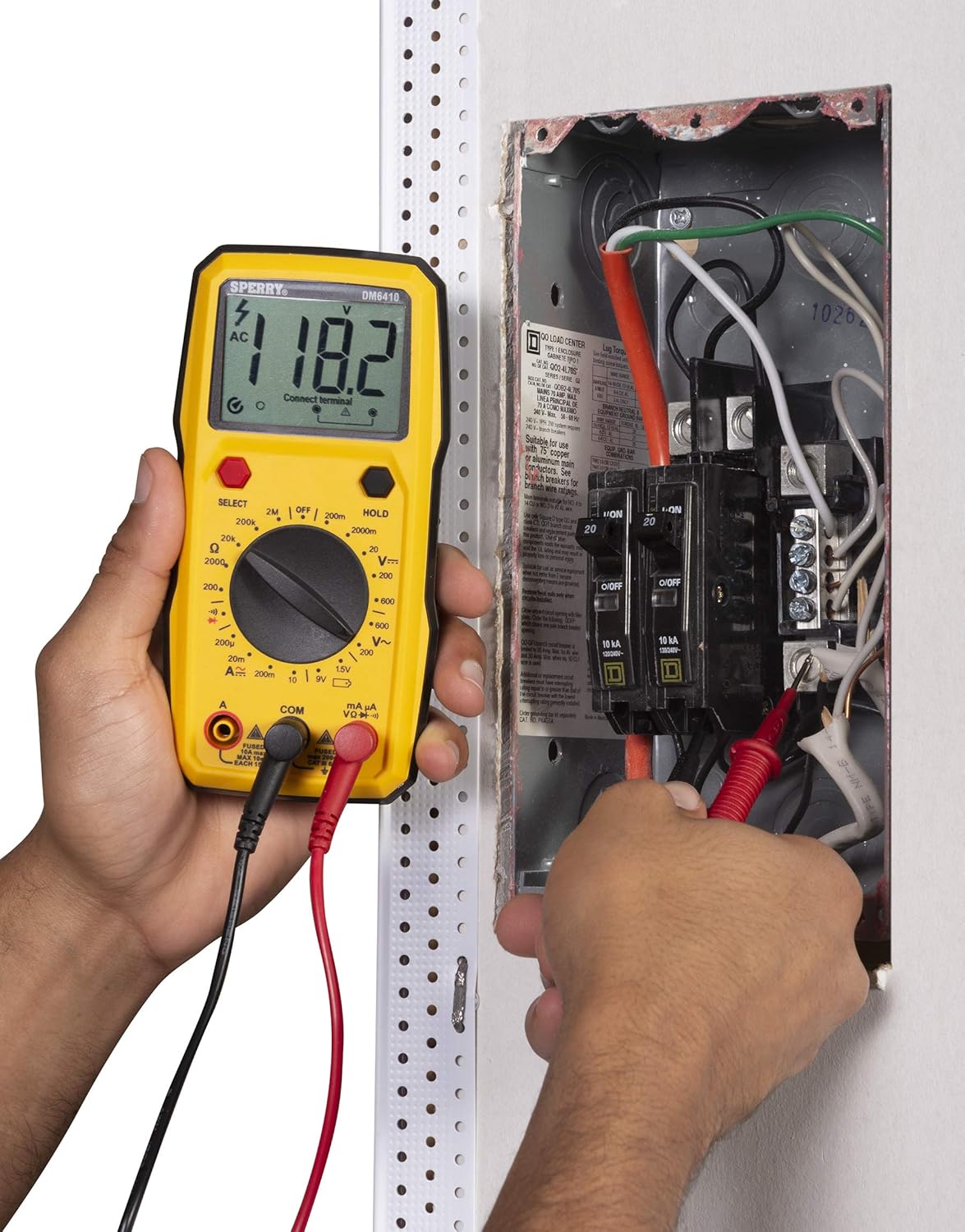
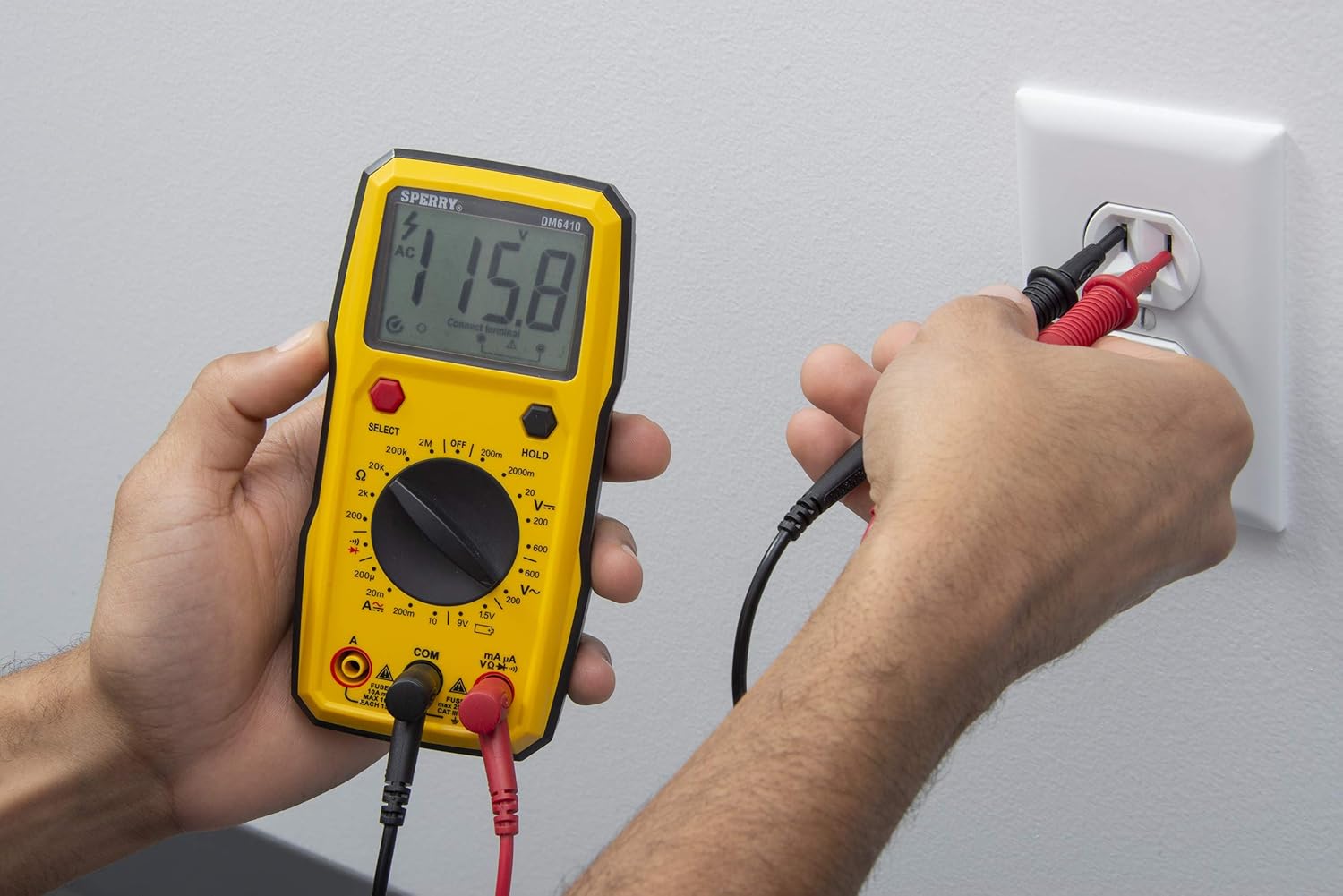
Kielelezo cha 5.1: A user measuring AC voltage from a standard wall outlet using the DM6410 multimeter. The display shows a reading of 118.1 AC volts.
5.2 Upinzani wa Kupima (Ω)
- Connect the red test lead to the 'VΩ' jack and the black test lead to the 'COM' jack.
- Turn the rotary switch to the desired 'Ω' (Resistance) range.
- Hakikisha saketi au sehemu imepunguzwa nguvu kabla ya kupima upinzani.
- Unganisha probe za majaribio kwenye sehemu nzima.
- Soma thamani ya upinzani kwenye onyesho la LCD.
5.3 Mtihani wa Kuendelea
- Connect the red test lead to the 'VΩ' jack and the black test lead to the 'COM' jack.
- Geuza swichi inayozunguka hadi kwenye ishara ya mwendelezo (aikoni ya spika).
- Hakikisha saketi imepunguzwa nguvu.
- Connect the test probes across the circuit path. An audible tone indicates continuity (low resistance).
5.4 Mtihani wa Diode
- Connect the red test lead to the 'VΩ' jack and the black test lead to the 'COM' jack.
- Turn the rotary switch to the diode symbol.
- Unganisha probe nyekundu kwenye anode na probe nyeusi kwenye kathodi ya diode. Onyesho litaonyesha vol ya mbeletage drop. Reverse the probes; the display should show 'OL' (Open Loop) for a good diode.
5.5 Jaribio la Betri (1.5V, 9V)
- Connect the red test lead to the 'VΩ' jack and the black test lead to the 'COM' jack.
- Turn the rotary switch to the '1.5V' or '9V' battery test position.
- Connect the red probe to the positive terminal and the black probe to the negative terminal of the battery.
- Soma ujazo wa betritage kwenye onyesho la LCD.
Kielelezo cha 5.2: A user measuring the voltage of a AA battery with the DM6410 multimeter. The display shows a reading of 1.565 volts DC.
5.6 Kazi ya Kushikilia Data
To freeze the current reading on the display, press the 'HOLD' button. Press it again to release the hold and resume live readings.
6. Matengenezo
6.1 Kusafisha
Futa mita kwa tangazoamp kitambaa na sabuni laini. Usitumie viyeyusho au vimumunyisho. Weka kionyeshi kikiwa safi na kikavu.
6.2 Ubadilishaji wa Betri
Refer to Section 4.1 for battery installation instructions. Replace batteries when the low battery indicator appears on the display to ensure accurate measurements.
6.3 Uingizwaji wa Fuse
If the current measurement function fails, the fuse may need replacement. Only replace with fuses of the specified type and rating:
- For 'A' input: Fused 10A max, 10 sec EACH 15min.
- For 'mA µA' input: Fused max 200mA CAT II 600V.
WARNING: To prevent electric shock, remove test leads before opening the case or battery cover. Do not operate with the battery cover open.
7. Utatuzi wa shida
If the multimeter is not functioning as expected, consider the following common issues:
- Hakuna Onyesho: Angalia usakinishaji wa betri na uhakikishe kuwa betri hazijaisha. Badilisha ikiwa ni lazima.
- Usomaji usio sahihi: Verify that the correct function and range are selected for the measurement. Ensure test leads are properly connected and in good condition. Check battery level.
- Kushindwa kwa Kipimo cha Sasa: Check the fuse for the current input jack being used. Replace if blown.
- 'OL' (Overload) Display: This indicates the measured value exceeds the selected range. Switch to a higher range or ensure the circuit is within the meter's capabilities.
Ikiwa matatizo yataendelea, wasiliana na usaidizi kwa wateja.
8. Vipimo
| Vipimo | Maelezo |
|---|---|
| Chapa | SPERRY |
| Nambari ya Mfano | DM6410 |
| Aina ya Kipimo | Multimeter ya Dijiti |
| Kazi | 8 Function / 28 Manual Range |
| Voltage Upimaji | 600V AC / 1000V DC |
| Ukadiriaji wa Usalama | CAT III 600V, cETLus, CE |
| Chanzo cha Nguvu | 2 x AAA Batteries (Alkaline) |
| Onyesho | 2000 Count LCD |
| Vipimo (L x W x H) | Inchi 2.9 x 1.75 x 3.8 |
| Uzito wa Kipengee | 13.1 wakia |
| Nyenzo | Plastiki |
| UPC | 035632201143 |
9. Udhamini
The Sperry Instruments DM6410 Digital Multimeter comes with a limited warranty. For specific details regarding warranty coverage and duration, please refer to the warranty card included with your product or visit the official Sperry Instruments webtovuti.
10. Msaada
Kwa usaidizi zaidi, usaidizi wa kiufundi, au view additional product information, please visit the official Sperry Instruments webtovuti au wasiliana na idara yao ya huduma kwa wateja.
You can find more information about Sperry products at: Sperry Instruments Store