
1. Utangulizi
The TP-Link Archer T2U Plus is an AC600 High Gain Wireless Dual Band USB Adapter designed to provide high-speed Wi-Fi connectivity for desktop PCs and laptops. It supports both 2.4 GHz and 5 GHz bands, offering flexible connectivity options and enhanced range with its 5dBi high-gain antenna. This manual provides instructions for setting up, operating, and maintaining your adapter.

Image: The TP-Link Archer T2U Plus AC600 High Gain Wireless Dual Band USB Adapter.
2. Yaliyomo kwenye Kifurushi
Thibitisha kuwa kifurushi chako kina vitu vifuatavyo:
- AC600 High Gain Wireless Dual Band USB Adapter (Archer T2U Plus)
- Mwongozo wa Ufungaji wa Haraka
- CD ya rasilimali (kwa viendeshaji na matumizi)

Image: The retail packaging for the Archer T2U Plus, showing the adapter and its key features.
3. Mahitaji ya Mfumo
Before installation, ensure your system meets the following requirements:
- An available USB port (USB 2.0 or higher recommended).
- Operating System: Windows 11/10/8.1/8/7/XP or Mac OS 10.15 and earlier.
- CD-ROM drive (for driver installation from Resource CD) or internet access (for driver download).

Image: Icons representing compatible operating systems: Windows 10, Windows 8.1, Windows 8, Windows 7, Windows XP, and Mac OS.
4. Usanidi na Usakinishaji wa Kiendeshi
4.1 Ufungaji wa vifaa
- Weka Adapta: Plug the Archer T2U Plus USB adapter into an available USB port on your computer. Ensure it is securely seated.
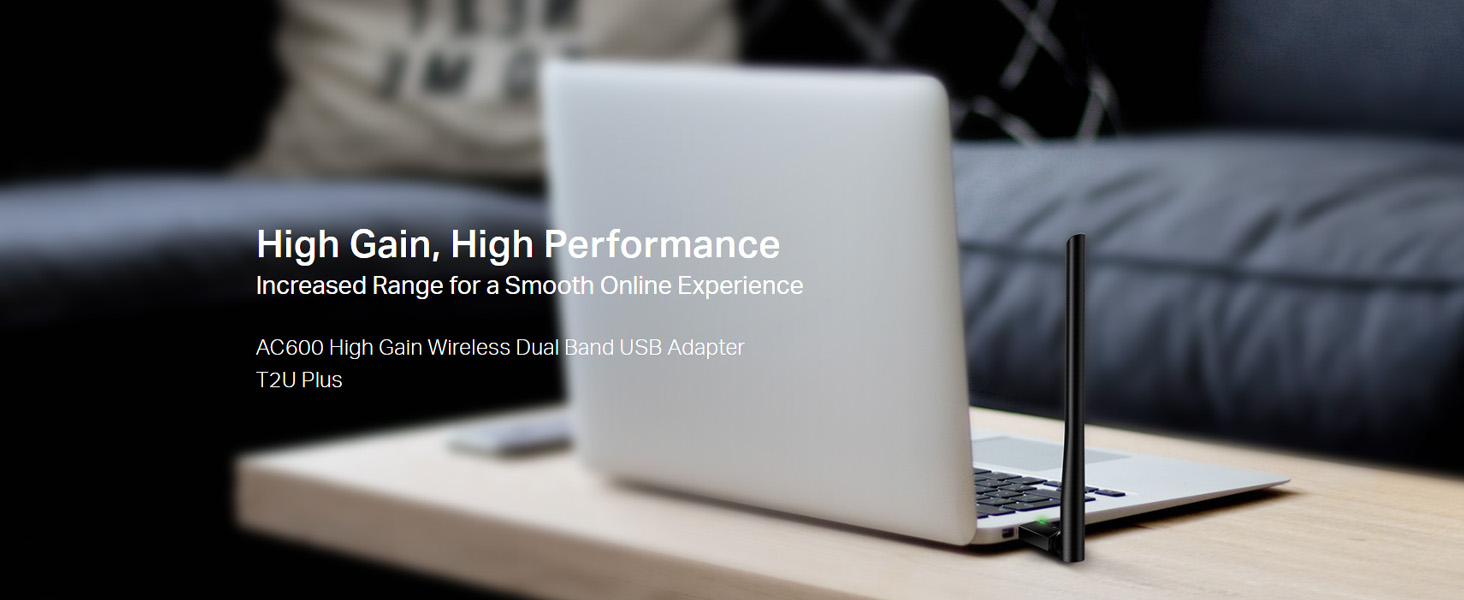
Image: The Archer T2U Plus adapter connected to a laptop's USB port, demonstrating its compact form factor.
4.2 Ufungaji wa Dereva
The adapter requires a driver to function correctly. You can install it using the provided Resource CD or by downloading it from the TP-Link webtovuti.
Option A: Using the Resource CD
- Ingiza CD ya Rasilimali kwenye kiendeshi cha CD-ROM cha kompyuta yako.
- Follow the on-screen instructions to run the setup wizard.
- Select the Archer T2U Plus model and proceed with the driver installation.
- Anzisha tena kompyuta yako ukiulizwa.
Option B: Downloading Drivers Online
- Tembelea usaidizi rasmi wa TP-Link webtovuti (www.tp-link.com/support/download/).
- Tafuta "Archer T2U Plus" and download the latest driver compatible with your operating system.
- Dondoo iliyopakuliwa file (if compressed) and run the setup executable.
- Follow the installation wizard and restart your computer if required.
5. Maagizo ya Uendeshaji
5.1 Kuunganisha kwa Mtandao wa Wi-Fi
- After successful driver installation, the adapter will be detected by your operating system.
- Click the Wi-Fi icon in your system tray (Windows) or menu bar (Mac OS).
- Select your desired Wi-Fi network (SSID) from the list of available networks.
- Enter the network password (security key) if prompted and click Unganisha.
- The adapter will establish a connection to the Wi-Fi network.
5.2 Dual Band Functionality
The Archer T2U Plus supports both 2.4 GHz and 5 GHz Wi-Fi bands. The 5 GHz band offers faster speeds and less interference, ideal for streaming and gaming, while the 2.4 GHz band provides wider coverage.
- Bendi ya GHz 2.4: Up to 200 Mbps data rate, suitable for general web kuvinjari na barua pepe.
- Bendi ya GHz 5: Up to 433 Mbps data rate, ideal for HD video streaming and online gaming.
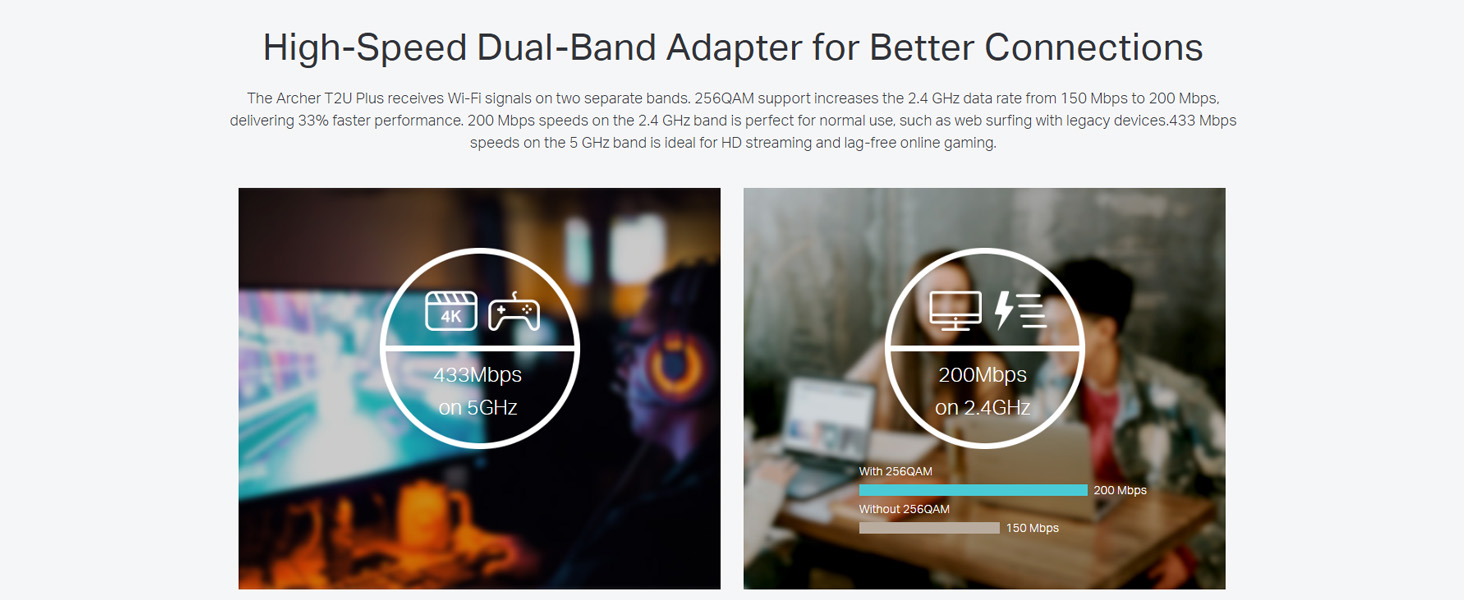
Image: A visual representation comparing the data rates and typical uses for the 2.4 GHz (200 Mbps) and 5 GHz (433 Mbps) bands.
5.3 Marekebisho ya Antena
The adapter features an adjustable, multi-directional 5dBi high-gain antenna to optimize signal reception and transmission.
- Rotate and adjust the antenna in various directions to find the optimal position for signal strength and performance in your environment.
- Experiment with different angles to achieve the best possible Wi-Fi range and stability.

Image: The Archer T2U Plus adapter illustrating its adjustable antenna, capable of rotating up to 180 degrees and tilting 90 degrees for optimal signal.
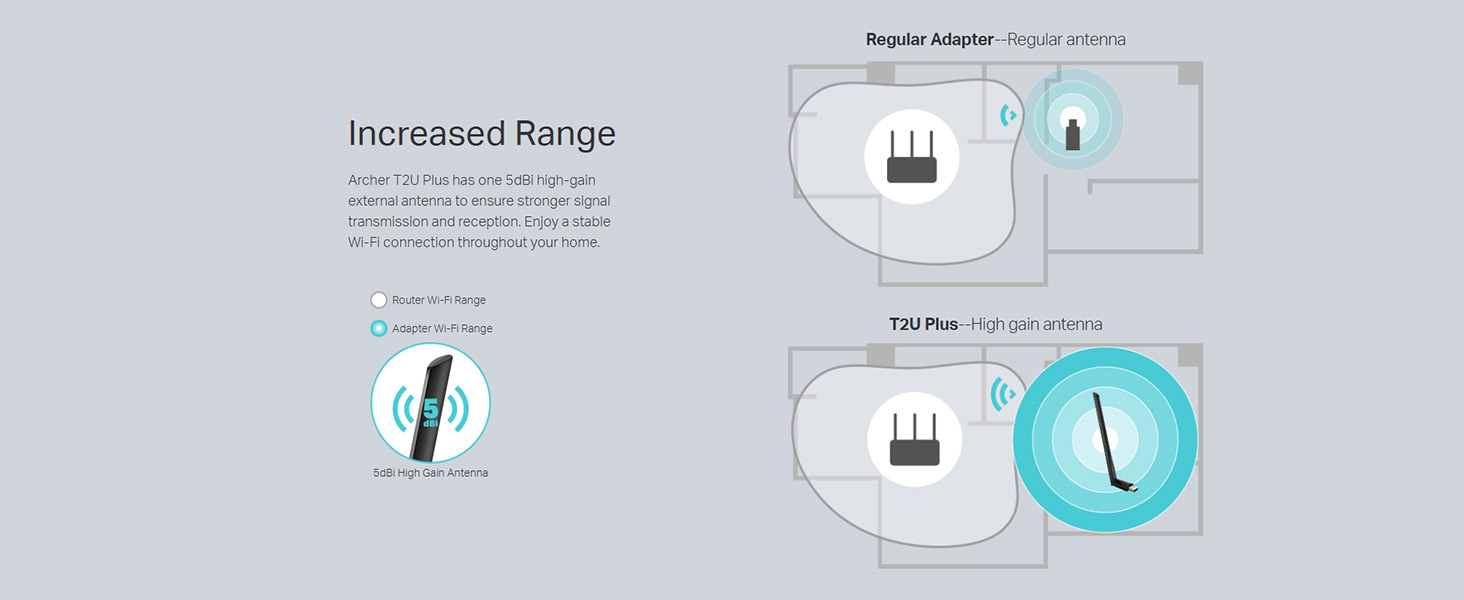
Image: A diagram comparing the Wi-Fi coverage area of a regular adapter with a standard antenna versus the extended range provided by the Archer T2U Plus's high-gain antenna.
6. Matengenezo
6.1 Sasisho za Kiendeshaji
Angalia usaidizi wa TP-Link mara kwa mara website for updated drivers. Keeping your drivers current ensures optimal performance, compatibility, and security.
6.2 Kusafisha
To maintain the adapter's performance, keep it clean and free from dust. Use a soft, dry cloth to wipe the device. Avoid using liquid cleaners or solvents.
7. Utatuzi wa shida
If you encounter issues with your Archer T2U Plus adapter, refer to the following common troubleshooting steps:
- Hakuna Muunganisho wa Wi-Fi:
- Hakikisha kuwa adapta imechomekwa kwa usalama kwenye mlango wa USB.
- Thibitisha kuwa viendeshaji vimewekwa kwa usahihi. Sakinisha tena ikiwa ni lazima.
- Angalia kama kipanga njia chako kimewashwa na utangaze mawimbi ya Wi-Fi.
- Jaribu kuunganisha kwenye mlango tofauti wa USB.
- Kasi ya polepole ya Wi-Fi:
- Ensure you are connected to the 5 GHz band if your router supports it, for faster speeds.
- Rekebisha nafasi ya antena kwa ajili ya mapokezi bora ya mawimbi.
- Reduce interference by moving the adapter away from other electronic devices.
- Sasisha viendeshi vya adapta yako hadi toleo jipya zaidi.
- Adapta Haijagunduliwa:
- Jaribu kuunganisha adapta kwenye mlango mwingine wa USB.
- Anzisha tena kompyuta yako.
- Manually install the drivers from the Resource CD or TP-Link webtovuti.
8. Vipimo
| Chapa | Kiungo cha TP |
| Mfano | Archer T2U Plus |
| Kiunzi cha vifaa | USB, USB 2.0 |
| Kiwango cha Uhamisho wa Data | 600 Megabits Per Second (200 Mbps on 2.4 GHz, 433 Mbps on 5 GHz) |
| Aina ya Antena | 5dBi High-Gain External Antenna |
| Mifumo Sambamba ya Uendeshaji | Windows 11/10/8.1/8/7/XP, Mac OS 10.15 and earlier |
| Vipimo vya Bidhaa (L x W x H) | 5.8L x 1.8W x Sentimita 17.3H |
| Uzito wa Kipengee | Gramu 12 |
| Rangi | Nyeusi |
9. Udhamini na Msaada
9.1 Taarifa ya Udhamini
Bidhaa hii inakuja na a dhamana ya mwaka 3 kuanzia tarehe ya ununuzi. Tafadhali weka uthibitisho wako wa ununuzi kwa madai ya udhamini. Udhamini unashughulikia kasoro na hitilafu za utengenezaji chini ya hali ya kawaida ya matumizi.
9.2 Msaada wa Kiufundi
For technical assistance, driver downloads, or further inquiries, please contact TP-Link support:
- Usaidizi Bila malipo: 1800-209-4168
- Barua pepe ya Usaidizi: support.in@tp-link.com
- Webtovuti: www.tp-link.com/in/support/


