
Utangulizi
Thank you for choosing the MARVO KG925G Mechanical Gaming Keyboard. This manual provides essential information for setting up, operating, maintaining, and troubleshooting your new keyboard. Please read this manual carefully before use to ensure optimal performance and longevity of your device.
Yaliyomo kwenye Kifurushi
Thibitisha kuwa vipengee vyote vipo kwenye kifurushi:
- MARVO KG925G Mechanical Gaming Keyboard
- Mwongozo wa Mtumiaji (hati hii)
Sanidi
Mahitaji ya Mfumo
- Mfumo wa Uendeshaji: Windows 8 au baadaye
- Mlango wa USB 2.0 unaopatikana
Kuunganisha Kibodi
- Tafuta mlango unaopatikana wa USB 2.0 kwenye kompyuta yako.
- Plug the USB connector of the MARVO KG925G keyboard into the USB port.
- Mfumo wa uendeshaji utaona moja kwa moja na kufunga madereva muhimu. Mchakato huu unaweza kuchukua muda mfupi.
- Once the drivers are installed, the keyboard's backlighting will illuminate, indicating it is ready for use.
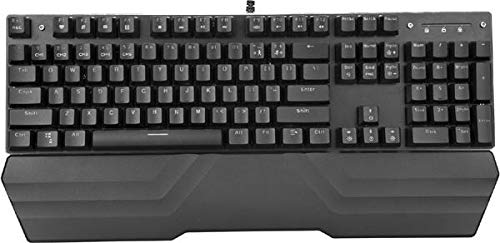
Image: The MARVO KG925G Mechanical Gaming Keyboard with its USB cable connected, ready for use. The keyboard features a wrist rest and illuminated keys.
Maagizo ya Uendeshaji
Kazi za Msingi za Kibodi
The MARVO KG925G functions as a standard QWERTY keyboard for typing and general computer use.
Keki za Multimedia
The keyboard includes dedicated multimedia functions, typically accessed via the Fn key combined with the F-keys (F1-F12). Refer to the keycap legends for specific functions such as volume control, media playback, and launching applications.
- Fn + F1-F12: Access various multimedia and system functions.
Udhibiti wa Mwangaza wa Nyuma
The MARVO KG925G features customizable backlighting. Specific key combinations are used to change lighting modes, brightness, and speed. Consult the keyboard's keycap legends or the manufacturer's website for detailed instructions on advanced lighting customization.
- Njia za Taa: Typically cycled using a dedicated key or Fn + a specific key (e.g., Scroll Lock, Pause Break, or a dedicated lighting key).
- Marekebisho ya Mwangaza: Often controlled by Fn + Up/Down arrow keys.
Matengenezo na Utunzaji
Utunzaji sahihi huhakikisha uimara na utendaji wa kibodi yako.
- Kusafisha: Tumia kitambaa laini na kikavu kufuta uso wa kibodi. Kwa usafi wa kina, tumia kopo la hewa iliyoshinikizwa ili kuondoa vumbi na uchafu kati ya vifuniko vya vitufe. Epuka kutumia kemikali kali au vifaa vya kukwaruza.
- Kumwagika: In case of liquid spills, immediately unplug the keyboard from your computer. Turn it upside down to drain any liquid and allow it to dry completely for at least 24-48 hours before reconnecting. Do not attempt to use the keyboard while it is wet.
- Hifadhi: Hifadhi kibodi mahali pa baridi, pakavu mbali na jua moja kwa moja na halijoto kali.
Kutatua matatizo
If you encounter issues with your MARVO KG925G keyboard, refer to the following common solutions:
| Tatizo | Suluhisho linalowezekana |
|---|---|
| Kibodi haifanyi kazi. |
|
| Backlighting is not working. |
|
| Keys are not registering correctly. |
|
Vipimo
- Mfano: KG925G
- Chapa: MARVO
- Muunganisho: USB 2.0
- Aina ya Kibodi: Kibodi ya Michezo ya Kubahatisha
- Vipengele: Illumination, Wrist Rest, Multimedia Keys
- Mfumo wa Uendeshaji Sambamba: Windows 8 na hapo juu
- Vipimo: Takriban 47.5 x 18.7 x 8.4 cm (18.7 x 7.4 x 3.3 inchi)
Udhamini na Msaada
For warranty information and technical support, please refer to the warranty card included with your product or visit the official MARVO webtovuti. Weka uthibitisho wako wa ununuzi kwa madai ya udhamini.