
1. Maagizo Muhimu ya Usalama
Please read all instructions carefully before using the Mestic MO-80 Mini Oven. Keep this manual for future reference.
- Always ensure the oven is placed on a stable, heat-resistant surface, away from flammable materials.
- Do not touch hot surfaces. Use oven mitts or gloves when handling hot items or surfaces.
- Ili kulinda dhidi ya mshtuko wa umeme, usizamishe waya, plagi, au oveni kwenye maji au vimiminika vingine.
- Uangalizi wa karibu ni muhimu wakati kifaa chochote kinatumiwa na watoto au karibu nao.
- Chomoa kwenye sehemu ya kutolea umeme wakati haitumiki na kabla ya kusafisha. Ruhusu ipoe kabla ya kuvaa au kuondoa sehemu.
- Usitumie kifaa chochote kilicho na waya au plagi iliyoharibika, au baada ya kifaa hitilafu au kuharibiwa kwa namna yoyote.
- Usitumie viambatisho ambavyo havipendekezwi na mtengenezaji wa vifaa.
- Usiweke au karibu na gesi moto au kichomea umeme, au kwenye oveni yenye joto.
- Tahadhari kubwa lazima itumike wakati wa kuhamisha kifaa kilicho na mafuta ya moto au vinywaji vingine vya moto.
- Usifunike tray ya makombo au sehemu yoyote ya tanuri na karatasi ya chuma. Hii itasababisha overheating ya tanuri.
- Usisafishe kwa pedi za chuma. Vipande vinaweza kuvunja pedi na kugusa sehemu za umeme, na kusababisha hatari ya mshtuko wa umeme.
2. Bidhaa Imeishaview
The Mestic MO-80 Mini Oven is a compact and versatile appliance designed for various cooking tasks. It features an 800 W heating element and a 10-liter capacity, suitable for small meals, snacks, or reheating.

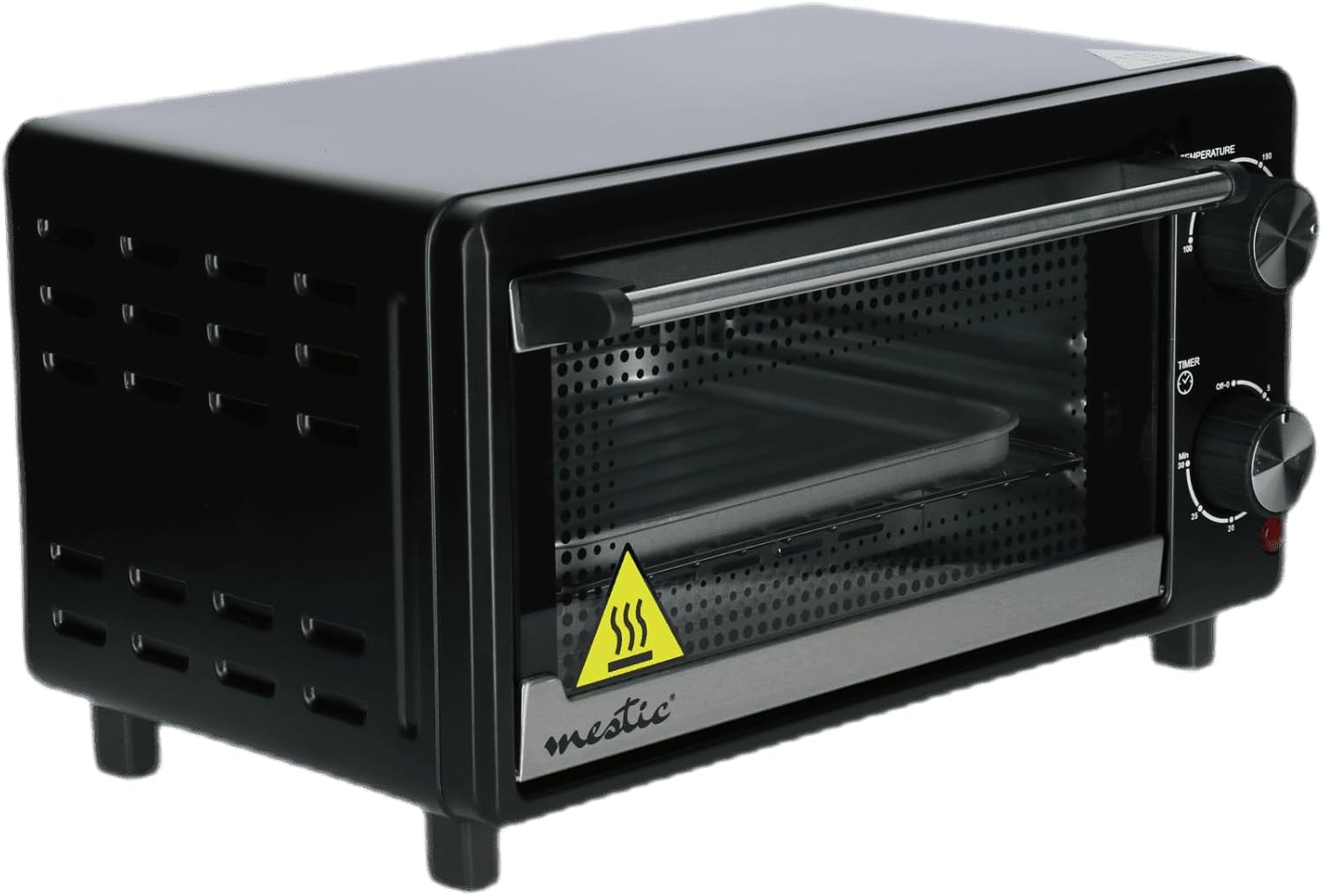
Kielelezo cha 2.1: Mwenye pembe view of the Mestic MO-80 Mini Oven, showcasing its compact design and front door handle.

Kielelezo cha 2.2: Mbele view of the oven, highlighting the temperature and timer control knobs on the right side, and the glass door with the Mestic logo.

Kielelezo cha 2.3: The oven with its door open, revealing the internal rack and baking tray. This view demonstrates the accessible interior for placing food.
Kielelezo cha 2.4: The Mestic MO-80 Mini Oven in operation, with croissants baking inside, illustrating its cooking capability.

Kielelezo cha 2.5: A close-up of the oven's interior, showing the removable baking tray positioned on the wire rack.
3. Kuweka
- Kufungua: Carefully remove the oven and all accessories from the packaging. Retain packaging for storage or disposal.
- Usafishaji wa Awali: Kabla ya matumizi ya kwanza, futa mambo ya ndani na nje ya tanuri na tangazoamp cloth. Wash the baking tray and wire rack in warm, soapy water. Dry all parts thoroughly.
- Uwekaji: Place the oven on a flat, stable, heat-resistant surface. Ensure there is adequate ventilation around the oven (at least 10 cm clearance on all sides and top) to prevent overheating. Do not place it directly against a wall or under cabinets.
- Muunganisho wa Nishati: Chomeka kebo ya umeme kwenye sehemu ya umeme iliyowekwa chini. Hakikisha sehemu ya usambazajitage matches the oven's requirements (220-240V, 50/60Hz).
- Tumia Burn-Off ya Kwanza: It is recommended to run the oven empty for about 15 minutes at the highest temperature setting (230°C) during its first use. This helps to burn off any manufacturing residues. A slight odor or smoke may be present; ensure the area is well-ventilated.
4. Maagizo ya Uendeshaji
Vidhibiti:
- Kitufe cha joto: Located on the top right, this knob allows you to select the desired cooking temperature, typically ranging from 100°C to 230°C.
- Knob ya Timer: Located on the bottom right, this knob sets the cooking time, usually up to 30 minutes. It also includes an 'OFF-0' position to turn the oven off.
Operesheni ya Msingi:
- Tayarisha Chakula: Place your food on the baking tray or wire rack.
- Weka Chakula: Carefully slide the tray or rack into the desired position inside the oven. Close the oven door.
- Weka Joto: Turn the Temperature Knob to your desired cooking temperature.
- Weka Kipima muda: Turn the Timer Knob to the desired cooking time. The oven will begin heating. A red indicator light may illuminate to show the oven is operating.
- Kupika: The oven will cook for the set duration. When the timer reaches '0', the oven will automatically turn off, and a bell may sound.
- Ondoa Chakula: Using oven mitts, carefully open the door and remove the cooked food.
Kazi Maalum:
- Roasting Function: For roasting meats or vegetables, set the temperature according to your recipe. The oven's convection capability ensures even cooking.
- Grill Option: To use the grill function, place food on the wire rack closer to the top heating element. Set the temperature to a high setting (e.g., 230°C) and monitor closely to prevent burning.
- Kazi ya mvuke: While this mini oven does not have a dedicated steam generator, you can create a moist environment by placing a small, oven-safe dish filled with water on the bottom rack during cooking. This can help keep food from drying out.
- Automatic Cooking Menu: The oven may feature an automatic cooking menu. For specific instructions on using pre-programmed settings, please refer to the detailed recipe guide that may accompany your product.
5. Matengenezo na Usafishaji
Kusafisha mara kwa mara huhakikisha utendaji bora na huongeza maisha ya tanuri yako.
- Kabla ya kusafisha: Daima ondoa tanuri kutoka kwenye soketi ya umeme na uiruhusu ipoe kabisa kabla ya kusafisha.
- Kusafisha mambo ya ndani: Futa kuta za ndani na tangazoamp cloth and mild detergent. For stubborn stains, a non-abrasive cleaner can be used. Avoid harsh chemicals or abrasive sponges that could damage the surface.
- Usafishaji wa nje: Futa sehemu ya nje na tangazoamp cloth. Do not use abrasive cleaners or immerse the oven in water.
- Vifaa: The baking tray and wire rack can be washed in warm, soapy water or placed in a dishwasher if they are dishwasher-safe. Ensure they are completely dry before reinserting them into the oven.
- Tray ya Makombo: Regularly remove and clean the crumb tray located at the bottom of the oven to prevent grease buildup and fire hazards.
6. Utatuzi wa shida
- Tanuri haina joto:
- Ensure the oven is properly plugged into a working electrical outlet.
- Check if the timer knob is set to a cooking duration and not 'OFF-0'.
- Verify that the temperature knob is set to a desired temperature.
- Food cooks unevenly:
- Ensure food is placed centrally on the rack or tray.
- Washa oveni kwa dakika 5-10 kabla ya kuweka chakula ndani.
- Rotate food halfway through cooking for more even results.
- Smoke or odor during operation:
- A slight odor or smoke during first use is normal (see Setup).
- Excessive smoke may indicate food spills or grease buildup. Clean the interior thoroughly.
- Ensure no packaging materials or foreign objects are inside the oven.
7. Vipimo
| Jina la Mfano | Mestic MO-80 Mini Oven |
| Uwezo | Lita 10 |
| Nguvu | 800 Watts |
| Aina ya Kudhibiti | Rotary Knobs (Manual Control) |
| Vipengele Maalum | Roasting function, Steam function (via water dish), Automatic cooking menu, Grill option |
| Mtindo wa mlango | Ufunguzi wa upande |
| Nyenzo ya mlango | Cast Iron (frame), Glass (window) |
| Chanzo cha Nguvu | AC adapter (Mains powered) |
8. Udhamini na Msaada
Bidhaa hii inafunikwa na dhamana ya mtengenezaji. Tafadhali rejelea kadi ya udhamini iliyojumuishwa na ununuzi wako kwa sheria na masharti mahususi, ikijumuisha kipindi cha udhamini na maelezo ya malipo.
For technical support, spare parts, or service inquiries, please contact the Mestic customer service department. Contact information can typically be found on the manufacturer's official webtovuti au kwenye ufungaji wa bidhaa.
Please have your model number (MO-80) and proof of purchase ready when contacting support.