
Utangulizi
This manual provides essential instructions for the safe operation, maintenance, and troubleshooting of your Best Choice Products 3-in-1 Robot Vacuum Cleaner, Model SKY4719. This device is designed to vacuum, sweep, and mop various floor types, offering automated cleaning with smart features.
Tafadhali soma mwongozo huu kwa makini kabla ya kutumia bidhaa na uuhifadhi kwa marejeleo ya baadaye.
Yaliyomo kwenye Kifurushi
Fungua kisanduku kwa uangalifu na uhakikishe kuwa vitu vyote vilivyoorodheshwa hapa chini vipo na viko katika hali nzuri. Ikiwa vitu vyovyote vimepotea au vimeharibika, tafadhali wasiliana na huduma kwa wateja.

This image displays the complete package contents, including the robot vacuum, remote control, mop pads, HEPA filters, water tank, dust bin, power adapter, cleaning brush, and charging dock station.
- 1 x BCP Cleaning Robot
- 1 x Udhibiti wa Mbali
- Pedi 2 za Mopu
- 1 x Tangi la Maji
- 3 x Vichujio vya HEPA
- 1 x Vumbi Bin
- 6 x Brashi za pembeni
- Adapta ya Nguvu 1 x
- 1 x Mwongozo wa Maagizo
- 1 x Charging Dock Station
- 1 x Brashi ya Kusafisha
Bidhaa Imeishaview
The Best Choice Products SKY4719 robot vacuum is a versatile cleaning device designed for efficiency and convenience. It integrates vacuuming, sweeping, and mopping functionalities into one compact unit.
The robot vacuum cleaner features a sleek black design with a central control panel and a lift-up cover for the dustbin.
Sifa Muhimu:
- Usafi wa 3-katika-1: Sweeps, vacuums, and mops for comprehensive floor care.
- Kujichaji: Automatically returns to its charging base when battery is low.
- Njia nyingi za kusafisha: Includes Spot, Zig-Zag, Auto, and Edge cleaning.
- Sensorer Mahiri: Equipped with anti-collision and fall prevention technology.
- Uendeshaji wa Kelele ya Chini: Designed for quiet cleaning.
- Remote & Voice Control: Convenient control options for ease of use.

A view of the robot's underside reveals the main brush, side brushes for sweeping, and the removable mop pad, designed for effective cleaning on various surfaces.
Sanidi
1. Uwekaji wa Msingi wa Kuchaji
Place the charging base against a wall in an open, uncluttered area. Ensure there is at least 1 meter (3 feet) of clear space in front of the base and 0.5 meters (1.5 feet) on either side. Plug the power adapter into the charging base and then into a wall outlet.
2. Uchaji wa Awali
Before first use, fully charge the robot vacuum. Place the robot onto the charging base, ensuring the charging contacts align. The indicator lights on the robot will show charging status. A full charge typically takes 4-5 hours.
3. Attaching Side Brushes
Snap the two side brushes onto the posts on the bottom of the robot. Ensure they are securely attached.
4. Filling Water Tank (for Mopping)
If using the mopping function, remove the water tank from the robot. Open the water tank cap, fill it with clean water (do not use cleaning solutions that may clog the nozzle), and securely close the cap. Reinsert the water tank into the robot until it clicks into place. Attach a clean mop pad to the bottom of the water tank.
Maagizo ya Uendeshaji
Kuwasha/Kuzima
Press and hold the power button on the robot or the remote control to turn the device on or off.
Njia za Kusafisha
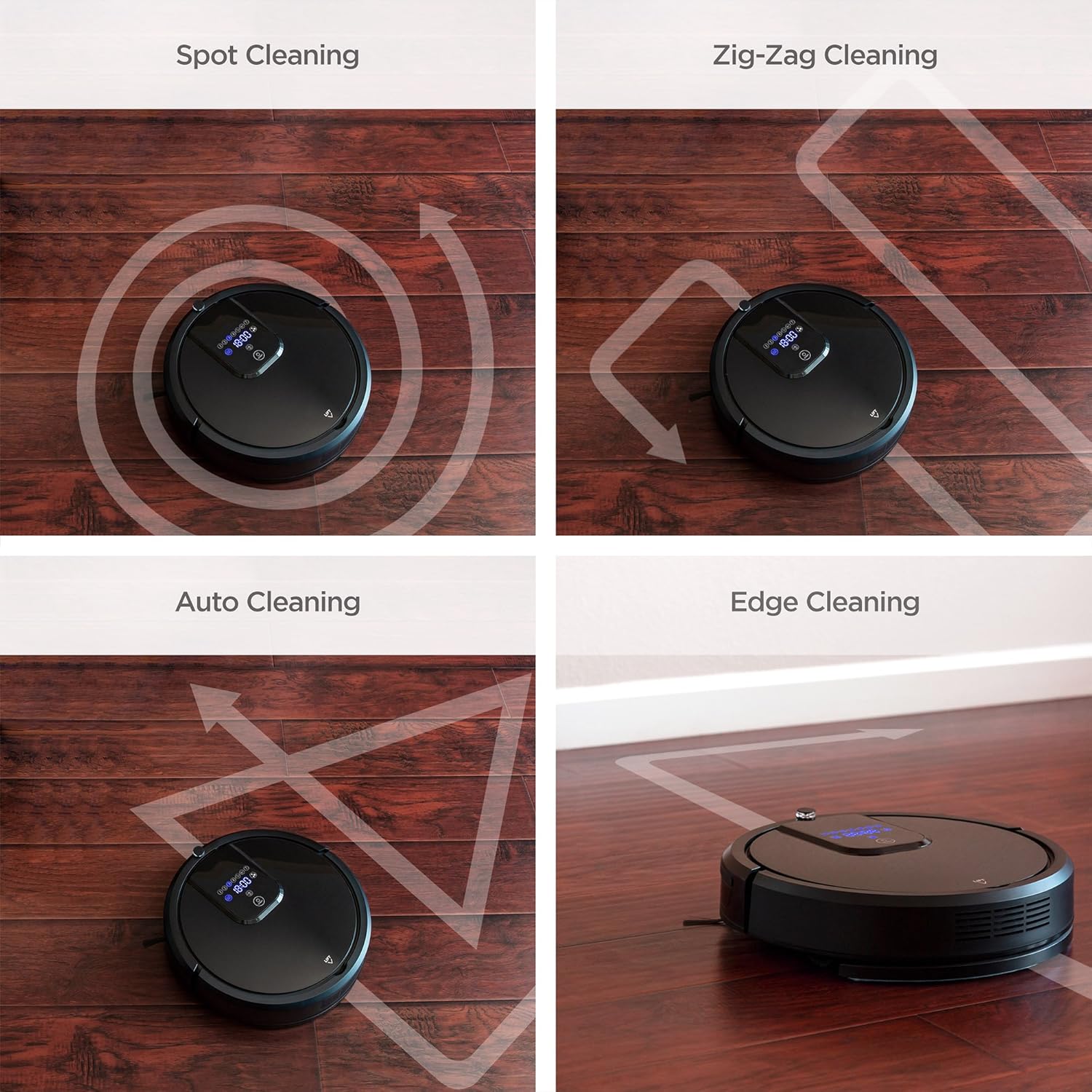
The robot vacuum offers several cleaning modes to suit different needs. These can be selected via the remote control or the control panel on the robot.

Four distinct cleaning patterns are illustrated: Spot cleaning for concentrated areas, Zig-Zag for systematic coverage, Auto cleaning for general use, and Edge cleaning for walls and corners.
- Kusafisha Kiotomatiki: The robot automatically navigates and cleans the entire floor area.
- Kusafisha doa: Concentrates cleaning on a specific dirty area. The robot will clean in a spiral pattern.
- Kusafisha makali: Roboti husafisha kuta na kingo za fanicha.
- Kusafisha Zig-Zag: The robot cleans in a systematic back-and-forth pattern, ideal for large, open spaces.

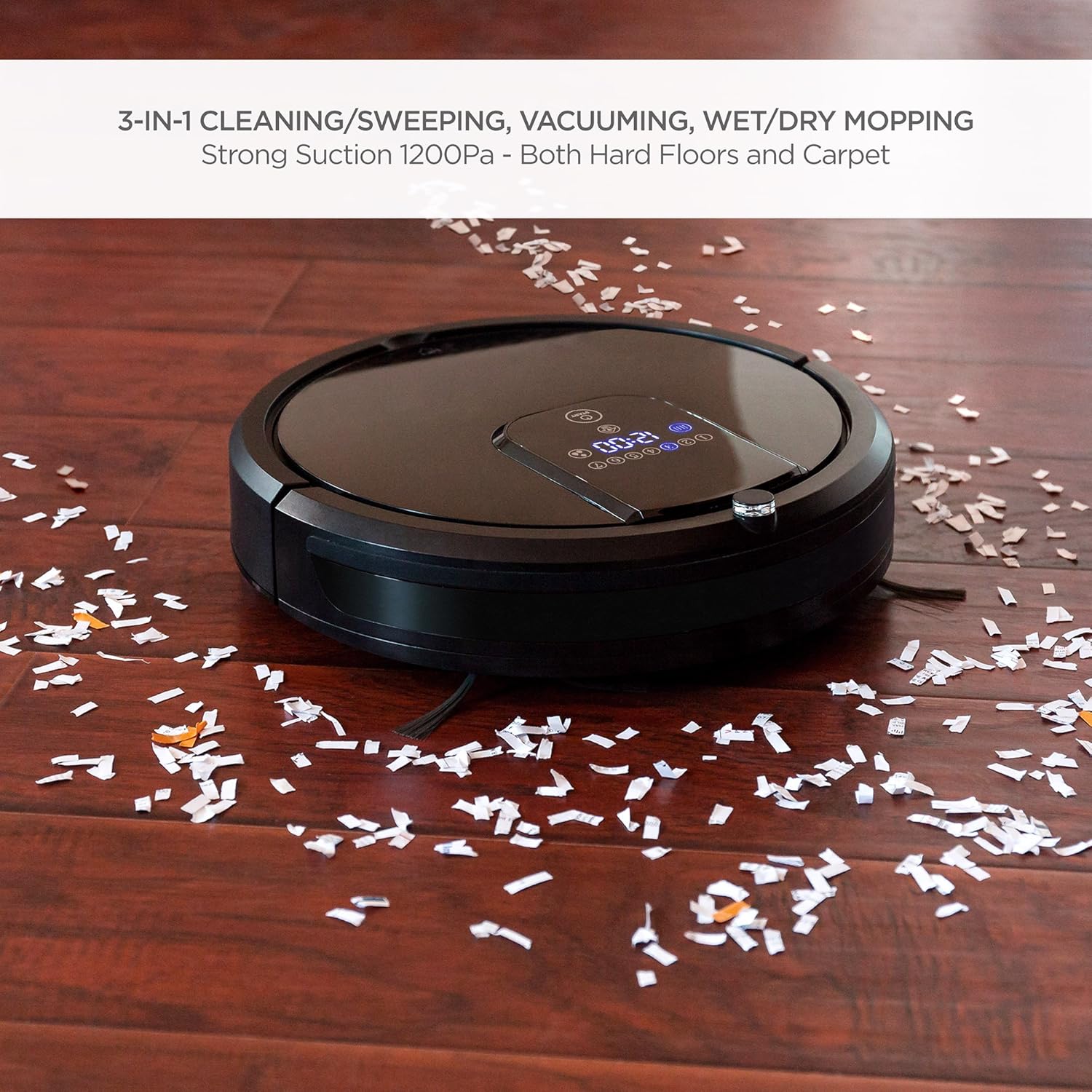
The robot vacuum is shown effectively collecting small debris from a hardwood floor, demonstrating its powerful vacuuming capability.
The robot vacuum is shown actively mopping a hardwood floor, highlighting its wet/dry mopping capability.
Udhibiti wa Kijijini
Use the included remote control to start/stop cleaning, select cleaning modes, direct the robot manually, set cleaning schedules, and send the robot back to its charging base.
Udhibiti wa Sauti
The robot vacuum is compatible with Amazon Echo devices. Follow the instructions in your Amazon Echo app to connect and enable voice commands for your robot vacuum.
Kujichaji
When the battery level is low, the robot will automatically return to its charging base to recharge. Ensure the charging base is accessible and unobstructed.
Vipengele vya Usalama

This image illustrates the robot vacuum's intelligent features: automatic return to charging base, obstacle avoidance, ability to climb over small thresholds, and sensors to prevent falls down stairs.
- Anti-Collision: Built-in sensors detect obstacles and allow the robot to navigate around them, preventing damage to furniture and the robot itself.
- Kupanda: The robot can climb over small thresholds and carpets up to a certain height.
- Kuzuia Kuanguka: Cliff sensors prevent the robot from falling down stairs or off elevated surfaces.
This video provides a visual guide to the robot vacuum's capabilities, including its 3-in-1 cleaning functions, self-charging, remote control, and voice control integration.
Matengenezo
Matengenezo ya mara kwa mara huhakikisha utendakazi bora na huongeza maisha ya utupu wa roboti yako.
1. Kumwaga Kifusi Bin
After each cleaning cycle, or when the dust bin is full, remove it from the robot and empty its contents into a trash receptacle. Clean the dust bin with a dry cloth.
2. Kusafisha Filters
The HEPA filters should be cleaned regularly. Tap them gently to remove dust. Replace filters every 1-3 months depending on usage. Do not wash HEPA filters with water.
3. Kusafisha Brashi za Upande
Periodically check the side brushes for tangled hair or debris. Use the included cleaning brush or scissors to remove any obstructions. Replace worn brushes as needed.
4. Cleaning Mop Cloths
After each mopping session, remove the mop cloth and wash it with water. Allow it to air dry completely before reattaching or storing.
5. Vihisi vya Kusafisha na Mawasiliano ya Kuchaji
Wipe the cliff sensors, anti-collision sensors, and charging contacts on both the robot and the charging base with a clean, dry cloth to ensure proper function.
Kutatua matatizo
Ukikumbana na matatizo na utupu wa roboti yako, rejelea matatizo na suluhisho zifuatazo za kawaida:
| Tatizo | Sababu inayowezekana | Suluhisho |
|---|---|---|
| Roboti haiwashi. | Betri iko chini; swichi ya umeme imezimwa. | Charge the robot; ensure the main power switch is in the 'ON' position. |
| Roboti hukwama mara kwa mara. | Vikwazo (kebo, mazulia); nafasi nyembamba. | Clear the cleaning area of small obstacles; use boundary strips if available. |
| Utendaji mbaya wa kusafisha. | Full dust bin; dirty filters/brushes. | Empty dust bin; clean or replace filters and brushes. |
| Robot does not return to charging base. | Charging base obstructed; base not powered. | Ensure clear path to base; check power connection to base. |
| Udhibiti wa mbali haufanyi kazi. | Betri zilizokufa; hazipatikani. | Replace remote batteries; operate within range of the robot. |
If the problem persists after trying these solutions, please contact Best Choice Products customer support.
Vipimo
| Kipengele | Maelezo |
|---|---|
| Chapa | Bidhaa Bora za Chaguo |
| Nambari ya Mfano | SIKU4719 |
| Mapendekezo ya Uso | Hardwood, Tile, Laminate, Carpet |
| Kipengele Maalum | Programmable, Self-Charging, Anti-Collision, Fall Prevention |
| Rangi | Nyeusi |
| Aina ya Kidhibiti | Udhibiti wa Kijijini, Udhibiti wa Sauti |
| Aina ya Kichujio | Cartridge (HEPA Type) |
| Maisha ya Betri | Hadi Saa 1.5 |
| Aina ya Betri | Ion ya lithiamu |
| Vumbi Bin Uwezo | 0.9 lita |
| Chanzo cha Nguvu | Corded Electric (Charging Base) |
| Uzito wa Kipengee | Pauni 10.8 |
| Kiwango cha Kelele | 60 decibels |
| Vifaa Sambamba | Amazon Echo |
| Kipengele cha Fomu | Roboti |
Udhamini na Msaada
For warranty information or technical support, please refer to the warranty card included in your package or visit the official Best Choice Products website. Please have your model number (SKY4719) and purchase details ready when contacting support.