
1. Mfumo Umeishaview
This manual provides instructions for the SANNCE 16-channel 8MP NVR Wireless WiFi Security Camera System. This system is designed for comprehensive surveillance, offering high-resolution video recording and remote monitoring capabilities.
Sifa Muhimu:
- 16-Channel 8MP NVR: Supports up to 16 cameras with 8-megapixel resolution for clear video.
- Wireless WiFi Connectivity: Utilizes 2.4/5.8GHz dual-band WiFi for stable and long-distance connections up to 985ft in open environments.
- H.264+ Video Coding: Advanced compression technology to optimize storage space while maintaining video quality.
- IP66 Outdoor Cameras: Weatherproof cameras suitable for various environmental conditions (-20℃ to 60℃).
- Maono ya Usiku: Features up to 98ft IR night vision and 33ft full-color night vision for 24/7 monitoring.
- Human Motion Detection & Two-Way Talk: Enhanced security with intelligent detection and audio communication.
- Hifadhi inayoweza kupanuliwa: Supports up to 8TB local HDD storage and cloud storage options.
- Ujumuishaji Mahiri: Compatible with Alexa for voice control.
2. Kuweka Mfumo
The SANNCE security system is designed for quick and easy plug-and-play installation. Follow these steps for initial setup.
2.1 Kufungua na Muunganisho wa Awali
- Carefully unpack all components: NVR, cameras, power adapters, and accessories.
- Unganisha NVR kwenye kifuatiliaji kwa kutumia kebo ya HDMI au VGA.
- Unganisha NVR kwenye chanzo cha nishati kwa kutumia adapta ya nishati iliyotolewa.
- Connect the cameras to their respective power sources. The cameras will automatically pair with the NVR.
- Connect the NVR to your router via an Ethernet cable for network access and remote viewing.

Kielelezo 2.1: Zaidiview of system installation, WiFi connection, and remote access via mobile application.
2.2 Usanidi wa Mtandao
Once the NVR is connected to your router, access the NVR's interface on the connected monitor to configure network settings. Ensure DHCP is enabled on your router or assign a static IP address to the NVR if required by your network setup.
2.3 Usanidi wa Programu ya Simu
- Download the SANNCE mobile application from your device's app store.
- Sajili akaunti na uingie.
- Add your NVR to the app by scanning the QR code displayed on the NVR's interface or by manually entering its ID.
- Mara baada ya kuongezwa, unaweza view live feeds, playback recordings, and receive alerts remotely.

Mchoro 2.2: Kijijini viewing of camera feeds on various devices.
3. Uendeshaji wa Mfumo
This section details the various operational modes and features of your SANNCE security system.
3.1 Njia za Kurekodi
The system offers flexible recording options:
- Kuendelea Kurekodi: Rekodi masaa 24 kwa siku, siku 7 kwa wiki bila usumbufu.
- Kurekodi Kugundua Mwendo: Hurekodi tu wakati mwendo umegunduliwa.
- Utambuzi wa Mwendo wa Binadamu: Advanced detection specifically for human shapes, reducing false alarms.
- Kurekodi Iliyopangwa: Weka saa maalum za kurekodi.
- Alarm Triggered Recording: Records when an alarm event (e.g., motion, human detection) is triggered.

Figure 3.1: Intelligent human detection feature and various recording options.
3.2 Maono ya Usiku
The cameras are equipped with advanced night vision technology to ensure clear surveillance in low-light conditions.
- Maono ya Usiku wa IR: Provides black and white video up to 98 feet in complete darkness.
- Maono ya Usiku ya Rangi Kamili: Offers color video up to 33 feet in low-light conditions, enhancing detail and identification.

Figure 3.2: Demonstration of full-color night vision capability.
3.3 Sauti ya Njia Mbili
Utilize the built-in microphone and speaker on the cameras for two-way communication. This feature allows you to speak to individuals near the camera and hear their responses through the mobile app or NVR interface.

Figure 3.3: System features including two-way audio.

Kielelezo 3.4: Kutample of two-way audio communication.
3.4 Remote Monitoring and Alerts
Stay informed with real-time notifications and remote access:
- Mobile App Notifications: Receive instant alerts on your smartphone when motion or human detection is triggered.
- Arifa za Barua Pepe: Configure the system to send email notifications with snapshots of events.
- Ujumuishaji wa Alexa: Use voice commands with Alexa-enabled devices to view mipasho ya kamera.

Figure 3.5: Notifications for intelligent people detection.

Figure 3.6: Seamless integration with Alexa for voice control.
4. Matengenezo
Matengenezo ya mara kwa mara huhakikisha utendaji bora na uimara wa mfumo wako wa usalama.
4.1 Kusafisha Kamera
- Safisha mara kwa mara lenzi za kamera kwa laini, damp kitambaa kuondoa vumbi, uchafu, au madoa ya maji ambayo yanaweza kuzuia view.
- Avoid using harsh chemicals or abrasive materials that could damage the lens coating.
4.2 NVR and Storage Management
- Hakikisha NVR imewekwa katika eneo lenye hewa ya kutosha ili kuzuia joto kupita kiasi.
- Regularly check the hard drive status through the NVR interface to ensure it is functioning correctly.
- Manage storage space by configuring recording settings or backing up important footage to external storage or cloud services.
4.3 Sasisho za Firmware
Check the SANNCE official website or the mobile application periodically for firmware updates. Keeping your system's firmware updated ensures access to the latest features, security patches, and performance improvements.
5. Utatuzi wa shida
Sehemu hii inashughulikia masuala ya kawaida ambayo unaweza kukutana nayo na kutoa suluhisho.
5.1 Hakuna Onyesho la Video
- Angalia Nguvu: Ensure the NVR and all cameras are properly connected to power outlets and are turned on.
- Fuatilia Muunganisho: Verify the HDMI/VGA cable connection between the NVR and your monitor.
- Kuoanisha Kamera: Confirm that cameras are successfully paired with the NVR. Refer to the setup section for pairing instructions if needed.
5.2 Poor Wireless Connection
- Nguvu ya Mawimbi: Check the wireless signal strength of the cameras in the NVR interface.
- Vizuizi: Reduce obstacles (thick walls, metal structures) between cameras and the NVR.
- Umbali: Ensure cameras are within the effective wireless range (up to 985ft in open environments).
- Kuingilia: Minimize interference from other wireless devices. The system supports dual-band WiFi (2.4/5.8GHz) which can help.
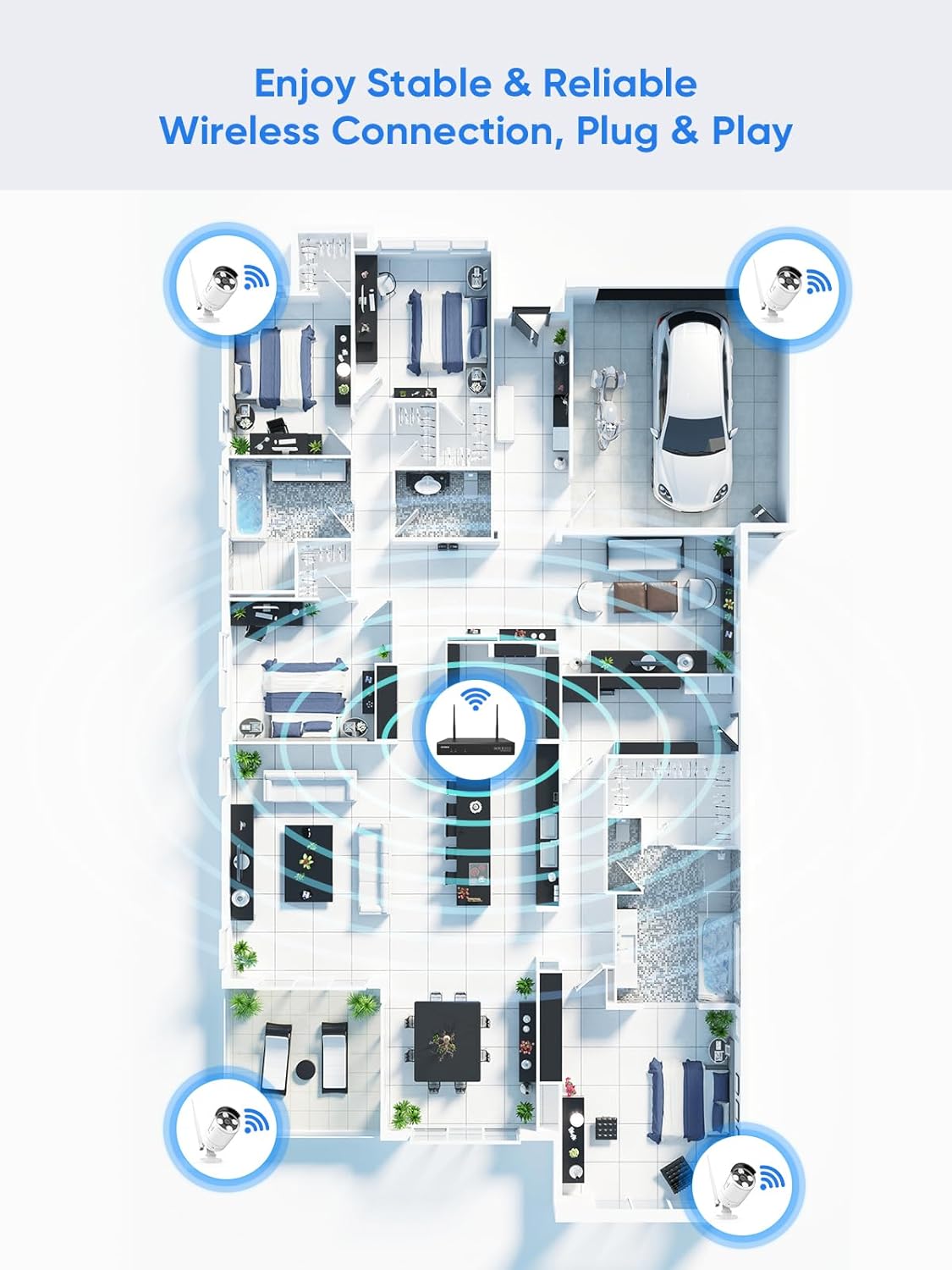
Figure 5.1: Wireless coverage and connection stability.
5.3 Masuala ya Kurekodi
- Hifadhi Ngumu: Verify the hard drive is installed correctly and is not full. Format the HDD if necessary (this will erase all data).
- Ratiba ya Kurekodi: Check your recording schedule and motion detection settings to ensure they are configured as desired.
- Unyeti wa Mwendo: Adjust motion detection sensitivity if recordings are too frequent or not frequent enough.
5.4 Remote Access Problems
- Muunganisho wa Mtandao: Ensure both your NVR and mobile device have a stable internet connection.
- Mipangilio ya Mtandao wa NVR: Confirm the NVR's network settings are correct and it has access to the internet.
- Kuingia kwenye Programu: Verify you are logged into the SANNCE app with the correct account.
6. Vipimo
| Kipengele | Maelezo |
|---|---|
| Nambari ya Mfano | 4335041969 |
| Chapa | SANCE |
| Teknolojia ya Uunganisho | HDMI, USB, VGA, Wireless WiFi (2.4/5.8GHz) |
| Vifaa Sambamba | Kamera |
| Uwezo wa Kuhifadhi Kumbukumbu | Up to 8 TB (HDD) |
| Ukubwa wa Diski Ngumu | 8 TB (Maximum Supported) |
| Ukadiriaji wa IP | IP66 (Outdoor Cameras) |
| Joto la Uendeshaji | -20 ℃ hadi 60 ℃ |
| Vipimo vya Kifurushi | Inchi 13.78 x 11.42 x 3.19 |
| Uzito wa Kipengee | Pauni 3.14 |
| Tarehe ya Kwanza Inapatikana | Tarehe 11 Desemba 2017 |
7. Udhamini na Msaada
7.1 Sera ya Kurudi
This product is subject to a 30-day return policy from the date of purchase. Please refer to your retailer's specific return guidelines for detailed information.
7.2 Udhamini wa Mtengenezaji
SANNCE provides a limited warranty for this product against defects in materials and workmanship. For specific warranty terms, duration, and conditions, please refer to the warranty card included with your product or visit the official SANNCE webtovuti.
7.3 Usaidizi kwa Wateja
If you encounter any issues or have questions regarding the installation, operation, or maintenance of your SANNCE security system, please contact SANNCE customer support for assistance. You can typically find contact information on the SANNCE official webtovuti au ndani ya ufungaji wa bidhaa.
Kwa habari zaidi, tembelea SANNCE Store.