
Utangulizi
The Gear Pro HypeCam GDV485SL.01 is a compact and powerful 4K Ultra HD sports action camera designed to capture high-quality video and photos in various environments. Featuring Wi-Fi connectivity for smartphone control, a waterproof case, and a 2.0-inch LCD display, this camera is ideal for recording your adventures. This manual provides detailed instructions for setup, operation, maintenance, and troubleshooting to ensure optimal performance of your device.
Ni nini kwenye Sanduku
Please verify that all items are present before proceeding with setup.
- Hype 4K Cam
- Kesi ya kuzuia maji
- Data Transfer/Charging Cable
- Mlima wa Handlebar
- Milima ya Msingi ya Universal
- Kamba ya Kufunga
Bidhaa Imeishaview
Vipengele na Vidhibiti
Jizoeshe na vipengele vikuu na vidhibiti vya kamera.
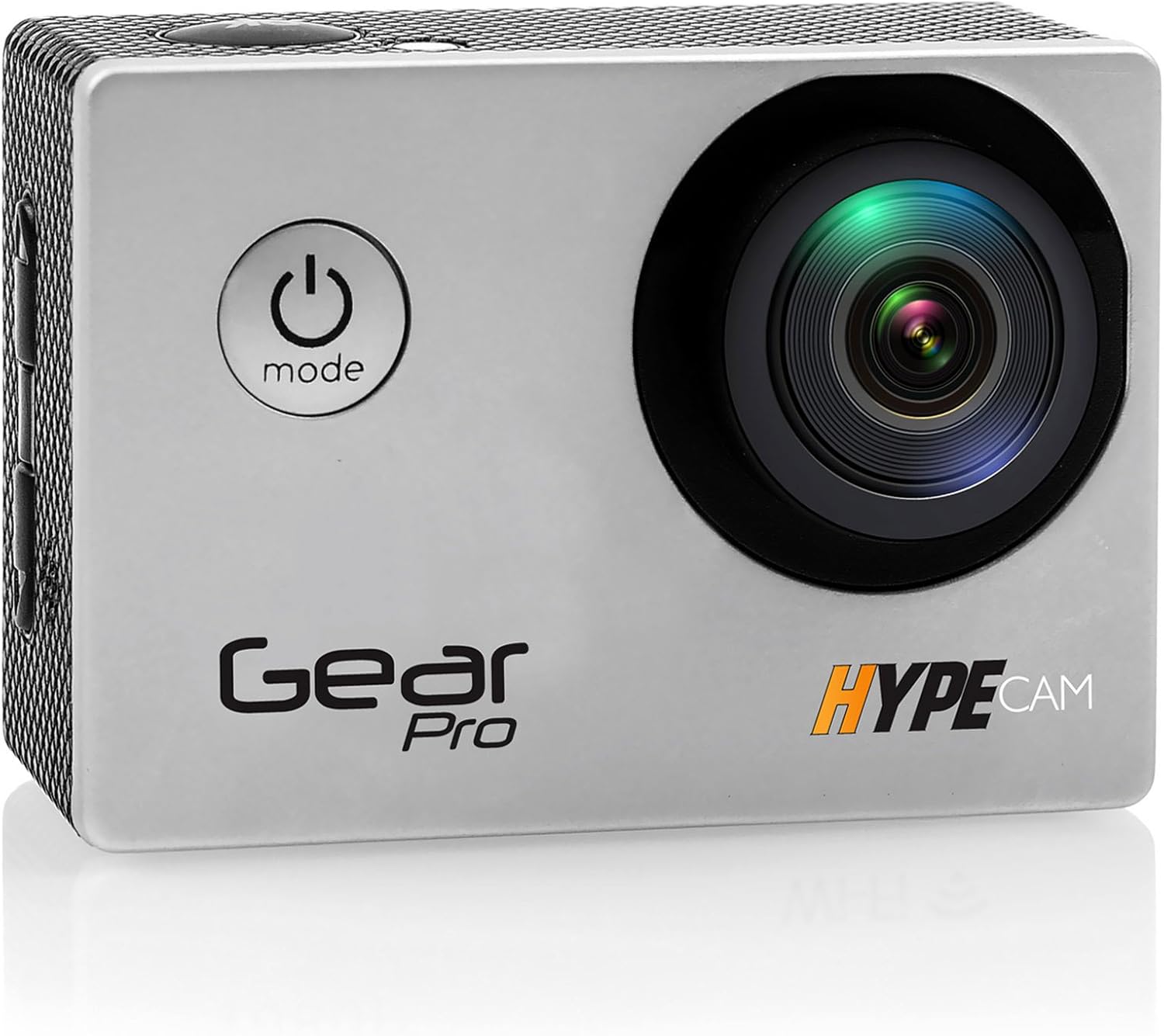
Picha: Mbele view of the Gear Pro HypeCam GDV485SL.01, highlighting the lens and power/mode button.
| Component/Control | Maelezo |
|---|---|
| Kitufe cha Nguvu/Modi | Press and hold to power on/off. Press briefly to switch between video, photo, and playback modes. |
| Kitufe cha Kufunga/Sawa | Press to start/stop recording video or take a photo. In menu, confirms selection. |
| Vifungo vya Juu / Chini | Abiri chaguzi za menyu. |
| Slot Micro Kadi ya SD | Insert Micro SD card for storage. Supports up to 32GB (Class 10 or higher recommended). |
| Port USB ndogo | For charging the battery and transferring data to a computer. |
| Bandari ndogo ya HDMI | Connect to an HDTV for viewyaliyomo. |
| Onyesho la LCD la inchi 2.0 | View ishi footage, playback, and navigate menus. |
| Lenzi | Captures video and photo input. |
| Maikrofoni | Hurekodi sauti. |
Sanidi
Ufungaji wa Betri
- Fungua kifuniko cha sehemu ya betri chini ya kamera.
- Insert the included rechargeable battery, ensuring the correct polarity.
- Funga kifuniko cha sehemu ya betri kwa usalama.
- Connect the camera to a USB power source using the provided data transfer/charging cable to fully charge the battery before first use. The charging indicator light will turn off when charging is complete.
Ufungaji wa Kadi ndogo ya SD
- Locate the Micro SD card slot on the side of the camera.
- Insert a Class 10 or higher Micro SD card (up to 32GB) with the contacts facing the back of the camera until it clicks into place.
- Ili kuondoa, ingiza kadi ndani kwa upole hadi ibofye, kisha uachilie ili kuitoa.
Attaching the Waterproof Case
The included waterproof case allows the camera to be fully submerged, making it suitable for water sports and adverse weather conditions.
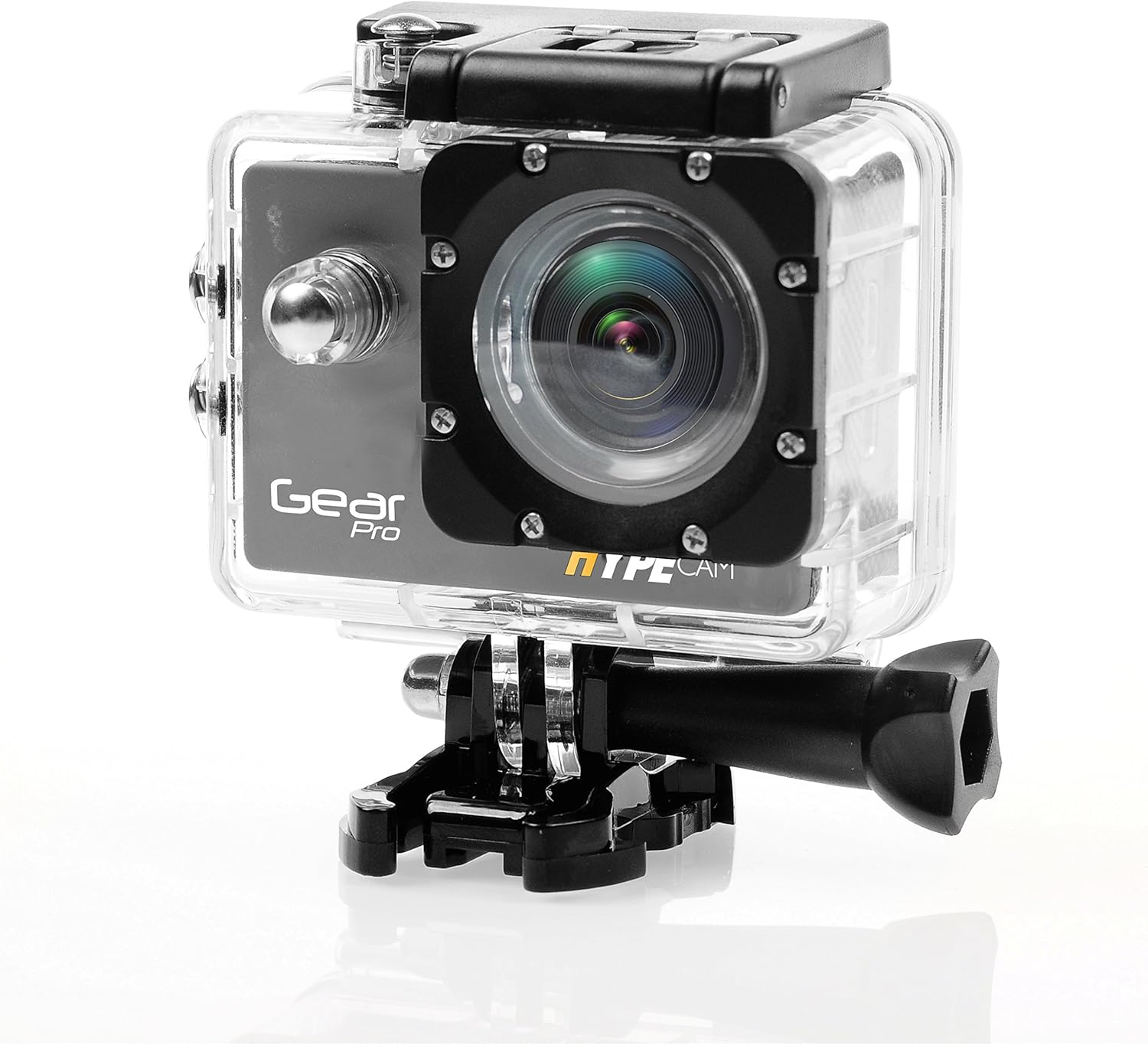
Image: The camera securely housed within its transparent waterproof case, ready for mounting.
- Open the latch on the top of the waterproof case.
- Weka kamera ndani ya kisanduku kwa uangalifu, ukihakikisha inatoshea vizuri.
- Close the latch firmly until it clicks, ensuring a watertight seal.
- Before first use in water, perform a leak test by placing the empty case in water for 30 minutes.
Chaguzi za Kuweka
Utilize the various mounts provided to attach your camera to helmets, handlebars, or other surfaces.

Image: The camera being used in diverse outdoor activities, demonstrating its versatility with different mounting options.
- Attach the waterproof case to the desired mount (e.g., handlebar mount, base mount) using the provided screws and fastening strap.
- Ensure all connections are secure before engaging in activity.
Uendeshaji
Kuwasha/Kuzima
- To power on: Press and hold the Power/Mode button for 3 seconds. The LCD screen will light up.
- To power off: Press and hold the Power/Mode button for 3 seconds. The LCD screen will turn off.
Uteuzi wa Modi
After powering on, press the Power/Mode button briefly to cycle through the main modes:
- Hali ya Kurekodi Video: Indicated by a video camera icon.
- Photo Capture Mode: Indicated by a camera icon.
- Hali ya Uchezaji: Indicated by a play icon.
- Hali ya Mipangilio: Indicated by a gear icon.
Kurekodi Video
- Switch to Video Recording Mode.
- Press the Shutter/OK button to start recording. A red dot or recording timer will appear on the screen.
- Press the Shutter/OK button again to stop recording. The recording timer will disappear.
Picha ya Kukamata
- Switch to Photo Capture Mode.
- Weka fremu ya picha yako kwa kutumia skrini ya LCD.
- Bonyeza kitufe cha Shutter/Sawa ili kupiga picha.
Muunganisho wa Wi-Fi
The built-in Wi-Fi allows you to connect your HypeCam to a smartphone for remote control and file uhamisho.
- Download the official Gear Pro HypeCam app from your smartphone's app store.
- On the camera, navigate to Settings Mode and enable Wi-Fi. The Wi-Fi indicator will appear on the screen.
- On your smartphone, go to Wi-Fi settings and connect to the HypeCam's Wi-Fi network (e.g., "HypeCam_XXXX"). The default password is usually "1234567890" or similar, check the camera screen for details.
- Open the HypeCam app on your smartphone. You can now view ishi footage, control recording, and access camera settings remotely.
Slow-Motion Recording
The HypeCam supports slow-motion video capture at specific resolutions and frame rates.

Image: Visual representation of the camera's slow-motion feature, detailing supported resolutions and frame rates.
- Access the video settings menu on the camera.
- Select a resolution that supports higher frame rates for slow-motion, such as 1080p @ 60fps or 720p @ 120fps.
- Record as usual. The footage will play back in slow motion.
Matengenezo
- Kusafisha Lensi: Use a soft, lint-free cloth specifically designed for camera lenses. Avoid abrasive materials or harsh chemicals.
- Kusafisha Mwili wa Kamera: Futa kwa laini, damp kitambaa. Usitumie vimumunyisho.
- Utunzaji wa Kesi Isiyopitisha Maji: After use in saltwater, rinse the case with fresh water and allow it to air dry. Inspect the O-ring seal regularly for debris or damage.
- Utunzaji wa Betri: Store the battery in a cool, dry place. If not used for extended periods, charge and discharge the battery periodically to maintain its health.
- Hifadhi: Hifadhi kamera na vifaa vyake katika mazingira makavu, yasiyo na vumbi mbali na jua moja kwa moja na halijoto kali.
Kutatua matatizo
| Tatizo | Suluhisho linalowezekana |
|---|---|
| Kamera haiwashi. | Ensure the battery is fully charged and correctly inserted. Try charging the camera for at least 2 hours. |
| Haiwezi kurekodi video/kupiga picha. | Check if a Micro SD card is inserted and has sufficient free space. Ensure the card is Class 10 or higher. Format the SD card if necessary (this will erase all data). |
| Muunganisho wa Wi-Fi umeshindwa. | Ensure Wi-Fi is enabled on the camera. Restart both the camera and your smartphone. Verify the Wi-Fi password. |
| Ubora duni wa video/picha. | Clean the camera lens. Ensure sufficient lighting. Check resolution settings; higher resolutions provide better quality. |
| Kamera huganda au huacha kufanya kazi. | Ondoa na uweke tena betri ili urejeshe upya kwa bidii. |
| Water inside waterproof case. | Immediately remove the camera. Inspect the O-ring seal for dirt, hair, or damage. Ensure the latch is fully closed. Do not use the case if the seal is compromised. |
Vipimo
| Kipengele | Maelezo |
|---|---|
| Nambari ya Mfano | GDV485SL.01 |
| Vipimo vya Bidhaa | Inchi 0.97 x 2.33 x 1.62 |
| Uzito wa Kipengee | Pauni 1.1 |
| Teknolojia ya Sensor ya Picha | CMOS |
| Azimio la Kukamata Video | 4K Ultra HD, 2.7K, 1080p, 720p |
| Upeo wa Urefu wa Kuzingatia | 30 |
| Kipenyo cha juu zaidi | Milimita 2 |
| Aina ya Kumbukumbu ya Flash | Micro SD (hadi 32GB) |
| Umbizo la Kukamata Video | MP4 |
| Umbizo la Sauti linalotumika | MP3 |
| Ukubwa wa skrini | Inchi 2 |
| Teknolojia ya Uunganisho | Built-in WiFi, Micro HDMI Port, USB Type 2.0 |
| Mtengenezaji | Sauti Karibu |
Udhamini na Msaada
For warranty information and technical support, please refer to the official ProGear webtovuti au wasiliana na huduma kwa wateja wao. Weka risiti yako ya ununuzi kama dhibitisho la ununuzi kwa madai yoyote ya udhamini.