
1. Utangulizi
Thank you for choosing the 2BOOM HPBT500K Wireless Headphone System. This manual provides essential information for the proper setup, operation, and maintenance of your new headphones. Please read it thoroughly before use to ensure optimal performance and longevity of the product.
The HPBT500K headphones offer a wireless audio experience with a built-in microphone for hands-free calling, enhanced bass sound, and comfortable wear.
2. Ni nini kwenye Sanduku
- 2BOOM HPBT500K Wireless Headphone
- Kebo ya Kuchaji ya USB
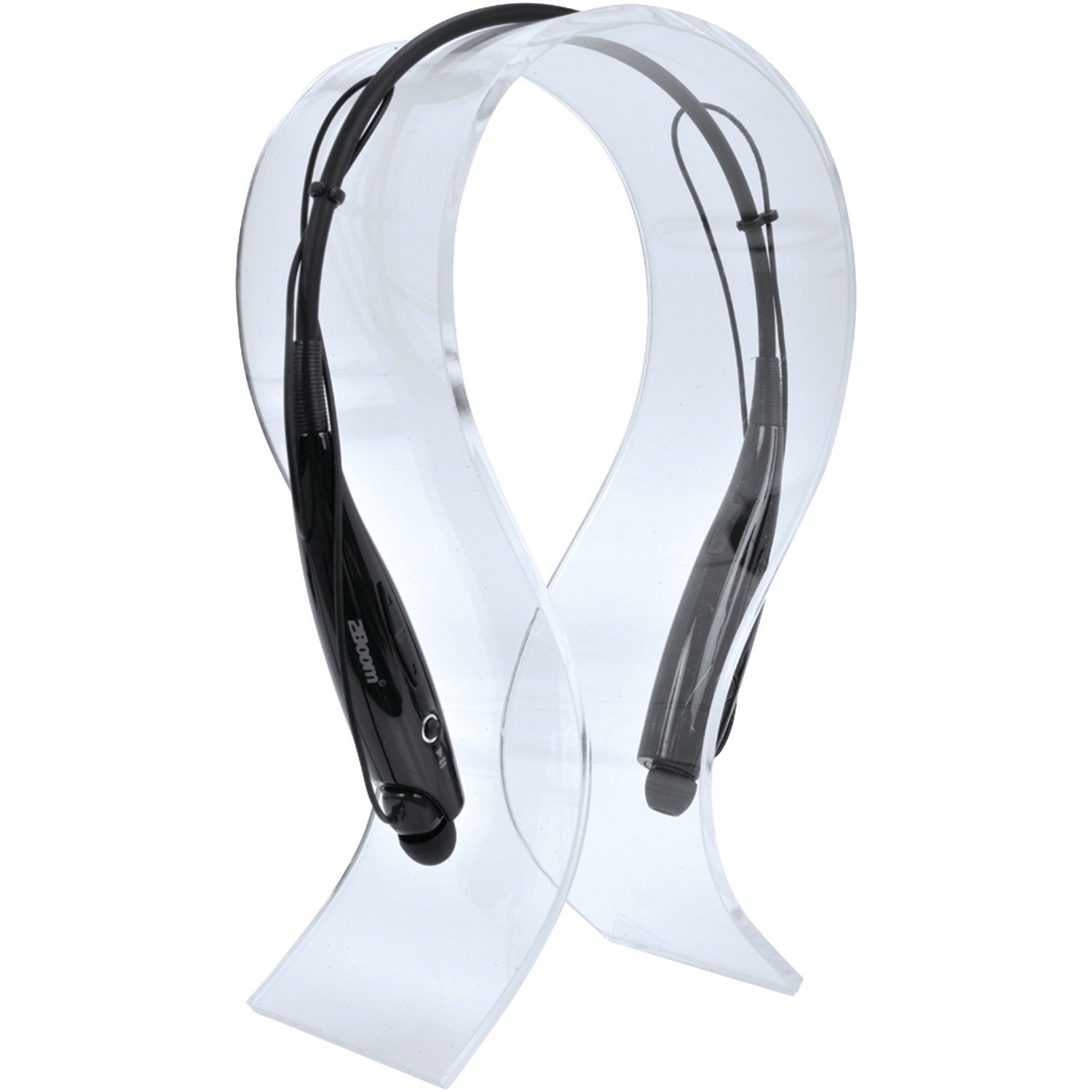
Image: The 2BOOM HPBT500K Wireless Headphone, showcasing muundo wake.
Image: The included USB charging cable for the headphones.
3. Bidhaa Imeishaview
Familiarize yourself with the various parts and controls of your HPBT500K headphones.

Picha: Upande view of the 2BOOM HPBT500K Wireless Headphone, highlighting control buttons and ports.
Vidhibiti na Viashiria:
- Kitufe cha Nguvu: Used to turn the headphones on/off and for pairing.
- Kiasi Juu / Wimbo Ufuatao: Increases volume or skips to the next song.
- Kiasi cha chini / Wimbo uliotangulia: Decreases volume or goes to the previous song.
- Kitufe cha kazi nyingi (MFB): Cheza/Sitisha, Jibu/Maliza Simu.
- Maikrofoni: Kwa mawasiliano bila kutumia mikono.
- Kiashiria cha LED: Inaonyesha hali ya nguvu, hali ya kuoanisha, na hali ya kuchaji.
- Bandari ndogo ya kuchaji USB: Kwa kuunganisha cable ya malipo.
4. Kuchaji Headphones
Before first use, fully charge your headphones. A full charge typically takes about 2-3 hours.
- Connect the small end of the USB charging cable to the Micro USB charging port on your headphones.
- Connect the larger end of the USB charging cable to a USB power source (e.g., computer USB port, USB wall adapter). Ensure the power source provides DC 5V.
- The LED indicator will illuminate during charging and change color or turn off once charging is complete.
Kumbuka: Usitumie chaja zenye voltage higher than DC 5V, as this may damage the headphones.
5. Usanidi na Uoanishaji wa Bluetooth
Follow these steps to pair your HPBT500K headphones with your Bluetooth-enabled device.
- Washa: Press and hold the Power button on the headphones until the LED indicator flashes, usually alternating blue and red, indicating pairing mode.
- Washa Bluetooth: On your smartphone, tablet, or other Bluetooth device, go to the Bluetooth settings and ensure Bluetooth is turned on.
- Tafuta Vifaa: Kifaa chako kitachanganua vifaa vya Bluetooth vinavyopatikana.
- Select 'HPBT500K': From the list of found devices, select 'HPBT500K'.
- Thibitisha Kuoanisha: Once paired, the LED indicator on the headphones will typically flash blue slowly or remain solid blue, and your device may confirm the connection.
The operating distance for Bluetooth connectivity is up to 33 feet (10 meters) in an open environment. Obstacles may reduce this range.
6. Maagizo ya Uendeshaji
Uchezaji wa Muziki:
- Cheza/Sitisha: Bonyeza Kitufe cha Vitendo Vingi (MFB) mara moja.
- Wimbo Ufuatao: Bonyeza na ushikilie kitufe cha kuongeza sauti.
- Wimbo Uliopita: Bonyeza na ushikilie kitufe cha Kupunguza Sauti.
- Kiasi Juu: Bonyeza kitufe cha Kuongeza Sauti kwa ufupi.
- Punguza sauti: Bonyeza kitufe cha Kupunguza Sauti kwa muda mfupi.
Music playback time is up to 3 hours on a full charge.
Kupiga Simu Bila Mikono:
- Jibu Simu: Press the MFB once when a call comes in.
- Maliza Simu: Bonyeza MFB mara moja wakati wa simu.
- Kataa Simu: Press and hold the MFB for approximately 2 seconds when a call comes in.
- Piga tena Nambari ya Mwisho: Bonyeza MFB mara mbili.
Talk time is up to 3 hours on a full charge.
7. Matengenezo
Ili kuhakikisha uimara na utendaji bora wa vipokea sauti vyako vya masikioni, fuata miongozo hii ya matengenezo:
- Keep the headphones dry. Avoid exposure to moisture, rain, or liquids.
- Clean the headphones with a soft, dry cloth. Do not use harsh chemicals or abrasive cleaners.
- Store the headphones in a cool, dry place away from extreme temperatures.
- Epuka kudondosha au kuelekeza vipokea sauti vinavyobanwa kichwani kwenye athari kali.
- Usijaribu kutenganisha au kurekebisha vichwa vya sauti, kwani hii itabatilisha dhamana.
8. Utatuzi wa shida
If you encounter issues with your HPBT500K headphones, refer to the following common problems and solutions:
- Vipokea sauti vya masikioni haviwashi:
Ensure the headphones are fully charged. Connect them to a power source using the provided USB cable. - Haiwezi kuoanisha na kifaa:
Make sure Bluetooth is enabled on your device and the headphones are in pairing mode (LED flashing blue/red). Move the headphones closer to your device. Try turning both devices off and on again. - Hakuna sauti au sauti ya chini:
Angalia viwango vya sauti kwenye vipokea sauti vya masikioni na kifaa chako kilichounganishwa. Hakikisha vipokea sauti vya masikioni vimeoanishwa ipasavyo. - Ubora duni wa sauti au miunganisho:
Ensure there are no obstructions between the headphones and your device. Move closer to your device. Avoid environments with strong Wi-Fi or other wireless interference. - Maikrofoni haifanyi kazi:
Hakikisha vipokea sauti vya masikioni vimeunganishwa ipasavyo na kuchaguliwa kama kifaa cha kuingiza sauti kwenye simu/kompyuta yako.
9. Vipimo
| Kipengele | Vipimo |
|---|---|
| Toleo la Bluetooth | 2.1 + EDR |
| Umbali wa Uendeshaji | Hadi futi 33 (mita 10) |
| Wakati wa Uchezaji wa Muziki | Hadi saa 3 |
| Muda wa Maongezi | Hadi saa 3 |
| Chaji Ingizo Voltage | DC 5V |
| Muda wa Kuchaji | Takriban masaa 2-3 |
| Pato la Spika | 2 x 40mW |
| Betri Iliyojengwa ndani | 3.7V, 150mAh |
| Uzito wa Kipengee | 113 g |
| Vipimo vya Bidhaa (LxWxH) | 23.11 x 16.76 x 3.81 cm |
| Vipengee vilivyojumuishwa | Headphone with charging cable |
| Njia ya Kudhibiti | Gusa |
| Vipengele Maalum | Nyepesi, Maikrofoni Imejumuishwa |
10. Udhamini na Msaada
For warranty information or technical support, please refer to the documentation provided at the time of purchase or contact 2BOOM customer service. Keep your proof of purchase for warranty claims.