Utangulizi
This manual provides detailed instructions for the setup, operation, maintenance, and troubleshooting of your Pabobo Kid Sleep Alarm Clock, model KS0031. Please read this manual thoroughly before using the product to ensure proper function and safety.
The Pabobo Kid Sleep Alarm Clock is designed to help children learn to tell time and establish healthy sleep routines. It features both digital and analog time displays, a visual sleep/wake indicator, and customizable alarm sounds.
Taarifa za Usalama
- Weka kifaa mbali na maji na unyevu.
- Usiweke kwenye joto kali au jua moja kwa moja.
- Use only the specified battery type. Ensure correct polarity when inserting batteries.
- Weka betri mbali na watoto wadogo.
- Usijaribu kutenganisha au kutengeneza kifaa mwenyewe. Wasiliana na usaidizi ikiwa matatizo yatatokea.
- Bidhaa hii imekusudiwa kwa matumizi ya ndani tu.
Bidhaa Imeishaview
The Pabobo Kid Sleep Alarm Clock combines an analog clock, a digital display, and a visual sleep/wake indicator to assist children in understanding time and sleep cycles.

Kielelezo cha 1: Mbele view of the Pabobo Kid Sleep Alarm Clock.
Sifa Muhimu:
- Onyesho la Wakati Mbili: Features both an analog clock face and a digital time display for easy learning.
- Mkufunzi wa Kulala: A visual indicator (sleeping child / awake child) helps children understand when it's time to sleep and when it's okay to wake up.
- Kengele inayoendelea: Three selectable alarm sounds (chirping birds, cuckoo, train) that increase in volume.
- Snooze Kazi: Press the large button on the top for a two-minute snooze and a temporary backlight.
- Mwangaza wa Usiku: A mini night light emits a reassuring glow.
Sanidi
1. Ufungaji wa Betri
The clock operates on one battery, which is included. To install or replace the battery:
- Tafuta sehemu ya betri nyuma ya saa.
- Fungua kifuniko cha sehemu ya betri.
- Ingiza betri, hakikisha polarity sahihi (+/-).
- Funga kifuniko cha sehemu ya betri kwa usalama.

Kielelezo cha 2: Nyuma view with battery compartment and controls.
2. Kuweka Wakati
To set the current time on your alarm clock:
- Use the time setting knob (usually located on the back) to adjust the analog hands to the correct time.
- The digital display will synchronize or can be set separately using dedicated buttons (refer to specific button labels on the back, e.g., "SET" buttons).
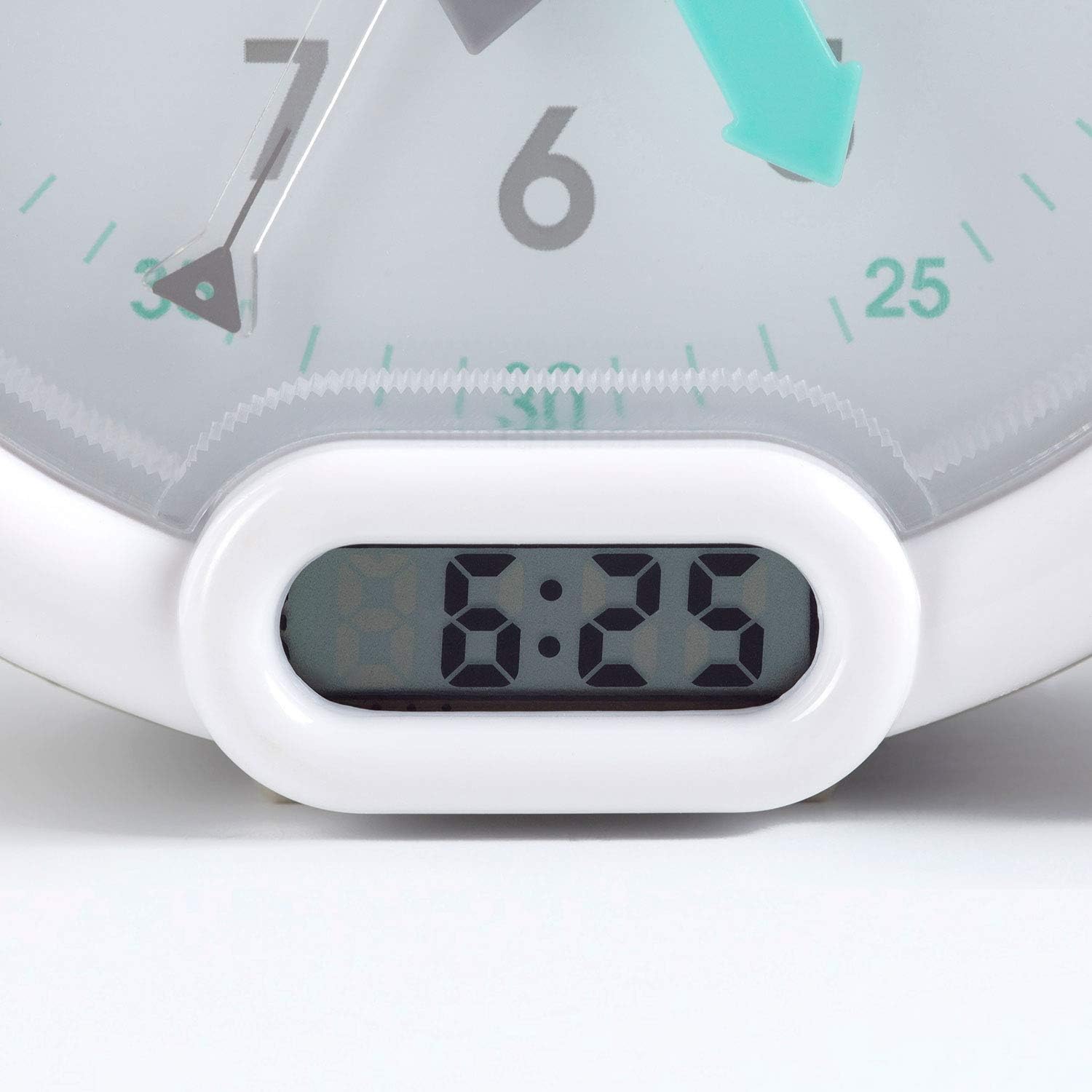
Kielelezo cha 3: Onyesho la wakati wa dijiti.
Maagizo ya Uendeshaji
1. Kuweka Kengele
The alarm can be set to one of three sounds: chirping birds, cuckoo, or train. The alarm volume increases progressively.
- Locate the alarm setting controls on the back of the clock.
- Adjust the alarm time using the designated knob or buttons.
- Select your preferred alarm sound using the sound selection switch.
- Ensure the alarm is activated (ON position).
2. Using the Sleep Trainer
The sleep trainer feature visually indicates when it's time to sleep and when it's time to wake up.
- Sleeping Child Lit: When the image of the sleeping child is lit, it indicates that children should remain in bed and continue sleeping.
- Awake Child Lit: When the image of the awake child is lit, it signals that it is time to wake up.

Kielelezo cha 4: Sleep indicator (sleeping child).

Kielelezo cha 5: Awake indicator (awake child).
The sleep/wake times for this indicator are typically set independently from the alarm time, using specific controls on the back of the clock.
3. Snooze and Backlight Function
Press the large button on the top of the clock to activate the snooze function for two minutes. This button also provides a short glowing light, allowing the child to see the time during the night.

Kielelezo cha 6: Clock with backlight activated.
Matengenezo
- Kusafisha: Futa saa na kitambaa laini, kavu. Usitumie visafishaji vya abrasive au vimumunyisho.
- Ubadilishaji wa Betri: Replace the battery when the display dims or the alarm function becomes unreliable. Dispose of used batteries responsibly.
- Hifadhi: Ikiwa unahifadhi saa kwa muda mrefu, ondoa betri ili kuzuia kuvuja.
Kutatua matatizo
| Tatizo | Sababu inayowezekana | Suluhisho |
|---|---|---|
| Clock not turning on / display blank. | Betri iliyokufa au iliyosakinishwa vibaya. | Angalia polari ya betri. Badilisha betri. |
| Kengele haisikii. | Kengele haijawekwa au kuzimwa. Betri iko chini. | Ensure alarm is set and activated. Replace battery. |
| Sleep/wake indicator not changing. | Incorrect sleep/wake time settings. | Verify and adjust the sleep/wake indicator settings. |
| Clock makes clicking noise. | Mechanical movement noise (common for analog clocks). | This may be normal for the analog mechanism. If excessively loud or new, contact support. |
Vipimo
| Chapa: | Pabobo |
| Nambari ya Mfano: | KS0031 |
| Rangi: | Kijivu |
| Aina ya Kuonyesha: | Analogi, Dijiti |
| Vipimo vya Bidhaa: | 6.3"W x 5.12"H |
| Chanzo cha Nguvu: | Battery Powered (1 battery included) |
| Nyenzo: | Plastiki |
| Aina ya Kupachika: | Mlima wa Desktop |
| Uzito wa Kipengee: | Wakia 14.1 (Pauni 0.88) |
| Kipengele Maalum: | Adjustable, Backlit, Sleep Trainer |
Taarifa ya Udhamini
This Pabobo Kid Sleep Alarm Clock comes with a Udhamini wa Maisha. For details regarding warranty claims and coverage, please refer to the official Pabobo webtovuti au wasiliana na usaidizi kwa wateja.
Usaidizi wa Wateja
If you encounter any issues or have questions not covered in this manual, please contact Pabobo customer support for assistance.
- Msaada mkondoni: Visit the official Pabobo webtovuti kwa Maswali Yanayoulizwa Mara kwa Mara na chaguo za mawasiliano.
- Barua pepe: [Insert Pabobo Support Email Here, if available]
- Simu: [Insert Pabobo Support Phone Number Here, if available]
Please have your model number (KS0031) and purchase information ready when contacting support.