
HoldPeak 90EPD
HOLDPEAK 90EPD Digital Auto-ranging Mobile APP DMM Multimeter User Manual
Mfano: 90EPD | Chapa: HoldPeak
1. Utangulizi
The HOLDPEAK 90EPD is a versatile digital auto-ranging multimeter designed for a wide range of electrical testing applications, including commercial, home repair, and automotive use. It offers precise measurements of AC/DC current and voltage, resistance, capacitance, frequency, temperature, and duty cycles. Key features include non-contact voltage detection, a large backlit LCD display, Data Hold, Auto Back-Light, Relative Measurement, and Mobile APP connectivity for enhanced functionality.
Sifa Muhimu:
- Hupima AC/DC ujazotage and AC/DC current, resistance, capacitance, frequency, duty cycle, and temperature.
- Performs diode and continuity tests.
- Features Data Hold, Auto Back-Light, Relative Measurement, and Mobile APP DMM function.
- Auto-ranging scales simplify electronic measurements.
- Equipped with a super large Backlit LCD display for visibility in low light conditions.
- Ingiza kiotomatiki hali ya usingizi baada ya dakika 15 za kutofanya kazi ili kuokoa nguvu.

Figure 1.1: HoldPeak 90EPD Digital Multimeter shown with its mobile application interface on a smartphone.
2. Taarifa za Usalama
Always adhere to safety precautions when using the multimeter to prevent electric shock or personal injury. Read all safety information before operating the device.
- IEC61010 CAT.III 1000V, CAT.IV 600V: This meter is rated for CAT.III 1000V and CAT.IV 600V overvoltage protection. Always ensure the measurement category is appropriate for the circuit being tested.
- Insulation mara mbili: The meter features double insulation for enhanced safety.
- Kagua Kabla ya Kutumia: Before each use, inspect the meter, test leads, and accessories for any damage. Do not use if damaged.
- Proper Terminal Connection: Always connect the test leads to the correct terminals for the desired measurement function.
- Voltage Kipimo: Usiwahi kuomba juzuutage to the meter when it is set to a current, resistance, or continuity range.
- Kipimo cha Sasa: Ensure the circuit is de-energized before connecting the meter in series for current measurements.
- Mazingira ya Kazi: Use the meter in a dry environment and avoid extreme temperatures.
- Ubadilishaji wa Betri: Replace the battery promptly when the low battery indicator appears to ensure accurate readings.
3. Yaliyomo kwenye Kifurushi
Thibitisha kuwa bidhaa zote zilizoorodheshwa hapa chini zimejumuishwa kwenye kifurushi chako:
- 1 x HOLDPEAK 90EPD Digital Mobile APP DMM Multimeter
- Vidokezo 1 vya Mtihani (Nyekundu na Nyeusi)
- 1 x Temperature Test Probe
- 1 x PC Link Software CD
- 1 x Kebo ya USB
- 1 x Kesi ya kubeba
- 1 x Mwongozo wa Uendeshaji
- 1 x 9V 6F22 battery

Figure 3.1: Contents included in the HoldPeak 90EPD Multimeter package.
4. Vipengele vya Bidhaa na Vipengele
Familiarize yourself with the various components and functions of the HOLDPEAK 90EPD Multimeter.

Figure 4.1: Labeled components of the HoldPeak 90EPD Multimeter.
Key Function Icons:

Figure 4.2: Visual representation of the multimeter's measurement capabilities and features.
5. Kuweka
5.1 Ufungaji wa Betri
The HOLDPEAK 90EPD Multimeter requires one 9V 6F22 battery for operation. To install or replace the battery:
- Hakikisha multimeter IMEZIMWA.
- Tafuta sehemu ya betri nyuma ya kitengo.
- Tumia bisibisi kufungua kifuniko cha betri.
- Ingiza betri ya 9V, ukiangalia polarity sahihi (+/-).
- Badilisha kifuniko cha betri na uimarishe kwa screw.
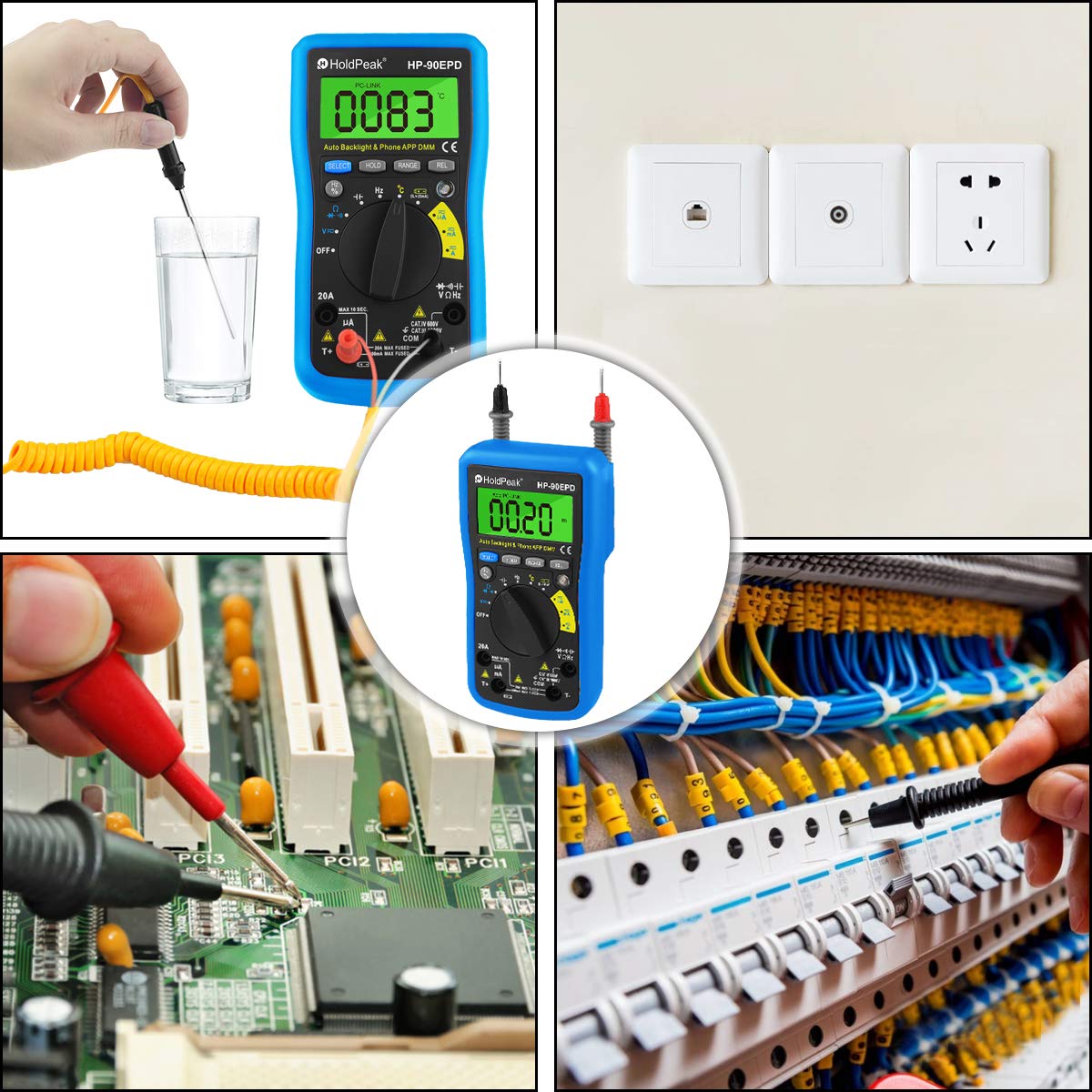
Figure 5.1: Location of the removable 9V battery compartment.
5.2 Mobile APP Connection
The HOLDPEAK 90EPD can connect to a mobile application for enhanced data logging and display features.
- Hatua ya 1: Scan the QR code provided in the manual (or on the product packaging) or search for "intelligent multimeter" in your phone's app store to download the application.
- Hatua ya 2: Open your phone's Bluetooth settings and ensure Bluetooth is enabled. Then, launch the downloaded application.
- Hatua ya 3: Turn on the multimeter. Your phone should automatically detect and connect to the multimeter via Bluetooth.
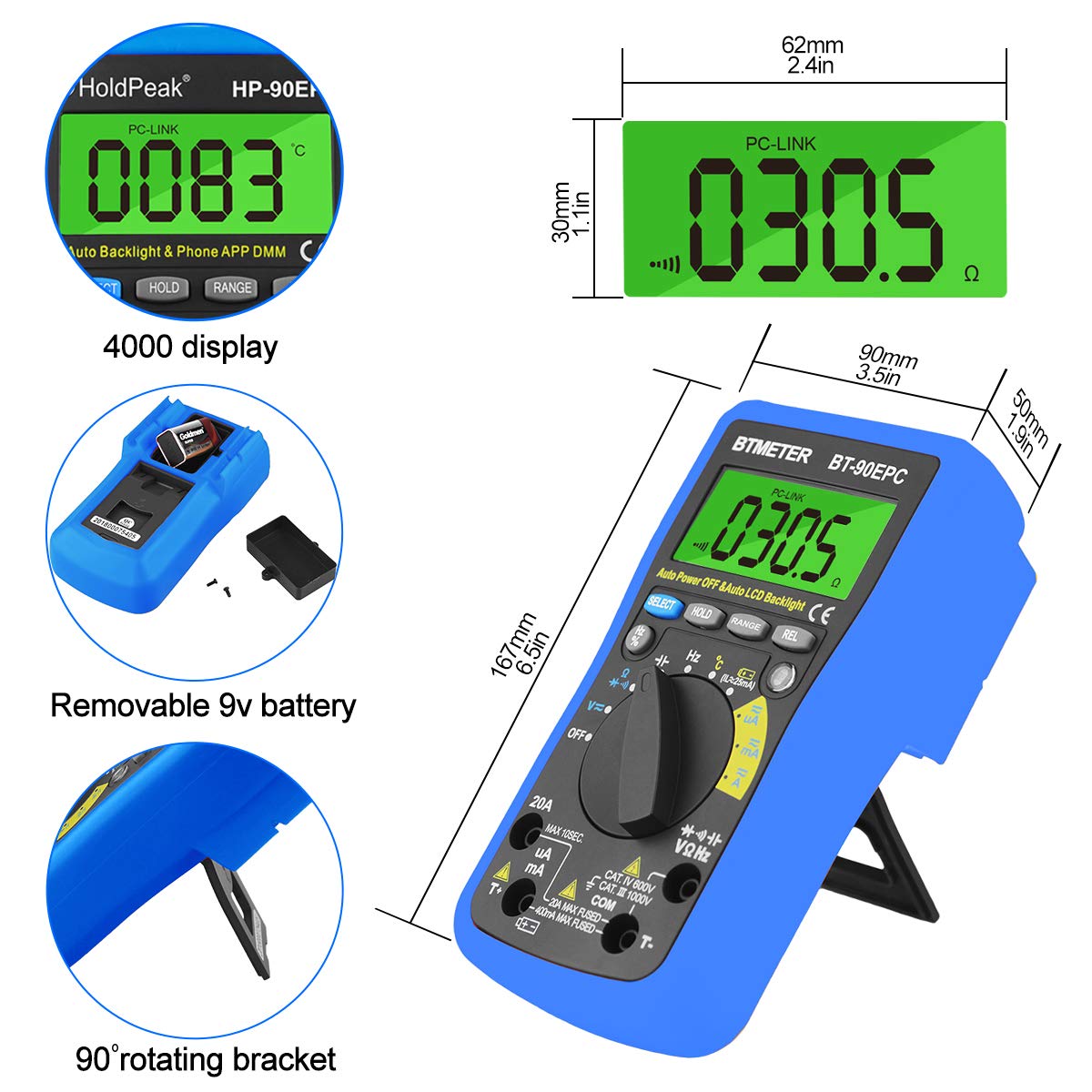
Figure 5.2: Steps for connecting the multimeter to a mobile phone application.
6. Maagizo ya Uendeshaji
This section provides general guidance for using the HOLDPEAK 90EPD Multimeter for various measurements. Always refer to the specific function details in the full operating manual for precise instructions.
Operesheni ya jumla:
- Washa/Zima: Rotate the central rotary switch to the desired measurement function to turn the meter on. Turn it to 'OFF' to power off.
- Upangaji Kiotomatiki: The meter automatically selects the appropriate range for most measurements, simplifying operation.
- Kushikilia Data: Bonyeza kitufe cha 'SHIKILIA' ili kugandisha usomaji wa sasa kwenye onyesho. Bonyeza tena ili kuachilia.
- Auto Back-Light: The display features an auto backlight for improved visibility in low-light conditions.
- Kipimo cha Uhusiano (REL): Press the 'REL' button to store the current reading as a reference value. Subsequent readings will be displayed as a deviation from this reference.
- Function Selection (SELECT): For ranges with multiple functions (e.g., AC/DC voltage, diode/continuity), press the 'SELECT' button to toggle between them.
Kazi za Kipimo:
- Juzuu ya AC / DCtage (V~ / V-): Connect test leads in parallel to the circuit. Select the appropriate voltage anuwai.
- Mkondo wa AC/DC (A~ / A-): Connect the meter in series with the circuit. Ensure the circuit is de-energized before connecting. Select the appropriate current range (µA, mA, A).
- Upinzani (Ω): Hakikisha saketi imepunguzwa nguvu. Unganisha vidhibiti vya majaribio kwenye sehemu.
- Uwezo (F): Ensure the capacitor is discharged before testing. Connect test leads across the capacitor.
- Masafa (Hz) / Mzunguko wa Ushuru (%): Unganisha vidokezo vya majaribio kwenye chanzo cha ishara.
- Kipimo cha Diode (→|): Use to check the forward voltagtone la diode.
- Jaribio la Mwendelezo (•))): Use to check for open or closed circuits. An audible buzzer indicates continuity.
- Halijoto (°C/°F): Connect the temperature test probe to the appropriate input jacks.
- Usiwasiliana na Voltage (NCV): Use the NCV sensor to detect the presence of AC voltage bila mawasiliano ya moja kwa moja.
Kielelezo 6.1: Kutamples of the HoldPeak 90EPD Multimeter in various measurement scenarios.
7. Matengenezo
7.1 Kusafisha
Ili kusafisha multimeter, tumia kitambaa laini dampened with mild detergent. Do not use abrasives or solvents. Ensure the meter is powered off and disconnected from any circuits before cleaning.
7.2 Hifadhi
When not in use for extended periods, remove the battery to prevent leakage. Store the multimeter in its carrying case in a cool, dry place, away from direct sunlight and extreme temperatures.
8. Utatuzi wa shida
If you encounter issues with your HOLDPEAK 90EPD Multimeter, refer to the common problems and solutions below:
- Hakuna Onyesho/Nguvu:
- Check if the battery is installed correctly and has sufficient charge. Replace the 9V battery if necessary.
- Hakikisha swichi inayozunguka imegeuzwa kuwa nafasi ya ON.
- Usomaji usio sahihi:
- Verify that the test leads are properly connected to the correct input jacks for the selected function.
- Ensure the correct measurement function is selected on the rotary switch.
- Check the battery level; low battery can affect accuracy.
- Ensure the circuit being tested is within the meter's specified range.
- Mobile APP Connection Issues:
- Hakikisha kuwa Bluetooth imewashwa kwenye simu yako mahiri.
- Make sure the multimeter is powered on and within Bluetooth range.
- Restart both the multimeter and the mobile application.
- Angalia ikiwa programu imesasishwa hadi toleo jipya zaidi.
- "OL" Displayed (Overload):
- The measured value exceeds the selected range. The auto-ranging feature should typically handle this, but if manually ranged, switch to a higher range.
- Ensure the meter is not connected to a voltage or current exceeding its maximum input ratings.
9. Vipimo
| Vipimo | Thamani |
|---|---|
| Usalama/Makubaliano | IEC61010 CAT.III 1000V, CAT.IV 600V overvoltage na kiwango cha insulation mara mbili |
| Onyesho | Maximum reading 4000, analogue bar graph 41 segments |
| Uteuzi wa safu | Otomatiki |
| Onyesho la upakiaji kupita kiasi | Onyesha OL |
| Juzuu ya DCtage | 400mV/4V/40V/400V (±0.5%), 1000V (±0.8%) |
| Juzuu ya ACtage | 400mV (±1.2%), 4/40/400V (±0.8%), 750V (±1.2%) |
| DC ya sasa | 400uA/4000uA/40mA/400mA (±1.2%), 4/20A (±2.0%) |
| AC ya sasa | 400uA/4000uA/40mA/400mA (±1.5%), 4/20A (±2.5%) |
| Uwezo | 51.2nF (±3.0%), 512nF/5.12uF/51.2uF (±2.5%), 100uF (±5.0%) |
| Upinzani | 400ohm/4k/40k/400k/4Mohm (±1.0%), 40Mohm (±1.5%) |
| Masafa ya masafa | 5.12Hz ~ 5.12MHz (±0.1%) |
| Mtihani wa diode | Ndiyo |
| Mtihani wa kuendelea | Ndiyo |
| Yasiyowasiliana voltagkugundua | Ndiyo |
| Thamani Jamaa | Ndiyo |
| APP ya rununu | Ndiyo |
| Vipimo | 16.7 x 9 x 5 cm (6.6" x 3.48" x 2.36") |
| Nguvu | Betri ya 9V 6F22 |
| Uzito | Pauni 0.71 (takriban 322g) |
| Mtengenezaji | Zhuhai Jida Huapu Instrument Co.,Ltd |
| Nambari ya mfano wa bidhaa | 90EPD |
| Tarehe ya Kwanza Inapatikana | Septemba 1, 2016 |
10. Udhamini na Msaada
For detailed warranty information, technical support, or service inquiries, please refer to the official HoldPeak webtovuti au kadi ya udhamini iliyojumuishwa na bidhaa yako. Weka risiti yako ya ununuzi kama uthibitisho wa ununuzi kwa madai ya udhamini.