
Utangulizi
The Vonyx STM2270 is a versatile 2-channel DJ mixer designed for both aspiring and experienced DJs. It integrates modern features such as Bluetooth connectivity and a USB/SD card MP3 player, alongside essential DJ tools like a crossfader and microphone input. This manual provides detailed instructions for the safe and efficient setup, operation, and maintenance of your Vonyx STM2270 mixer.
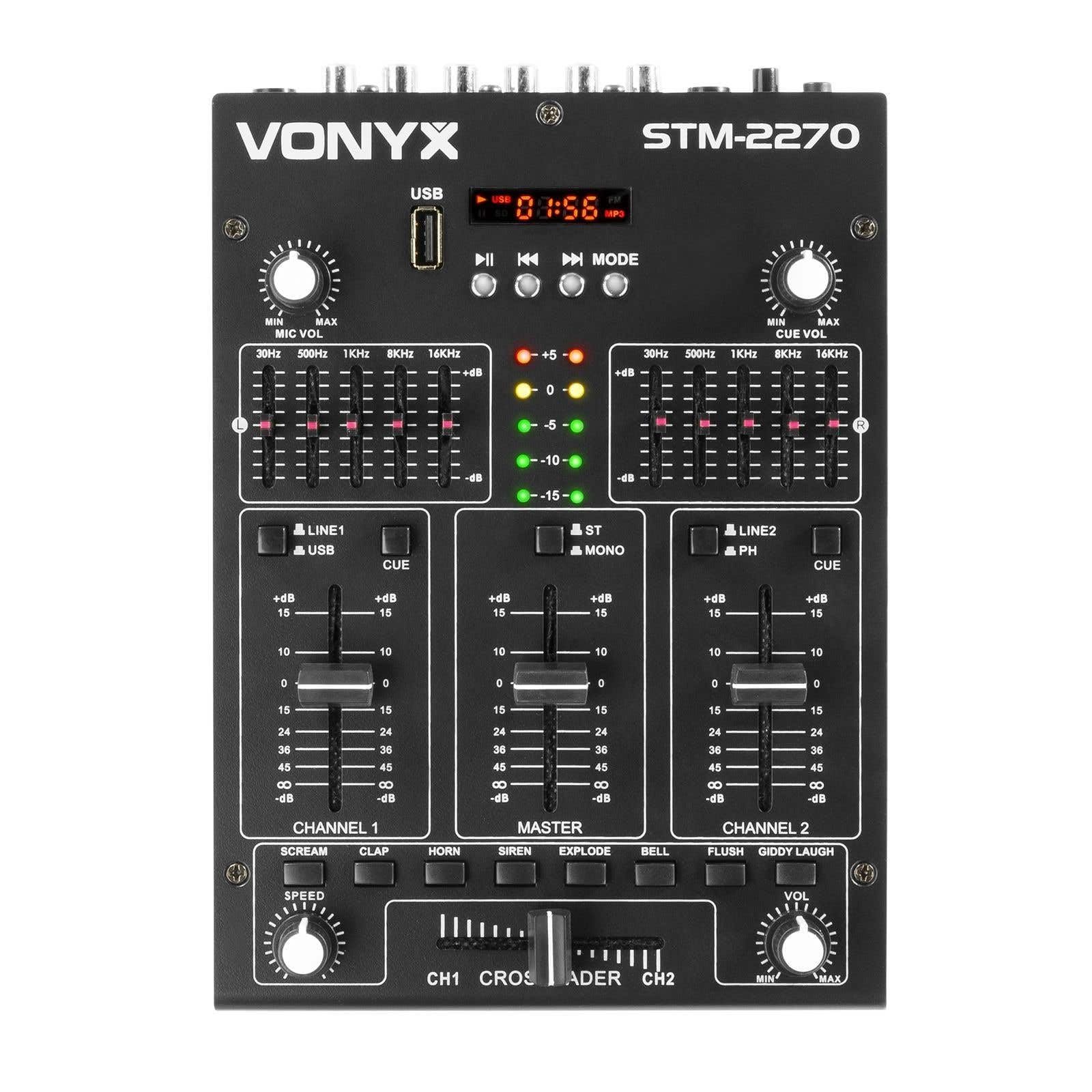
Mbele view of the Vonyx STM2270 DJ Mixer, showing all controls and inputs.
Sanidi
Kufungua
- Ondoa kwa uangalifu vifaa vyote kutoka kwa kifurushi.
- Thibitisha kuwa sehemu zote zipo na hazijaharibika.
- Hifadhi kifungashio cha asili kwa ajili ya usafiri au hifadhi ya baadaye.
Uunganisho wa Nguvu
- Ensure the mixer is switched off before connecting the power supply.
- Connect the provided 14V/600mA power adapter to the DC input on the rear panel of the mixer.
- Chomeka adapta ya umeme kwenye soketi ya kawaida ya umeme ya 220V AC.
Viunganisho vya Sauti
The STM2270 offers various input and output options for connecting your audio sources and sound system.
Rear panel of the Vonyx STM2270 DJ Mixer, showing power input, master output, line/phono inputs, and microphone input.
- Pato Kuu: Connect your main sound system (amplifiers, powered speakers) to the MASTER OUTPUT RCA jacks.
- Line/Phono Inputs: Connect CD players, media players, or other line-level devices to the LINE inputs. For turntables, use the PHONO inputs. Ensure the correct input type is selected on the mixer.
- Ingizo la maikrofoni: Connect a microphone to the 6.3mm jack input on the rear panel.
- Pato la Kipokea sauti: Connect your headphones to the 6.3mm jack on the front panel for monitoring.
Uendeshaji
Kuwasha/Kuzima
- To power on, ensure all volume controls are at their minimum setting, then press the POWER button.
- To power off, lower all volume controls, then press the POWER button.
Udhibiti wa Kituo
The mixer features two main channels, each with dedicated controls:
- Kiteuzi cha Ingizo: Switch between LINE/USB (for Channel 1) or LINE/PHONO (for Channel 2) inputs.
- Kupata Udhibiti: Adjust the input level for each channel to prevent clipping.
- Usawazishaji (EQ): Each channel has 2-band EQ controls (High and Low) to adjust the tone of the audio. (Highs: ±10dB, Lows: ±10dB).
- Kituo cha Fader: Controls the volume of the respective channel.
- CUE Button: Activates pre-fader listening (PFL) for the channel through headphones.

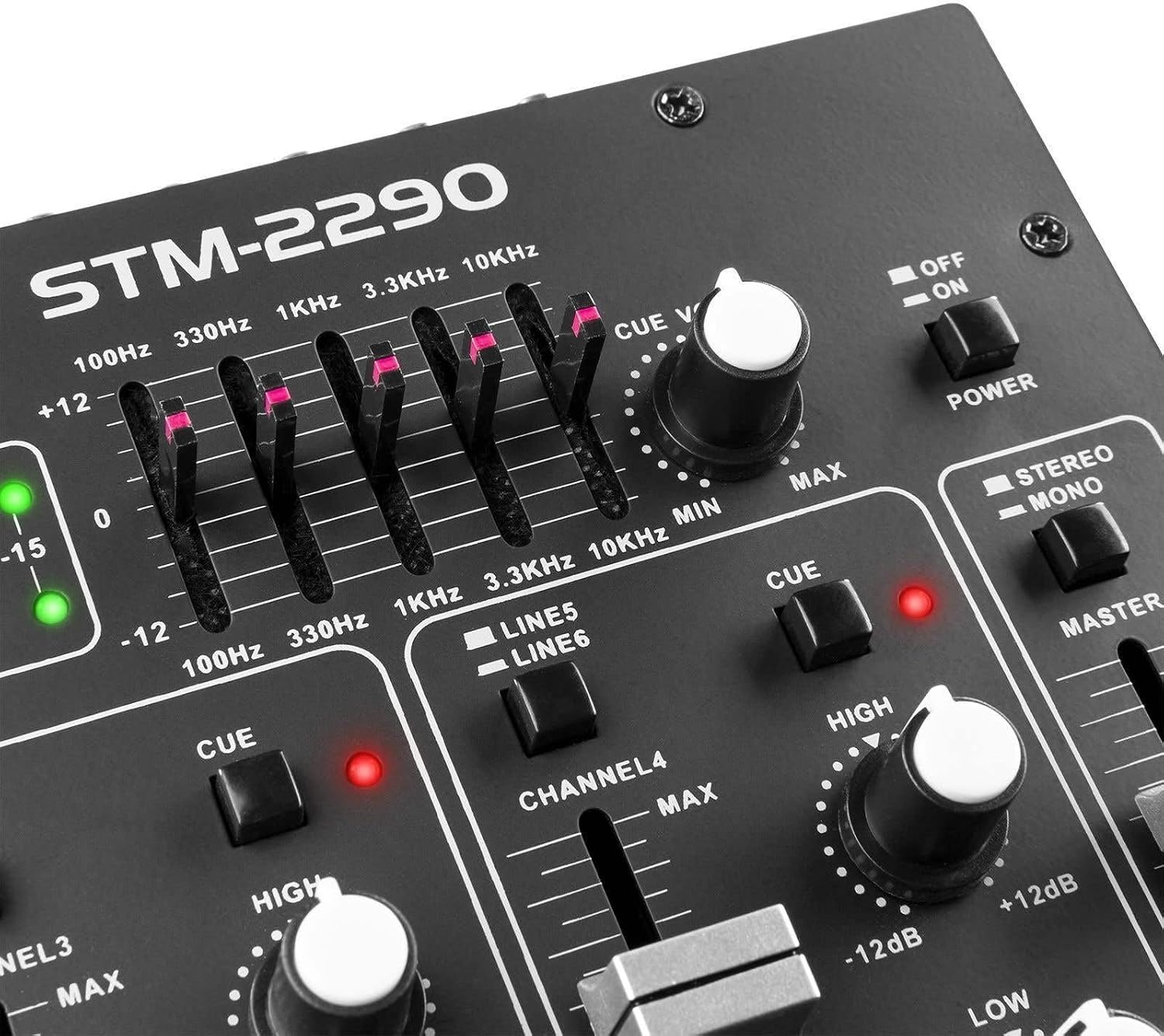
Close-up of the EQ section and LED level meters.
Master and Crossfader
- Mwalimu Fader: Hudhibiti ujazo wa jumla wa matokeo ya mchanganyiko.
- Crossfader: Allows for smooth transitions between Channel 1 and Channel 2. Slide the crossfader to the left for Channel 1, to the right for Channel 2, and to the center for a blend of both.

Close-up of the crossfader and integrated sound effects buttons.
Muunganisho wa Bluetooth
- Activate the Bluetooth function on the mixer (usually via the MP3 player section).
- Enable Bluetooth on your external device (smartphone, tablet, etc.).
- Tafuta and select "Vonyx STM2270" (or similar) in your device's Bluetooth settings to pair.
- Once paired, audio from your device will be routed through the mixer.
USB/SD MP3 Player
- Ingiza kiendeshi cha USB flash au kadi ya SD iliyo na sauti ya MP3 files kwenye nafasi iliyoteuliwa.
- Use the player controls (Play/Pause, Next, Previous, Mode) to navigate and play tracks.
- The display will show track information and playback time.

Close-up of the USB port and SD card slot for the integrated MP3 player.
Matumizi ya maikrofoni
- Connect your microphone to the MIC input.
- Rekebisha kitufe cha Maikrofoni ili kudhibiti sauti ya maikrofoni.
- The mixer may include a 'talkover' function, which automatically lowers the music volume when the microphone is in use, allowing vocals to be heard clearly.
Athari za Sauti
The mixer includes integrated sound effects. Use the dedicated buttons to trigger effects and the SPEED knob to adjust their characteristics.
Matengenezo
Kusafisha
- Disconnect the mixer from power before cleaning.
- Tumia kitambaa laini na kavu ili kuifuta nje.
- Kwa uchafu mkaidi, d kidogoamp kitambaa na sabuni kali kinaweza kutumika, ikifuatiwa na kitambaa kavu.
- Avoid using abrasive cleaners, solvents, or excessive moisture, as these can damage the unit.
Hifadhi
- Hifadhi mchanganyiko mahali pa baridi, kavu mbali na jua moja kwa moja na joto kali.
- If storing for an extended period, use the original packaging to protect against dust and physical damage.
Kutatua matatizo
If you encounter issues with your Vonyx STM2270 mixer, refer to the following common problems and solutions:
- Hakuna Nguvu:
- Check if the power adapter is securely connected to both the mixer and the electrical outlet.
- Thibitisha kuwa mkondo wa umeme unafanya kazi.
- Hakuna Pato la Sauti:
- Ensure the Master Fader is raised.
- Check that individual Channel Faders are raised and not muted.
- Verify all audio cables are correctly connected to the mixer's inputs and outputs, and to your sound system.
- Confirm the correct input source is selected for each channel.
- Sauti Iliyopotoka:
- Reduce the Gain control for the input channel to prevent clipping (indicated by red LEDs on the level meter).
- Check the volume levels on your connected audio sources.
- Kagua nyaya za sauti kwa uharibifu au miunganisho iliyolegea.
- Masuala ya Muunganisho wa Bluetooth:
- Ensure the mixer's Bluetooth function is active and in pairing mode.
- Make sure your external device's Bluetooth is enabled and searching for devices.
- Move your device closer to the mixer to ensure it's within range.
- Jaribu kubatilisha uoanishaji na uoanishe upya kifaa.
- Humming/Noise in Headphones:
- Hakikisha miunganisho yote ni salama.
- Jaribu na vipokea sauti vya masikioni tofauti ili kuondoa matatizo ya vipokea sauti vya masikioni.
- Check for potential ground loops or interference from other electronic devices nearby.
Vipimo
| Kipengele | Vipimo |
|---|---|
| Chapa | Vonyx |
| Mfano | ST2270 |
| Idadi ya Vituo | 2 (with multiple inputs per channel) |
| Majibu ya Mara kwa mara | 20 Hz - 20 KHz |
| THD (Jumla ya Upotoshaji wa Harmonic) | < 0.05% |
| Usawazishaji (EQ) | Highs: ±10dB, Lows: ±10dB |
| Ingizo la maikrofoni | 10 mV / 10 K Ohm (6.3mm Jack) |
| Ingizo la Mstari | 300 mV / 30 K Ohm |
| Uingizaji wa Phono | 15 mV / 22 K Ohm |
| Pato Kuu | 2 V / 400 Ohm (RCA) |
| Uzuiaji wa Vipaza sauti | 16 - 32 Ohm |
| Signal-kwa-kelele uwiano | > 70 dB |
| Ugavi wa Nguvu | 14 V / 600 mA (AC Adapter) |
| Uendeshaji Voltage | 220 Volt |
| Teknolojia ya Uunganisho | Bluetooth, USB |
| Vipimo (D x W x H) | Sentimita 24 x 20 x sentimita 6 |
Udhamini na Msaada
This Vonyx STM2270 DJ Mixer is covered by a manufacturer's warranty, subject to the terms and conditions provided at the time of purchase. Please retain your proof of purchase for warranty claims.
For technical support, service, or warranty inquiries, please contact your retailer or the official Vonyx support channels. Refer to the product packaging or the Vonyx webtovuti kwa maelezo ya mawasiliano.
Do not attempt to repair the unit yourself, as this may void your warranty and could result in electrical shock or damage to the device.