
1. Utangulizi
The Cooler Master CM Storm QuickFire Rapid-i is a mechanical gaming keyboard designed for performance and durability. It features full LED backlighting with ActivLite Technology, allowing for dynamic lighting effects and per-key customization. This keyboard is equipped with a 32-bit ARM processor for advanced lighting control without the need for software. Its tenkeyless form factor provides a compact design, ideal for gaming setups and travel.
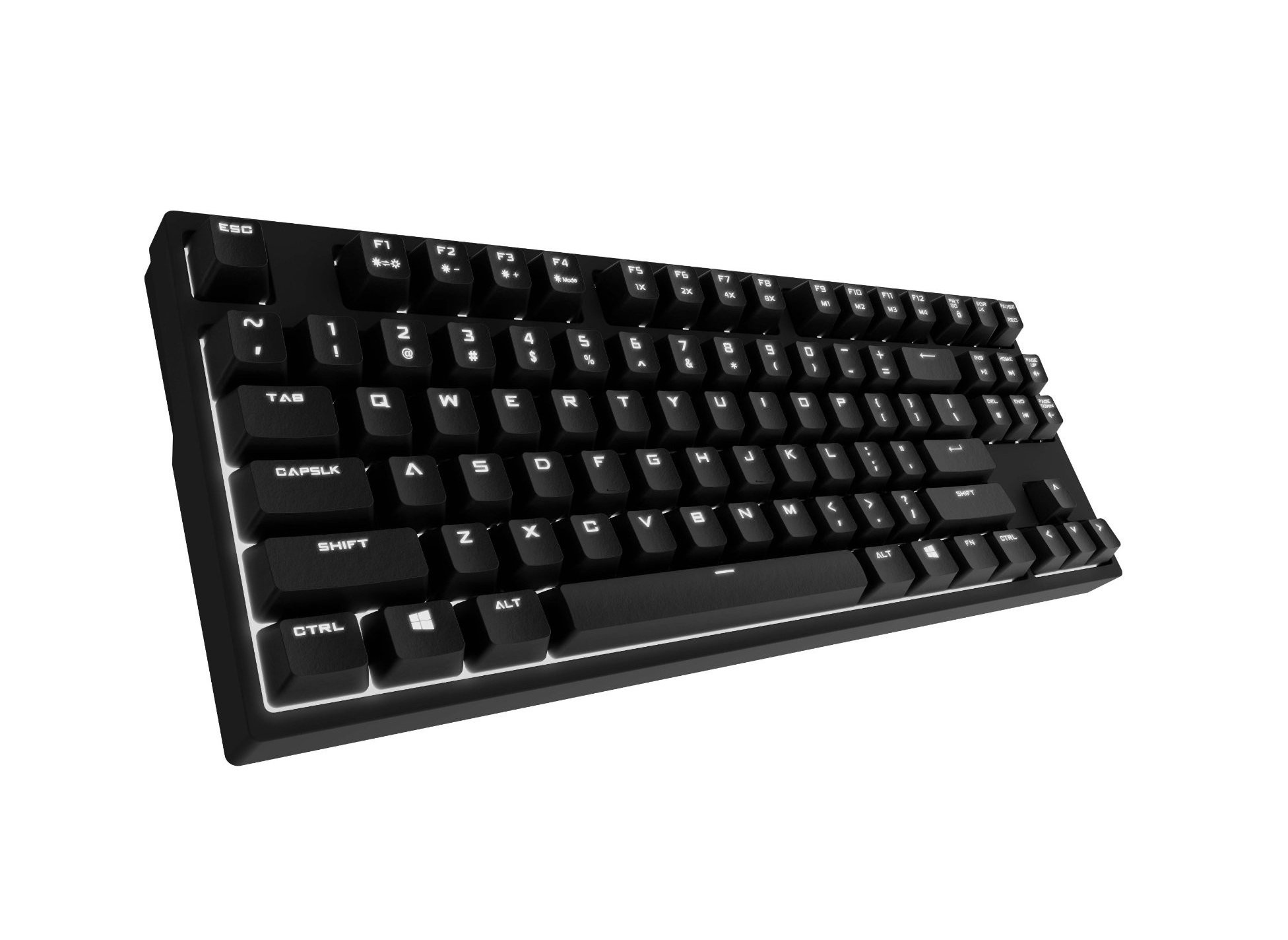
Image 1.1: Cooler Master CM Storm QuickFire Rapid-i Mechanical Gaming Keyboard.
2. Yaliyomo kwenye Kifurushi
Thibitisha kuwa vipengee vyote vipo kwenye kifurushi chako:
- Cooler Master CM Storm QuickFire Rapid-i Keyboard
- 1.8m Detachable Braided USB Cable
- Mwongozo wa Mtumiaji (hati hii)
3. Bidhaa za Bidhaa
- Fully Mechanical CHERRY MX Brown Keyswitches: Provides tactile feedback with low noise, optimized for gaming.
- Kipengele cha Umbo Lisilo na Kipengele: Compact and ergonomic design for portability and improved mouse positioning.
- Fully White LED Backlit: Ensures visibility in low-light environments.
- ActivLite Technology: Features instant response and trailing light effects, powered by a 32-bit ARM processor.
- Individual Key Lighting: Allows saving up to 4 different lighting profiles kwa programu au michezo mbalimbali.
- 1.8m Detachable Braided Cable: Durable and convenient for transport.
- N-Key Rollover: Registers an unlimited number of simultaneous keypresses, preventing ghosting.
4. Kuweka
4.1 Kuunganisha Kibodi
- Locate the detachable 1.8m braided USB cable.
- Connect the micro-USB end of the cable to the port on the back of the QuickFire Rapid-i keyboard.
- Unganisha mwisho wa kawaida wa kebo ya USB-A kwenye mlango wa USB unaopatikana kwenye kompyuta yako.
- The keyboard is plug-and-play compatible with Windows operating systems and should be recognized automatically.

Image 4.1: Connecting the detachable USB cable to the keyboard.
5. Maagizo ya Uendeshaji
5.1 Kazi za Msingi za Kibodi
The QuickFire Rapid-i functions as a standard QWERTY keyboard. All keys perform their labeled actions. Special functions are typically accessed via the Function (Fn) key combined with other keys.
5.2 ActivLite Technology and LED Backlighting
The keyboard features fully white LED backlighting with ActivLite Technology, offering various lighting modes and effects. These effects are controlled directly from the keyboard using key combinations, without requiring software.
- Jibu la Papo hapo: Keys light up immediately upon press.
- Trailing Effect: Keys remain lit for a short duration after being pressed, creating a trailing light effect.
- Marekebisho ya Mwangaza: Tumia Fn + F1 (decrease brightness) and Fn + F2 (increase brightness) to adjust the LED intensity.
- Njia za Taa: Cycle through various pre-programmed lighting modes using Fn + F3 kwa Fn + F8. Refer to the keyboard's keycap legends for specific mode indicators.

Picha 5.1: Kutample of LED backlighting on the QuickFire Rapid-i.
5.3 Per-Key Lighting and Profiles
The QuickFire Rapid-i allows users to customize individual key lighting and save up to 4 different profiles directly on the keyboard's onboard memory.
- Entering Customization Mode: Bonyeza Fn + F9 to enter the per-key lighting customization mode. The keyboard LEDs may flash to indicate this mode.
- Selecting Keys: Press any key you wish to toggle its LED on or off.
- Saving a Profile: Once your desired lighting pattern is set, press Fn + F10, Fn + F11, Fn + F12, au Fn + Print Screen to save the current lighting pattern to one of the four available profiles. The keyboard will confirm the save.
- Inapakia Profile: To load a saved profile, bonyeza tu Fn + F10, Fn + F11, Fn + F12, au Fn + Print Screen corresponding to the desired profile.
- Exiting Customization Mode: Bonyeza Fn + F9 again to exit customization mode.

Image 5.2: Customizing individual key lighting for a personalized profile.
5.4 Kugeuza N-Key (NKRO)
The QuickFire Rapid-i supports N-Key Rollover, meaning every single keypress is registered accurately, regardless of how many keys are pressed simultaneously. This feature is crucial for fast-paced gaming where multiple commands might be executed at once.
6. Matengenezo
6.1 Kusafisha Kinanda
- Tenganisha kibodi kutoka kwa kompyuta yako kabla ya kusafisha.
- Tumia kitambaa laini kisicho na pamba kidogo dampimepakwa maji au suluhisho laini la kusafisha ili kufuta vifuniko vya vitufe na chasisi.
- Epuka kunyunyizia vimiminika moja kwa moja kwenye kibodi.
- Kwa vumbi na uchafu kati ya funguo, tumia hewa iliyoshinikizwa.
- Do not use harsh chemicals, abrasives, or solvents as they may damage the keyboard's finish or keycap legends.
6.2 Utunzaji wa Kebo
- Avoid sharp bends or kinks in the detachable braided cable.
- When disconnecting, pull from the connector head, not the cable itself.
7. Utatuzi wa shida
7.1 Kibodi Haijibu
- Hakikisha kuwa kebo ya USB imeunganishwa kwa usalama kwenye kibodi na kompyuta.
- Jaribu kuunganisha kibodi kwenye mlango tofauti wa USB kwenye kompyuta yako.
- Jaribu kibodi kwenye kompyuta nyingine ili kuondoa tatizo mahususi la mfumo.
- Anzisha tena kompyuta yako.
7.2 LED Backlighting Not Working or Flickering
- Check if the brightness is set to minimum using Fn + F1. Increase brightness with Fn + F2.
- Zungusha kupitia njia za taa ukitumia Fn + F3 kwa Fn + F8 ili kuona kama njia zingine zinafanya kazi.
- Ensure you are not in a custom profile with all LEDs turned off. Try loading a different profile or resetting the lighting.
- Tenganisha na uunganishe tena kibodi.
7.3 Keys Not Registering Correctly (Ghosting)
- The QuickFire Rapid-i features N-Key Rollover, which should prevent ghosting. If you experience this, ensure the keyboard is connected directly to a USB port on your computer, not through a hub.
- Clean the affected keys as described in the Maintenance section.
- If the issue persists, contact Cooler Master support.
8. Vipimo
| Chapa | Baridi Mwalimu |
| Jina la Mfano | SGK-4040-GKCB1 (CHERRY MX Brown switch) |
| Nambari ya Mfano | SGK-4040-GKCM1-US |
| Badilisha Aina | CHERRY MX Brown (Tactile) |
| Teknolojia ya Uunganisho | Kebo ya USB Inayoweza Kuondolewa kwa Waya |
| Mpangilio wa Kibodi | QWERTY, Tenkeyless Form Factor |
| Mwangaza nyuma | Fully White LED, ActivLite Technology, Per-Key Lighting |
| Kichakataji | 32-bit ARM Processor |
| N-Key Rollover | Imeungwa mkono |
| Urefu wa Cable | 1.8 meters (Braided, Detachable) |
| Mfumo wa Uendeshaji Sambamba | Windows |
| Vipimo vya Bidhaa (L x W x H) | 14.13" x 5.43" x 1.54" (cm 35.89 x 13.79cm x 3.91cm) |
| Uzito wa Kipengee | Pauni 2.05 (kilo 0.93) |
| Nyenzo ya Uzio | Plastiki |
9. Udhamini na Msaada
9.1 Taarifa ya Udhamini
The Cooler Master CM Storm QuickFire Rapid-i Mechanical Gaming Keyboard comes with a dhamana ya miezi 12 kuanzia tarehe ya ununuzi. Udhamini huu unashughulikia kasoro za utengenezaji na masuala yanayotokana na matumizi ya kawaida. Haifunika uharibifu unaosababishwa na matumizi mabaya, ajali, marekebisho yasiyoidhinishwa au matengenezo yasiyofaa.
Tafadhali hifadhi uthibitisho wako wa ununuzi kwa madai ya udhamini.
9.2 Msaada wa Kiufundi
For technical assistance, troubleshooting beyond this manual, or warranty inquiries, please visit the official Cooler Master support website or contact their customer service department. Contact information can typically be found on the Cooler Master official webtovuti.
Note: Product specifications and warranty terms are subject to change without prior notice.