
1. Utangulizi
Welcome to the Dometic CFX 40 user manual. This portable compressor cooler is designed for reliable cooling and freezing in various mobile environments, including cars, trucks, boats, and campers. It offers efficient performance with a capacity of 36 liters and can reach temperatures as low as -22 °C. This manual provides essential information for the safe and effective use of your Dometic CFX 40.
2. Taarifa za Usalama
Please read this manual carefully before operating the Dometic CFX 40. Failure to follow these instructions may result in product damage or personal injury. Keep this manual for future reference.
- Hakikisha ugavi wa umeme ujazotage inalingana na vipimo kwenye lebo ya bidhaa.
- Do not operate the cooler if it appears damaged.
- Weka nafasi za uingizaji hewa wazi ili kuzuia joto kupita kiasi.
- Do not use electrical devices inside the cooler unless they are recommended by the manufacturer.
- Avoid contact with moving parts, such as the fan.
- Disconnect from power before cleaning or performing any maintenance.
- Kifaa hiki hakikusudiwa kutumiwa na watu (pamoja na watoto) walio na uwezo mdogo wa kimwili, hisi au kiakili, au wasio na uzoefu na ujuzi, isipokuwa wamepewa usimamizi au maagizo kuhusu matumizi ya kifaa na mtu anayehusika na usalama wao.
- Usihifadhi vitu vinavyolipuka kama vile makopo ya erosoli yenye kichocheo kinachoweza kuwaka katika kifaa hiki.
3. Bidhaa Imeishaview
The Dometic CFX 40 is a robust portable compressor cooler designed for demanding outdoor and mobile use. Below are key features and components.
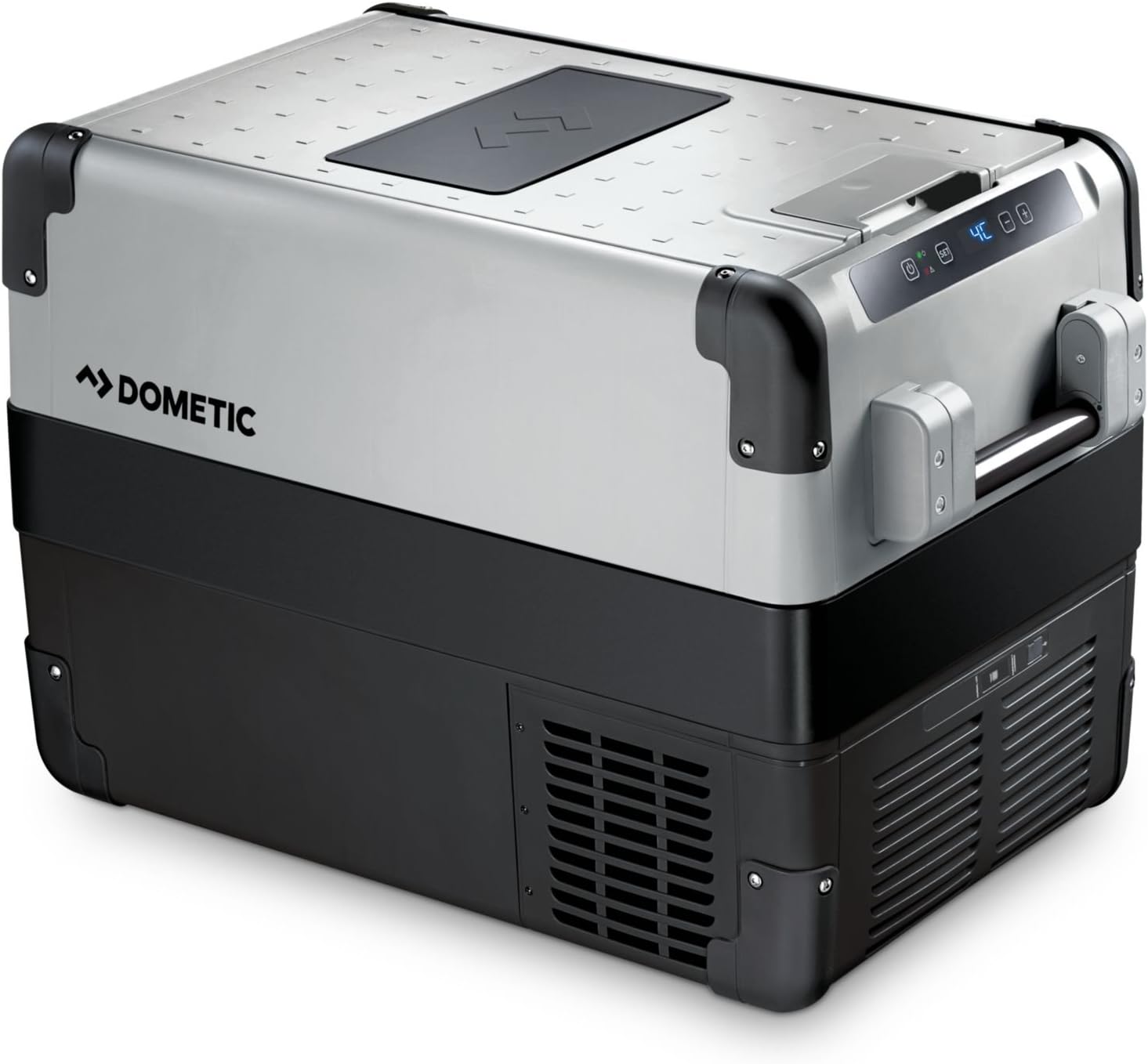
Kielelezo cha 1: Dometic CFX 40 main unit with lid open, revealing internal storage and several water bottles.
Jopo la Kudhibiti
The intuitive control panel allows you to adjust settings and monitor the cooler's operational status and temperature.

Kielelezo cha 2: Kina view of the control panel, showing the power button, 'SET' button, and digital temperature readout.
Robust Design Features
The cooler features reinforced corners and sturdy handles for enhanced durability and ease of transport in challenging environments.

Kielelezo cha 3: Reinforced corner and robust handle attachment, highlighting the cooler's durable construction.
Internal Storage and USB Port
The interior includes a removable wire basket for organized storage, and an integrated USB port allows for charging small electronic devices.

Kielelezo cha 4: Interior of the cooler with a wire basket, demonstrating efficient storage for food and beverages.

Kielelezo cha 5: Integrated USB port for convenient charging of external devices.
Vipimo
Refer to the diagram for detailed product dimensions to ensure proper fit and placement.

Kielelezo cha 6: Dimensional drawing of the Dometic CFX 40, indicating length, width, and height in millimeters.
4. Kuweka
Kufungua
Remove all packaging materials. Inspect the cooler for any damage incurred during transit. If damage is found, contact your retailer immediately and do not operate the unit.
Usafishaji wa Awali
Kabla ya matumizi ya kwanza, safisha sehemu ya ndani na nje ya kipozeo kwa kutumia tangazo.amp cloth and a mild, non-abrasive detergent. Dry thoroughly to prevent odors and ensure hygiene.
Uunganisho wa Nguvu
The Dometic CFX 40 can be powered by 12V/24V DC (direct current) from a vehicle or 100V-240V AC (alternating current) from a mains power supply. Use the appropriate power cable provided with your unit.
- Muunganisho wa DC: Plug the 12V/24V cable into your vehicle's cigarette lighter socket or a dedicated DC power outlet. Ensure the connection is secure.
- Muunganisho wa AC: Plug the 230V cable into a standard wall outlet.
Always ensure the power source is stable and capable of supplying the required current for optimal performance.
Uwekaji
Place the cooler on a firm, level surface. Ensure adequate ventilation around the unit, especially around the compressor area and air vents. Avoid direct sunlight and proximity to heat sources to maximize cooling efficiency and minimize power consumption.
5. Maagizo ya Uendeshaji
Kuwasha/Kuzima
To turn the unit on or off, press the power button (U) located on the control panel.
Kuweka Joto
Follow these steps to adjust the desired temperature:
- Press the 'SET' button. The current temperature display will flash.
- Use the '+' and '-' buttons to increase or decrease the desired temperature. The Dometic CFX 40 can achieve temperatures as low as -22 °C.
- Press 'SET' again or wait a few seconds for the new temperature setting to be saved. The display will return to showing the actual internal temperature.
Mfumo wa Ulinzi wa Betri
The cooler incorporates a 3-level battery monitor system to prevent excessive discharge of your vehicle's battery. You can select between 'High', 'Medium', and 'Low' protection levels via the control panel settings. Refer to the comprehensive Dometic CFX manual for detailed instructions on adjusting battery protection levels to suit your specific power source.
Mlango wa Kuchaji wa USB
The integrated USB port (5V, 500mA) provides a convenient charging point for small electronic devices such as smartphones or tablets when the cooler is powered on.
6. Matengenezo
Kusafisha
Kusafisha mara kwa mara huhakikisha utendaji bora na usafi:
- Always disconnect the cooler from the power supply before cleaning.
- Safisha mambo ya ndani mara kwa mara kwa kutumia tangazoamp cloth and a mild, non-abrasive detergent. Avoid using harsh chemicals or abrasive cleaning agents.
- Futa sehemu ya nje na tangazoamp kitambaa.
- Hakikisha grille za uingizaji hewa hazina vumbi na uchafu. Tumia brashi laini au kisafishaji cha utupu ikiwa ni lazima.
Kupunguza barafu
Frost can accumulate inside the cooler, particularly when operating at freezing temperatures. To defrost the unit:
- Turn off the cooler and disconnect it from all power supplies.
- Ondoa yaliyomo yote kutoka kwa baridi.
- Open the lid and allow the frost to melt naturally. You may place a towel inside to absorb the melting water.
- The cooler is equipped with a drain plug at the bottom for easy water removal. Open the plug to drain water.
- Mara tu ikiyeyushwa, safisha na kausha sehemu ya ndani vizuri kabla ya kuanzisha tena kifaa.
7. Utatuzi wa shida
If you encounter issues with your Dometic CFX 40, refer to the following common problems and solutions:
| Tatizo | Sababu inayowezekana | Suluhisho |
|---|---|---|
| Kipoeza hakiwaki. | No power supply; faulty cable; low battery voltage. | Check power connection; try a different outlet/cable; check vehicle battery charge. Adjust battery protection setting to 'Low' if necessary. |
| Utendaji wa kupoeza ni duni. | Insufficient ventilation; ambient temperature too high; lid not closed properly; excessive frost buildup. | Ensure clear ventilation around the unit; move cooler to a cooler location; close lid securely; defrost the unit if necessary. |
| Onyesho linaonyesha msimbo wa hitilafu. | Internal fault; sensor issue; power supply problem. | Consult the full Dometic CFX manual for specific error code meanings. If the issue persists, contact customer support. |
| Kelele isiyo ya kawaida wakati wa operesheni. | Unit not level; fan obstruction; compressor issue. | Place on a level surface; check for obstructions in the fan area. If noise persists or is severe, contact support. |
8. Vipimo
The following table outlines the key technical specifications for the Dometic CFX 40 compressor cooler:
| Kipengele | Vipimo |
|---|---|
| Jina la Mfano | CFX 40 |
| Capacity (Freezing) | 36 lita |
| Capacity (Fresh Food) | 38 lita |
| Vipimo (L x W x H) | 63.0 cm x 39.8 cm x 46.1 cm (main body, based on diagram) |
| Uzito | Kilo 18.5 |
| Voltage | 12V/24V DC, 100V-240V AC |
| Mbinu ya Kupoeza | Compressor |
| Udhibiti wa Joto | Adjustable, down to -22 °C |
| Pato la USB | Ndiyo (5V, 500mA) |
| Mfumo wa kufuta | Otomatiki |
| Matumizi ya Nishati (Mwaka) | 37 kWh/mwaka |
| Mtengenezaji | WAECO (Dometic) |
9. Udhamini na Msaada
Taarifa ya Udhamini
The Dometic CFX 40 compressor cooler comes with a dhamana ya mwaka 2 from the date of purchase. Please retain your proof of purchase for all warranty claims. The warranty covers manufacturing defects and material faults under normal use conditions. For full terms and conditions, please refer to the warranty card included with your product or visit the Dometic webtovuti.
Usaidizi wa Wateja
For technical assistance, spare parts, or warranty inquiries, please contact Dometic customer support or your authorized dealer. You can find contact information on the official Dometic webtovuti au katika nyaraka zinazotolewa na bidhaa yako.
For more information, visit the official Dometic webtovuti: www.dometic.com