
1. Bidhaa Imeishaview
The Surge 828 Wallplate Surge Protector is designed to provide protection for your electronic devices against power surges. It features a direct-connect, cordless design that fits over standard duplex outlets, offering two protected AC outlets and coaxial protection.
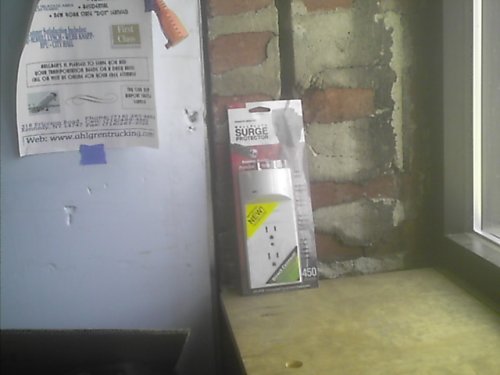
Image: The Surge 828 Wallplate Surge Protector, a white, rectangular device designed to plug directly into a wall outlet, featuring two AC outlets and a coaxial connection.
2. Kuweka na Kuweka
The Surge 828 Wallplate Surge Protector is designed for easy installation without the need for additional wiring. Follow these steps to install your surge protector:
- Identify a Standard Duplex Outlet: Ensure the wall outlet you intend to use is a standard 3-prong grounded duplex outlet.
- Plug In the Surge Protector: Align the prongs of the Surge 828 with the top receptacle of your existing wall outlet. Gently push the surge protector directly into the outlet until it is flush with the wall.
- Salama (Si lazima): Some models may include a center screw for added security. If present, remove the existing wallplate screw from the center of your outlet and use it to secure the surge protector. Do not overtighten.
- Connect Coaxial Cable (Optional): If you require coaxial protection, connect your incoming coaxial cable to the 'IN' port on the surge protector and your device's coaxial cable to the 'OUT' port.
- Thibitisha Nguvu: Once installed, the surge protector is ready for use. Plug your electronic devices into the two available AC outlets.
Kumbuka: This device is intended for indoor use only. Do not install in wet locations or near heat sources.
3. Maagizo ya Uendeshaji
The Surge 828 Wallplate Surge Protector operates automatically once installed. It provides continuous protection against power surges for connected devices.
- Vifaa vya AC: Plug your electronic devices (e.g., lamps, chargers, small appliances) into the two available 3-prong AC outlets on the front of the surge protector.
- Coaxial Protection: If you have connected coaxial cables, the surge protector will protect devices such as TVs, cable boxes, or modems from surges traveling through the coaxial line.
- Mwanga wa Kiashirio: Some models may feature an indicator light to confirm surge protection is active. Refer to your specific product for details. If no light is present, protection is still active.
Do not overload the surge protector beyond its specified electrical rating. Refer to the specifications section for details.
4. Matengenezo
The Surge 828 Wallplate Surge Protector requires minimal maintenance to ensure optimal performance and longevity.
- Kusafisha: Disconnect the surge protector from the wall outlet before cleaning. Use a soft, dry cloth to wipe the exterior. Do not use liquid cleaners or abrasive materials.
- Ukaguzi: Periodically inspect the surge protector for any signs of damage, such as cracks in the casing or discoloration. If damage is observed, discontinue use and replace the unit.
- Mazingira: Ensure the surge protector is used in a dry, indoor environment, away from direct sunlight, excessive heat, or moisture.
5. Utatuzi wa shida
If you experience issues with your Surge 828 Wallplate Surge Protector, refer to the following troubleshooting tips:
- Hakuna Nguvu kwa Vifaa:
- Ensure the surge protector is fully seated in the wall outlet.
- Check the wall outlet by plugging in another device directly to confirm it is receiving power.
- Verify that the devices plugged into the surge protector are functioning correctly when plugged into a different power source.
- Surge Protection Indicator Off (if applicable): If your model has an indicator light for surge protection and it is off, it may indicate that the surge protection components have been sacrificed to protect your devices from a significant surge. In this case, the unit may still provide power, but surge protection is no longer active. Replace the unit for continued protection.
- Loose Fit in Outlet: If the surge protector feels loose in the wall outlet, ensure the outlet itself is not worn. If the outlet is worn, it should be replaced by a qualified electrician.
If problems persist after attempting these steps, contact the manufacturer for further assistance.
6. Vipimo
| Kipengele | Maelezo |
|---|---|
| Nambari ya Mfano | 828 |
| Chapa | Kuongezeka |
| Rangi | Nyeupe |
| Jumla ya Vituo vya Umeme | 2 |
| Kipengele Maalum | Bila kamba |
| Umbo | Mstatili |
| Uzito wa Kipengee | 4.8 wakia |
| Vipimo vya Kifurushi | Inchi 11 x 4.4 x 0.5 |
| Coaxial Protection | Ndiyo |
7. Taarifa za Udhamini
Specific warranty details for the Surge 828 Wallplate Surge Protector may vary. Please refer to the product packaging or the manufacturer's official website for the most accurate and up-to-date warranty information. Keep your purchase receipt as proof of purchase for any warranty claims.
8. Msaada
For technical support, product inquiries, or assistance with troubleshooting beyond the scope of this manual, please contact the manufacturer directly. Contact information can typically be found on the product packaging or the official Surge brand webtovuti.