
1. Utangulizi
Thank you for choosing the HMF 1608-02 Portable Document Safe. This safe is designed to provide secure storage for your valuable documents, cash, and other small items. It features a robust steel sheet body, an electronic lock with a customizable code, and an emergency key override. For added security, an anti-theft metal cable is included. Please read this manual carefully before initial use to ensure proper setup and operation.
2. Maagizo ya Usalama
- Keep Emergency Keys Secure: Store the emergency keys in a safe location, separate from the safe itself, and not inside the safe.
- Ushughulikiaji wa Betri: Use only the specified battery type. Do not mix old and new batteries or different types of batteries. Remove batteries if the safe will not be used for an extended period.
- Epuka unyevu: Do not expose the safe to water or high humidity.
- Uwekaji Sahihi: Ensure the safe is placed on a stable, flat surface.
- Watoto: Keep the safe and its keys out of reach of children.
3. Yaliyomo kwenye Kifurushi
Tafadhali hakikisha kuwa vitu vyote vipo kwenye kifurushi:
- HMF 1608-02 Portable Document Safe
- Emergency Keys (2 pieces)
- Anti-theft Metal Cable
- Mwongozo wa Maagizo (hati hii)
4. Bidhaa Imeishaview
Familiarize yourself with the components of your HMF 1608-02 safe.

Kielelezo cha 4.1: Nje view of the HMF 1608-02 safe, highlighting the electronic keypad for code entry, the central rotary knob for locking/unlocking, and the emergency keyhole.

Kielelezo cha 4.2: Mambo ya Ndani view of the HMF 1608-02 safe when open. The bottom is lined with foam for protection, and the battery compartment for the electronic lock is visible on the inside of the lid.

Kielelezo cha 4.3: The safe's interior, showcasing its capacity to hold various items such as a smartphone, camera lens, and banknotes, with a protective foam base.
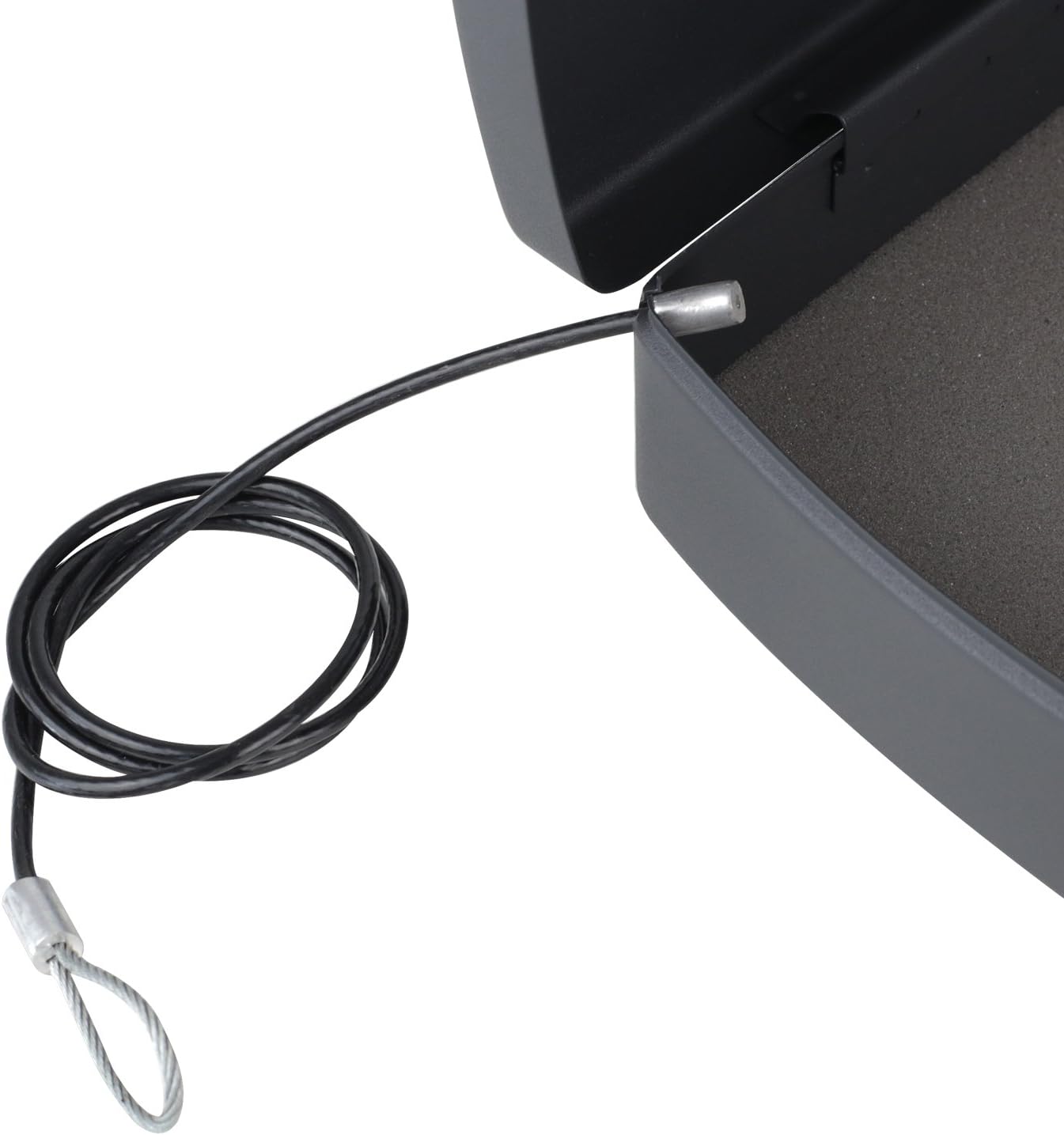
Kielelezo cha 4.4: Detail of the anti-theft metal cable, designed to secure the safe to a fixed object, providing an additional layer of protection.

Kielelezo cha 4.5: The integrated carrying handle on the front of the safe, demonstrating its portability and ease of transport.
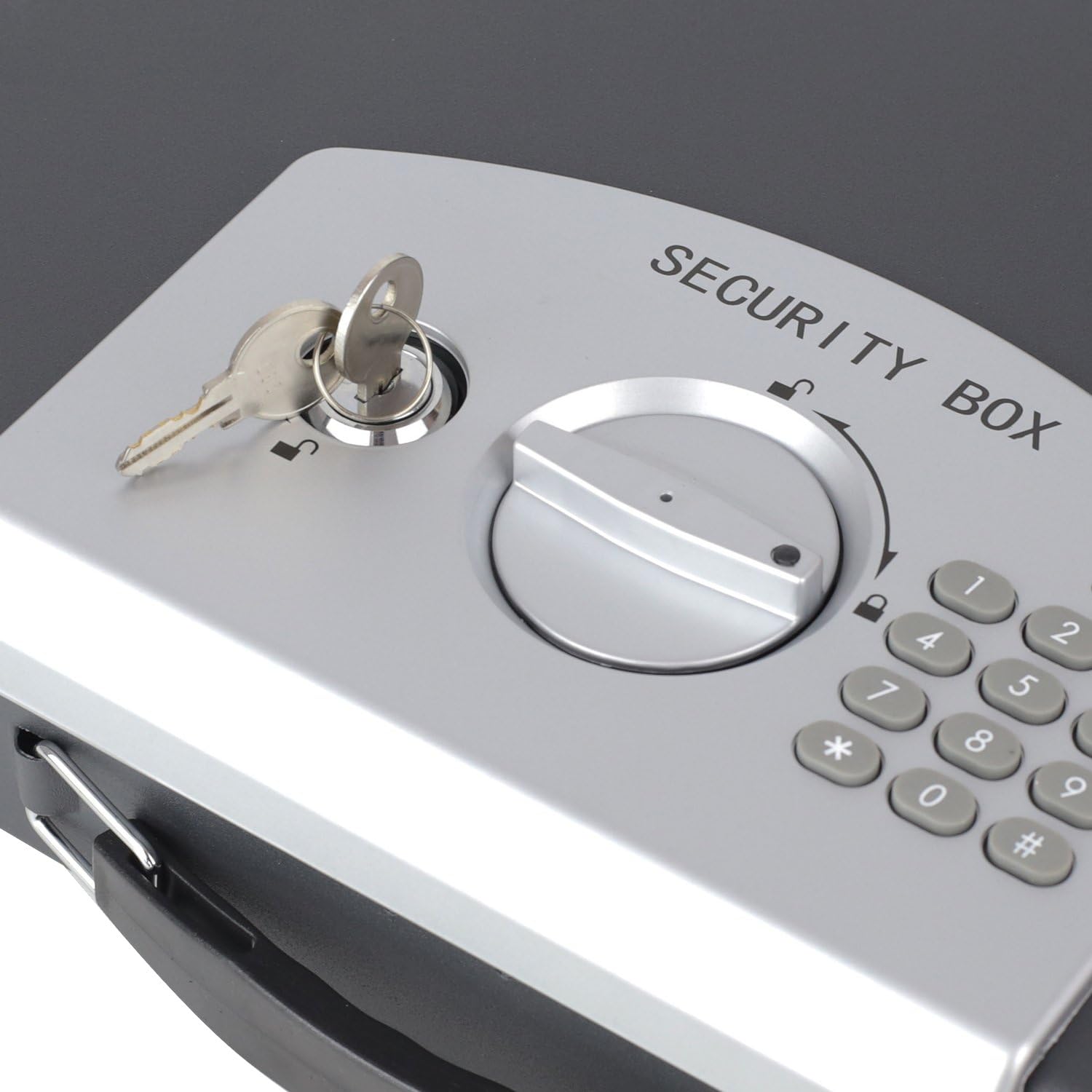
Kielelezo cha 4.6: Maelezo ya kina view of the emergency keyhole, located on the control panel, which allows manual access to the safe.
5. Kuweka
5.1 Ufungaji wa Betri
- Open the safe using the emergency key (refer to section 5.3 if needed).
- Locate the battery compartment on the inside of the safe's lid (refer to Figure 4.2).
- Fungua kifuniko cha sehemu ya betri.
- Insert the required batteries (typically 4x AA, not included) according to the polarity indicators (+/-).
- Funga kifuniko cha sehemu ya betri kwa usalama.
5.2 Setting the Electronic Code
After installing batteries, you can set your personal electronic code.
- With the safe door open, locate the small red or green reset button on the inside of the door, near the battery compartment.
- Press the reset button. You should hear a beep, and an indicator light on the keypad will illuminate.
- Within 5 seconds, enter your desired personal code (3-8 digits) on the keypad.
- Confirm your code by pressing the '#' button.
- The indicator light will flash, and you will hear a confirmation beep, indicating the new code is set.
- Jaribu msimbo mpya: With the door still open, enter your new code and press '#'. The safe should indicate it's unlocked. If it doesn't, repeat the steps.
5.3 Using the Emergency Key
The emergency key provides manual access to the safe in case of battery failure or forgotten code.
- Locate the emergency keyhole on the control panel (refer to Figure 4.6).
- Ingiza moja ya funguo za dharura zilizotolewa kwenye tundu la ufunguo.
- Turn the key clockwise (or counter-clockwise, depending on the lock) while simultaneously turning the rotary knob on the control panel to the unlock position.
- The safe door will open.
- Remove the key after opening.
6. Kufanya kazi
6.1 Opening with Electronic Code
- Enter your personal electronic code (3-8 digits) on the keypad.
- Press the '#' button.
- If the code is correct, a green indicator light will illuminate, and you will hear a beep.
- Within 5 seconds, turn the rotary knob clockwise (or counter-clockwise) to the unlock position and open the safe door.
6.2 Kufunga Sefu
- Funga mlango salama kwa nguvu.
- Turn the rotary knob counter-clockwise (or clockwise) to the lock position. The safe is now secured.
6.3 Using the Anti-Theft Cable
The included metal cable can be used to secure the safe to a fixed object, deterring opportunistic theft.
- Locate the cable attachment point on the safe (refer to Figure 4.4).
- Thread the loop end of the metal cable through a secure, fixed object (e.g., a desk leg, a heavy piece of furniture).
- Attach the other end of the cable to the designated slot on the safe.
- Ensure the cable is taut and the safe cannot be easily moved.
7. Matengenezo
7.1 Ubadilishaji wa Betri
When the batteries are low, the indicator light may flash red or the keypad may not respond. Replace batteries promptly to avoid being locked out.
- Open the safe using either the electronic code or the emergency key.
- Open the battery compartment on the inside of the lid.
- Ondoa betri za zamani na uzitupe kwa uwajibikaji.
- Ingiza betri mpya, hakikisha polarity sahihi.
- Funga sehemu ya betri.
7.2 Kusafisha
Safisha sehemu ya nje ya sefu kwa laini, damp kitambaa. Usitumie wasafishaji wa abrasive au vimumunyisho, kwani hizi zinaweza kuharibu vifaa vya kumaliza au vya elektroniki.
8. Utatuzi wa shida
- Safe does not open with electronic code:
- Hakikisha kuwa betri zimesakinishwa kwa usahihi na hazijaisha. Badilisha ikiwa ni lazima.
- Verify you are entering the correct code.
- Ensure you press '#' after entering the code and turn the knob within 5 seconds.
- Keypad is unresponsive or indicator light is dim:
- Batteries are likely low. Replace them immediately.
- Safe locks after multiple incorrect attempts:
- The safe may enter a lockout mode after 5 incorrect code entries. Wait for the lockout period to expire (typically a few minutes) or use the emergency key to open.
- Emergency key does not work:
- Ensure the key is fully inserted and turned correctly while simultaneously operating the rotary knob.
9. Vipimo
- Mfano: HMF 1608-02
- Nyenzo: Aloi ya chuma
- Rangi: Nyeusi
- Aina ya Kufungia: Elektroniki, Ufunguo
- Exterior Dimensions (L x W x H): Sentimita 33 x 29.5 x 7.5 cm (13.0 in x 11.6 in x 3.0)
- Interior Dimensions (L x W x H): Sentimita 30 x 22.5 x 5.5 cm (11.8 in x 8.9 in x 2.2)
- Uzito: Kilo 1.9 (pauni 4.19)
- Document Compatibility: A4 format
- Vipengele Maalum: Portable, Anti-theft protection (via cable), Carrying handle
10. Udhamini na Msaada
HMF products are manufactured to high-quality standards. For warranty information or technical support, please refer to the contact details provided at the point of purchase or visit the official HMF webtovuti. Tafadhali hifadhi uthibitisho wako wa ununuzi kwa madai ya udhamini.